
7 Construction Workflow Software Tools Ranked for 2026

Running a construction business on spreadsheets, texts, and a whiteboard works until estimating, scheduling, field work, and billing start losing track of each other.
I tested seven construction workflow platforms across the same six criteria: estimating and takeoff, field usability, project tracking, integrations, pricing, and onboarding, covering everything from enterprise project controls to paving-specific workflows.
Here's how each platform fits, where it falls short, and what it costs, ranked by use case rather than a single best-to-worst list.
7 Best Construction Workflow Software: TL;DR
- OneCrew: Best for project-based asphalt and concrete contractors who want one platform from bid to invoice
- Procore: Best for large commercial and enterprise teams that need deep project controls
- Autodesk Construction Cloud: Best for design-heavy, BIM-driven projects that connect the office to the field
- Buildertrend: Best for residential home builders and remodelers who manage clients closely
- Fieldwire: Best for field crews who live in plans, tasks, and punch lists
- Contractor Foreman: Best for small contractors who want an all-in-one tool without per-seat pricing
- monday.com: Best for teams that want to build a flexible, custom workflow from scratch
How I Researched and Tested These Construction Workflow Software Tools
I started with the messy reality of running jobs. Over several weeks, I set up trials, sat through demos, and ran each tool through the same real scenarios, from a quick driveway quote to a full commercial lot with multiple crews.
For specialty trades, I checked whether the estimating held up when pricing an asphalt bid with separate labor, material, and equipment lines.
I also ran a few tools that didn't make the cut, like Jobber and Houzz Pro, which lean toward home services rather than project-based construction. Here’s what I evaluated for each platform:
- Estimating depth: How well each tool handles estimating, takeoffs, labor, materials, equipment, subcontractor costs, proposals, and change orders. For paving work, I also checked whether the material math holds up against the industry's own terminology, because getting quantities and terms wrong can quietly eat into a job's margin.
- Field usability: Whether the platform is something crews and foremen will actually use in the field. I looked at mobile access and how much training it takes to get someone comfortable with the workflow. That matters in the same way managing a paving crew well matters before you put someone on a mat.
- Project tracking: How clearly each platform handles scheduling, job progress, documents, field updates, tasks, change orders, and the movement of a project from preconstruction through completion.
- Integrations: How cleanly each platform connects to the tools contractors already use, especially QuickBooks, CRM platforms, and other systems that sit between sales, operations, and accounting.
- Pricing reality: What you actually get for the money, whether pricing is public or hidden behind a sales call, how the platform charges for users or plans, and whether important functionality costs extra.
- Support and onboarding: How much setup, training, and ongoing support a contractor needs before the platform becomes part of the team’s everyday workflow.
Use-case fit also mattered. The right platform for a large commercial general contractor may be the wrong choice for a 2-crew striping company. For field-heavy operations, that also means keeping safety, schedules, and job information visible to the people doing the work.
Grand View Research valued the global construction management software market at about $7.7 billion in 2025 and projects it to reach about $16.4 billion by 2033. The field is crowded, and not every tool deserves your money.
7 Best Construction Workflow Software: Quick Comparison
Here's the quick version before we get into each tool. Skim it, find the two or three that fit your operation, then read those sections closely:
1. OneCrew: Best for Project-Based Asphalt and Concrete Contractors
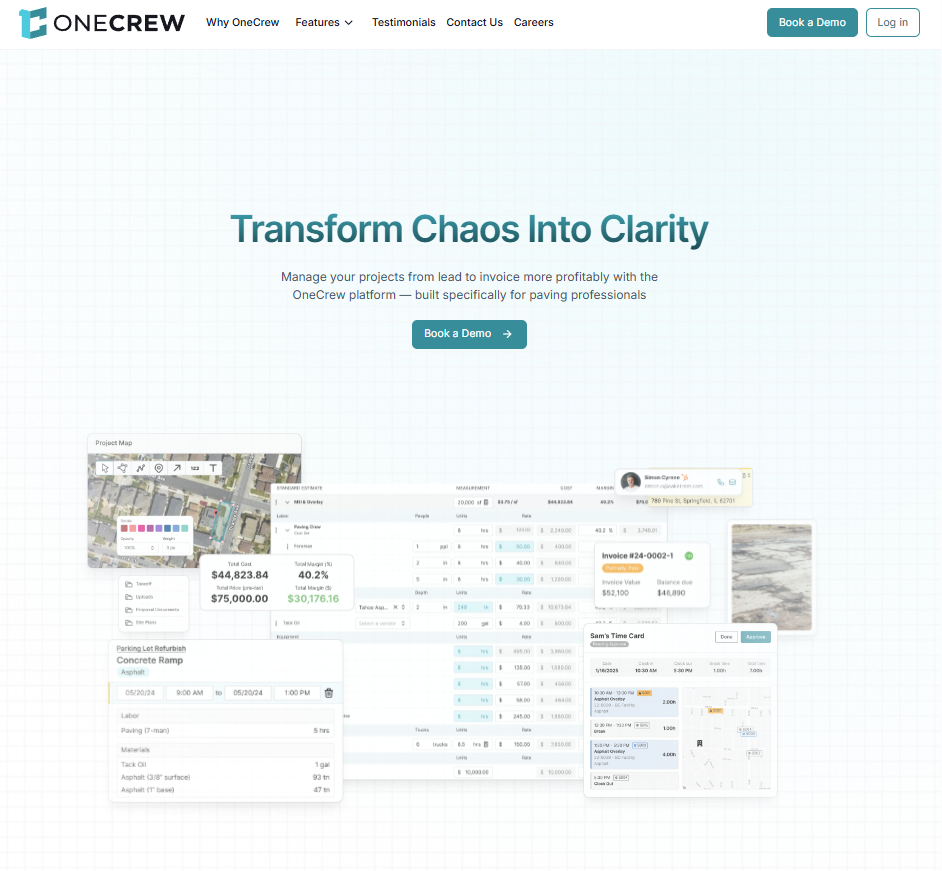
What it does: OneCrew is a lead-to-invoice workflow platform for project-based asphalt and concrete paving contractors. It connects CRM, estimating, proposals, scheduling, mobile field work, customer communication, invoicing, payments, and job-cost visibility in one system.
Best for: Project-based asphalt and concrete paving contractors that want one connected operating platform rather than a standalone estimator, scheduler, or CRM.
Key features
- Configurable estimating and site mapping: Measure jobs from satellite imagery and use configurable formulas to calculate labor, material, equipment, and subcontractor costs. PDF plan takeoff is available as a separate paid add-on for blueprint-based work.
- Customer portal: Give customers one place to review and sign proposals, view and pay invoices, share photos and documents, and message your team.
- QuickBooks Online integration: Sync invoices and payment status between OneCrew and QuickBooks Online. Job-cost data does not sync, so QuickBooks remains the accounting system of record.
OneCrew pros
- Purpose-built for project-based asphalt and concrete paving workflows
- OneCrew reports more than $8 billion in projects proposed, 45,000 projects sold, and a 75% reduction in estimating time through the platform
- Estimating, proposals, scheduling, field work, invoicing, and customer communication stay connected to the same project record
- The customer portal and mobile field tools connect the office, crew, and customer
OneCrew cons
- It is designed for asphalt and concrete paving, so general contractors, home builders, and service-call businesses should look elsewhere
- PDF plan takeoff is an additional-cost add-on
- Pricing is not published and requires a personalized demo
- QuickBooks Online synchronization covers invoices and payments, not job-cost data
- Teams that only need standalone takeoff or estimating may prefer a point tool
What users say
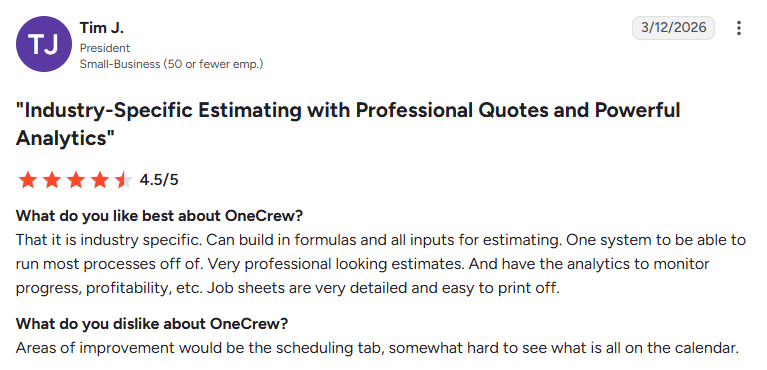
- Built specifically for paving contractors: One reviewer said OneCrew stands out for its industry-specific estimating tools, customizable formulas, detailed job sheets, and analytics for tracking profitability and project progress, making it easier to manage estimating from a single platform. (Matt M., G2, February 10, 2026)
- Some users want more map customization options: One reviewer appreciated having estimating, proposals, mapping, and support in a single platform but said additional color options for map linework would make project areas easier to distinguish. (Verified User in Construction, G2, February 2, 2026)
Pricing
OneCrew provides pricing during a personalized demo. Public OneCrew comparison content describes the pricing model as seat-based. PDF plan takeoff carries an additional fee, so buyers should confirm whether it is included in their quote. You can book a demo to get pricing for your team.
Bottom line
For project-based asphalt and concrete paving contractors that want estimating, scheduling, field execution, proposals, invoicing, and customer communication in one system, OneCrew is the most specialized option in this comparison.
It is not the right fit for general contractors, home builders, service-call businesses, or teams that only need a standalone estimating tool.
2. Procore: Best for Large Commercial and Enterprise Construction

What it does: Procore is a cloud-based construction management platform that ties project controls, documents, budgets, scheduling, and field coordination together for large builds.
Best for: Large commercial general contractors, owners, and specialty firms running complex, high-dollar projects across multiple teams.
Procore is the name you hear on big commercial jobsites, and there's a reason for it. It handles serious project volume and gives owners real visibility into where a job stands. The tradeoff is weight: it's built for scale, so a small crew will feel like they rented a semi to haul a wheelbarrow.
Key features
- Project management and financials: Track budgets, commitments, and change orders against your original numbers so cost overruns show up before they blow the job.
- Document and drawing control: Keep plans, submittals, and RFIs in one version-controlled place, which matters when 40 subs work off the same set.
- Unlimited users with one disclosed exception: Procore’s standard annual contracts include unlimited users. Procore notes that its Resource Tracking product (formerly Field Productivity) is priced separately by FTE.
Procore pros
- Deep functionality that scales to the largest, most complex commercial projects
- Strong reporting and financial tools that give owners real project visibility
Procore cons
- Custom ACV-based pricing requires a quote, which makes direct cost comparison difficult
- The platform’s feature depth may exceed what a small team or simple project needs
- Implementation and adoption require planning across office, field, and project roles
What users say
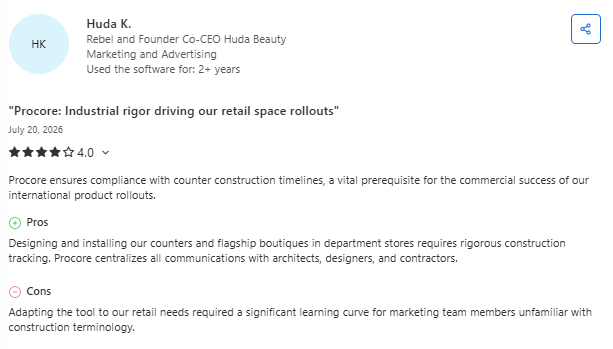
- Users value Procore’s organized project documentation and workflow management: One reviewer said Procore made it easy to organize projects by contractor and job, while keeping all project documents in one place for quick access throughout the workflow. (Hailey J., Capterra, July 9, 2026)
- Some users report administrative overhead for simpler projects: One reviewer praised Procore’s mobile app, budget tracking, and change order management, but noted that the platform’s administrative processes could feel burdensome for smaller or routine maintenance projects. (Ricky S., Capterra, July 9, 2026)
Pricing
Procore uses custom annual pricing based on the products you select and your Annual Construction Volume, or ACV. Its standard pricing model includes unlimited users, data, and support, although the Field Productivity product is priced by FTE.
You can request a quote or demo on Procore's site.
Bottom line
Procore is best suited to large commercial teams that need deep project controls, broad stakeholder access, and a structured implementation. Smaller teams running simpler projects may pay for more platform than they need.
Tip: If that sounds like your team, it's worth comparing Procore alternatives built for a lighter footprint.
3. Autodesk Construction Cloud: Best for Design and BIM-Heavy Projects
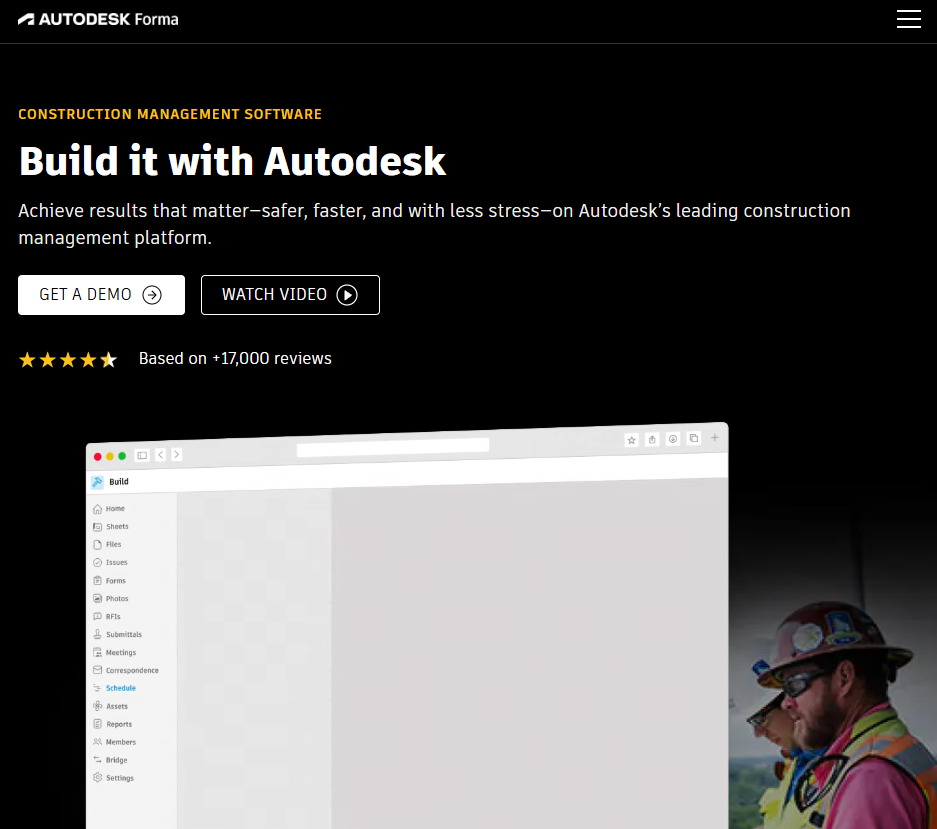
What it does: Autodesk Forma is Autodesk’s connected AECO platform. Its construction products connect model coordination, document management, takeoff, estimating, field execution, and cost workflows.
Best for: BIM-led commercial and infrastructure teams, especially organizations already working in Revit and other Autodesk products.
Key features
- BIM and model coordination: Run clash detection and share live models so field teams catch conflicts before they become expensive rework.
- Document management: Give office and field one source of truth for drawings, RFIs, and submittals across the project.
- Integrated takeoffs and estimating: Pull quantities straight from models to build competitive bids without re-measuring by hand.
Autodesk pros
- The strongest option here for BIM, model coordination, and design-to-field continuity
- One connected system for office and field on large, complex builds
- Deep fit if you already run Revit or AutoCAD
Autodesk cons
- Quote-based pricing makes the total cost difficult to compare without speaking to sales
- The platform’s depth may be excessive for teams that do not work from models
- Setup, permissions, templates, and administration require a mature implementation process
What users say
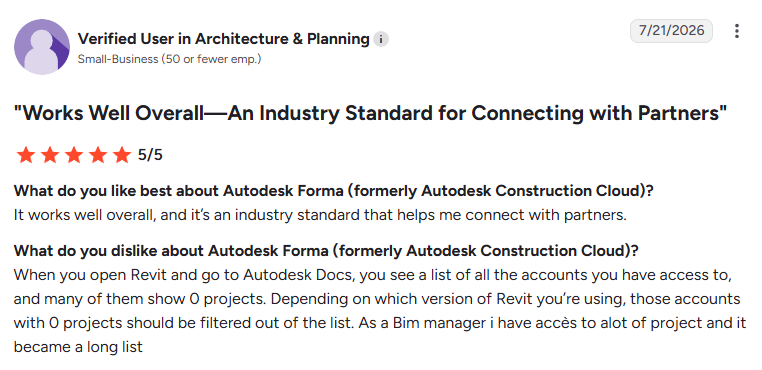
- Users praise Forma’s collaborative 3D planning tools: One reviewer highlighted the ability to model sites anywhere in the world, import and export 3D models from tools like Revit and AutoCAD, and run simulations that improve collaboration and site analysis. (Katelyn H., G2, July 15, 2026)
- Some users say setup and administration can be time-consuming: One reviewer appreciated Forma’s smooth browser performance and unified project data but noted that initial setup, permission management, and template configuration require significant effort, with pricing also posing a challenge for smaller firms. (Verified User in Construction, G2, July 7, 2026)
Pricing
Autodesk uses flexible user-, project-, and account-based pricing across Autodesk Forma products. Larger deployments require a custom quote. The current pricing page advertises a 30-day money-back guarantee.
Bottom line
Autodesk Forma is the strongest fit in this comparison for BIM-led commercial and infrastructure workflows. Teams whose projects do not begin with models or coordinated design data will probably find a simpler platform more practical.
4. Buildertrend: Best for Residential Builders and Remodelers
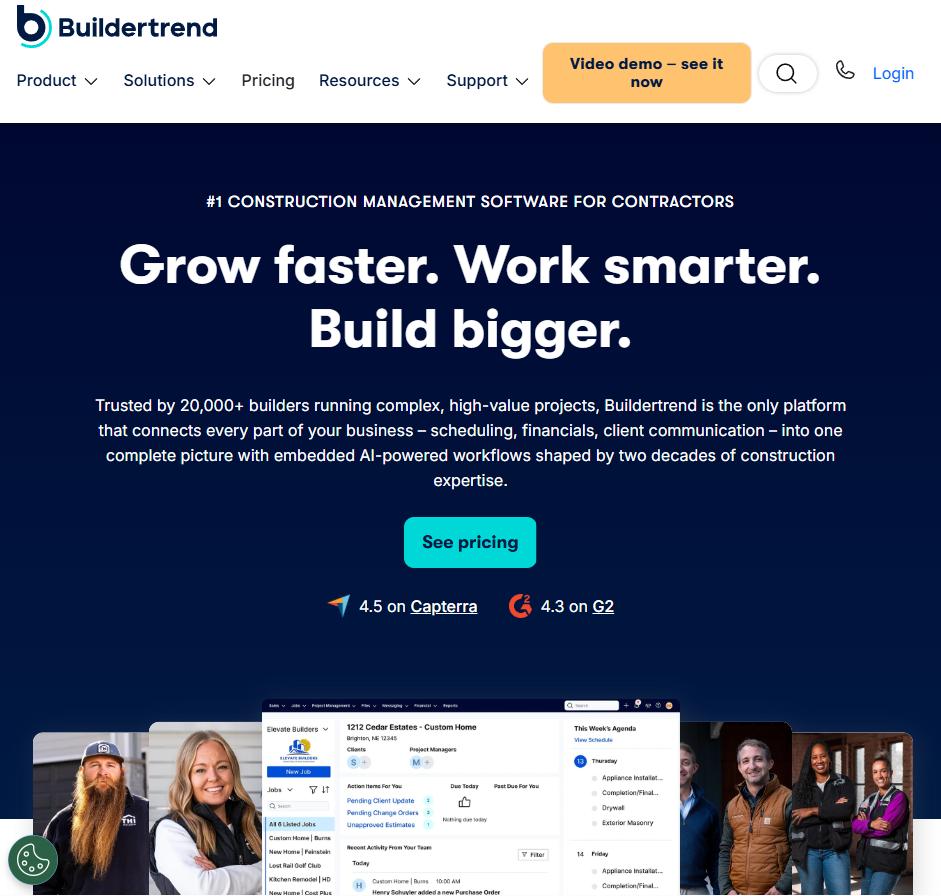
What it does: Buildertrend is a construction management platform for residential builders and remodelers that handles scheduling, client communication, selections, and project financials in one place.
Best for: Home builders, remodelers, and residential specialty contractors who manage homeowners closely through a build.
Buildertrend is built around the homeowner relationship, which is exactly what residential work needs.
Clients log in to approve selections, track progress, and pay, so you field fewer "what's the status?" texts. It's a weaker fit for heavy commercial or public-works bidding, and it sits at the premium end.
Key features
- Client portal and selections: Let homeowners choose finishes, approve change orders, and pay online, which cuts the back-and-forth that stalls residential jobs.
- Scheduling and daily logs: Keep timelines, subs, and site updates in one view so nothing slips between trades.
- Estimating and financials: Build proposals, track budgets against actuals, and manage change orders on higher tiers.
Buildertrend pros
- Purpose-built for residential builders and remodelers
- A strong client-facing portal that lifts the homeowner experience
- Unlimited users, so team size doesn't drive the price
Buildertrend cons
- No public price list, so buyers must request a quote before comparing total cost
- The platform is centered on established residential builders and remodelers, making it a weaker fit for heavy commercial or public-works workflows
- The official pricing page does not list a public free plan or trial
What users say
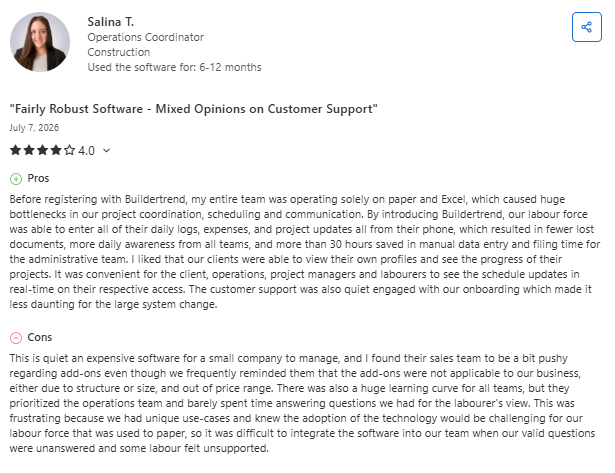
- Buildertrend helps centralize project management and team communication: One reviewer said Buildertrend replaced paper- and Excel-based workflows by bringing scheduling, daily logs, expenses, and project updates into one platform, improving visibility and reducing administrative work. They also praised the onboarding support during implementation. (Nikki C., Capterra, May 5, 2026)
- Some users report high costs and inflexible contracts: One reviewer said Buildertrend's pricing, rigid contract terms, and lack of flexibility during financial hardship made the platform difficult for a small business, despite its reputation as a construction management solution. (Ricardo D., Capterra, May 1, 2026)
Pricing
Buildertrend uses custom pricing. Its quote form asks about builder type and annual construction volume, and the current pricing page directs buyers to a personalized quote and demo rather than publishing flat tiers.
Bottom line
Buildertrend is a strong fit for established residential builders and remodelers that want scheduling, client communication, selections, financial tools, and a customer portal in one platform.
Contractors focused on heavy commercial, infrastructure, or public-works bidding should choose a platform built for those workflows.
5. Fieldwire: Best for Field Task and Punch List Management
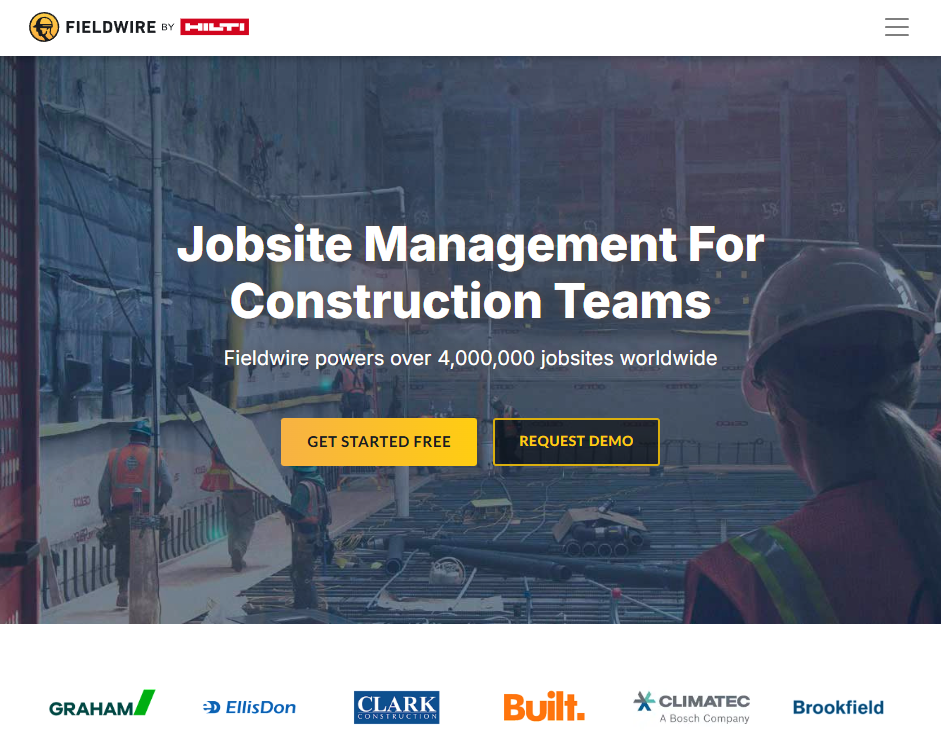
What it does: Fieldwire is a field-first construction platform that keeps plans, tasks, punch lists, and photos organized so crews and foremen stay on the same set of drawings.
Best for: Field teams, foremen, and specialty contractors who care most about plan management, task tracking, and punch lists.
Fieldwire, owned by Hilti, does one thing well: it keeps the field organized. Foremen mark up plans, assign tasks, and clear punch lists from a phone or tablet, even offline.
It's not a full financial or estimating suite, so you'll likely pair it with other tools, but for pure field coordination it's fast and easy to pick up.
Key features
- Plan viewing and versioning: Overlay and compare sheet versions so crews always build off the latest set, not last month's markup.
- Task and punch list management: Assign, track, and report on tasks from the field, then generate punch lists in a click.
- Offline mobile access: Keep working in a basement or a dead zone and sync once you're back online.
Fieldwire pros
- Genuinely easy for field crews to adopt, with a free plan for up to five users
- Strong plan, task, and punch list tools built for the jobsite
- Transparent per-user pricing you can check without a sales call
Fieldwire cons
- Light on estimating, invoicing, and financials, so you'll need other tools
- Paid plans are priced per user, so total cost increases with every paid seat
- Less useful for office-heavy project controls
What users say
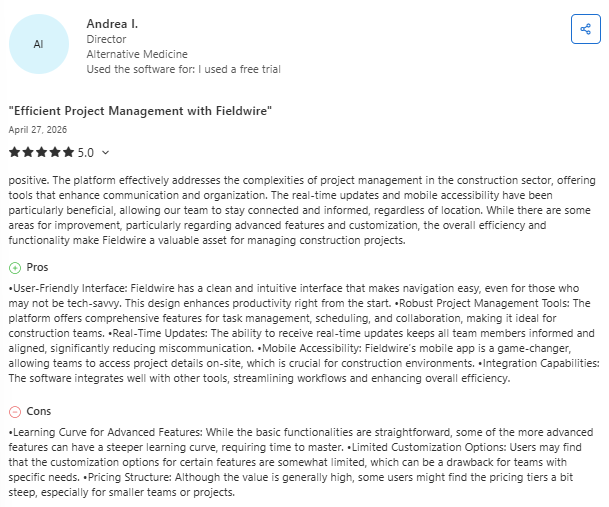
- Easy project coordination for field teams: One reviewer said Fieldwire made it easier to keep field and office teams aligned by centralizing project information, task management, and real-time updates. They also praised its intuitive interface and mobile app for improving communication across multiple job sites. (Murtaza L., Capterra, March 31, 2026)
- Advanced features can feel limited for complex projects: One reviewer said Fieldwire works well for day-to-day field coordination but noted that some advanced reporting, customization, and premium features are limited, with occasional performance slowdowns on large drawing files. (Yoelvis D., Capterra, March 25, 2026)
Pricing
Fieldwire publishes its prices. The Basic plan is free. When billed annually, Pro costs $39 per user per month, Business costs $64, and Business Plus costs $89. Enterprise pricing is custom. See current tiers on Fieldwire's pricing page.
Bottom line
For teams that mainly need plans, tasks, markups, and punch lists in the field, Fieldwire is the strongest field-first option in this comparison. Teams that also need estimating, job costing, invoicing, or accounting will need another system.
6. Contractor Foreman: Best for Small Contractors on a Budget
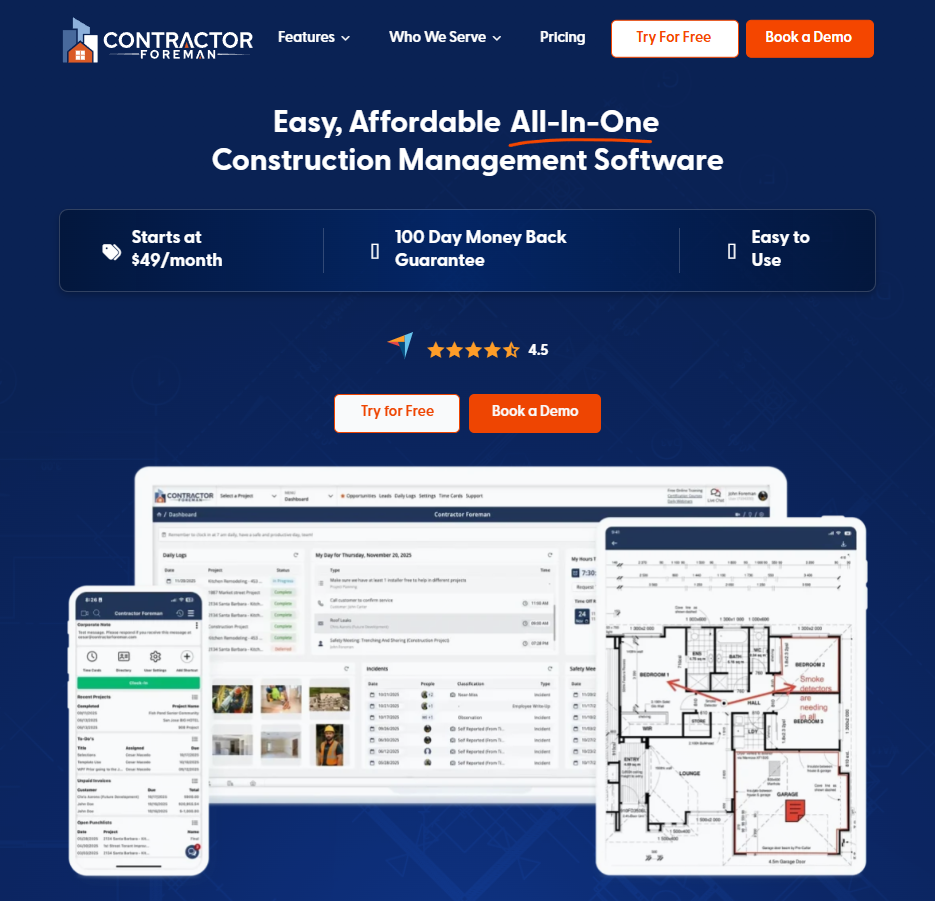
What it does: Contractor Foreman is an affordable all-in-one construction management platform that bundles estimating, scheduling, time tracking, job costing, and invoicing for small to mid-size contractors.
Best for: Small and mid-size general and specialty contractors that want broad construction management features without per-seat billing.
Contractor Foreman’s main advantage is value. It includes dozens of features across project management, financials, people, documents, integrations, CRM, and field workflows at a lower entry price than the enterprise platforms in this comparison.
Key features
- All-in-one modules: Estimating, scheduling, daily logs, change orders, and AIA invoicing in one place, so a small team can drop several point tools.
- QuickBooks integration: Sync financial data with QuickBooks to keep books current without double entry.
- Company-level tier pricing: Contractor Foreman charges one company fee within each plan rather than billing for every individual seat. Annual tiers support 1, 3, 8, 15, or unlimited users, so a growing team may need to move to a higher plan.
Contractor Foreman pros
- Broad feature coverage at a low entry price
- Company-level pricing within each tier rather than per-seat billing
- Unlimited projects across the plans
- A 30-day free trial and a conditional 100-day money-back guarantee
Contractor Foreman cons
- User caps increase by tier, so a growing team may need a more expensive plan
- The interface may feel dated beside newer platforms
- Integrations and advanced workflows are less extensive than some enterprise products
- Eligibility requirements apply to the 100-day money-back guarantee
What users say
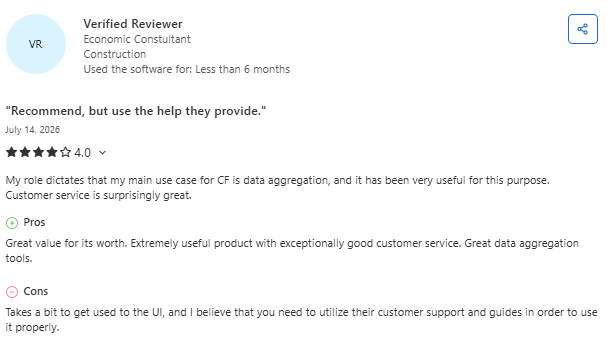
- Easy to learn and well-suited for small contractors: One reviewer said Contractor Foreman helped centralize project management in one place and praised its user-friendly interface, training videos, and overall value for organizing construction projects. (Mai B., Capterra, July 13, 2026)
- Some features require time to learn: One reviewer said Contractor Foreman keeps projects organized and includes a wide range of useful features but noted that the platform's extensive functionality creates a learning curve for new users. (Bayleigh R., Capterra, July 2, 2026)
Pricing
Contractor Foreman’s annual plans start at $49 per month for one user. Standard costs $105 per month for up to three users, Plus costs $166 for up to eight, Pro costs $221 for up to 15, and Unlimited costs $332.
The vendor also offers a 30-day free trial and a 100-day money-back guarantee, subject to its eligibility requirements. Check current plans on Contractor Foreman's pricing page.
Bottom line
Contractor Foreman is a strong budget-oriented option for contractors that want broad functionality and company-level tier pricing. Buyers should choose the tier based on both required features and the number of users they need.
7. monday.com: Best for Flexible, Custom Workflows

What it does: monday.com is a flexible work platform you can shape into a custom construction workflow, with boards, automations, and dashboards for tracking jobs, tasks, and timelines.
Best for: Teams that want to build their own workflow from scratch, or run construction alongside other departments like sales and operations.
monday.com isn't built for construction specifically, and that's the point. It's a blank canvas you configure however you want, which is great if you have a clear process and someone willing to set it up.
For project tracking, task management, and cross-team visibility, it's genuinely flexible. For estimating, takeoffs, or paving-specific math, you'll be building workarounds.
Key features
- Customizable boards and views: Build the exact workflow you want with Kanban, Gantt, calendar, and dashboard views.
- Automations: Set up rules that move tasks, send updates, and cut manual status-chasing.
- Cross-team visibility: Run construction projects next to sales, admin, and operations in one workspace.
monday.com pros
- Extremely flexible, so you can match it to almost any process
- A clean, modern interface that teams tend to like
- Public pricing with a free plan for up to two users
monday.com cons
- No native construction estimating or takeoff workflow
- Paid subscriptions use seat buckets, so small teams may pay for unused capacity
- Turning the blank canvas into a construction workflow requires setup, governance, and ongoing administration.
What users say

- Highly customizable for organizing projects and teams: One reviewer said monday.com makes it easy to organize tasks with customizable workflows, color-coded boards, and automation, helping teams stay on top of project deadlines and collaborate across different time zones. (Kenny C., Capterra, July 14, 2026)
- Some users miss offline access: One reviewer praised monday.com's automation and customization features but said the lack of an offline mode makes it difficult to use when internet access is unavailable. (Anonymous User, Capterra, July 6, 2026)
Pricing
monday.com offers a free plan for up to two seats. The Basic plan starts at $9 per seat per month when billed annually. Paid subscriptions use bucket pricing: plans start at 3 seats and then increase in groups of 5, so some teams may pay for more capacity than they use.
Bottom line
monday.com fits teams that want a configurable work platform and have someone who can design and govern the workflow. It is not a ready-made construction operations platform, so estimating, takeoff, and trade-specific processes require custom configuration or connected tools.
Which Construction Workflow Software Should You Choose?
The right construction workflow software comes down to what you build, how big your team is, and how much centralization you actually need. Here's the short version:
Choose Procore or Autodesk Construction Cloud if you:
- Run large commercial, infrastructure, or BIM-driven projects
- Need deep project controls and can absorb enterprise pricing
Choose Buildertrend if you:
- Build or remodel homes and manage clients closely through the job
Choose Fieldwire if you:
- Care most about plans, tasks, and punch lists in the field
Choose OneCrew if you:
- Run project-based asphalt or concrete work and want one platform from bid to invoice
Choose Contractor Foreman or monday.com if you:
- Want broad features on a budget (Contractor Foreman) or a build-your-own workflow (monday.com)
Skip a dedicated construction workflow platform entirely if:
- You're a solo operator doing simple service calls, where a basic invoicing app is plenty
Remember: The details are where a job's margin lives, the same way your return on switching software depends on getting those details right before you lock in a number.
Final Verdict
Procore is the strongest fit for large commercial and enterprise teams that need deep project controls. Autodesk Construction Cloud is best suited to BIM-driven projects that connect design and field teams.
Buildertrend is built around residential construction and homeowner communication, while Fieldwire works best for teams focused primarily on plans, tasks, and punch lists in the field.
Contractor Foreman is a strong option for smaller contractors that want broad construction management functionality at a lower entry price, while monday.com gives teams more flexibility to build their own processes.
For project-based asphalt and concrete paving contractors, OneCrew is the most specialized option in this comparison because its workflows are designed around estimating, proposals, scheduling, field work, and invoicing for paving projects.
Stop Patching Together Your Construction Workflow
OneCrew runs the whole paving job in one place, from the first bid to the last invoice, replacing the patchwork of tools that slows crews down. Here's what OneCrew covers:
- Build estimates from site maps without rebuilding your cost structure on every job: OneCrew’s estimating tools let you measure project areas from satellite imagery and apply configurable calculations for labor, materials, equipment, and subcontractors.
- Add PDF plan takeoff when you bid from blueprints: OneCrew’s PDF plan takeoff lets you measure uploaded construction plans and is available as an additional-cost add-on.
- Schedule crews to job phases so a won bid actually makes it onto the calendar: OneCrew's scheduling feature assigns crews and roles to specific project phases so your office and field stay aligned across pre-construction, production, and billing.
- Give crews what they need on-site before they leave the yard: OneCrew’s field management tools push mobile work orders, schedules, and GPS directions to crew phones and pull time and job data back to the office as work happens.
- Turn estimates into proposals clients can sign and pay the same day: OneCrew's proposals feature generates professional, branded proposals directly from your estimate.
- Keep every lead and repeat customer connected to your active jobs: OneCrew's CRM tracks every lead, conversation, and project history in one place so bids and follow-ups stop falling through the cracks between sales and operations.
- Invoice from the original estimate and sync to QuickBooks without double entry: OneCrew's invoicing tools pull line items from the estimate you already built and sync invoicing and payment data with QuickBooks Online.
You only need one platform that connects estimating, scheduling, field management, and billing from the first takeoff to the final invoice. Book a free demo and see how it works for your operation.
FAQs
1. What is construction workflow software?
Construction workflow software connects the operational steps involved in running a construction project, such as estimating, scheduling, field updates, document management, change orders, invoicing, and reporting. The exact features vary by product, and some platforms focus on only one part of the workflow.
2. What is the best construction workflow software for small contractors?
In this comparison, Contractor Foreman is the strongest budget-oriented all-in-one option for a small contractor that needs estimating, scheduling, job costing, and invoicing. Fieldwire is a better fit when the main need is plans, tasks, and punch lists in the field. The right choice depends on the workflow the contractor needs to improve.
3. How much does construction workflow software cost?
Construction workflow software ranges from free plans to custom annual contracts. Fieldwire offers a free plan and starts at $39 per user per month when billed annually.
Contractor Foreman starts at $49 per month for a one-user annual plan and moves through higher tiers with larger user caps. monday.com offers a free two-seat plan and paid bucket pricing.
Procore, Autodesk Forma, Buildertrend, and OneCrew use custom or flexible quote-based pricing.
4. Can construction workflow software replace QuickBooks?
Construction workflow software usually does not replace QuickBooks. Most platforms manage estimating, scheduling, and invoicing while QuickBooks stays the accounting system of record, though what syncs varies by vendor, from invoices only to full job-cost data.
OneCrew, for example, syncs invoices and payment status with QuickBooks Online, but not job-cost data.
5. Is construction workflow software worth it?
Construction workflow software may be worth the cost when it reduces manual data entry, connects office and field work, shortens billing delays, or replaces several disconnected tools.
Compare the annual subscription and implementation cost with measurable savings in estimating time, administrative work, rework, and delayed invoicing. A solo operator running simple jobs may not need a full construction platform.
6. What is the best construction workflow software for paving contractors?
In this comparison, OneCrew is the best fit for project-based asphalt and concrete paving contractors that want one workflow from lead capture and estimating through scheduling, field execution, invoicing, and payment. Teams that only need takeoff or estimating should also compare standalone point tools.

.png)