
Build Winning Estimates and Proposals in One Connected Workflow
OneCrew gives your team the speed and precision to be first in the door with accurate, profitable bids in one system, built around your business.
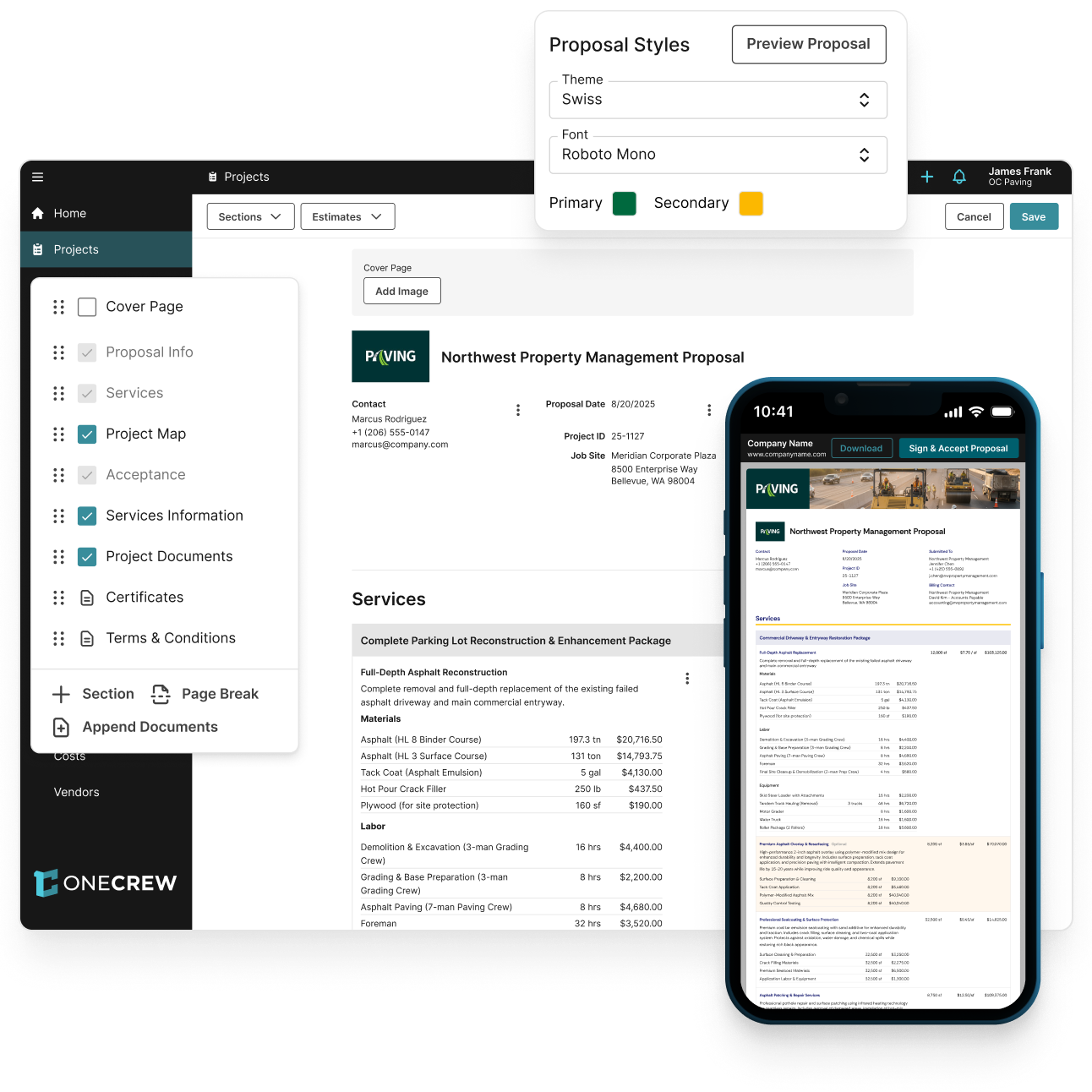

Be the First to Bid
Reply to customers same-day to edge-out the competition.

Instantly Build Professional Proposals
Stand-out with polished, branded proposals you can generate with a click.

Customization, at Scale
Build it for your business once, and easily onboard new team members.
How to Go From Mapping to Signature, All in OneCrew
With OneCrew, your estimation process has seamless simple continuity and no need to switch platforms. Here’s how it happens.
Step 1: Measure the Job in Minutes
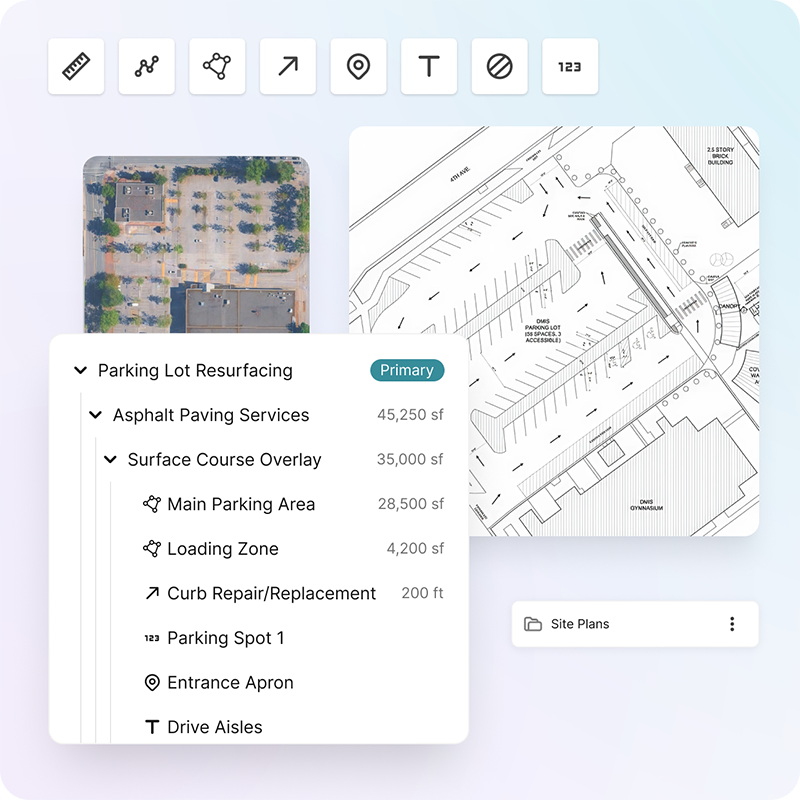
Draw directly on maps or blueprints to auto-calculate the work, then turn it into an estimate in one-click.
Details

Access monthly satellite images or upload blueprints
Easily draw and edit precise areas, including cut-outs and irregular shapes
Automatically calculate area, perimeter, and edge measurements
Breakdown complex jobs into sections for clarity
Use your interactive map to generate your estimate and share it directly with your customer
Step 2: Create a Complete Estimate in One Click
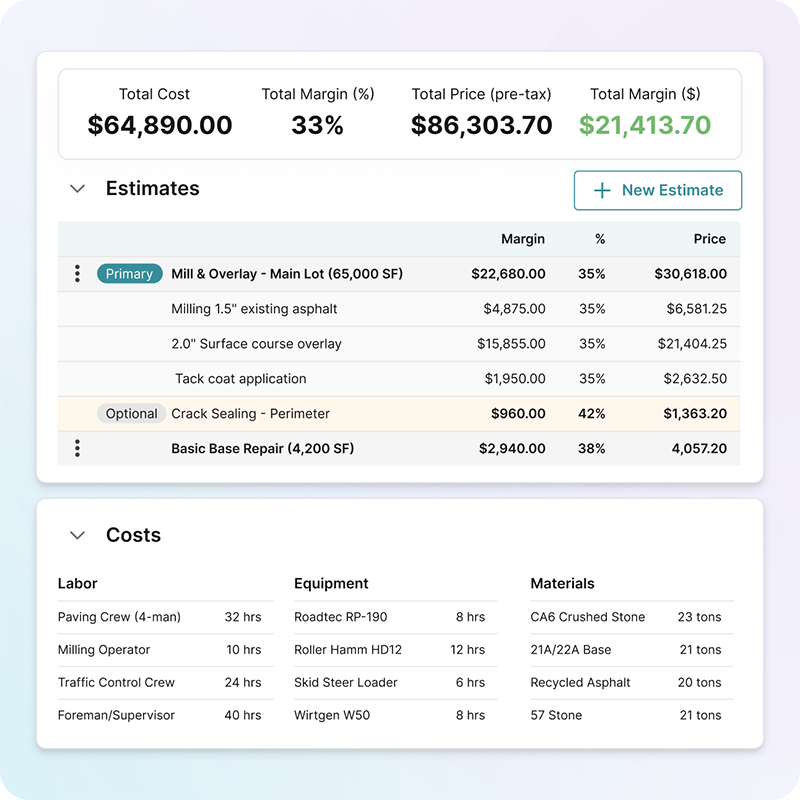
Automatically convert your drawing into the resources and crews needed for the job, with all of the customizations and nuance your business needs.
Details
Automatically calculate tonnage and materials
Instantly estimate how many trucks you’ll need
Use the Vendor Picker to see distances and rates by vendor
Set default margins so every estimate starts with your target pricing
Set approval thresholds by user so small deals move quickly while big opportunities get proper review
Calculate taxes automatically
Step 3: Auto-Generate a Professional, Branded Proposal
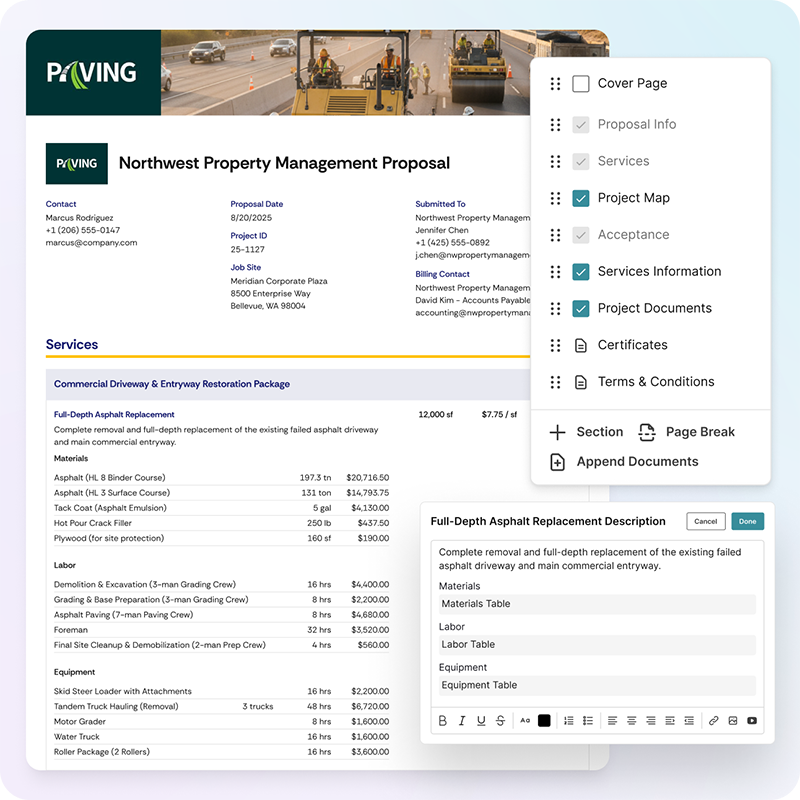
Your estimates and map come together to create a polished proposal you can directly send to your clients for signature as a PDF or interactive link.
Details
Automatically pull-in measurements, pricing, and project details from your estimate
Customize your branding, custom sections, and more
Embed images, videos, and interactive maps
Attach photos with notes and include standard documents, like terms and conditions, with one click
Preview everything before sending
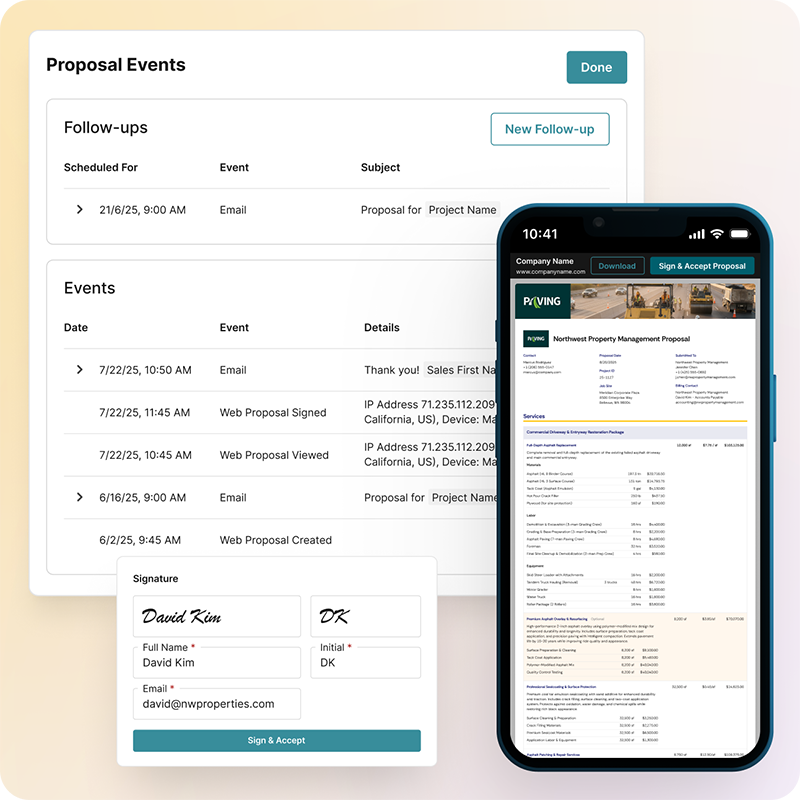
Step 4: Send for Signature, Then Move the Job to Scheduling
Deliver your proposal as a PDF or link for e-signature. Once it’s signed, the job is ready to be scheduled in OneCrew and even invoiced, complete with all our details.
Details
Customers receive a link to view a beautifully formatted web proposal optimized for any device
They can zoom in on photos, explore interactive maps, and sign from their phone or computer
Track who opened your proposal and when
Configure automated follow-ups to remind customers about outstanding bids
Once signed, proposals automatically move to your schedule queue
Ready to See OneCrew In Action?
Schedule a personalized demo to see how OneCrew's connected platform can streamline your operations and boost profitability.
Real Results from Paving Contractors like You
12-16 hours saved
Per week per estimator, eliminated by ending double and triple data entry

6 months to 2 weeks
New estimator onboarding time reduced through automated calculations and approval workflows