
Why Automate Project Management for Construction Teams

Project management automation is the use of software to replace repetitive, manual tasks with trigger-based workflows that run without human input. For construction project managers and business owners, this means less time chasing approvals and more time solving the problems that actually require your judgment. AI-driven automation now handles everything from note taking and scheduling to risk analysis, with measurable ROI demonstrated in the field. If you’re still running status updates by hand or tracking change orders in spreadsheets, this article explains exactly what you’re leaving on the table.
Why automate project management in construction?
Project management automation, sometimes called workflow automation or process automation in formal project management literature, converts predictable, repeatable steps into reliable systems. The core mechanism is simple: a trigger occurs (a form is submitted, a milestone is reached, a deadline passes), and the software executes the next step automatically without waiting for someone to remember to do it.
In construction, those repeatable steps are everywhere. Think about how many times a week your team manually collects status updates, routes documents for approval, or re-enters field data into a different system. Automation eliminates that recurring manual burden and replaces it with a system that runs in the background while your team focuses on the work that actually moves a project forward.
Here’s what automation typically handles in a construction context:
- Status report generation: Software pulls data from active tasks and compiles reports automatically on a set schedule.
- Task assignment: When a phase is marked complete, the next task is assigned to the right person without a manager manually triggering it.
- Document routing: Submittals, RFIs, and change orders move through approval chains based on predefined rules.
- Data syncing: Field data captured on mobile devices feeds directly into project dashboards and accounting systems without manual re-entry.
Pro Tip: Before you automate anything, map the process on paper first. Automating a broken workflow just makes the mistakes happen faster. Standardize the steps, then let the software take over.
What are the benefits of automating project management in construction?
The benefits of project automation in construction fall into three categories: time, accuracy, and money. Each one compounds the others.
Time savings that actually show up on the schedule
AI-enabled automation handles rote tasks reliably, which means your team spends far less time correcting errors introduced by manual data entry. When a project manager isn’t spending two hours every Friday compiling a status report, those two hours go toward coordination, problem solving, or client communication. Multiply that across a 12-month project and you’re looking at weeks of recovered capacity.
Accuracy and financial impact
Errors in construction project management don’t just cause rework. They cause disputes, delays, and lost margin. Automating change-order tracking can sharply reduce approval cycle time and cut the disputes that arise when everyone isn’t working from the same data. That’s not a marginal improvement. That’s a structural change to how profitable a project can be.
Strategic capacity and collaboration
When your team isn’t buried in administrative handoffs, they can focus on the decisions that require human judgment: subcontractor coordination, scope negotiations, safety planning. Digital technologies including automation improve construction project coordination, document quality, and productivity when adoption includes the right organizational changes. Automated notifications also keep clients and stakeholders informed without anyone drafting a separate update email, which reduces the “where does this stand?” calls that eat up a project manager’s afternoon.
How does automation improve change orders and site reporting?
These two workflows are where construction teams feel the most pain, and where automation delivers the fastest return.
Change order management
Change orders are a workflow problem before they’re a financial problem. When approvals sit in someone’s inbox for a week, costs escalate and relationships fray. Standardizing cost assembly and documentation capture before applying automated tracking and routing is what makes the difference. The lesson from contractors who get this right is that they don’t just buy software — they standardize their process first, then automate it. Disputes drop because everyone is working from the same data at the same time.
For a deeper look at how this process works end to end, the change order workflow guide from OneCrew walks through the specific steps worth standardizing before you automate.
Site visit reporting
Construction teams have cut site-visit reporting from days to minutes by reducing a multi-step process to a few steps. The key wasn’t just speed. It was eliminating approval bottlenecks and using a single data source so nothing got lost between field capture and the stakeholder report. Mobile data entry fed directly into templates, which meant the report was essentially written by the time the site visit ended.
Pro Tip: In construction, the fastest ROI from automation comes from targeting administrative handoffs tied to field data capture. If field data has to be re-entered anywhere before it reaches a decision-maker, that’s your first automation target.
What challenges should construction managers expect when implementing automation?
Automation doesn’t fix itself, and it doesn’t fix a disorganized operation. Here’s what to watch for:
- Process standardization is a prerequisite. You can’t automate a process that changes every time someone runs it. Before you configure any workflow rules, document the current process and agree on the standard version. This step alone surfaces inefficiencies you didn’t know existed.
- Complacency is a real risk. Automation turns repeatable processes into reliable systems, but teams can stop questioning whether the automated output is still correct. Rules and templates need periodic review, especially when project types or contract structures change.
- Field adoption takes deliberate effort. Foremen and field crews who’ve been doing things the same way for ten years won’t adopt a new mobile reporting tool just because it exists. Training, clear explanations of what’s in it for them, and visible support from leadership all matter.
- AI outputs require human oversight. AI improves administration immediately but introduces new risks if outputs aren’t reviewed. Treat AI-generated schedules, risk flags, and forecasts as a first draft, not a final answer.
- Automation benefits plateau without maintenance. Workflows that worked perfectly on a commercial build may not fit a road paving project. Revalidate your automation rules when project types shift.
Research on digital technology adoption in construction consistently finds that realizing productivity gains requires cultural and organizational shifts, not just new software. The software is the easy part. Getting your team to trust and use it consistently is where the real work happens.
Key takeaways
Automating project management in construction delivers measurable ROI when you standardize processes first, target high-friction administrative handoffs, and maintain your workflows as projects evolve.
See how OneCrew supports construction automation
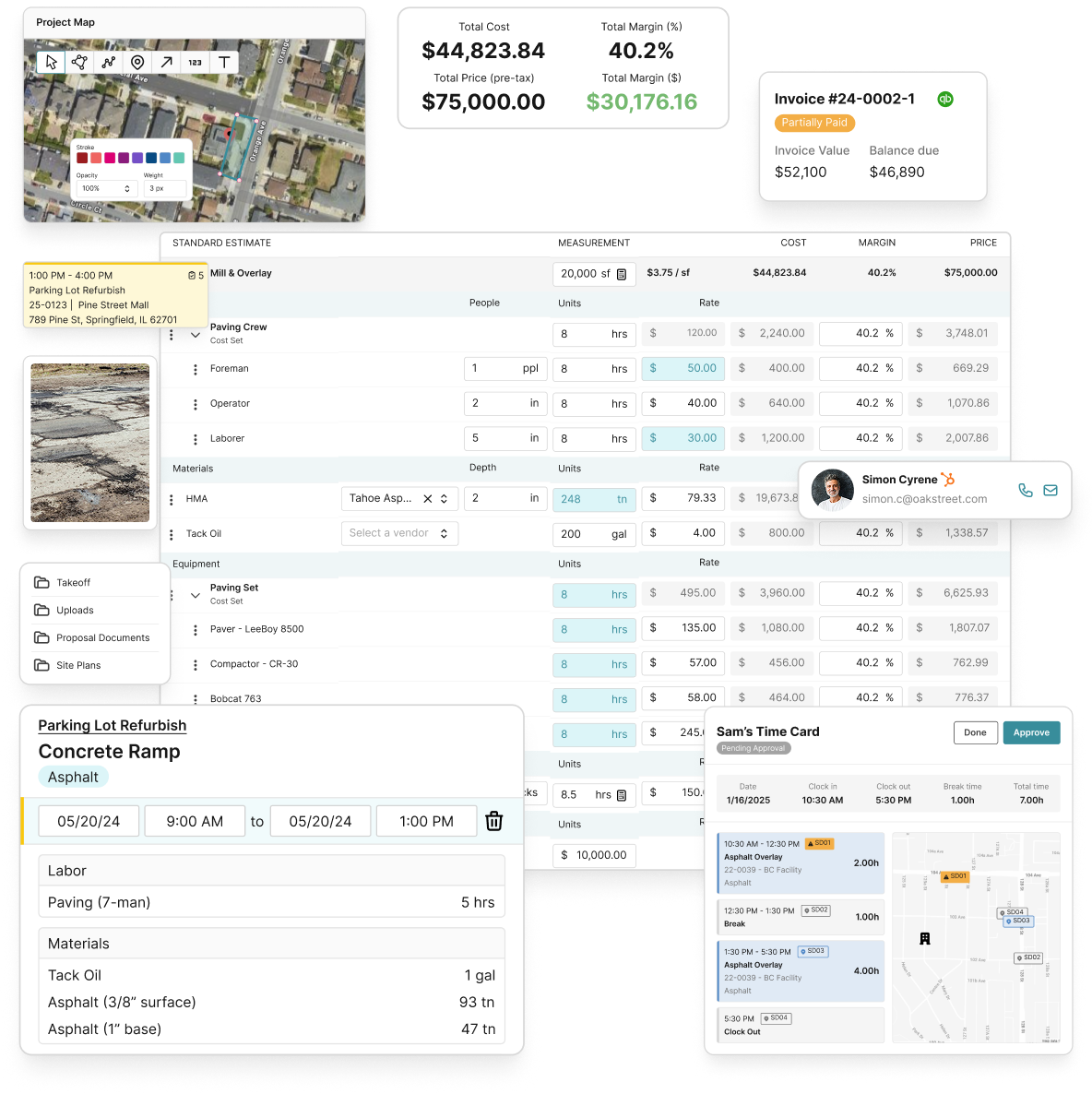
OneCrew is built specifically for asphalt paving and paving-related contractors who need more than a generic project management tool. The platform connects automated estimating with scheduling, field data entry, invoicing, and client communication in one place, so your team isn’t re-entering data between systems. Mobile field capture feeds directly into project dashboards and accounting integrations, which is exactly the kind of administrative handoff that delivers fast ROI when automated. If you’re ready to see what a purpose-built paving operations platform looks like in practice, book a demo to move from manual workflows to automated ones without a long implementation.
FAQ
What is project management automation?
Project management automation uses software to replace manual, repetitive tasks with trigger-based workflows that execute automatically. Common examples include status report generation, task assignment, document routing, and data syncing between field and office systems.
Does automation improve project efficiency in construction?
Yes. Automation can substantially reduce change order approval cycles and cut site visit reporting from days to minutes. The impact is highest when processes are standardized before automation is applied.
How do I start automating project tasks in construction?
Map your current process on paper, identify the steps that repeat without variation, and standardize them before configuring any software rules. Change order approvals and site reporting are the best starting points because they involve the most manual handoffs.
What are the biggest risks of automating construction workflows?
The main risks are team complacency, outdated workflow rules, and poor field adoption. Automation requires ongoing maintenance and periodic revalidation to stay accurate as project types and contract structures change.
Why use project management software instead of spreadsheets?
Spreadsheets require manual updates, create version control problems, and can’t trigger automated actions. Project management software connects field data, approvals, and reporting in real time, which reduces errors and eliminates the delays that come from waiting for someone to update a file.

