
7 Best Construction Project Management Software in 2026

After spending weeks testing and comparing construction project management software across different contractor types, here are the 7 platforms that stood out.
OneCrew is the strongest pick for paving contractors, Procore leads for large commercial GCs, and Buildertrend fits residential builders best.
7 Best Construction Project Management Software: Quick Comparison
How I Researched and Tested These Construction Project Management Software Platforms
I signed up for every platform that offered a free plan or trial, and requested demos for the rest. My focus was on how each tool handles real contractor workflows, not just feature checklists.
- Features: How well each platform covers estimating, scheduling, job costing, safety, and document management
- Usability: Whether crews and office staff can actually learn it without weeks of training
- Integrations: How smoothly it connects to QuickBooks, accounting tools, and other platforms contractors already use
- Pricing: What you actually pay versus what the marketing page promises
- Use cases: How each tool performs for different contractor types (residential, commercial, paving, specialty trades)
This hands-on approach helped me see which construction project management software platforms deliver real value in daily operations, and which ones just look good on a demo call.
1. OneCrew: Best for Asphalt and Concrete Paving Contractors
What it does: OneCrew is an all-in-one platform purpose-built for paving contractors. It covers lead intake, estimating, proposals, scheduling, dispatch, field operations, job costing, invoicing, and analytics, all in one place.
Best for: Project-based asphalt and concrete paving contractors of any size who want to replace their patchwork of disconnected tools with a single system built around how paving businesses actually operate.
Key features
- Configurable estimating with built-in calculators: Build detailed bids using labor, material, equipment, and subcontractor line items, then convert them into proposals automatically
- Site mapping and PDF plan takeoff: Two separate tools. Map job sites using aerial imagery, or upload PDFs and take measurements directly on blueprints
- Customer portal for approvals and payments: Clients can view and sign proposals, pay invoices, share documents, and message your team through a branded portal
OneCrew pros
- Purpose-built for paving workflows (not a generic tool adapted for construction)
- True end-to-end coverage from lead to invoice in one platform, replacing 4-7 separate tools
- Independent ownership means your data stays yours (not owned by a private equity rollup that acquires paving companies)
OneCrew cons
- Focused exclusively on paving contractors, so it's not a fit for general construction or other trades
- No built-in accounting (integrates with QuickBooks Online for invoicing and payment sync)
- Pricing requires a demo call; no public price list
What users say

- Seamless workflow integration and strong organization tools: OneCrew fits easily into existing processes without forcing changes, helping teams stay organized with effective scheduling and job tracking features, along with responsive customer support. (G2, February 2026)
- Powerful all-in-one platform with minor usability issues: The user values having estimating, proposals, and mapping tools in one place, but notes limitations with map visuals, such as dark colors that make outlined areas harder to see. (G2, February 2026)
Pricing
OneCrew uses seat-based pricing tied to company size and feature needs. Pricing details are available during a demo, and the platform offers onboarding support to get teams up and running.
Bottom line
If you're a paving contractor still running your business on spreadsheets, whiteboards, or a patchwork of disconnected apps, OneCrew is the construction project management software built for exactly your situation.
If you're bidding paving jobs, coordinating asphalt and concrete crews, and tracking margins, this is the tightest fit on this list. It’s not built for plumbers or electricians.
2. Procore: Best for Large Commercial General Contractors

What it does: Procore is a cloud-based construction project management software platform built to handle the full lifecycle of large commercial projects, from preconstruction and bidding to field management and financials.
Best for: General contractors managing $5M+ in annual construction volume, multi-site operations, and teams with dozens of stakeholders, including subs, architects, and owners.
The interface is clean, and the document management is organized. The unlimited user model means your entire project team gets access without per-seat math. That said, it's a big platform, and smaller contractors will feel the weight of that complexity (and cost).
Key features
- Unlimited users and data storage: Every stakeholder on your project (subs, owners, architects) can access drawings, RFIs, and daily logs without extra license fees
- Full bidding and preconstruction tools: Manage bid packages, send invitations, level bids, and convert awarded bids into project budgets
- Robust field management: Daily logs, inspections, punch lists, time cards, and photo documentation all feed into a centralized project record
Procore pros
- Unlimited users across all plans keeps collaboration wide open
- One of the most complete feature sets in construction project management software
- Strong integration marketplace (Sage, QuickBooks, DocuSign, Primavera P6, and 400+ others)
Procore cons
- No public pricing; quotes require a sales call, and costs scale with your annual construction volume
- Overkill for smaller contractors running a handful of projects
What users say

- Strong collaboration and project tracking across teams: Procore enables real-time collaboration with continuous updates, progress tracking, and visibility across multiple projects, helping teams stay aligned and manage workflows efficiently. However, the user mentions high costs and excessive notifications. (Capterra, March 2026)
- Easy-to-use interface but high cost concerns: The user appreciates the intuitive navigation and ability to move between pages quickly, but highlights pricing as a major drawback, noting that the platform can become expensive over time. (Capterra, March 2026)
Pricing
Procore uses an Annual Construction Volume (ACV) pricing model, meaning your cost scales with the total dollar value of your projects.
The company doesn't publish specific prices, so you'll need to request a quote through a sales call. All plans include unlimited users, unlimited storage, and 24/7 support. You can request a custom quote on Procore's pricing page.
Bottom line
Procore is the go-to construction project management software for large GCs and commercial builders who need enterprise-grade project controls and unlimited collaboration.
If you're a smaller operation or you're managing specialty trade work, you'll pay a lot for features you don't need.
3. Buildertrend: Best for Residential Builders and Remodelers

What it does: Buildertrend is construction project management software designed for home builders, remodelers, and specialty contractors. It covers everything from CRM and pre-sale proposals to scheduling, budgets, and client-facing portals.
Best for: Residential builders and remodelers who want a single platform for sales, project management, financial tracking, and homeowner communication under one roof.
The platform covers a wide range of residential workflows, from lead management to warranty claims. The client portal is a standout. Homeowners can view schedules, make selections, approve change orders, and pay invoices, all without a phone call.
Key features
- Client portal with selections and change orders: Homeowners pick finishes, approve changes, and sign documents online
- Drag-and-drop scheduling with Gantt charts: Plan timelines, set dependencies, and assign tasks to subs and crew members
- Built-in estimating and digital takeoff: Calculate quantities and costs, then convert approved estimates into job budgets automatically
Buildertrend pros
- Strong client communication tools that reduce phone calls and emails
- Unlimited users on all plans (no per-seat charges)
- Good QuickBooks and Xero integration for financial syncing
Buildertrend cons
- Pricing has increased significantly over the past few years
- No bulk data export, which makes switching platforms painful
- The mobile app can be buggy and crash during field use
What users say

- Easy-to-use project management with useful daily tools: Buildertrend offers a simple interface with helpful features like daily logs, change orders, and a client portal, making it easy to manage projects, though the user mentions occasional price increases and minor scheduling limitations. (Capterra, February 2026)
- Comprehensive platform with reporting and cost concerns: Buildertrend helps manage projects from lead to completion with strong organization and client updates, but the user reports issues with reporting reliability, feature complexity, and high monthly costs that can be difficult to justify. (Capterra, January 2026)
Pricing
Buildertrend pricing isn't listed publicly; you'll need to request a quote or schedule a demo. Check Buildertrend's pricing page to get started.
Bottom line
Buildertrend is strong construction project management software for residential builders who need client-facing tools and full pre-con to closeout coverage.
If you're a commercial or specialty contractor, the residential focus won't serve you well. And if you're budget-conscious, the rising prices are worth watching.
4. Fieldwire: Best for Field Teams and Plan Collaboration

What it does: Fieldwire is a field management app focused on plan viewing, task management, punch lists, inspections, and real-time collaboration between office and job site teams.
Best for: General contractors and specialty trade teams who need a mobile-first tool for managing plans, tasks, and site documentation, especially on job sites with spotty internet.
Fieldwire (now owned by Hilti) is one of the best tools I tested for getting plans into the hands of field workers. Upload your drawing set, and crews can view, mark up, and track tasks directly on the plans from their phones.
The catch? Fieldwire is strong on field management but light on estimating, invoicing, and financial tools. It's a piece of the puzzle, not the whole picture.
Key features
- Plan viewing with markup and versioning: Upload, version, and annotate drawing sets on any device, with automatic sheet comparison when new revisions come in
- Task management linked to drawings: Pin tasks directly to plan locations, assign them to specific trades, and track completion with photos and checklists
- Offline mobile access: Field crews can view plans, update tasks, and log progress without an internet connection
Fieldwire pros
- Free plan for up to 5 users and 3 projects (genuinely useful for small teams)
- Excellent offline functionality for remote job sites
Fieldwire cons
- No estimating, invoicing, or job costing tools; you'll need separate apps for those
- Per-user pricing adds up fast for larger teams
- Not a full construction project management software solution on its own
What users say
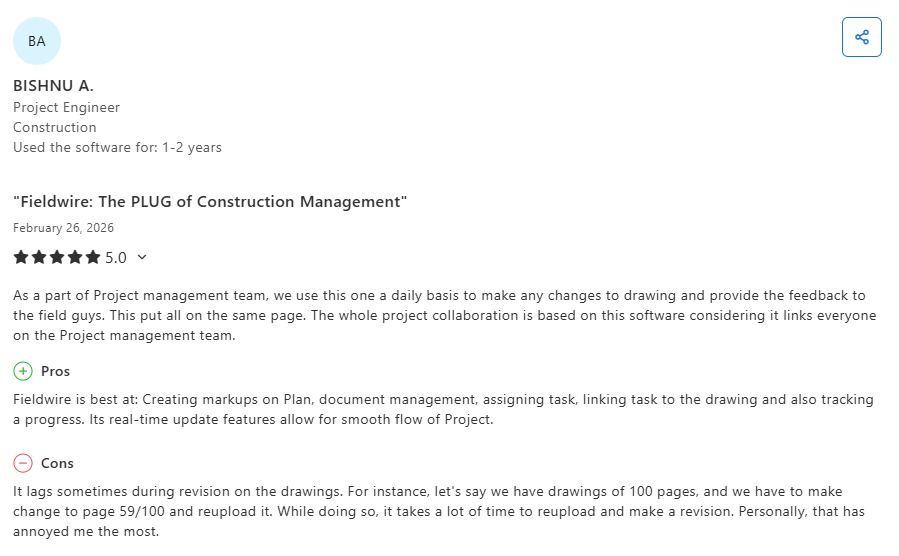
- Strong document management and real-time collaboration: Fieldwire helps teams stay aligned with features like plan markups, task assignment, and live updates that improve coordination across project teams, though the user reports occasional performance lag when handling large drawing revisions. (Capterra, October 2025)
- Centralized project management with limitations for advanced BIM workflows: Fieldwire effectively organizes plans, tasks, and communication in one platform, improving coordination and reducing errors, but the user note limited integration with advanced BIM tools and challenges managing large datasets, especially at higher pricing tiers. (Capterra, March 2026)
Pricing
Fieldwire charges per user per month, with discounts for annual billing. The Basic plan is free for up to 5 users, 3 projects, and 100 sheets.
The Pro plan starts at $39/user/month (billed annually), Business runs $64/user/month, and Business Plus costs $89/user/month. Enterprise contracts with custom pricing are available for larger organizations. You can see all plans on Fieldwire's pricing page.
Bottom line
Fieldwire is the best construction project management software option for field-focused collaboration and plan management.
If your biggest pain point is getting updated plans to crews and tracking task completion on site, it delivers. But if you need estimating, invoicing, or full project financials, you'll need to pair it with other tools.
5. monday.com: Best for Flexible Project Workflows

What it does: monday.com is a visual work management platform that construction teams can customize with boards, automations, and integrations to manage project timelines, budgets, tasks, and team collaboration.
Best for: Construction teams that want a flexible, highly customizable tool for managing project workflows, especially those already using monday.com across other departments.
monday.com isn't construction-specific, and that's both its strength and its weakness. The platform is incredibly flexible. You can build boards for anything: bid tracking, RFI logs, submittals, punch lists, and material orders.
You're building a lot of it yourself. There's no built-in estimating, no takeoff, no construction-specific document management.
Key features
- Customizable boards and views: Build project tracking systems using Kanban, Gantt, timeline, calendar, and table views with 20+ column types
- Automation and integrations: Set up automated status updates, notifications, and task assignments with 200+ app integrations (including Slack, Google Drive, and QuickBooks)
- Visual dashboards for reporting: Create custom dashboards to track project progress, budgets, and team workloads across multiple boards
monday.com pros
- Extremely flexible; you can build almost any workflow
- Free plan available (2 users, 3 boards) and affordable entry-level pricing
- Easy to get non-technical team members using it quickly
monday.com cons
- No built-in construction features like estimating, takeoff, or drawing management
- Building custom construction workflows from scratch takes significant setup time
- Automation limits on lower-tier plans (250 actions/month on Standard)
What users say

- Visual, collaborative project management with powerful automation: monday.com helps teams stay aligned with intuitive dashboards, timelines, and automation features that simplify task management and communication, though the user notes pricing can increase significantly as teams grow. (Capterra, March 2026)
- Effective team coordination with usability and pricing drawbacks: The platform supports structured workflows and document sharing, making team collaboration easier, but the user reports difficulty navigating older boards and highlights cost and feature restrictions as key limitations. (Capterra, March 2026)
Pricing
monday.com uses per-seat pricing with a 3-seat minimum on paid plans. The Free plan supports up to 2 users and 3 boards.
Basic starts at $9/seat/month (billed annually), Standard at $12/seat/month, and Pro at $19/seat/month. Enterprise pricing requires a custom quote. You can see full pricing on monday.com.
Bottom line
monday.com works as construction project management software for teams that value flexibility over industry-specific features.
If you want a pre-built construction platform, look elsewhere. If you want a customizable system that your entire company (not just the construction team) can standardize on, it's worth considering.
6. JobTread: Best for Small to Mid-Size General Contractors

What it does: JobTread is construction project management software that combines estimating, proposals, budgeting, scheduling, job costing, and invoicing into one system for small to mid-size builders and contractors.
Best for: Small to mid-size general contractors and remodelers who want estimating, budgeting, and job costing tied together without the complexity or cost of enterprise platforms.
What I liked most is how tightly the estimating and budgeting flow together. You build a proposal, the client approves it, and it converts into a budget with line items you can track against actual costs. No copy-pasting between systems.
The interface is cleaner and more modern than a lot of legacy construction tools, and the learning curve is manageable even for teams that aren't tech-savvy.
Key features
- Integrated estimating and budgeting: Build proposals that automatically convert into trackable budgets with cost codes and line items
- Job costing with real-time tracking: Compare estimated versus actual costs at the line-item level so you catch overruns early
- File and photo management: Keep all documents, photos, and communications organized by project, accessible from the field
JobTread pros
- Tight integration between estimating, budgeting, and job costing
- Modern, intuitive interface that's easy for teams to adopt
- Strong customer support and active product development
JobTread cons
- Less suited for large-scale commercial or heavy civil projects
- Fewer integrations compared to Procore or Buildertrend
- Scheduling features are functional but not as deep as dedicated scheduling tools
What users say
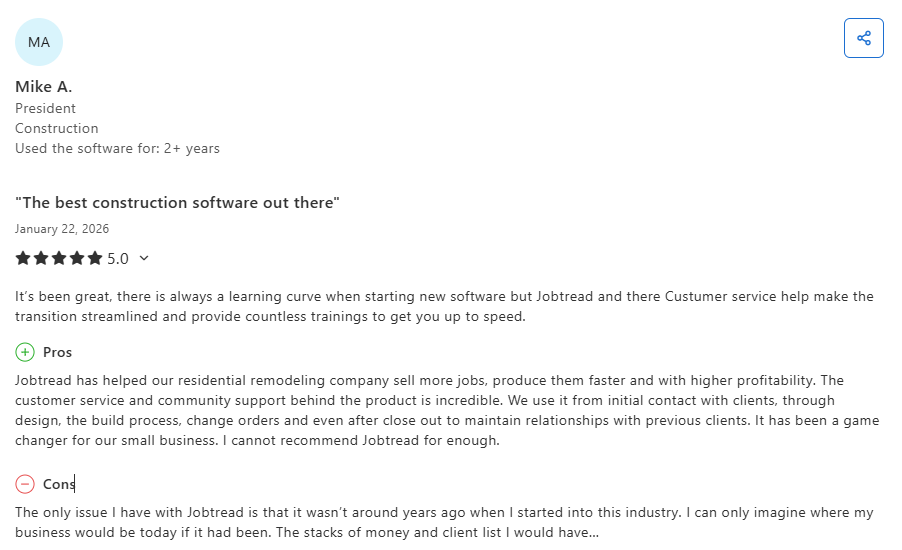
- Feature-rich platform with excellent support and ease of use: JobTread helps contractors manage projects end-to-end with a wide range of features and strong customer support, making it a highly recommended solution despite a slight learning curve for new users. (Capterra, October 2025)
- Strong document management but scheduling limitations: JobTread centralizes project documentation and improves communication with clients and subcontractors, but users report that scheduling features lack flexibility and can be difficult to configure for complex workflows. (Capterra, October 2025)
Pricing
JobTread keeps pricing simple: $199/month base + $20/month per additional team member. Every feature is included with no tiered plans or hidden upgrades.
The price per user drops as your team grows (down to $5/user/month for teams of 31+). Annual billing saves 20%. No contract, no setup fees, and free implementation, training, and support are included. You can see the full pricing breakdown on JobTread's pricing page.
Bottom line
JobTread is solid construction project management software for small to mid-size GCs and remodelers who want clean estimating-to-invoicing workflows without the complexity of enterprise platforms.
If you're managing large commercial projects or need heavy field management tools, you'll hit its limits.
7. Contractor Foreman: Best Budget-Friendly Option

What it does: Contractor Foreman is construction project management software that packs 100+ features (estimating, scheduling, time tracking, daily logs, safety, invoicing) into one of the lowest-priced platforms in the category.
Best for: Budget-conscious contractors who need a wide range of features at a fraction of what enterprise platforms charge, and are willing to trade polish for coverage.
Contractor Foreman positions itself as the affordable alternative, and it delivers on that promise. For a fraction of what Procore or Buildertrend charges, you get estimating, scheduling, time tracking, daily logs, invoicing, safety management, and more.
The tradeoff is that individual features don't go as deep as dedicated tools, and the interface feels dated compared to newer platforms. For a small contractor who needs a lot of functionality at a low price? It's hard to beat the value.
Key features
- 100+ built-in features: Covers estimating, scheduling, time tracking, daily logs, expenses, safety, invoicing, and client portals in one platform
- GPS time tracking: Verify crew locations and hours worked with geofenced clock-in/clock-out
- Safety and compliance tools: Manage toolbox talks, incident reports, safety meetings, and OSHA documentation
Contractor Foreman pros
- One of the most affordable construction project management software options available
- 30-day free trial lets you test the full platform before committing
- Covers an impressive range of features for the price point
Contractor Foreman cons
- Interface feels older and less polished compared to newer platforms
- Individual features lack the depth of specialized tools
- Customer support can be slow during peak periods
What users say

- Easy estimating and strong support for project workflows: Contractor Foreman makes bidding and project conversion simple while keeping all estimate details centralized, with fast and responsive support that helps teams work efficiently. (Capterra, March 2026)
- Powerful features with minor workflow and email limitations: The platform reduces admin time and offers extensive customization and training resources, but users note limitations with email sender recognition and some workflow refinements. (Capterra, March 2026)
Pricing
Contractor Foreman offers some of the lowest pricing in the construction project management software category. Plans start at $49/month and scale up to $332/month for the highest tier.
Every plan includes unlimited projects, and a 30-day free trial is available so you can test the platform before committing. You can see all plans on Contractor Foreman's pricing page.
Bottom line
Contractor Foreman is the right construction project management software for contractors who need coverage across many functions without a big budget. It won't wow you with its design, and power users will find the depth limiting, but the price-to-feature ratio is unmatched.
Which Construction Project Management Software Should You Choose?
The right construction project management software depends on what kind of work you do and how your team operates.
Choose OneCrew if you …
- Run a paving, asphalt, or concrete contracting business
- Need estimating, crew coordination, and invoicing built for project-based work
- Want to replace a patchwork of 4-7 disconnected tools with one platform
Choose Procore if you …
- Manage $5M+ in annual commercial construction volume
- Need unlimited users across large project teams with subs, owners, and architects
- Want an enterprise-grade platform with a deep integration marketplace
Choose Buildertrend if you …
- Build or remodel homes, and need strong client-facing communication tools
- Want a single platform for sales, scheduling, budgets, and selections
- Don't mind paying premium pricing for a full residential workflow
Manage Your Estimates, Crews, and Projects in One Place
OneCrew was built for project-based asphalt and concrete paving contractors who are done stitching together spreadsheets, whiteboards, and apps that don't talk to each other. It replaces the patchwork and connects your entire operation in one system.
Here's what you can do with OneCrew:
- Estimate from PDFs or satellite maps with built-in calculators and configurable cost automations: Set up your labor rates, material costs, equipment charges, and subcontractor pricing once, and the system applies them consistently across every bid.
- Schedule crews and assign roles to specific job phases with clear accountability: Assign foremen, operators, and laborers to pre-construction, production, and billing phases so everyone knows who's doing what, where, and when.
- Track leads and customer relationships from first call through repeat business: Every inquiry, conversation, quote, and project history lives in one system.
- Build and send proposals through a customer portal where clients can review, approve, and sign: Turn your finished estimates into polished, branded proposals without jumping to a separate tool.
- Keep field crews connected to job details, schedules, and real-time updates from the office: Field management tools put site information, material specs, and daily assignments on your crews' phones.
- Invoice and collect payment without double-entry or chasing paperwork: Generate invoices from completed work orders with line items pulled directly from your original estimate.
You only need one construction project management software platform to run your paving business. OneCrew ties it all together from takeoff to final invoice. Book a free demo and see how OneCrew helps you take control of your jobs from start to finish.
FAQs
1. What is construction project management software?
Construction project management software is a digital platform that helps contractors plan, schedule, budget, and track construction projects from start to finish. These tools centralize documents, tasks, financial data, and team communication so nothing falls through the cracks during a build.
2. How much does construction project management software cost?
Construction project management software pricing ranges from free (Fieldwire's basic plan) to custom enterprise quotes for platforms like Procore. Mid-range options like Buildertrend require a custom quote, and tools like JobTread start at $199/month plus per-user fees. Per-user tools like Fieldwire and monday.com start at $9–$39/user/month. Always check the official pricing page for current rates, as prices in this category change often.
3. Do I need construction project management software if I use QuickBooks?
Yes. QuickBooks handles accounting, but it doesn't cover estimating, scheduling, crew coordination, document management, or field operations. Most construction project management software platforms (including OneCrew, Buildertrend, and Procore) integrate with QuickBooks so your financials stay connected without replacing your accounting setup.
4. Can construction project management software work for paving contractors?
Most construction project management software is built for general contractors, home builders, or service trades. OneCrew is the only platform on this list designed specifically for paving contractors, with estimating tools, site mapping, PDF takeoff, and workflows tailored to asphalt and concrete project types.
5. Is free construction project management software good enough?
Free plans from tools like Fieldwire work for very small teams testing the waters, and platforms like Contractor Foreman offer 30-day free trials. But free options come with strict limits on users, projects, and features. Once you're managing multiple projects with crews in the field, you'll hit those limits fast. For most growing contractors, a paid plan pays for itself through fewer missed bids and tighter job costing.

