
The Role of Client Portals for Contractors Explained

Commercial paving clients have higher expectations than they did five years ago. They want to know their crew arrived, their invoice is accurate, and their next phase is on schedule, without having to call the office to find out. A client portal meets that expectation by giving each client a single, secure place to see their project’s status, documents, and billing on their own time. This article breaks down what client portals are, why they matter specifically for construction and paving, and how to set one up so clients actually use it.
Key Takeaways
| Point | Details |
|---|---|
| Portals reduce admin load | Repetitive inquiries drop substantially when clients can self-serve project info. |
| They’re client-facing, not internal | Portals show clients curated project updates, not your internal scheduling or costing data. |
| Security matters more than features | Multi-factor authentication and encryption protect both your data and your client’s trust. |
| Start simple, then expand | Launch with document sharing and status updates before adding billing or approval workflows. |
| Paving firms see specific wins | GPS-stamped arrivals and photo logs cut the “are you here yet?” calls that drain crews and office staff. |
What a client portal actually is for contractors
A client portal is a secure, branded web space where your clients log in to see everything relevant to their project. Think of it as a controlled window into your operations, not a full view. They see what you choose to share: project status, documents, photos, approvals, and billing. Nothing more, nothing less.
This is different from your internal project management tool, which tracks crew hours, costs, and task assignments for your team. It’s also different from a CRM, which manages your leads and sales pipeline. Client portals are external-facing tools built to build client trust and show progress. The distinction matters because many contractors accidentally try to use one tool for all three jobs, and it creates confusion on every side.
Core features worth knowing:
- Real-time status updates so clients know where their project stands without calling you
- Document sharing for contracts, plans, and change orders with version control
- Approval workflows that let clients sign off digitally on scope changes
- Billing visibility showing outstanding invoices and payment history
- Controlled access so each client sees only their project, and only what you’ve permitted
Controlled client access prevents information overload and keeps sensitive pricing data protected. You decide what’s visible. That level of control is what separates a good portal from a shared Google Drive folder.
Pro Tip: Set up your portal with the client’s first login experience in mind. A short welcome message and one pre-loaded document go a long way toward showing clients the portal is worth checking.
The measurable impact on your operations
One of the clearest benefits stops contractors in their tracks: well-designed portals deflect a large share of incoming client queries. That’s not a small efficiency gain. It’s hours back per week for your office staff, and fewer interruptions for your field crews.
The onboarding side is just as impressive. Firms that deploy portals report 50% faster client onboarding because documents, agreements, and kickoff materials are already waiting in the portal. No emailing back and forth, no chasing signatures.
There’s a market opportunity here too. Most clients now expect self-service options for managing their projects, yet only a fraction of contracting firms actually offer them. That gap is your competitive edge if you move now.
Traditional communication vs. client portal outcomes:
| Area | Traditional approach | With a client portal |
|---|---|---|
| Status updates | Phone calls, emails on demand | Available 24/7 in the portal |
| Document delivery | Email attachments, versions scattered | Centralized, version-controlled files |
| Invoice disputes | Back-and-forth over email | Full payment history visible to client |
| Approvals | Printed forms or slow email chains | Digital sign-off in minutes |
| Client satisfaction | Reactive, depends on response time | Proactive, client feels informed |
The financial case is real. Fewer phone calls means lower overhead. Faster approvals mean projects move without bottlenecks. And clients who feel informed are far less likely to dispute invoices or stall payments.
Best practices when setting up your portal
Getting the technology right is only half the job. How you roll it out determines whether clients actually use it or ignore it after the first login.
Start with the basics. Document sharing and project status updates solve the bulk of the communication problem without overwhelming clients with features they don’t need yet. Once those habits are established, layer in billing visibility and approval workflows.
Personalization and branding matter more than most contractors expect. White-labeled portals boost brand credibility and client trust. When a commercial property manager logs into a portal that carries your company’s name and colors, it signals professionalism. It tells them you’re invested in the relationship beyond just getting paid.
A few practices worth building in from day one:
- Role-based access so a property manager sees their sites, not every client’s projects
- Mobile responsiveness because many clients will check the portal from their phone between meetings
- Automated notifications for milestone updates, new documents, and payment receipts
- Onboarding checklists that guide new clients through the portal in their first week
- MFA and encryption to protect project data from unauthorized access, with SOC 2 compliance as the gold standard for serious firms
Pro Tip: Connect your portal to your existing scheduling and field management tools from the start. Data that flows automatically is data that stays current, and current data is the only kind clients trust.
How portals help paving and specialty contractors specifically
Paving is a different beast from general construction. Jobs are often fast, weather-dependent, and involve clients who want proof of work the same day it happens. That’s exactly where portals earn their keep.
GPS-stamped arrivals and photo documentation posted directly to the portal eliminate the “are you here yet?” and “when did your crew leave?” questions entirely. A property manager can open the portal at noon and see timestamped photos from the morning’s work. No call needed.
For better paving client communication, centralized billing visibility removes one of the biggest friction points in commercial paving relationships: invoice disputes. When a client can see the scope of work, the change order they approved, and the final invoice all in one place, there’s nothing to argue about.
Key portal features that make the biggest difference for paving contractors:
- Photo and GPS logs posted in real time from the field
- Simplified change order approvals that keep projects moving without phone tag
- Integrated financial summaries showing deposit, progress billing, and final balance
- Scheduling integration so clients know when crews are arriving before they have to ask
- Document access for permits, mix designs, and warranty certificates, linked directly from the project view
Good construction document management habits built into the portal also protect you legally. When every document is time-stamped and stored in one place, disputes about what was agreed and when become much easier to resolve.
Common misconceptions that trip contractors up
The biggest mistake contractors make is treating the portal like a shared folder. Drop in some files, call it done, and wonder why clients don’t log in. An effective portal is a managed, updated project window. If the data goes stale, clients stop trusting it. Once they stop trusting it, they go back to calling you.
Integration of contracts, billing, and communication into one hub is what makes portals sticky. The moment a client has to check three different places for information, the portal has lost its value.
Login friction is another real barrier. Older portals required clients to create full accounts, remember passwords, and navigate clunky interfaces. Magic links for client access solve this by sending a one-click sign-in to the client’s email. No password to forget, no account setup. Adoption goes up immediately.
Pro Tip: Don’t launch every feature at once. Pick two problems to solve in the first 30 days, status updates and document delivery, and add features only after clients are comfortable with those.
Why this matters more than most contractors realize
We’ve talked with a lot of contractors who waited years to implement a client portal because it felt like extra work to set up. Almost every single one of them said the same thing after going live: they wished they’d done it sooner.
The shift isn’t just operational. It’s relational. When clients can see what’s happening without asking, the whole dynamic changes. You stop being reactive and start looking like a company that has its act together. That perception translates into repeat business and referrals in ways that are hard to quantify but very real.
The contractors who get the most out of portals aren’t the ones with the fanciest features. They’re the ones who keep the portal updated religiously and pick a platform their clients can actually figure out. Branding and security matter because they signal that you take the client relationship seriously, not just the job.
Start small. Solve one communication headache. Then build from there.
How OneCrew puts this into practice for paving contractors
If you’re ready to put these ideas to work, OneCrew is built specifically for asphalt and paving contractors who want their operations to run tighter. The platform ties together drag-and-drop scheduling, client communication, and field documentation in one place, so your portal data stays current without anyone having to manually update it.
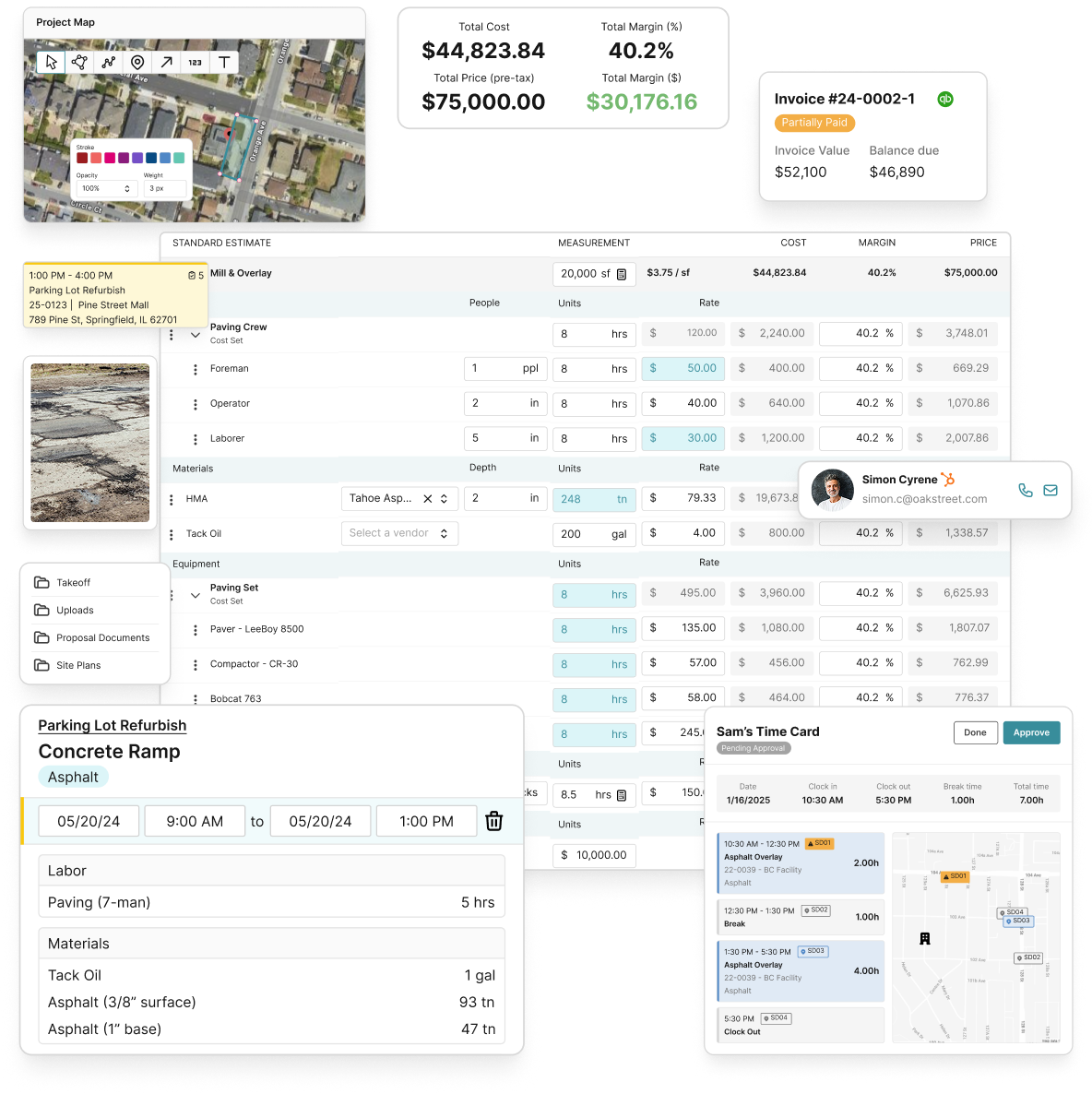
The mobile field management app lets your crews log GPS-stamped arrivals and upload job photos directly from the site, feeding that information straight to the client-facing view. Pair that with OneCrew’s paving estimating tools and you’ve got a full workflow from first bid to final invoice, with client visibility built in at every step. If you’re serious about reducing admin overhead and giving clients the transparency they expect, OneCrew’s platform is worth a look. Book a demo to see it on your projects.
FAQ
What is a client portal for contractors?
A client portal is a secure, branded online space where clients log in to view project updates, documents, invoices, and approvals. It gives clients self-service access to the information they’d otherwise need to call or email you to get.
How do client portals improve paving companies?
Portals give paving clients real-time access to GPS-stamped crew arrivals, photo logs, scheduling, and billing, cutting down on status calls and invoice disputes without adding work for your team.
What’s the difference between a client portal and a project management tool?
A project management tool is internal, used by your team to track labor, tasks, and costs. A client portal is external, designed to show clients a curated view of their project’s progress and financial status.
How many client queries can a portal realistically eliminate?
Well-designed portals deflect a large share of incoming client queries by giving clients on-demand access to schedules, documents, and billing information.
Why do clients avoid using portals they’re given access to?
Login friction and stale data are the two main culprits. Magic links remove the password barrier, and committing to regular updates keeps clients coming back instead of reverting to phone calls.

