
Invoicing for Contractors: 9 Top Tools I Tested in 2026

You finished the parking lot on Thursday. Three weeks later, the invoice still sits in somebody's approval queue, payroll doesn't care, and your asphalt supplier wants their money.
I spent three weeks pushing nine tools through the same three billing jobs: a $180,000 commercial overlay billed in three progress payments, a $4,200 driveway invoiced from the truck, and a late change order.
Here's where invoicing for contractors breaks, and what each tool costs.
Invoicing for Contractors: TL;DR
Invoicing sits at the tail end of an invoicing workflow that starts the day you build the bid, so a few of these tools cover the whole run and a few only handle the last mile.
- QuickBooks Online: Best for contractors who want invoicing wired straight into their books
- OneCrew: Best for project-based asphalt and concrete paving contractors
- Jobber: Best for service and repair crews billing a lot of small jobs each week
- Knowify: Best for commercial subcontractors sending AIA pay applications
- Joist: Best for residential trade contractors invoicing from the truck
- Buildertrend: Best for custom home builders and remodelers
- FreshBooks: Best for small contractors who want clean invoices plus light bookkeeping
- Procore: Best for large commercial general contractors managing owner billings
- Invoice Simple: Best for solo operators sending a handful of invoices a month
How I Researched and Tested These Invoicing Tools
I signed up for every free trial on this list and sat through demos for the three platforms that don't offer one. Over three weeks, I ran the same three billing jobs through each tool, and the commercial overlay did most of the damage.
It had the details that break generic invoicing: tonnage that shifted once we recalculated asphalt yield, a traffic control line item the customer questioned, and 10% retainage held back on every progress payment. Here's what I graded each tool on:
- Billing speed: How fast a finished job turns into a sent invoice.
- Progress and milestone billing: Whether you can bill part of a contract without rebuilding the invoice by hand.
- Payment options: Card, ACH, and in-person tap, plus what each one skims off the top.
- Accounting sync: How cleanly invoices and payments land in QuickBooks or Xero.
- Field usability: Whether a foreman can send an invoice from a dusty phone without calling the office.
One of those criteria decided more of this list than I expected. Billable extras like traffic control and site safety setup only reach invoice processing if the tool lets you add line items after the estimate gets locked, and four of these nine make that a fight.
Wave and Zoho Invoice both got a look, and both missed the cut. They send a clean invoice, and neither one handles progress billing or retainage, which rules them out for anyone running contract work.
Invoicing for Contractors: Quick Comparison
Every price below comes from the vendor's own pricing page as of July 2026, and two of them refuse to publish a number at all.
Prices move fast in this category, and the real cost of digital invoicing depends on seats, client caps, and add-ons, so treat the table as a starting point and check the linked pages before you sign anything:
| Tool | Strengths | Best For | Starting Price |
|---|---|---|---|
| 1. QuickBooks Online | Full accounting, huge integration list | Billing and books in one place | $38/month |
| 2. OneCrew | Estimate carries through to the invoice | Project-based paving contractors | Seat-based, shared at demo |
| 3. Jobber | Batch invoicing, automated follow-ups | Service and repair crews | $49/month |
| 4. Knowify | AIA pay apps, retainage, WIP reports | Commercial subcontractors | $99/month (billed annually) |
| 5. Joist | Estimate to invoice on mobile | Residential trade contractors | $10/month |
| 6. Buildertrend | Client selections, budgets, unlimited users | Home builders and remodelers | Custom quote |
| 7. FreshBooks | Clean invoices, deposits, late fees | Small contractors and solo pros | $23/month |
| 8. Procore | Owner billings, unlimited users | Large commercial GCs | Quote by construction volume |
| 9. Invoice Simple | Invoice sent in under 2 minutes | Solo operators | $6.99/month |
1. QuickBooks Online: Best for Contractors Who Want Invoicing Tied to Their Books
What it does: QuickBooks Online handles invoicing, expenses, and full double-entry accounting in one account, which is why half the contractors you know already run their books there.
Best for: Contractors of any size who want invoices, bills, and tax-time reports living in the same system.
Sending an invoice takes about a minute once your items are set up, and progress invoicing works cleanly if you build the estimate first.
Job costing is the soft spot. Tracking labor costs like crew hours against a specific job needs the Plus plan or a workaround, so real project tracking lives outside QuickBooks for most contractors.
Key features
- Progress invoicing from estimates: Bill a percentage or pick specific line items without retyping the whole invoice.
- Pay-enabled invoices: Customers pay by card or bank transfer from the invoice itself, with a separate QuickBooks Payments account.
- Project profitability on Plus and above: See income and cost by job instead of by customer.
QuickBooks Online pros
- Nearly every contractor tool on this list syncs with it, so your bookkeeper stays calm.
- Deposits, progress invoicing, and automated reminders all work without add-ons.
- The mobile app gets an invoice out the door in about a minute.
QuickBooks Online cons
- Job costing stays thin on the cheaper plans, and construction billing like AIA pay applications doesn't exist here.
- The base price covers accounting only. Payroll, time tracking, and bookkeeping help all bill separately.
What users say
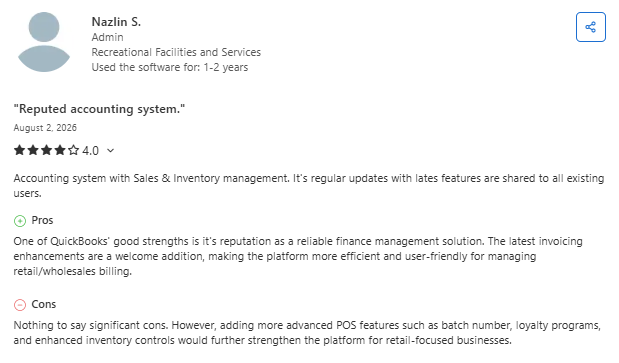
- Cloud-based accounting with useful integrations: One reviewer said QuickBooks Online made it easy to access financial data from anywhere, connect bank and credit card accounts, and integrate with other business tools. (Jay L., Capterra, July 23, 2026)
- Some users find the subscription pricing expensive: One reviewer said QuickBooks Online handled invoicing and reporting well but felt the subscription cost was high, especially when combined with additional payment-processing fees. (Andrew F., Capterra, July 22, 2026)
Pricing
QuickBooks Online lists four plans on its pricing page: Simple Start at $38 per month, Essentials at $75/month, Plus at $115/month, and Advanced at $275/month. Keep in mind these are official prices rather than promotional ones.
Solopreneur runs $20/month for 1-person shops. New customers pick either 50% off for 3 months or a 30-day free trial, and QuickBooks Payments, Workforce payroll, and QuickBooks Time all cost extra.
Bottom line
I'd start here if your accountant already lives in QuickBooks and your billing is mostly straightforward. Contractors sending pay apps or billing complex phases will need something sitting on top of it.
2. OneCrew: Best for Project-Based Asphalt and Concrete Paving Contractors
What it does: OneCrew is a platform for paving contractors that carries a job from estimate through crew scheduling to final invoice, so the numbers you bid are the numbers you bill.
Best for: Asphalt and concrete paving contractors of any size running project-based work.
Invoices pull directly from the estimate, so services, quantities, and pricing arrive pre-populated instead of retyped at 9 p.m. Because scheduling construction projects happens in the same platform, the phases your crews finish are the phases you bill.
OneCrew also tracks what you've already billed against the contract, which kills the most expensive mistake in progress billing: charging for the same phase twice.
Key features
- Invoices built from the estimate: Labor, material, equipment, and sub line items carry through to the bill with no re-entry.
- Deposits and progress payments: Request a deposit, split payments across milestones, or bill by progress, with running totals of what's left to invoice.
- Customer portal: Customers view and sign proposals, view and pay invoices, share photos and documents, and message you in one place.
- QuickBooks Online sync: Invoicing and payment information flows to QuickBooks, so nobody keys the same invoice twice.
- Margin visibility per job: Track actual labor, material, and equipment costs against the estimate to protect margin instead of padding markup.
OneCrew pros
- The estimate-to-invoice link means a quantity or spec change updates what you bill, which matters when tonnage moves mid-job.
- The customer portal ends most of the email chase on approvals and payments.
- Purpose-built for paving, so line items match how asphalt and concrete work gets sold.
OneCrew cons
- OneCrew sells the full platform, so anyone shopping for a standalone invoice app should look elsewhere.
- Pricing comes through a demo instead of a public page, and contracts run annually.
- Job costing lives in OneCrew and stays there. Only invoicing and payment data crosses to QuickBooks.
- Service-oriented businesses like plumbing, HVAC, and electrical won't fit the project-based model.
What users say
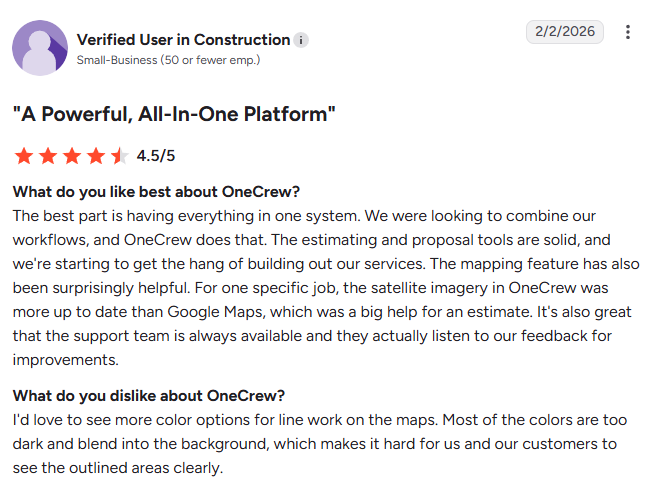
- Purpose-built for paving contractors with professional estimating tools: One reviewer said OneCrew's industry-specific design made it easy to create professional estimates, manage business processes in one system, and track profitability with built-in analytics. (Matt M., G2, February 10, 2026)
- Some users want improvements to the scheduling calendar: One reviewer said OneCrew's estimating tools and analytics worked well but found the scheduling calendar difficult to read, making it harder to see all scheduled work at a glance. (Tim J., G2, March 12, 2026)
Pricing
OneCrew uses seat-based pricing that scales with company size and feature needs. The team walks through figures during a demo rather than publishing a rate card, and contracts run on annual terms.
Bottom line
If you bid parking lots and road work off plans and site maps, OneCrew is the only tool here that treats the invoice as the last step of the estimate rather than a separate chore. Anyone billing simple service calls will find it heavier than the job requires.
3. Jobber: Best for Service and Repair Crews Billing High Volume
What it does: Jobber runs quoting, scheduling, and invoicing for home service businesses, with a client hub where customers approve quotes and pay invoices.
Best for: Service and repair contractors closing 20 or more small jobs a week, especially recurring maintenance work.
Jobber's strength is volume. Batch invoicing lets you bill a whole week of completed visits at once, and the automated follow-ups chase late payers so you don't have to make the awkward phone call.
Payments run through Jobber too, so you're not bolting on a separate payment system, though card fees on 6-figure tickets add up fast.
Key features
- Batch invoicing: Invoice every completed job from the week in one pass instead of one at a time.
- Automated invoice follow-ups: Jobber emails or texts overdue reminders with a one-click payment link.
- Progress invoicing: Bill as you go on bigger jobs so cash comes in before the work wraps.
Jobber pros
- Quote to invoice takes a couple of taps, which suits crews turning over jobs daily.
- The client hub handles approvals and payments, so fewer invoices go missing in email.
- Syncs with both QuickBooks Online and Xero.
Jobber cons
- Pricing scales by user count, and every seat past your plan limit adds $29 per month.
- Built around visits and service calls, so multi-phase project billing feels forced.
- Card fees add up on big tickets. A $180,000 job paid by card hands roughly $5,200 to the processor.
What users say
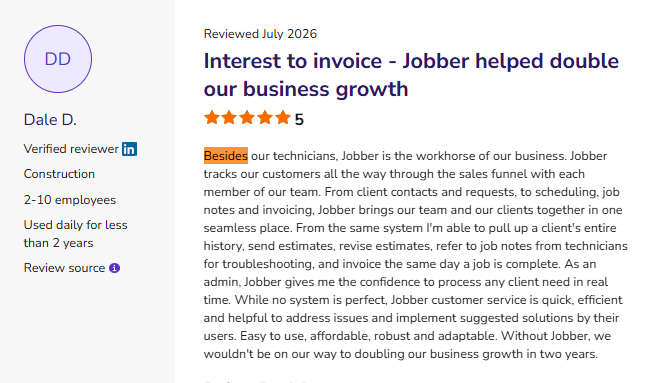
- Keeps scheduling, invoicing, and customer management in one place: One reviewer said Jobber simplified daily operations by combining scheduling, estimates, invoicing, client records, and texting into a single platform, making it easier to serve customers and grow the business. (Sarah W., Capterra, July 22, 2026)
- Some users report occasional outages and interface changes: One reviewer said Jobber is easy to use and affordable but noted that the platform can occasionally experience glitches or downtime, particularly after major updates. (Stephanie M., Capterra, July 22, 2026)
Pricing
Jobber's pricing page shows four tiers on monthly, no-commitment billing: Core at $49/month for 1 user, Connect at $139/month, Grow at $199/month, and Plus at $499/month with 5 users included.
Extra users cost $29 per month each. Annual billing drops Core to $29/month. Card processing runs 2.9% plus 30 cents, ACH runs 1%, and the 14-day free trial gives you the Grow plan.
Bottom line
Jobber is the right pick if your work is high-volume and repeatable. Once your average job crosses six figures and involves phases, the model starts working against you.
4. Knowify: Best for Commercial Subcontractors Sending AIA Pay Applications
What it does: Knowify is job management built for trade contractors, with AIA pay applications, retainage tracking, and a two-way QuickBooks sync at the center of it.
Best for: Commercial subcontractors billing general contractors on fixed-price contracts with schedules of values and retainage.
If you've ever spent a Saturday filling out a G702 by hand, this is the tool that gives you the Saturday back.
You enter percentage of completion and stored materials, and Knowify builds the pay app, reconciles approved change orders into the right billing period, and tracks retainage by phase.
Key features
- AIA pay applications (G702 and G703): Automated schedules of values, retainage tracking, and change order reconciliation on every plan.
- Progress billing by contract type: Bill time and materials, fixed price, or a pay app, with invoices auto-configured from the contract.
- Real-time WIP reporting: See whether you've overbilled or underbilled a job before your accountant tells you in March.
Knowify pros
- The AIA billing is the best on this list, and it comes standard rather than as an upsell.
- The QuickBooks Online sync moves customers, vendors, purchases, invoices, and time both directions.
- Retainage reminders catch the money most subs forget to go collect.
Knowify cons
- Job costing, project budgets, the client portal, and WIP reporting all sit behind the Advanced plan.
- One user on Core is tight for a real crew, and each extra seat adds $29 per month.
What users say
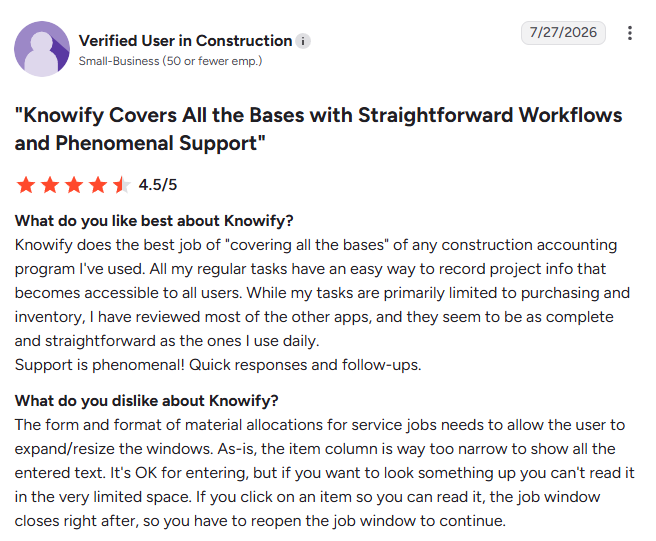
- Easy-to-use construction accounting with strong customer support: One reviewer said Knowify simplified project tracking, purchasing, and inventory management with straightforward workflows, while also praising the platform's responsive customer support. (Brett W., Capterra, December 31, 2025)
- Some users say the interface takes time to learn: One reviewer said Knowify provides good visibility into job costs, budgets, and invoices but noted that parts of the interface feel dated and some features require additional setup before they become easy to use. (Josh W., Capterra, December 22, 2025)
Pricing
Knowify publishes its rates, which is rare in this category. The pricing page lists Core at $99/month billed yearly ($149/month billed monthly) for one user, Advanced at $329/month billed yearly ($399/month billed monthly) for 10 users, and a custom-quoted Enterprise plan for unlimited users.
Additional users run $29 per month. The Service Pro add-on costs $99 per month yearly, and equipment tracking runs $25 per vehicle per month.
Bottom line
Any sub who bills through pay apps should test Knowify before spending another dollar elsewhere. Residential contractors doing cash-and-carry driveway work will pay for depth they never touch.
5. Joist: Best for Residential Trade Contractors Invoicing From the Truck
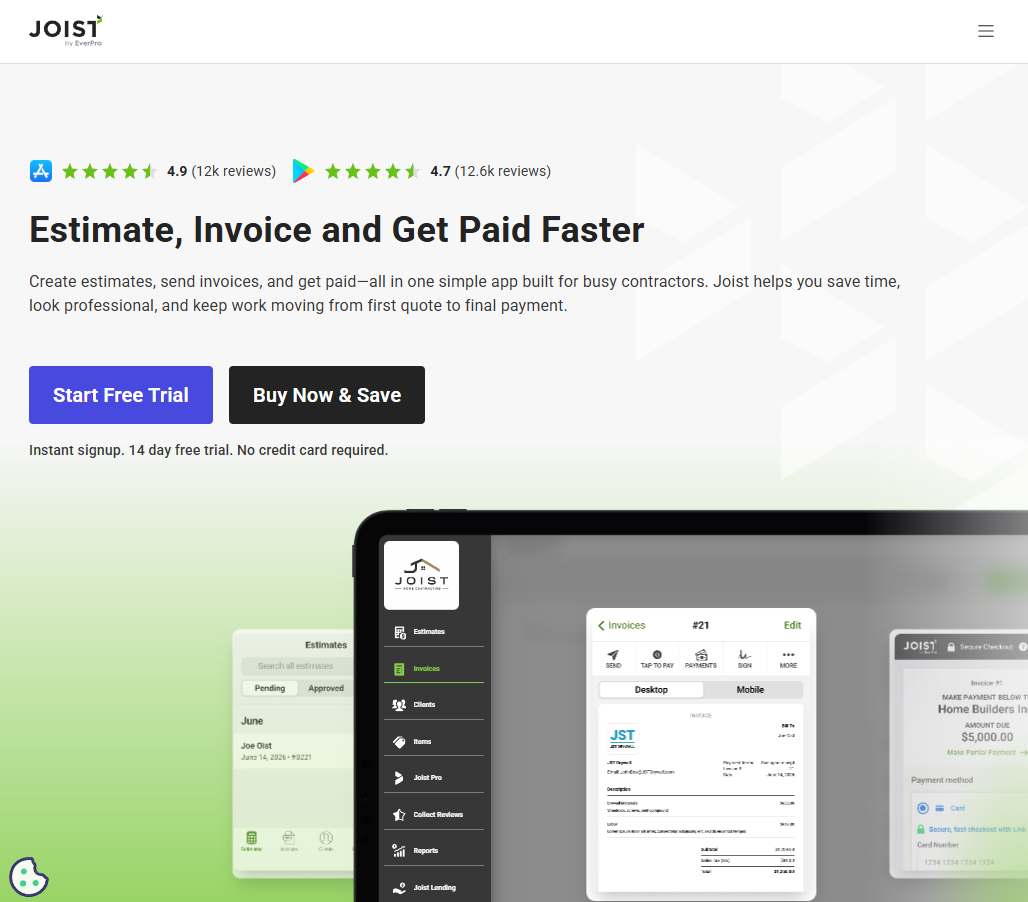
What it does: Joist turns estimates into invoices on your phone and collects payment on the spot, built for trades that quote in a driveway and bill before they leave.
Best for: Residential contractors and small trade crews sending a handful of invoices a week from the field.
Joist is the fastest tool here for the small-job workflow. Write the estimate at the kitchen table, get a signature, convert it to an invoice, and take a card before you pull out. That speed is the whole point, and it comes with a hard ceiling.
Key features
- Estimate to invoice conversion: Turn an approved estimate into an invoice in a few taps with no re-entry.
- Deposit and milestone payments: Collect money up front or split the bill across payment stages.
- QuickBooks sync on Pro and above: Push invoices and payments into your books without double entry.
Joist pros
- The mobile experience beats every full platform on this list for simple jobs.
- Homeowner financing sits inside the app, which closes bigger residential tickets.
- Cheap enough that a one-truck operation stops thinking about the cost.
Joist cons
- The Basics plan caps you at five documents per month, which one busy week blows through.
- No progress billing against a schedule of values, no retainage, and no job costing.
What users say
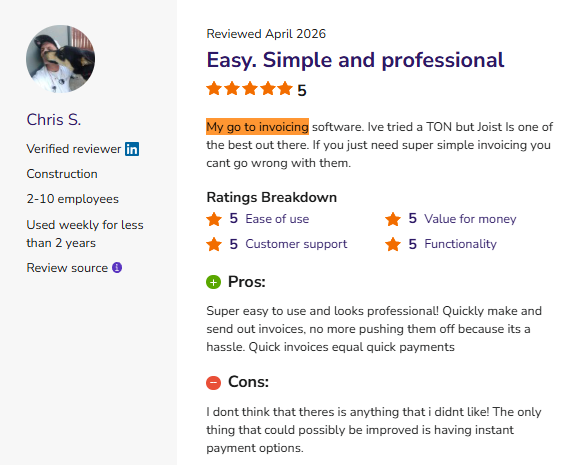
- Easy-to-use invoicing with professional-looking estimates: One reviewer said Joist made it easy to create polished estimates and invoices that were clear for both clients and insurance adjusters, while remaining affordable and highly customizable. (James M., Capterra, April 16, 2026)
- Some users say it lacks features for growing businesses: One reviewer said Joist was user-friendly and well-priced but noted that larger businesses may outgrow it due to limited project management, scheduling, customer portal, messaging, and integration capabilities. (Konstantin P., Capterra, April 2, 2026)
Pricing
Joist's pricing page lists Basics at $10/month for up to 5 documents/month, Pro at $17/month for unlimited documents, contracts, and the QuickBooks integration. Elite costs $32/month and adds business reports and change order management.
Annual billing gives you two months free, and the 14-day trial unlocks Elite with no credit card. The AI Receptionist add-on starts at $49 per month.
Bottom line
For a residential trade crew, Pro at $17/month is one of the better deals in contractor billing. Commercial work with pay apps and retainage will outgrow it inside a season.
6. Buildertrend: Best for Custom Home Builders and Remodelers
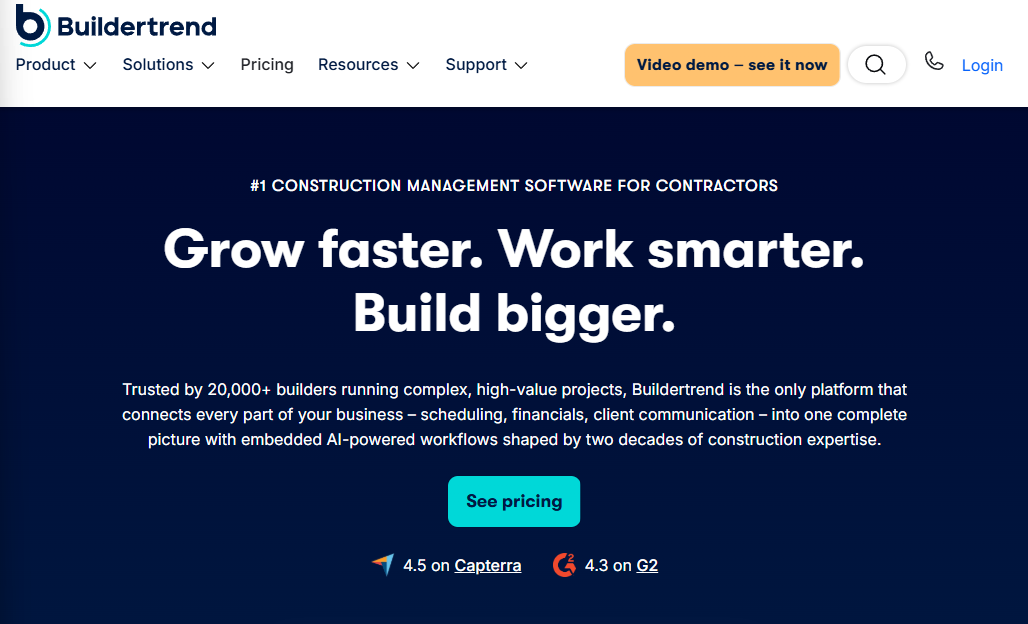
What it does: Buildertrend runs residential construction projects end to end, with budgets, client selections, change orders, and invoicing under one login and unlimited users.
Best for: Custom home builders and remodelers running several jobs at once with heavy homeowner communication.
The billing side works because it sits on top of the budget. Change orders, selections, and purchase orders all feed the invoice, so what the homeowner approved is what shows up on the bill. That accuracy is what you're paying for, and you'll pay for it.
Key features
- Budget-linked invoicing: Bill against the job budget so approved change orders and selections land on the invoice automatically.
- Client-facing change orders: Homeowners approve extras in the portal before the work happens.
- Unlimited users: Every plan includes your whole office and field team at no per-seat cost.
Buildertrend pros
- Homeowner communication and documentation are the best in class for residential work.
- No per-user fees, which makes bigger teams cheaper than seat-based competitors.
- Onboarding and 24/7 support come standard.
Buildertrend cons
- No published pricing and no self-serve trial, so evaluating it means a sales call.
- Built for residential builders, so paving, site work, and other specialty trades hit friction fast.
- Buildertrend says outright that shops under $500,000 in annual volume may not be a fit.
What users say
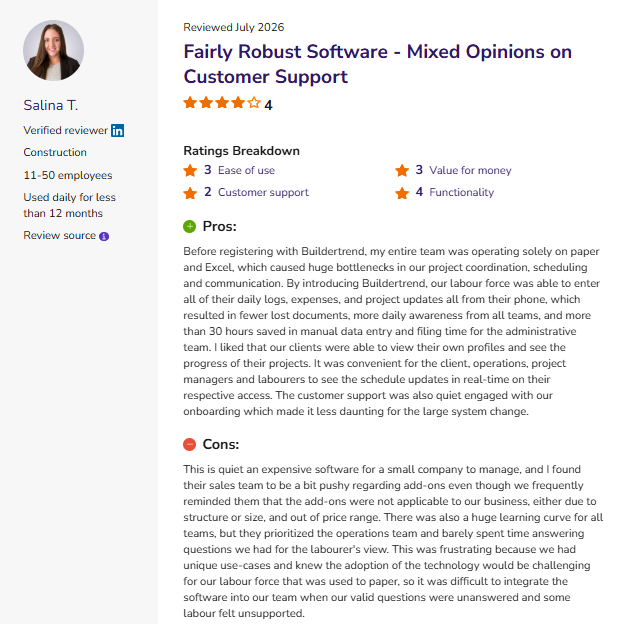
- Centralizes project management and improves team coordination: One reviewer said Buildertrend brought scheduling, communication, budgeting, and document sharing into a single platform, helping construction projects stay organized and improving overall workflow once implemented. (Nikki C., Capterra, May 5, 2026)
- Some users find the pricing and contracts frustrating: One reviewer said Buildertrend was difficult to work with due to inflexible contract terms and limited support during financial challenges, leaving them dissatisfied with the overall customer experience. (Ricardo D., Capterra, May 1, 2026)
Pricing
Buildertrend stopped publishing plan prices. Its pricing page now asks a few questions about your builder type, annual construction volume, and timeline, then routes you to a call for a custom quote. The page advertises 10% off when you prepay annually.
Bottom line
Builders and remodelers who live and die by homeowner selections get real value here. Everyone else should treat the sales call as a two-hour commitment before they see a number.
7. FreshBooks: Best for Small Contractors Who Want Clean Invoices Plus Light Bookkeeping
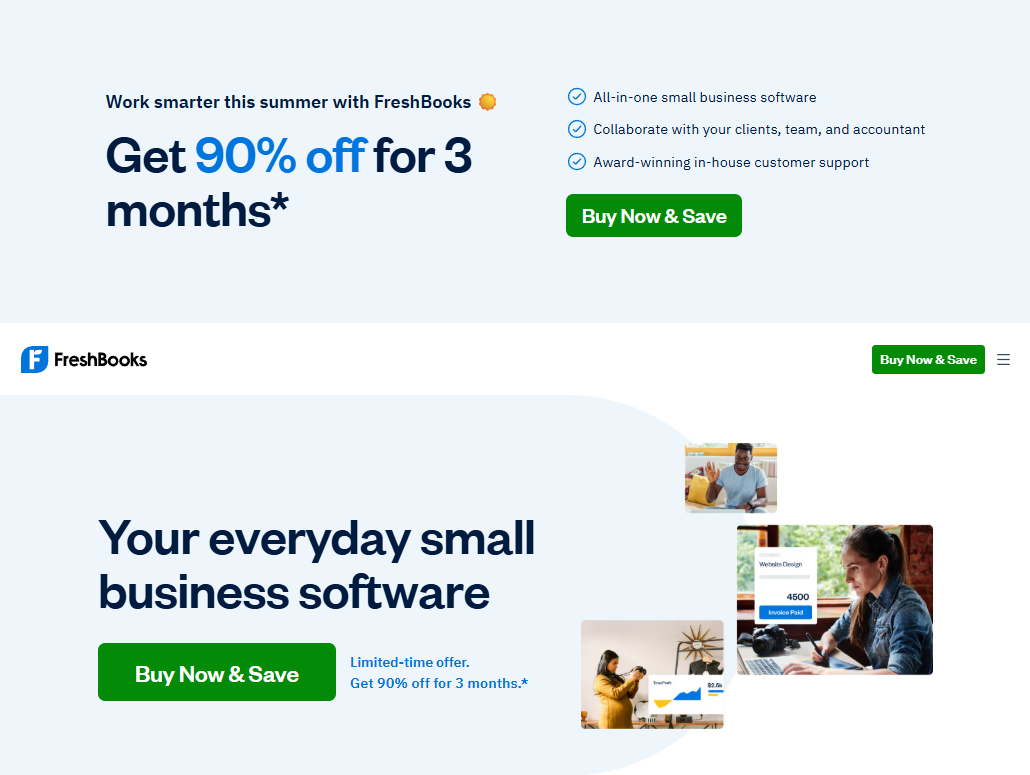
What it does: FreshBooks started as invoicing software and grew into small business accounting, and the invoicing still shows that heritage.
Best for: Solo contractors and small crews with a manageable client list who want professional invoices and basic books.
Invoices look sharp with almost no setup, and the automation earns its keep: recurring invoices, scheduled late fees, and automated payment reminders all run without you touching them. Pricing keys off client count rather than users, which trips people up.
Key features
- Automated late fees and reminders: Charge interest on overdue invoices and nudge customers automatically.
- Deposits and project billing: Take money up front and manage budget and billing per project.
- Checkout links: Collect payment without sending an invoice at all, handy for small repairs.
FreshBooks pros
- The cleanest invoice templates on this list, with the least fiddling to get there.
- Double-entry accounting and bank reconciliation arrive on Plus, so your books hold up.
- The 30-day trial needs no credit card and includes a money-back guarantee.
FreshBooks cons
- Billable client caps bite hard. Lite stops at five clients, Plus at 50.
- Every plan covers one user. Each extra team member costs $11 per month.
- No AIA billing, no retainage, and no construction job costing.
What users say
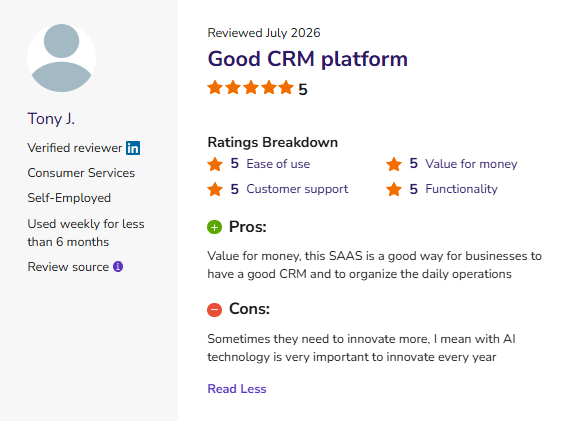
- Makes invoicing simple and saves administrative time: One reviewer said FreshBooks streamlined invoicing for industrial maintenance services, making it much easier to bill partner factories for spare parts and technical support work. (Ron C., Capterra, July 14, 2026)
- Some users say it doesn't scale well for larger businesses: One reviewer said FreshBooks is intuitive for freelancers, with useful expense tracking, time tracking, and online payments, but found it less suitable for larger teams due to limited inventory management and the added cost of advanced features. (Paul O., Capterra, June 22, 2026)
Pricing
FreshBooks lists three published plans on its pricing page: Lite at $23/month for 5 billable clients, Plus at $43/month for 50 clients, and Premium at $70/month for unlimited clients.
Select is custom quoted. Yearly billing takes 10% off. Add-ons include team members at $11/month each, Advanced Payments at $20/month, and payroll at $40/month + $6/month per user.
Bottom line
FreshBooks is a strong fit for a small contractor with a short client list who wants invoicing to look professional and take five minutes. Growing crews will hit the client cap and the single-user limit around the same time.
8. Procore: Best for Large Commercial General Contractors
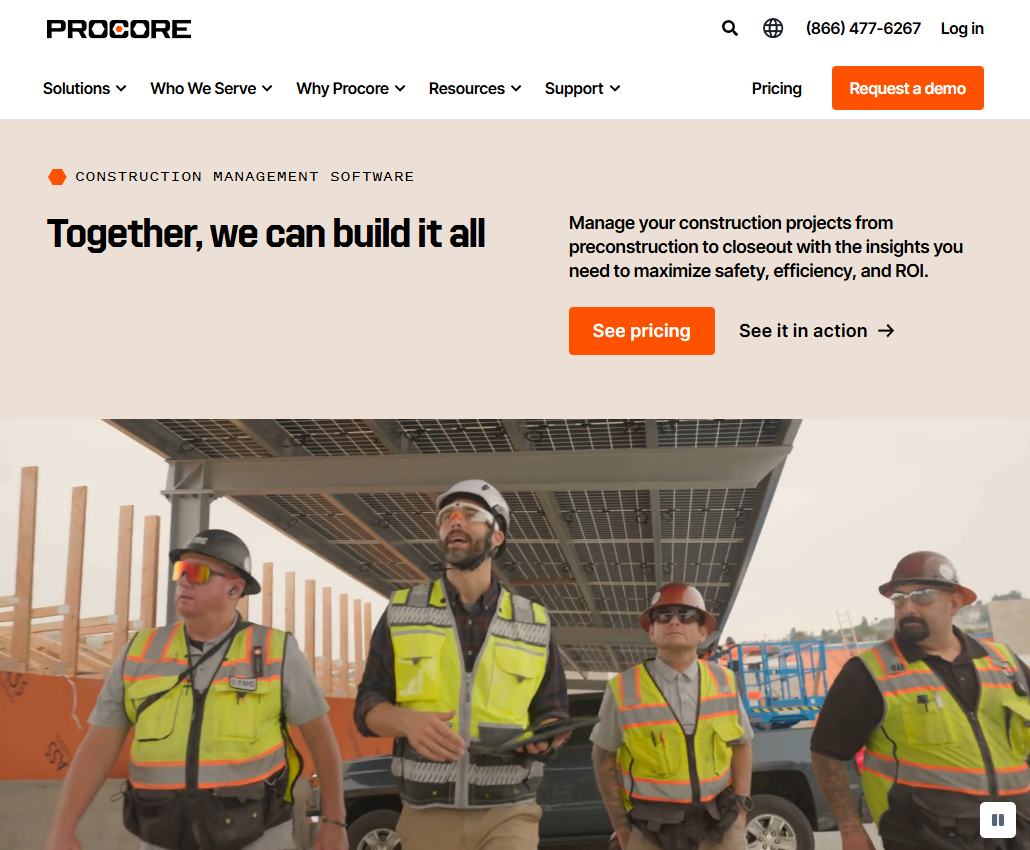
What it does: Procore is the enterprise construction platform, and its cost management tools handle prime contract billings, subcontractor invoices, and commitments across large commercial projects.
Best for: General contractors managing $20 million or more in annual construction volume across multiple concurrent projects.
Procore's billing strength is scale and collaboration. Subcontractors submit invoices directly into the system, the owner billing pulls from the prime contract, and everybody works off the same numbers. That coordination is the product. The price tag matches.
Key features
- Owner and prime contract billings: Generate owner invoices from the prime contract with change orders folded in.
- Subcontractor invoice collection: Subs submit their own pay applications through the platform, which cuts your data entry.
- Unlimited users: Field crews, subs, architects, and owners all get access at no per-seat cost.
Procore pros
- Nothing here handles multi-stakeholder billing on a $50 million project better.
- Unlimited users means the whole project team collaborates without seat math.
- Deep integration list, including QuickBooks and major ERP systems.
Procore cons
- Pricing tracks your revenue, so a good year raises your bill at renewal.
- Annual contracts only, no month-to-month, and financial modules cost extra.
- Overkill for small and mid-size contractors, and Procore has told firms under $10 million as much.
What users say
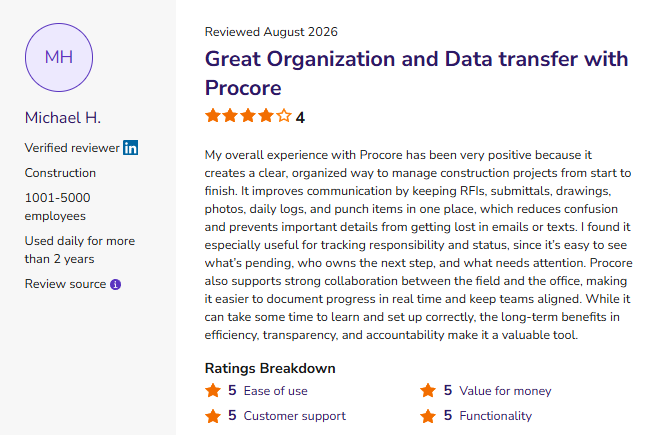
- Keeps bidding and project documentation organized: One reviewer said Procore made it easy to manage bids, contractor compliance documents, and project organization with an intuitive interface and responsive customer support. (Jacqueline D., Capterra, July 26, 2026)
- Some users say the platform has a learning curve: One reviewer said Procore improved collaboration by centralizing plans, reports, and communications, but noted that its extensive feature set can take time for new users to learn and use effectively. (Matty S., Capterra, July 21, 2026)
Pricing
Procore publishes no plan prices. Its pricing page explains that the company charges an upfront annual fee by product, based on your Annual Construction Volume, defined as the total dollar value of construction work across your projects.
Every contract includes unlimited users, unlimited data storage, and support. You request a quote to get a number.
Bottom line
Procore earns its cost on large commercial work with dozens of stakeholders. If you're a paving contractor doing $8 million a year, the quote will make the decision for you.
9. Invoice Simple: Best for Solo Operators Sending a Few Invoices a Month
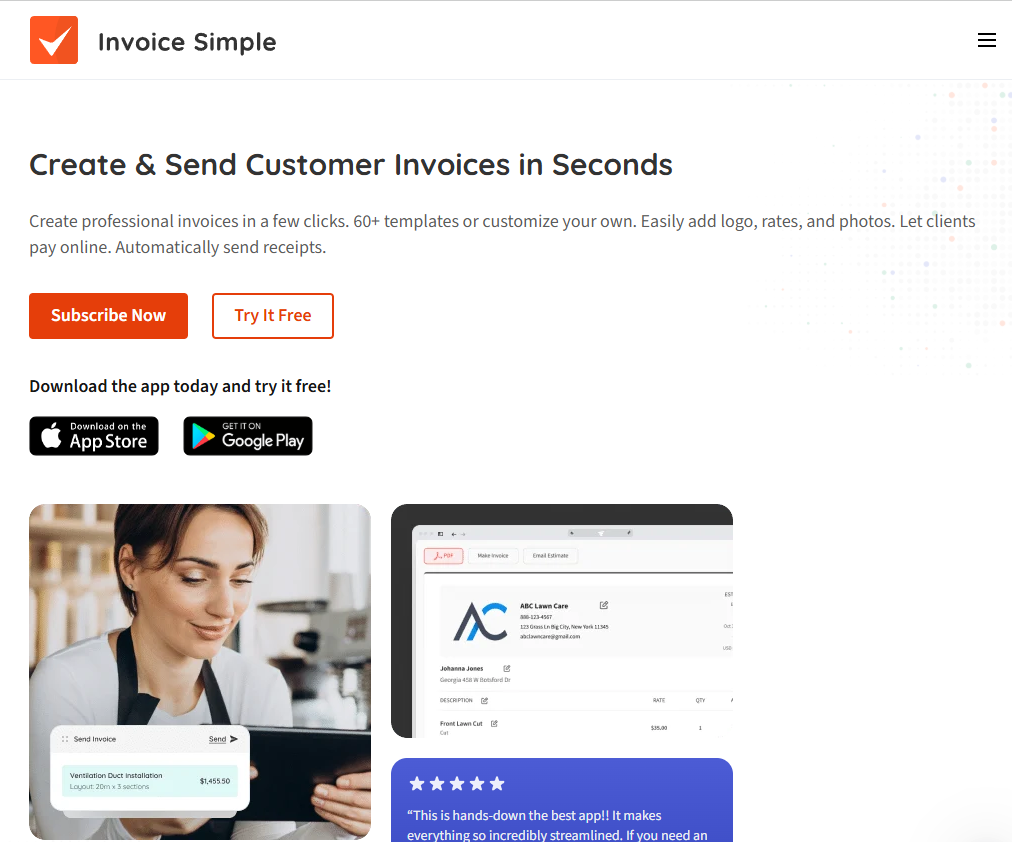
What it does: Invoice Simple gets a professional invoice out of your phone and into a customer's hands in about 2 minutes.
Best for: Solo operators, 1-truck outfits, and anyone still invoicing from a Word template.
There's no project management, no job costing, and no accounting. That focus is the appeal. You pick a template, autofill the client and line items, attach a photo of the finished work, and send it with a QR code the customer can pay from.
Key features
- Estimate to invoice in two minutes: Convert an approved estimate and send it before you leave the site.
- QR code and online payments: Customers pay by card, PayPal, or Venmo straight from the invoice.
- Expense tracking with receipt scanning: Snap receipts and keep job costs in one exportable place.
Invoice Simple pros
- The fastest path from finished work to sent invoice of anything on this list
- Cheap enough to run alongside your accounting software without a second thought
- Client signatures and deposits come with Premium, which covers most small-job needs
Invoice Simple cons
- Invoice caps on the lower plans. Essentials allows three per month and Plus allows 10
- No progress billing, no retainage, no accounting, and no crew tools whatsoever
What users say
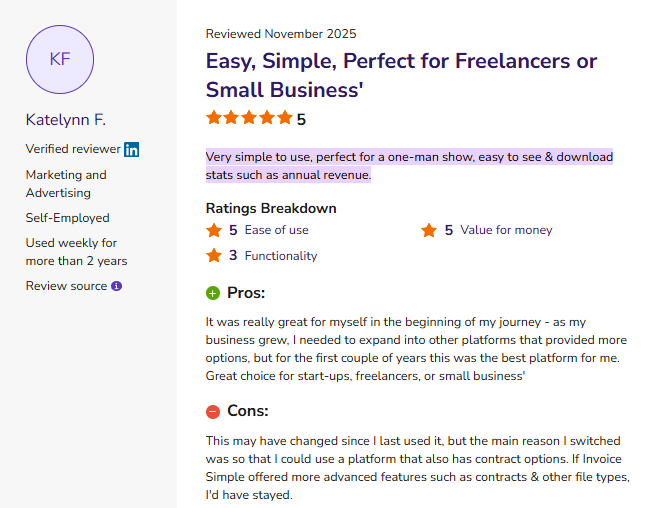
- Simple invoicing that's easy to learn and use: One reviewer said Invoice Simple lived up to its name with an intuitive interface and mobile app that made creating invoices quick and convenient for a one-person business. (J.C. S., Capterra, June 2, 2025)
- Some users say it lacks advanced features as businesses grow: One reviewer said Invoice Simple worked well for smaller businesses thanks to its clean interface and automatic saving, but found it limiting for higher transaction volumes and more complex workflow needs. (Mary A S., Capterra, May 23, 2025)
Pricing
Invoice Simple's pricing page lists Essentials at $6.99 per month for up to three invoices, Plus at $14.99 per month for up to 10 invoices, and Premium at $21.99 per month for unlimited invoices plus client signatures and deposits.
Annual plans give you two months free, and a 14-day free trial opens up Premium.
Bottom line
If you send five invoices a month and hate every minute of it, this fixes your problem for the price of lunch. Anybody managing crews and contracts should skip it.
Which Invoicing Tool Should You Choose?
Invoicing for contractors comes down to how your money arrives: a hundred small payments, or a handful of large ones billed in stages. Matching the tool to that pattern does more for your cash flow than any feature on this list.
Choose QuickBooks Online if you …
- Want invoicing and accounting in one account with no sync to babysit
- Bill mostly complete jobs rather than percentages of a contract
- Already have a bookkeeper who works in QuickBooks
Choose OneCrew if you …
- Run project-based asphalt or concrete paving work bid off plans and site maps
- Want the estimate line items to carry all the way through to the invoice
Manage crews across job phases and want customers approving and paying in a portal
Choose Jobber if you …
- Complete 20 or more small jobs a week and need to bill them in batches
- Run recurring maintenance work with repeat customers
- Want automated follow-ups doing the collections nagging for you
Choose Knowify if you …
- Send AIA pay applications with schedules of values and retainage
- Subcontract to general contractors on fixed-price commercial work
- Need WIP reporting to catch overbilling before your accountant does
Choose Invoice Simple or Joist if you …
- Operate solo or with one crew and bill small residential jobs
- Need speed over structure
- Want to spend under $35 a month
Skip this category entirely if …
- You send fewer than three invoices a year, since a free template covers it
- Your accountant already handles all billing, and you have no field crews
- You're mid-migration on an ERP that includes billing you haven't turned on yet
Final Verdict
For most contractors, QuickBooks Online plus one field tool covers invoicing for contractors well enough to stop thinking about it.
Commercial subs billing pay apps should go straight to Knowify, and paving contractors bidding projects off plans get more from OneCrew because the invoice starts life as an estimate.
Worth knowing before you choose: slow payment costs the U.S. construction industry an estimated $280 billion a year, and 82% of contractors now wait more than 30 days to get paid, up from 49% two years earlier.
Billd's 2025 report puts the average subcontractor days sales outstanding at 54 days, with 75% of subs holding supplier terms shorter than their own collection time. This gap shows up as an 87% misalignment rate between supplier terms and actual collection time.
Better invoicing won't fix an owner who pays late. It will stop you from adding a week to that clock yourself.
Stop Running Invoicing for Contractors Through 5 Different Apps
OneCrew is a platform built specifically for project-based asphalt and concrete paving contractors. It carries the estimate all the way through to the final invoice without requiring you to retype the same job across multiple tools.
Here's what invoicing for contractors looks like when everything runs in one place:
- Build the estimate that becomes your invoice line items from day one: OneCrew's estimating tools let you price jobs from PDFs or aerial maps with built-in calculators for labor, materials, equipment, and subs.
- Schedule your crews to the phases you're billing, not a separate calendar: OneCrew's scheduling feature assigns crews and roles to specific job phases so your office knows exactly what work was completed in each billing period.
- Capture field data that backs up every line item on the invoice: The field management tools let crews log time, quantities, and photos directly from the job site.
- Get proposals signed and payment terms locked in before you mobilize: OneCrew's proposals feature generates professional, branded proposals directly from your estimate.
- Track every customer and project so no invoice gets forgotten: OneCrew's CRM keeps every lead, conversation, and project history in one place.
- Invoice from completed work and sync to QuickBooks without double entry: OneCrew's invoicing tools generate invoices from the line items already in the platform and sync invoicing and payment data with QuickBooks Online.
You only need one platform that connects the bid to the final payment and shows you your margin along the way. Book a free demo and see how it works for your operation.
FAQs
1. What is the best invoicing app for contractors?
QuickBooks Online is the best all-around choice because it pairs invoicing with full accounting; Knowify is the best pick for subcontractors sending AIA pay applications, and OneCrew fits project-based paving contractors who want the estimate to feed the invoice.
Solo operators get the fastest results from Invoice Simple or Joist. Match the tool to your billing style before you compare prices, because invoicing for contractors breaks down over contract structure far more often than over cost.
2. How do contractors bill for progress payments?
Contractors bill progress payments by invoicing a percentage of a contract as work gets completed, usually tied to a schedule of values agreed on before the job starts.
You submit the percentage complete for each phase, add approved change orders for that billing period, and subtract retainage. Knowify, OneCrew, Buildertrend, and Procore all handle this, and most basic invoicing for contractors apps do not.
3. Can QuickBooks handle construction invoicing on its own?
QuickBooks handles construction invoicing for basic jobs, and it falls short on contract billing. It supports progress invoicing from estimates, deposits, and payment collection, but it has no AIA pay application forms, no retainage tracking, and limited job costing below the Plus plan.
Most contractors pair it with a construction platform that sends invoicing and payment data into QuickBooks.
4. How much does invoicing software for contractors cost?
Invoicing software for contractors costs between $7 and $499 per month depending on scope.
Simple mobile invoicing apps start around $7 to $32 per month, accounting platforms with invoicing run $23 to $275, and construction management platforms range from $99 per month to custom quotes based on your team size or annual construction volume.
5. What should a contractor invoice include?
A contractor invoice should include your business name and license number, the customer's name and job address, a unique invoice number, the invoice and due dates, an itemized breakdown of materials.
It also includes any approved change orders, retainage withheld, the balance due, and accepted payment methods. Adding photos of completed work cuts down on disputes.

.png)