
Digital invoicing for contractors: benefits and workflow guide

Less than 40% of U.S. small and mid-sized businesses have fully implemented e-invoicing, which means most paving contractors are still leaving real money and time on the table every billing cycle. Digital invoicing, at its core, replaces paper bills and manual entry with electronic workflows that automate, track, and integrate your billing from estimate to payment. For paving contractors juggling multiple active job sites, tight payment windows, and complex material costs, getting billing right is as critical as laying a smooth surface. This guide breaks down what digital invoicing actually means for your business, why simple workarounds fall short, and how to build a smarter billing process from the ground up.
Key Takeaways
- Digital invoicing defined. True digital invoicing means automated, integrated workflows, not just sending PDFs.
- Faster payments. Most contractors see payment cycles shrink by more than a day with digital invoicing.
- Labor savings. Automated invoicing can save an average of 39 minutes per invoice.
- Barriers are solvable. Integration complexity and training can be addressed with step-by-step adoption and the right software.
Digital invoicing explained for contractors
Digital invoicing replaces paper and manual billing with electronic workflows. But “electronic” doesn’t mean you just swap a printed invoice for an emailed PDF. That distinction matters more than most contractors realize.
Just sending a PDF is not true digital invoicing. Real automation matters when it comes to processing improvements and measurable results.
True digital invoicing connects your billing data to the rest of your business systems. It pulls job details, material costs, and labor hours directly into the invoice, routes it to the client automatically, tracks whether it’s been opened, and flags overdue payments without you lifting a finger. Your invoicing software features determine how much of that process runs on autopilot.
Here’s what separates a real workflow upgrade from a glorified PDF:
- Automated invoice generation from project data, not manual entry
- Integration with estimating and job costing so numbers stay consistent
- Client delivery and tracking so you know when invoices are viewed
- Payment processing built in, so clients can pay immediately
- Sync with accounting software to eliminate double data entry
- Audit trails and reporting for every transaction
Most contractors start by emailing PDFs and call it digital. It’s a step up from paper, but it doesn’t solve the core problem: manual data entry, disconnected systems, and zero visibility into payment status.
How digital invoicing streamlines workflows
The gap between a manual billing process and a fully integrated digital one shows up fast in your numbers. Time spent on admin, days waiting for payment, and errors that require back-and-forth corrections all shrink significantly once automation takes over.
Before vs. after: what actually changes
- Payment cycle. Before, you're looking at 7 to 10+ days. After, the average drops to 5 to 7 days.
- Time per invoice. Before, 60 to 90 minutes. After, 20 to 30 minutes.
- Error rate. Before, high — driven by manual entry. After, significantly reduced.
- Invoice visibility. Before, none. After, real-time tracking.
- Accounting sync. Before, manual and error-prone. After, automatic.
Better document management efficiency also means fewer invoice disputes. When your billing pulls directly from project data, clients see accurate line items with no room for interpretation. That transparency builds trust and speeds up approvals.
Pro tip: Build recurring invoice templates for your most common job types, like crack sealing, parking lot striping, or driveway overlays. When you close a job, the invoice generates in seconds with the correct scope, pricing, and client details already populated.
The operational benefits go beyond speed:
- Less manual data entry reduces costly billing errors
- Automated payment reminders eliminate awkward follow-up calls
- Better cash flow forecasting because you know exactly what’s outstanding
- Faster client approvals when invoices arrive professionally formatted with clear detail
- Tighter connection between estimating integration and final billing so job costing stays accurate
For paving contractors running tight margins, these aren’t nice-to-haves. They’re the difference between a profitable quarter and a cash flow crunch.
Common barriers and how to overcome them
Even with all the benefits, digital invoicing isn’t universal. Here’s why, and how to move forward.
Integration complexity and staff training remain the top barriers for contractors who haven’t made the switch yet. It’s not that contractors don’t want better billing. It’s that the transition feels risky when you’re managing active crews, client commitments, and a full job schedule.
The biggest barriers and how to clear them:
- Integration complexity. Contractors stall because they fear breaking existing systems. The fix is choosing software built for contractors with native integrations already in place.
- Staff training. Worry about crew resistance or errors keeps the project on hold. Start with office admin only, then bring the field team in once the workflow is proven.
- Upfront time investment. No bandwidth to learn new tools is a common blocker. Lean on provider onboarding and training resources to compress the learning curve.
- Client adoption. Some clients still prefer paper or checks. Offer multiple payment options and ease them into the new process rather than forcing a hard switch.
- Data migration. Old job records sit in spreadsheets or paper files. Migrate only current jobs and archive everything else separately to keep the transition manageable.
The biggest risk isn’t switching to digital. It’s waiting too long while competitors gain time and cash flow advantages.
Here’s a simple change management plan to get your team moving:
- Audit your current invoicing process. Document every step from job completion to payment received. Note where delays and errors happen most often. This audit becomes your baseline for measuring improvement and helps you find the right software fit. Good project reporting practices make this step faster.
- Research and select the right software. Look for tools built specifically for contractors, not generic accounting platforms. Contractor-specific modern invoicing tools come pre-built with job costing logic, client portals, and field-to-office workflows.
- Run a pilot on one job type. Pick your highest-volume or simplest job type and process all invoices digitally for 30 days. Measure payment speed and time saved before rolling out company-wide.
- Train your office team first. Get your estimators and project managers comfortable with the workflow before involving field crews. Most software providers offer guided onboarding, video training, and support resources, including implementation checklists that simplify rollout.
- Communicate clearly with clients. Give clients a heads-up that you’re moving to electronic invoicing. Emphasize faster billing, easier payments, and better records. Most clients welcome the change.
The resistance fades quickly when your team sees how much less time they spend chasing down paperwork.
Steps to start digital invoicing in your paving business
Productivity and cash flow benefits are directly tied to how well your digital invoicing is adopted and integrated across your business. The strategy below is designed to get you from zero to fully operational without disrupting active work.
- Assess your current invoicing needs. Review your job types, billing frequency, client base, and average invoice size. The goal is to understand what your system needs to handle before you choose software.
- Select a platform built for paving contractors. Generic tools require workarounds. A platform designed for your trade comes with the right job categories, markup structures, and field data connections already built in. Review the full invoicing tool details to understand what best fits your workflow.
- Connect your estimating and scheduling systems. True digital invoicing ties billing data back to your original estimate and job schedule. That connection removes manual re-entry and keeps your job costing accurate from quote to close.
- Train your team in phases. Office staff first, then field supervisors who need to submit job completion data. Keep training sessions short and focused on the exact tasks each role performs.
- Monitor key metrics from day one. Track days-to-payment, time per invoice, and error frequency. These numbers give you clear proof of ROI and show where to keep improving.
Pro Tip: Run your first full month of digital invoicing on a single job category, like commercial parking lots, before switching everything over. You’ll catch workflow gaps early and give your team a chance to ask questions in a low-pressure setting.
Why simple digital documents aren’t enough: A contractor’s perspective
What actually distinguishes digital invoicing success from a simple leap to email?
We see this pattern constantly. A paving contractor ditches paper, starts emailing PDF invoices, and declares the problem solved. But three months later, they’re still chasing payments, still manually entering data into QuickBooks, and still spending an hour per invoice. The format changed. The workflow didn’t.
Benefits may be limited to convenience rather than measurable processing improvements without true automation and integration behind the system. That’s the uncomfortable truth most billing software vendors don’t lead with.
Real ROI from digital invoicing comes from three places: workflow automation that eliminates repetitive tasks, system integration that removes double entry, and reporting that shows you exactly where jobs are profitable and where they’re not. A PDF does none of those things.
Pro Tip: Evaluate your invoicing system by one metric: how much manual re-entry and client chasing does it eliminate? If the answer is “not much,” you don’t have digital invoicing. You have digital paper. The see advanced invoicing features that matter most are the ones that connect billing to your entire job workflow automatically.
The contractors who gain a real competitive edge are using invoicing data to understand which job types pay fastest, which clients need more follow-up, and where their admin bottlenecks live. That’s information you simply can’t get from emailed PDFs.
Accelerate your billing with integrated digital invoicing
For those ready to modernize, here’s how to put these strategies into practice with an integrated platform.
OneCrew is built specifically for asphalt paving contractors who want more than faster emails. The platform connects OneCrew’s invoicing solution directly to your estimates, scheduling, and project data, so every invoice reflects the real scope of work without manual re-entry.
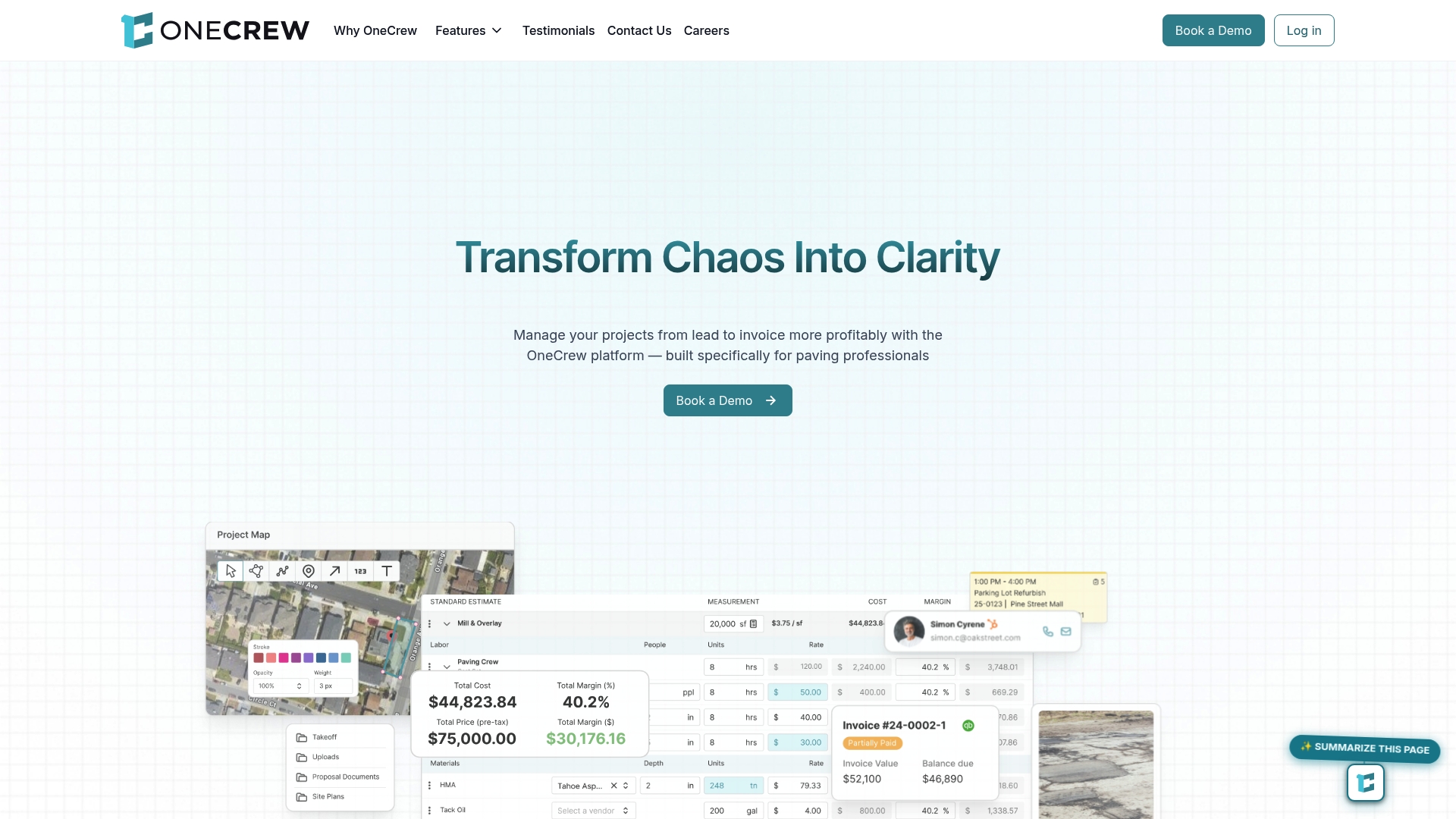
From estimate integration that auto-populates billing line items to integrated scheduling that triggers invoices when jobs close, OneCrew gives you the connected workflow that actually reduces payment cycles and admin hours. Trusted by top North American paving contractors, the platform is built to turn billing from a bottleneck into a competitive advantage.
Frequently asked questions
What’s the difference between sending a PDF invoice and digital invoicing?
Digital invoicing uses software to automate and integrate your entire billing workflow, while sending a PDF is simply emailing a document with no automation, tracking, or system integration behind it.
How rapidly can digital invoicing speed up payment for paving contractors?
Contractors who fully adopt digital invoicing see an average 1.4-day reduction in payment cycles, which adds up significantly across a full month of billing.
What are the main obstacles for contractors adopting digital invoicing?
Integration complexity and staff training are the leading challenges, but both are addressable with contractor-specific software and phased rollout plans.
What’s the first step to go digital with contractor invoicing?
Start by auditing your current workflow to identify where delays and errors occur most, then choose a platform that integrates with your existing systems rather than adding a disconnected tool on top.

