
7 Best Contractor Scheduling Software Platforms Tested in 2026

After spending weeks testing contractor scheduling software across different project types, crew sizes, and workflows, two platforms clearly stood out.
OneCrew is the best option for project-based contractors who need estimating, scheduling, and job costing in one place. Procore leads for large teams that need deep project management and collaboration across multiple stakeholders.
7 Best Contractor Scheduling Software: Quick Comparison
| Platform | Strengths | Best For | Starting Price |
|---|---|---|---|
| 1. OneCrew | End-to-end estimating, crew dispatch, and job costing built for paving | Project-based asphalt and concrete contractors | Seat-based pricing (demo required) |
| 2. Procore | Deep project management, unlimited users, 500+ integrations | Large-scale general contractors and owners | ~$375/month (volume-based) |
| 3. Buildertrend | Scheduling, budgeting, client portal, and CRM in one | Residential builders and remodelers | $499/month |
| 4. Fieldwire | Task tracking, plan markup, punch lists, mobile-first | Field teams and specialty subcontractors | Free (basic); $39/user/month (Pro) |
| 5. Connecteam | Shift scheduling, GPS time tracking, team communication | Crew-heavy operations needing workforce tools | Free (up to 10 users); $29/month for 30 |
| 6. Jobber | Easy quoting, scheduling, invoicing, client hub | Small service-based contractors | $29/month |
| 7. Smartsheet | Gantt charts, automations, flexible project views | Teams outgrowing spreadsheets | $9/user/month |
How I Researched and Tested These Contractor Scheduling Software Platforms
I signed up for free trials and demos across all 7 platforms, tested each one with real-world scheduling scenarios, and cross-referenced findings with hundreds of verified user reviews on G2, Capterra, and Reddit.
- Scheduling depth: How each platform handles crew assignments, job phases, and calendar management
- Ease of use: Whether field crews and office staff can adopt the tool without days of training
- Integrations: How well each platform connects with accounting, CRM, and field tools
- Pricing transparency: What you actually pay versus what the sales page promises
- Industry fit: Whether the tool fits project-based work, service-based work, or general construction
This hands-on process helped me see which contractor scheduling software platforms hold up under daily pressure, not just on a marketing page.
1. OneCrew: Best for Project-Based Asphalt and Concrete Contractors
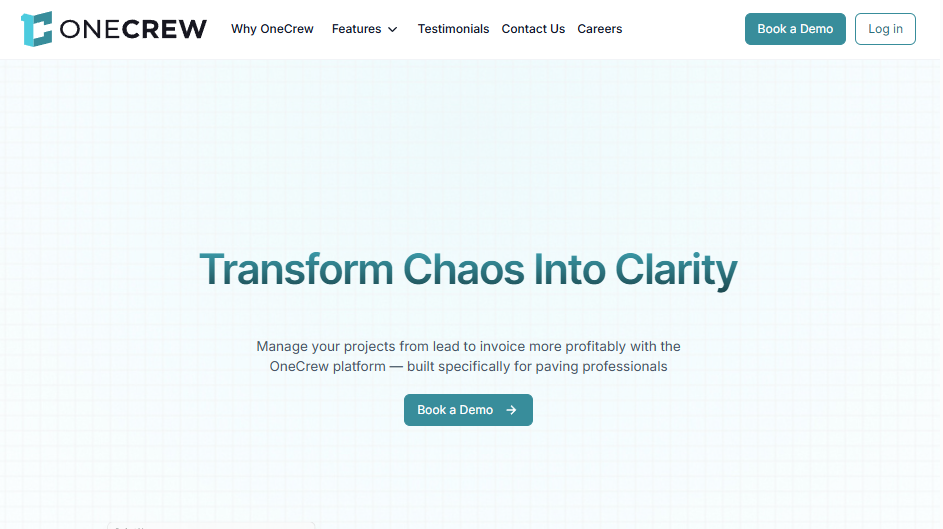
OneCrew is a unified management platform built for paving contractors that connects everything from lead intake to final invoice in one place.
Best for: Asphalt and concrete contractors running $2M to $75M+ in annual revenue who want to stop juggling 4 to 7 disconnected tools.
OneCrew stood out immediately because it's purpose-built for the paving industry. Every feature, from estimating to crew dispatch to invoicing, maps directly to how paving contractors actually run their business.
Key features
- Highly configurable estimating: Build estimates from PDFs or maps using labor, material, equipment, and sub-line items with built-in calculators and automated bid construction. One customer (DACS Asphalt Concrete) reported reducing million-dollar bids to 10-minute tasks.
- Crew dispatch and scheduling: Assign crews and roles to specific job phases. You can track project status with updates across pre-construction, production, and billing phases.
- Customer portal: Customers view and sign proposals, view and pay invoices, share photos or documents, and communicate through chat-style messaging.
- QuickBooks Online integration: Invoicing and payment information syncs directly, so you avoid double-entry on your financials.
- Site and plan mapping and measurement: Use built-in mapping tools for aerial site measurement, plus separate PDF takeoff for blueprint-based work. These are two distinct features that work together.
Pros
- True end-to-end platform: Replaces the patchwork of 4 to 7 tools most paving contractors cobble together
- Paving-specific workflows: You're not forcing generic construction tools to fit your process
- Estimator training drops from 6 to 12 months to about 2 weeks because the system structures everything for new hires
- Independent ownership: Your data stays yours (not owned by a PE roll-up that also acquires paving companies)
Cons
- Built exclusively for paving: If you're in plumbing, HVAC, or electrical, this won't fit your workflow
- No accounting built in: You'll still need QuickBooks or a full ERP alongside it
- No free trial: You'll need to book a demo to see the platform and get pricing
What users say
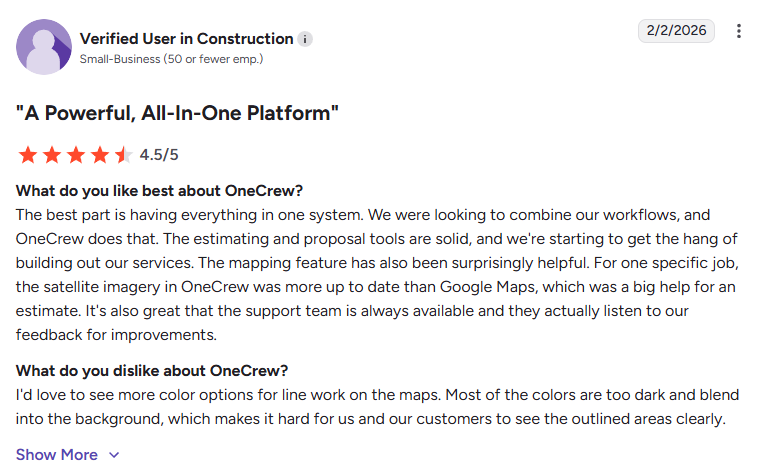
- Easy-to-use platform that improves organization without disrupting workflows: OneCrew fits seamlessly into existing operations, helping teams stay organized and manage jobs without forcing process changes, backed by responsive customer support. (G2, February 10, 2026)
- Industry-specific estimating with strong analytics but minor scheduling limitations: Users highlight its customizable estimating, professional quotes, and detailed analytics for tracking performance, though the scheduling calendar can be difficult to read at times. (G2, March 12, 2026)
Pricing
OneCrew uses seat-based pricing tied to company size and feature needs. You'll need to book a demo for a personalized quote. Contracts are annual.
Bottom line
If you're a paving contractor still stitching together spreadsheets, whiteboards, and QuickBooks proposals, OneCrew replaces all of it.
I'd recommend it to any asphalt or concrete contractor, regardless of company size, who wants one place to manage estimating, scheduling, crew dispatch, and invoicing.
2. Procore: Best for Large-Scale General Contractors
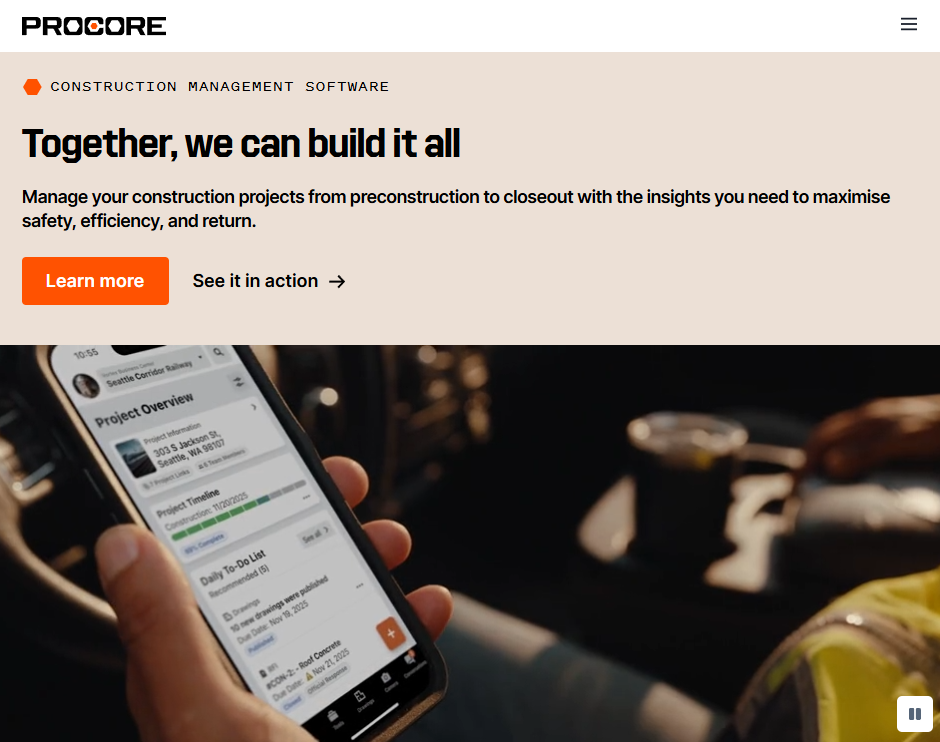
Procore is a cloud-based construction management platform that centralizes project controls, documentation, collaboration, budgets, and scheduling across every phase of a build.
Best for: Mid-to-large general contractors and construction managers handling complex, multi-trade commercial projects with $5M+ annual construction volume.
Procore is one of the most recognized names in construction for a reason. The platform covers nearly every aspect of project management, from pre-bid to close-out. It shines when you need dozens (or hundreds) of stakeholders aligned across RFIs, submittals, change orders, and schedules.
That said, its scheduling features are solid but not specialist-grade. You won't find deep CPM analysis or resource leveling natively. Paving contractors who want a more trade-specific option can also compare these tools with asphalt paving scheduling software.
Key features
- Modular product suite: Pick the modules you need: project management, financials, quality and safety, preconstruction, and field productivity
- Unlimited users: Add your entire team, subs, architects, and owners without per-user costs
- Drawing and document management: Upload, version, and mark up drawings so everyone works from the latest set
- 500+ integrations: Connects with Sage, QuickBooks, Viewpoint, Microsoft Project, and hundreds more
- AI tools (emerging): Procore Agents and Copilot features help automate admin tasks and search project data
Pros
- Unlimited users at no extra cost: Huge advantage for large teams with many subs
- Best-in-class document management: Handles RFIs, submittals, and change orders better than most
- Massive integration library: Connects to most major construction and accounting tools
- Strong mobile app: Keeps field crews connected to office decisions
Cons
- Expensive for smaller contractors: Annual pricing based on construction volume can start at $4,500/year and exceed $25,000 for mid-size firms
- No native estimating or job costing: You'll need additional tools for those workflows
- Steep learning curve: Multiple users report needing weeks of training to get comfortable
- Scheduling is basic compared to dedicated schedulers: Most teams still rely on Primavera P6 or MS Project for deep scheduling
What users say
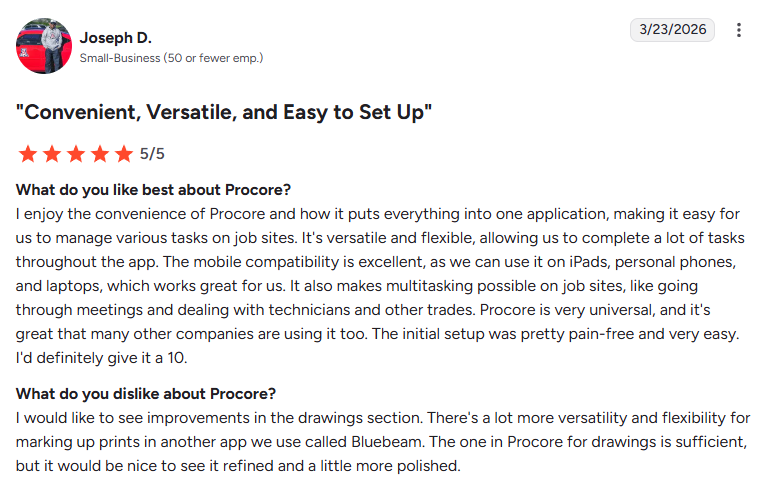
- All-in-one, easy-to-set-up platform with strong mobile usability: Procore centralizes job site tasks into one flexible system with excellent cross-device access and simple onboarding, though the drawings tool could be more refined. (G2, March 23, 2026)
- Simple, well-organized platform with minor customization limitations: Users appreciate its intuitive layout and quick setup for managing projects, but note some limitations in settings like reminders or interface display preferences. (G2, March 21, 2026)
Pricing
Procore charges an annual fee based on your Annual Construction Volume (ACV), not per user. Starting price is roughly $375/month, but actual costs vary widely. You'll need to contact Procore's sales team for a custom quote.
Multi-year contracts lock in rates, and all plans include unlimited users, data storage, and support.
Bottom line
Procore is the go-to for large general contractors who need a single hub for documentation, collaboration, and project oversight. If you're running complex commercial builds with lots of moving parts, it's hard to beat.
But if you're a specialty contractor or a paving company looking for estimating and crew dispatch, Procore won't cover those needs without bolting on extra tools. That adds cost and complexity fast.
Note: If you're comparing general platforms with trade-specific workflows, this guide to paving project management shows where paving needs start to diverge.
3. Buildertrend: Best for Residential Builders and Remodelers
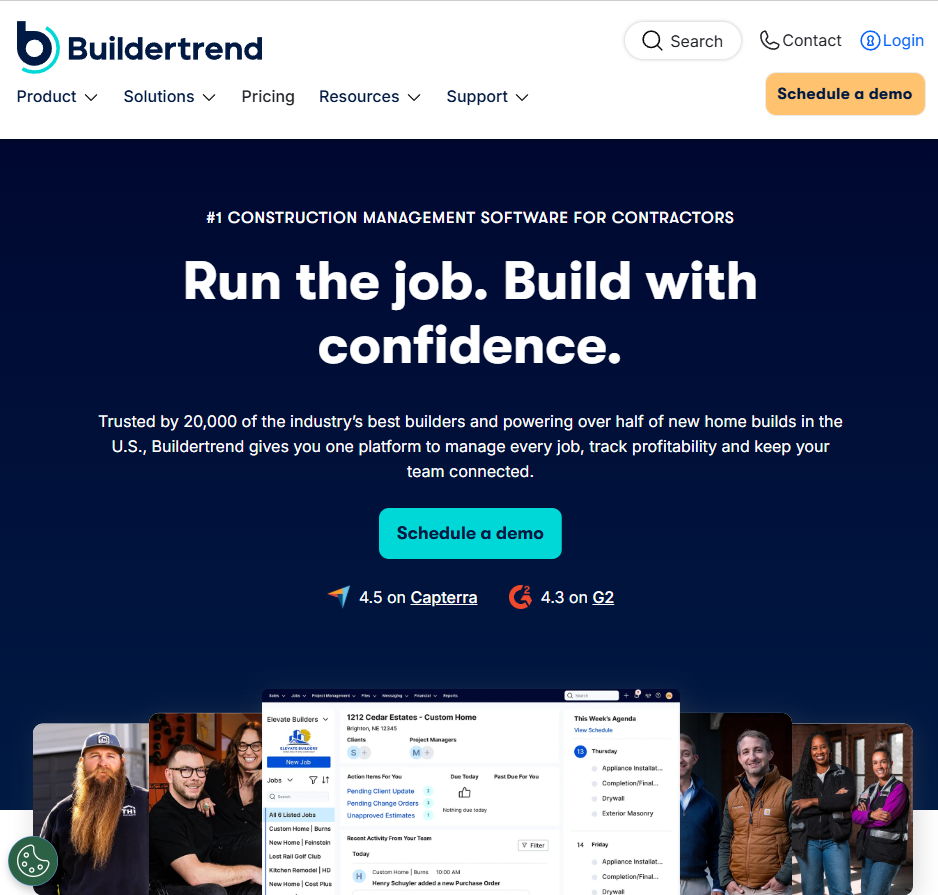
Buildertrend is a cloud-based construction management platform that covers scheduling, budgeting, client communication, and CRM for residential and specialty contractors.
Best for: Home builders, remodelers, and specialty contractors who want project management, client-facing tools, and financials under one roof.
Buildertrend has built a strong reputation among residential contractors since 2006, now serving over a million users in 100+ countries. The scheduling module offers drag-and-drop Gantt charts, calendar views, and task dependencies.
You can assign work to team members or subs, link tasks to budgets, and track progress in real time. The client portal is a standout. Homeowners log in to check project status, make selections, approve change orders, and submit payments.
Key features
- Drag-and-drop Gantt scheduling: Plan timelines, set dependencies, and adjust tasks visually
- Client portal: Homeowners track project status, approve selections, and pay invoices online
- Estimating and proposals: Built-in templates, digital takeoff tools, and automated proposal generation
- Daily logs: Crews capture weather, photos, notes, and delays via mobile
- QuickBooks and Xero integration: Sync financial data with your accounting platform
Pros
- All-in-one for residential: Scheduling, CRM, estimating, budgeting, and client management in a single platform
- Unlimited users on every plan: Helps larger teams control costs
- Client portal builds trust: Reduces phone calls about "what's happening with my project?"
- Active user community: Strong training resources and onboarding support
Cons
- Pricing starts at $499/month: Steep for very small operations
- Job costing can be hard to navigate: Multiple users report difficulty tracking budgets accurately
- Mobile app crashes and loading issues come up frequently in user reviews
- No resource allocation module: Assigning labor and materials to tasks requires manual input
- Data portability is poor: Exporting years of project data if you leave is extremely difficult
What users say
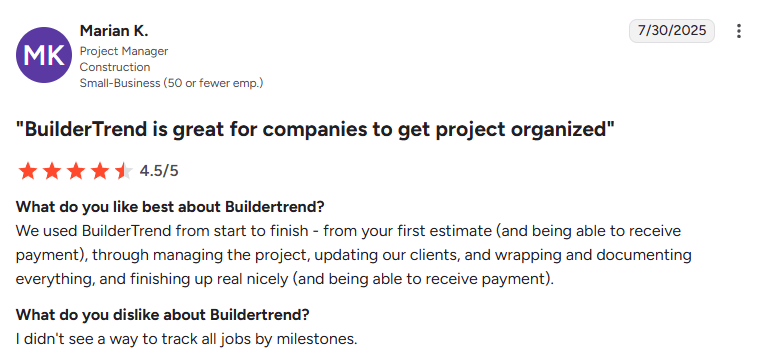
- Strong communication and project tracking but limited integrations: Buildertrend helps teams coordinate subcontractors, manage time across job sites, and handle communication effectively, though the lack of integrations with CRM and ERP systems limits workflow consolidation. (Capterra, March 8, 2026)
- User-friendly project management with helpful features but rising costs: Users find it easy to manage daily logs, change orders, and client interactions in one streamlined system, but note occasional price increases and room for improvement in scheduling. (Capterra, February 9, 2026)
Pricing
Buildertrend offers three tiers, all billed monthly with unlimited users:
- Essential: $499/month
- Advanced: $799/month
- Complete: $1,099/month
- Onboarding fees: $400 to $1,500 additional
New customers get a $300 discount on the first month. Visit Buildertrend's pricing page for current details.
Bottom line
Buildertrend is a strong pick for residential builders and remodelers who want scheduling, client communication, and financials in one place.
The client portal alone can cut your inbound calls significantly. But if you're a commercial paving contractor, the platform wasn't designed for your workflows.
Note: If signed scope and approvals are slowing jobs down, this guide to the asphalt paving contract is a useful companion.
4. Fieldwire: Best for Field Teams and Task Management

Fieldwire is a construction field management app focused on task tracking, punch lists, plan markup, and daily reporting. Hilti acquired Fieldwire in 2022 for roughly $300 million.
Best for: Superintendents, foremen, and specialty subcontractors who need a mobile-first tool to manage day-to-day field execution.
Fieldwire's strength is right there in the name: the field. The mobile app is fast, works offline, and lets crews view plans, create tasks, log punch items, and upload photos without needing a laptop.
Gantt views and task dependencies help with scheduling, but this isn't a full project management suite. Think of it as the execution layer, not the planning layer. For teams already using Procore or another PM tool at the office level, Fieldwire fills the gap on-site.
Key features
- Plan viewing and markup: Upload sheets, add markups, and share annotated plans across your team
- Task management: Create, assign, and track tasks with custom statuses, priorities, and categories
- Punch lists and inspections: Built-in QC and inspection tools for fire safety, HVAC, preconstruction, and more
- Gantt view: Visualize project timelines with task dependencies and drag-and-drop rescheduling
- Offline mode: Field crews access plans and tasks without an internet connection
Pros
- Best-in-class mobile experience: Field crews adopt it in 1 to 2 days, not weeks
- Free plan available for up to 5 users and 3 projects (no time limit)
- Plan management is excellent: Version control, sheet compare, and markup tools work well
- Backed by Hilti: Integrates with Hilti's tool tracking and asset management ecosystem
Cons
- Not a full PM or scheduling suite: Lacks estimating, invoicing, CRM, and job costing
- Per-user pricing adds up fast for larger teams
- Reporting is limited on free and lower tiers: Analytics are basic without upgrading
- Revision uploads on large plan sets can be slow: Multiple users report lag when updating 100+ page drawings
What users say
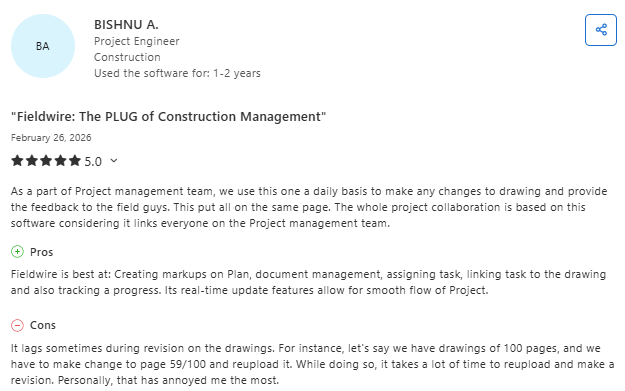
- Excellent real-time collaboration and drawing management with slow revision handling: Fieldwire keeps teams aligned through live updates, task linking, and drawing markups, though updating and re-uploading revised drawings can be time-consuming. (Capterra, February 26, 2026)
- Feature-rich and practical tool with minor layout limitations: Users appreciate its templates, courses, and overall usability for construction workflows, but note that the interface layout could be improved for easier navigation. (Capterra, October 13, 2025)
Pricing
Fieldwire has four tiers, billed per user:
- Basic: Free (up to 5 users, 3 projects)
- Pro: $39/user/month (billed annually)
- Business: $59/user/month (billed annually)
- Business Plus: $89/user/month (billed annually)
Enterprise pricing is custom for 100+ users. Visit Fieldwire's pricing page for current details.
Bottom line
Fieldwire is the best field execution tool on this list. If your team needs to manage plans, tasks, and punch lists from the job site, it delivers.
But it won't replace your contractor scheduling software for estimating, crew dispatch, or invoicing. Treat it as a strong complement to a broader platform, not a standalone solution.
Note: For paving crews, it also helps to pair those checklists with a clear asphalt safety process.
5. Connecteam: Best for Crew-Heavy Workforce Scheduling
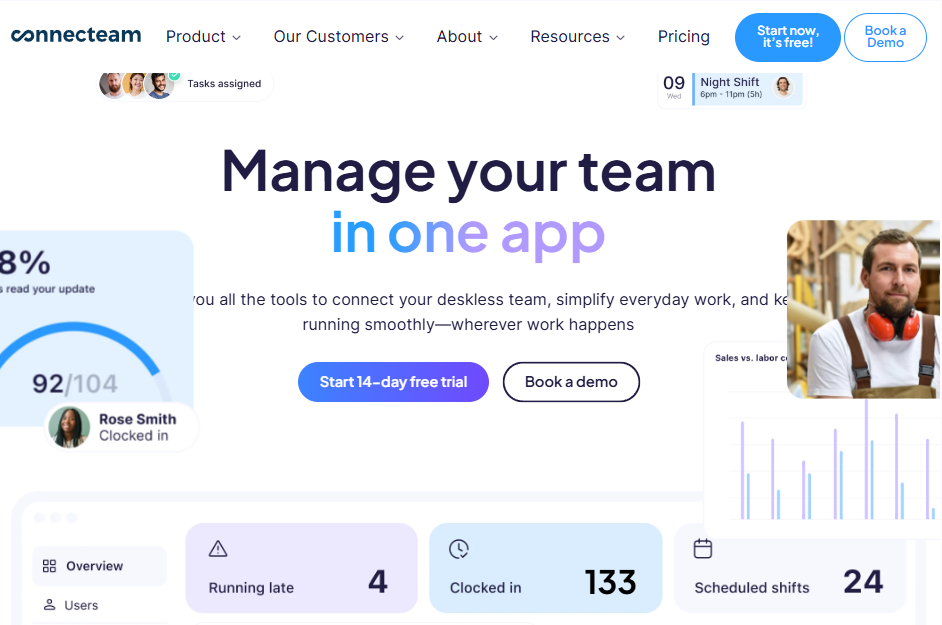
Connecteam is an all-in-one workforce management app covering shift scheduling, GPS time tracking, team communication, and HR tools for deskless workers.
Best for: Contractors managing large field crews who need shift-based scheduling, time tracking with geolocation, and internal communication tools.
Connecteam approaches contractor scheduling software from the workforce angle rather than the project management angle. It's less about Gantt charts and more about making sure the right people show up at the right job site on time.
The AI-powered auto-scheduler fills shifts based on availability and qualifications. GPS-enabled time tracking confirms crews are clocking in where they should be, which is a big deal for preventing buddy punching and off-site clock-ins.
Key features
- AI-powered shift scheduling: Auto-assign shifts based on crew availability, skills, and location
- GPS time tracking: Geofenced clock-ins verify crews are at the correct job site
- In-app communication: Team chat, announcements, and updates replace scattered text threads
- Task management: Create and assign tasks with checklists, deadlines, and photo uploads
- Training and onboarding: Built-in courses and quizzes for safety compliance and new hire onboarding
Pros
- Free for teams up to 10: Hard to beat for small operations just starting with digital tools
- AI scheduling saves hours on manual shift assignments, especially with fluctuating crew sizes
- GPS time tracking reduces time theft and eliminates guesswork about crew locations
- Internal comms built in: No more managing a separate group chat app
Cons
- No project management, estimating, or job costing: This is workforce management, not construction PM
- Limited scheduling for project-based work: Shift scheduling is the focus, not Gantt-style project timelines
- Feature depth depends heavily on your plan: Lower tiers restrict many useful tools
- Not construction-specific: The platform serves restaurants, retail, and field services too
What users say
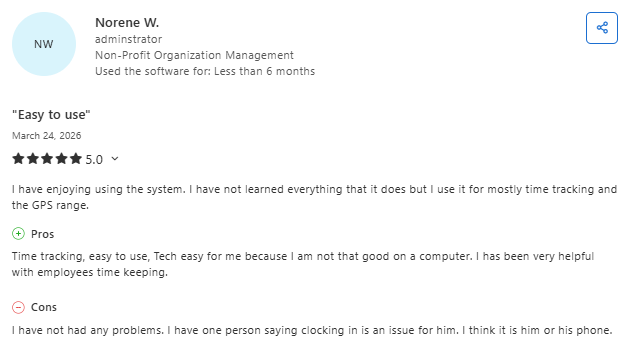
- Simple time tracking and GPS tools that are easy for any user: Connecteam makes it easy to manage employee timekeeping and location tracking, even for less tech-savvy users, with only minor issues like occasional clock-in problems. (Capterra, March 24, 2026)
- Strong scheduling and time-off management with limited admin flexibility: Users value its ability to track availability, manage schedules, and handle time-off requests efficiently, though admin settings offer less flexibility compared to user mode. (Capterra, March 23, 2026)
Pricing
- Free: Up to 10 users
- Basic: $29/month for up to 30 users
- Advanced: $49/month for up to 30 users
- Expert: $99/month for up to 30 users
Visit Connecteam's pricing page for current details.
Bottom line
Connecteam is the best pick for contractors who need to wrangle large, mobile crews across multiple job sites.
If your biggest headaches are shift scheduling, time tracking, and crew communication, it solves those problems well. But it won't manage your project timelines, estimates, or invoicing. Pair it with a platform like OneCrew or Procore for the full picture.
Note: If you're scheduling asphalt crews, this is also a good place to build around OSHA requirements for asphalt and recurring safety checks.
6. Jobber: Best for Small Service-Based Contractors

What it does: Jobber is a business management platform for service-based contractors that handles quoting, scheduling, invoicing, and client communication.
Best for: Small service contractors (lawn care, pressure washing, painting) running quick-turnaround jobs who need simple quoting and scheduling. It can also fit crews doing parking lot striping, especially when the work revolves around repeat visits and specialized line striping equipment.
Jobber is built for the service model: a customer calls, you quote, you schedule, you show up, you invoice. It does that loop extremely well. The interface is clean, the mobile app is reliable, and your team can learn it in a day.
For paving or commercial contractors running complex, multi-phase projects with crew-level scheduling and detailed estimating, Jobber will feel too light. It's designed for speed on smaller, repeatable jobs.
Key features
- Drag-and-drop scheduling: Assign jobs to team members with calendar views and route optimization
- Quoting and invoicing: Create quotes on-site, convert to jobs, and invoice clients in a few taps
- Client hub: Customers approve quotes, pay invoices, and request work through a self-serve portal
- CRM: Track leads, follow up automatically, and manage customer relationships
- Automated reminders: Send appointment confirmations, follow-ups, and payment reminders without lifting a finger
Pros
- Dead simple to learn: Most teams are productive within a day
- Client hub is polished and reduces back-and-forth with customers
- Affordable entry point starting at $39/month
- Great for high-volume, quick-turnaround jobs where speed matters more than complexity
Cons
- No project-based scheduling: Lacks Gantt charts, task dependencies, or multi-phase job tracking
- Estimating is basic: No PDF takeoff, no configurable bid calculators, no material/labor/equipment line items
- Not built for paving or heavy construction: Designed for HVAC, plumbing, cleaning, and similar trades
- Limited reporting: Analytics are surface-level compared to dedicated construction platforms
What users say
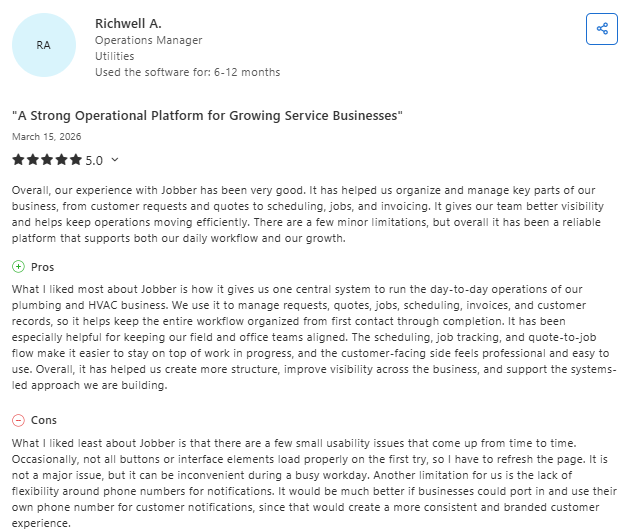
- All-in-one operational platform that improves organization and visibility: Jobber helps service businesses manage quoting, scheduling, job tracking, and invoicing in one place, making workflows more structured and efficient, though minor usability issues and limited notification customization exist. (Capterra, March 15, 2026)
- User-friendly system with strong support but invoicing limitations: Users appreciate its ease of use, smooth scheduling-to-payment workflow, and responsive customer support, though financing workflows can complicate invoicing without a manual override option. (Capterra, March 12, 2026)
Pricing
- Core: $29/month (1 user; discounts available)
- Connect: $149/month (up to 5 users; discounts available)
- Grow: $299/month (up to 10 users; discounts available)
- Plus: $529/month (up to 15 users; discounts available)
Visit Jobber's pricing page for current details.
Bottom line
Jobber is the right contractor scheduling software for small service businesses that need quick quoting, scheduling, and invoicing without a steep learning curve.
If you're a residential service contractor doing $1M to $3M and running lots of short jobs, it'll work well. But the moment your work becomes project-based (multi-phase jobs, crew assignments, detailed estimating from plans), you'll need a platform that goes deeper.
7. Smartsheet: Best for Teams Outgrowing Spreadsheets
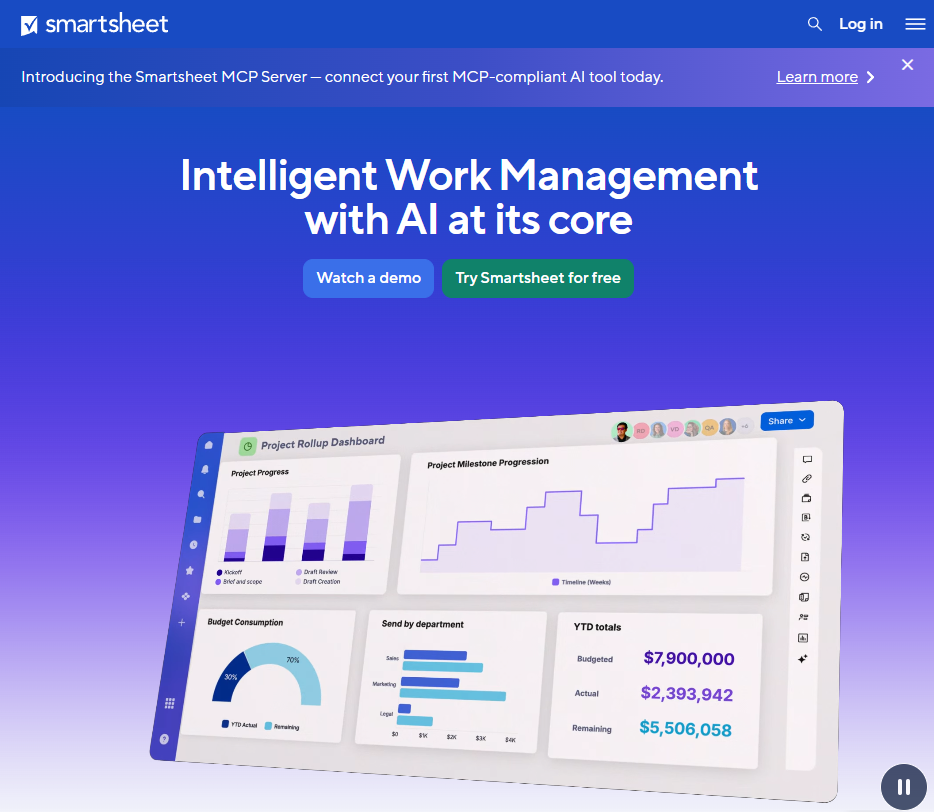
Smartsheet is a work management platform with a spreadsheet-like interface that adds Gantt charts, automations, dashboards, and collaboration features on top.
Best for: Contractors and project managers who love Excel but need better scheduling, visibility, and team coordination without learning a whole new system.
Smartsheet feels familiar the second you open it. If your team already thinks in rows and columns, the transition is smooth.
You can build project schedules with Gantt views, set task dependencies, assign resources, and automate notifications. It's not construction-specific, which is both a strength (flexibility) and a weakness (no built-in estimating, crew dispatch, or field tools).
Think of Smartsheet as the upgrade path from Excel, not a replacement for purpose-built contractor scheduling software.
For paving contractors, those timelines get easier to build when you plan around when paving season starts.
Key features
- Gantt charts with dependencies: Build visual project timelines and identify your critical path
- Automation rules: Trigger notifications, move rows, update statuses, and request approvals automatically
- Dashboards and reports: Pull data from multiple sheets into a single view for stakeholder visibility
- Multiple views: Switch between grid, card, calendar, and Gantt depending on your workflow
- Integrations: Connects with Microsoft 365, Google Workspace, Slack, Salesforce, and more
Pros
- Lowest barrier to entry: Anyone who's used Excel can start building schedules immediately
- Flexible enough for any industry: Works for construction, but also marketing, IT, and operations
- Automation saves real time on repetitive status updates and notifications
- Very affordable starting at $9/user/month
Cons
- Not construction-specific: No estimating, no field tools, no job costing, no crew dispatch
- No mobile-first field experience: The mobile app works but isn't built for dusty job sites
- Can become complex fast: Heavy users end up with sprawling sheet structures that are hard to maintain
- No built-in time tracking or GPS: You'll need separate tools for workforce management
What users say
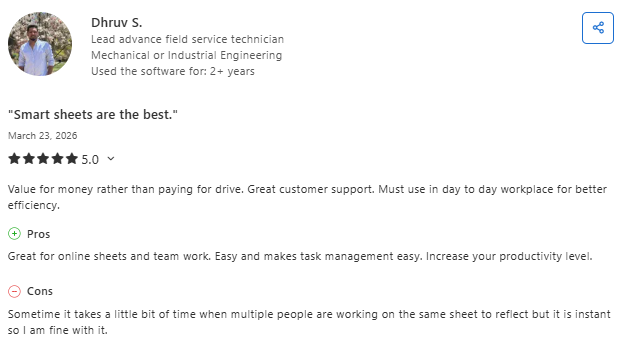
- Powerful collaboration and task management with minor real-time syncing delays: Smartsheet helps teams manage tasks, collaborate on shared sheets, and boost productivity, though updates can lag slightly when multiple users edit simultaneously. (Capterra, March 19, 2026)
- Highly customizable and organized platform with occasional performance issues: Users value its flexibility, integrations, and ability to keep work structured and organized, but large or complex sheets can sometimes cause lag or slow loading times. (Capterra, March 19, 2026)
Pricing
- Pro: $9/user/month (billed annually)
- Business: $19/user/month (billed annually)
- Enterprise: Custom pricing
Visit Smartsheet's pricing page for current details.
Bottom line
Smartsheet is the best stepping stone for contractors stuck in Excel who want better scheduling and visibility without a massive platform overhaul.
It's affordable, flexible, and easy to learn. But if you need industry-specific features like crew scheduling, estimating from plans, or job costing, you'll outgrow it and need a platform built for construction.
Which Contractor Scheduling Software Should You Choose?
Picking the right contractor scheduling software comes down to how you run your business. Here's a quick breakdown:
Choose Procore if you …
- Manage large commercial builds with multiple trades, subs, and stakeholders
- Need best-in-class document management and collaboration
- Have the budget for a premium platform ($10K+ annually)
Choose OneCrew if you …
- Run a paving, asphalt, or concrete contracting business
- Need estimating, crew dispatch, invoicing, and scheduling in one platform
- Want a tool purpose-built for project-based paving work, not a generic solution shoehorned in
Choose Buildertrend if you …
- Build custom homes or do residential remodeling
- Want a client portal that keeps homeowners in the loop
- Need CRM, scheduling, and budgeting in one tool
Run Jobs, Crews, and Estimates from One Platform
OneCrew was built for project-based asphalt and concrete contractors who are done stitching together spreadsheets, whiteboards, and disconnected apps. Here's what you can do with OneCrew:
- Estimate from PDFs or satellite maps with built-in calculators and configurable cost automations: Set up your labor rates, material costs, equipment charges, and subcontractor pricing once, and the system applies them consistently across every bid.
- Schedule crews and assign roles to specific job phases with clear accountability: Know exactly who's doing what, where, and when across every active project.
- Track leads and customer relationships from first call through repeat business: Every inquiry, conversation, quote, and project history lives in one system.
- Build and send proposals that clients can review, approve, and sign through a customer portal: Turn your finished estimates into polished, branded proposals without jumping to a separate tool.
You don't need five different apps to run your paving business. Book a free demo and learn how OneCrew helps you take control of your jobs from start to finish.
FAQs
1. What is the best contractor scheduling software for small teams?
Jobber is the best contractor scheduling software for small service-based teams. It covers quoting, scheduling, and invoicing in a simple interface that most crews learn in a day. If you're a small paving contractor specifically, OneCrew is worth a look since it covers scheduling alongside estimating and job costing built for your trade.
2. Do I need construction-specific scheduling tools, or can I use general project management apps?
General tools like Smartsheet and Monday.com work for basic project scheduling, but they lack construction-specific features like crew dispatch, job costing, estimating, and field management. If you're running more than a handful of projects, a purpose-built contractor scheduling software platform saves significant time and reduces errors.
3. How much does contractor scheduling software cost?
Prices range from free (Fieldwire Basic, Connecteam for small teams) to $25,000+ per year (Procore for mid-size firms). Most platforms fall between $39/month and $500/month, depending on team size and features. OneCrew uses seat-based pricing and requires a demo for a custom quote.
4. Can contractor scheduling software replace my spreadsheets and whiteboards?
Yes. Spreadsheets and whiteboards don't send automatic updates, track crew locations, or connect your schedule to your estimates and invoices. Even a basic contractor scheduling software platform like Jobber or Connecteam gives you better visibility than manual tracking. For paving contractors, OneCrew replaces the whole patchwork.
5. What's the difference between contractor scheduling software and project management tools?
Contractor scheduling software focuses on assigning work, managing timelines, and coordinating crews. Project management tools cover a broader scope: budgets, documents, RFIs, submittals, and stakeholder communication. Some platforms (like OneCrew, Procore, and Buildertrend) combine both. Others (like Fieldwire and Connecteam) specialize in one area.

.png)