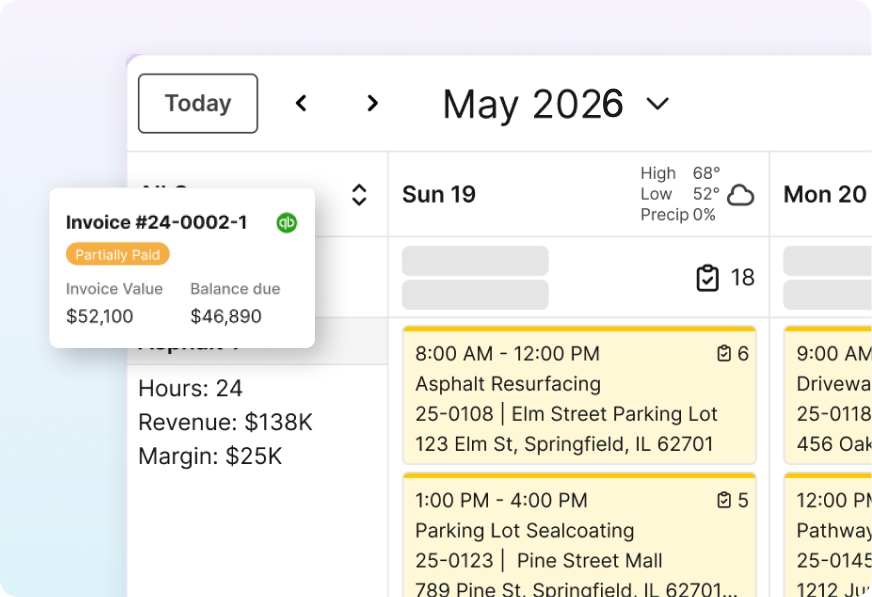
8 Best Field Management Apps for Paving Contractors in 2026

Your crews are spread across three commercial lots this week, and the foreman on one of them has a phone in one hand and no clear answer on whether the sealcoat crew shows up Thursday or Friday. Somebody in the office knows. The message never made it to the lot.
A field management app for paving contractors closes that gap. This guide compares eight of them for commercial asphalt and concrete paving contractors, measured against what a commercial job asks for: a two-phase parking lot with a mill-and-overlay, a striping crew behind it, a change order halfway through, and an invoice at the end.
Below you'll find what each one does best, what each vendor says about pricing, and which one fits the way you already run work.
8 Best Field Management Apps for Paving Contractors: TL;DR
- OneCrew: Best for project-based commercial asphalt and concrete paving contractors.
- Fieldwire by Hilti: Best for plan-heavy jobsite coordination and punch lists.
- Raken: Best for daily reports and field documentation.
- Assignar: Best for self-performing civil crews scheduling people and equipment.
- HCSS HeavyJob: Best for heavy civil and highway contractors who already bid in HeavyBid.
- Procore: Best for large general contractors coordinating many stakeholders.
- ServiceTitan: Best for large technician-based service trades like HVAC and plumbing.
- Jobber: Best for small residential service crews doing quick-turn work.
How We Compared These Field Management Apps
Our yardstick was one commercial paving job: a 40,000-square-foot lot needing a mill-and-overlay plus striping, split across two crews and two weeks.
For each app, we checked whether it could carry that job from estimate to schedule, onto the crew's phone, through a change order, and on to the invoice, using each vendor's own feature and pricing pages plus recent G2 and Capterra reviews.
We left out two common names: Buildertrend leans toward residential homebuilding, and Simpro is built around trade service work. Neither fits a paving project management workflow.
Here's what we compared:
- Field usability: Whether a foreman with cold hands and a cracked screen can open the app and find the day's scope in a few taps.
- Estimating and takeoff: Whether the app can measure a lot and turn that measurement into priced work, or whether it expects a number from somewhere else.
- Scheduling and dispatch: How the app handles crews, equipment, and multi-phase jobs that move when it rains.
- Office-to-field data flow: Whether a signed job becomes a work order on its own, and whether actuals come back the same day.
- Pricing transparency: What the company publishes on its own pricing page versus what it hides behind a sales call.
Some of these apps document work that somebody else already sold, and only a few of them deliver what a paving contractor wants from a project management platform: one place where the bid, the schedule, the crew, and the bill all point at the same job.
What a Field Management App Has to Handle on a Paving Job
A field management app has to carry a paving job through four handoffs: measurement to estimate, estimate to schedule, schedule to crew, and crew back to billing. Most apps handle two of those well and hand you a spreadsheet for the rest, which works fine until a change order shows up.
Scope is part of why paving strains a generic app. One commercial account might want crack sealing on Monday, an overlay in August, and striping behind it, and anyone quoting paving services knows those phases price, schedule, and bill on completely different clocks.
That gap costs more than patience. In FMI's 2025 project management study, only one in four contractor executives strongly agreed that project managers secure field leader buy-in before crews mobilize, and only 2.5% of firms said projects consistently finish on time and on budget.
FMI's 2023 labor productivity study found that 60% of contractors surveyed believe 11% or more of field labor costs are wasted, and three of the top four internal factors behind productivity relate to planning, communication, and collaboration.
Paving makes the problem sharper for three reasons:
- Your season is short: A rained-out Tuesday moves five crews, and every foreman needs to know by 6 a.m. That is where one connected system earns its keep over a group text and a whiteboard, because the schedule change reaches the field once and reaches everybody.
- Your crews travel with equipment: A paver, a roller, and a striping rig have to land on the right lot on the right morning, so people and machines belong on the same schedule.
- Your billing follows the phases: You bill each phase as it wraps, so the office chases quantities across three lots at once.
A good field management app reads like a jobsite checklist with everything else stripped out: scope, quantities, site map, vendor contact, and equipment. Nothing more, because a crew lead standing in traffic will not scroll through a project directory to find today's tonnage.
Billing is the other place where a weak app quietly costs you real money, and the damage shows up on your aging report long before anyone in the field complains.
When quantities and change orders live in the same record the crew worked from, invoice processing becomes a five-minute job at the end of a phase. When they live in a notebook, it becomes a 60-day receivable and an argument with a property manager about what got sealed.
8 Best Field Management Apps: Quick Comparison
| Tool | Strengths | Best For | Starting Price |
|---|---|---|---|
| 1. OneCrew | Takeoff to invoice, paving-specific | Project-based paving contractors | Seat-based, demo only |
| 2. Fieldwire by Hilti | Plans, tasks, punch lists | Plan-heavy jobsite coordination | Free, then $39/user/mo |
| 3. Raken | Daily reports, safety, photos | Field documentation | Quote only |
| 4. Assignar | Crew and equipment scheduling | Self-performing civil crews | Quote only |
| 5. HCSS HeavyJob | Time cards, job costing, HeavyBid handoff | Heavy civil contractors | Quote only |
| 6. Procore | Deep project and financial modules | Large general contractors | Quote by volume |
| 7. ServiceTitan | Dispatch, call booking, pricebook | Large technician-based service trades | Quote per technician |
| 8. Jobber | Quotes, invoices, quick scheduling | Small residential service crews | From $29/mo |
1. OneCrew: Best for Project-Based Asphalt and Concrete Paving Contractors

What it does: OneCrew runs a paving job end to end on one platform, from the satellite measurement through the signed proposal, the crew schedule, the daily actuals, and the invoice.
Best for: Project-based asphalt and concrete paving contractors of any size, especially crews doing commercial lots, municipal work, and the sealcoating, crack filling, and striping that come with them.
The standout is how little retyping OneCrew asks for.
A drawn area becomes tonnage, truck counts, and labor hours, and those same labor hours set the length of the crew's time block on the schedule.
Key features
- Mapping and plan takeoff: Draw on monthly satellite imagery for lots, or upload a PDF plan and measure from that. These are two separate features, and both feed the estimate directly. Instant Takeoffs can also detect pavement, drive lanes, curbs, and striping inside a highlighted section of the map, and it runs on credits.
- Estimating with margin built in: Tonnage, material, and truck counts calculate on their own, and the Vendor Picker shows distances and rates by supplier. Default margins mean every bid starts at your target margin, so nobody prices a lot off a gut feel.
- Proposals your customer can sign on a phone: Measurements, pricing, photos, and interactive maps assemble into a branded proposal, and a signed one drops into the scheduling queue.
- Drag-and-drop crew scheduling: Assign services to crews and days, dispatch specific people and equipment, and get a conflict alert before you double-book a roller operator.
- Work orders on the crew's phone: Foremen and crew see scope, quantities, site maps, vendor contacts, and equipment assignments pulled from the signed proposal. Schedule changes appear the moment the office makes them.
- Daily actuals from the field: Foremen submit actuals through a guided flow shaped by the original estimate, or dictate them by voice in English or Spanish. They can also post photos, flag issues, and request change orders in a thread tied to the project.
Pros
- Bidding and field work share one record: The estimate that won the job is the same estimate the foreman works against and the one you bill from.
- Built for paving from the start: Tonnage math, truck counts, and multi-phase lots are first-class ideas here, so nobody has to fake them with custom fields.
- Customer portal handles the awkward parts: Clients view and sign proposals and pay invoices in one portal. They can also share photos and documents and message you there.
- Shorter training time: OneCrew says new-estimator onboarding drops from six months to two weeks, because the calculations and approval workflows already live in the platform.
Cons
- No accounting inside the platform: OneCrew syncs invoices and payments with QuickBooks Online in both directions, and job costing lives in OneCrew, so your books and your cost tracking stay separate systems.
- Pricing takes a conversation: OneCrew shares its seat-based pricing during a demo, and contracts run annually. If you want a number off a web page before you talk to anyone, this will annoy you.
- Wrong shape for service work: OneCrew is built for project work, so technician-based businesses running a stream of service calls should look at a service platform.
- Close to all-or-nothing: OneCrew sells the full platform, so buyers who want an estimating tool and nothing else are a poor fit.
What users say
- Scheduling and job tracking stay organized without disruption: One reviewer said OneCrew slots into their existing workflow and delivered season-long impact without forcing them to change how they run the business. (Matt M., G2, February 10, 2026)

- All-in-one workflow with up-to-date mapping imagery: One reviewer said having everything in one system let them combine workflows, with solid estimating and proposal tools and mapping imagery that was more current than Google Maps for one job estimate, though more color options for map line work would help. (Verified User in Construction, G2, February 2, 2026)

Pricing
OneCrew uses seat-based pricing tailored to company size and feature needs, and Enhanced Map Imagery is a separate monthly usage plan with an acreage allowance. The company keeps its rate card off the site and walks you through pricing during a personalized demo. Contracts are annual. You can book a demo to get your number.
Bottom line
If you bid from measurements, run crews across multi-phase lots, and bill by phase, this is the closest fit on the list. Contractors who want a self-serve price tag or a service-call dispatcher should keep reading.
2. Fieldwire by Hilti: Best for Plan-Heavy Jobsite Coordination

What it does: Fieldwire puts drawings, tasks, punch lists, and checklists on a phone or tablet so field teams work from the current plan sheet and close items where they stand.
Best for: Crews whose day revolves around plan sheets, inspections, and punch items, including specialty contractors on larger commercial sites.
Fieldwire puts plan viewing and task management right on the home screen, so a foreman opens straight to the current sheet and the day's tasks.
Key features
- Plan viewing with sheet compare: Upload unlimited sheets on paid plans and compare revisions so nobody builds off last month's drawing.
- Task management tied to a location: Drop a task on a spot on the plan, assign it, and the crew sees exactly where the work sits.
- Punch lists and checklists: Build custom checklists for walkthroughs and inspections, and attach photos to each punch item.
- Reports and exports: Filter field data into PDF progress reports and share them with an owner or GC in a few clicks.
- Custom forms on higher tiers: Business plans add custom forms and a BIM viewer for teams working from models.
Pros
- Genuinely free to start: The Basic plan covers 5 users, 3 projects, and 100 sheets, which is enough to test it on a real job.
- Crews adopt it quickly: The interface stays close to "here is your plan, here are your tasks," and that simplicity shows up in adoption.
- Hilti behind it: The 2021 acquisition removed the usual worry about a field app quietly disappearing.
Cons
- No built-in estimating or bid takeoff: Fieldwire measures and annotates plans, but it won't price a job or produce a proposal on its own. Estimating only reaches it through third-party integrations.
- Per-seat cost climbs fast: Every seat pays the same tier rate, so a ten-person crew on Business runs into real money.
- Financials sit behind the top tier: RFIs, change orders, submittal management, and budget only appear on Business Plus.
What users say
- Mobile access keeps field crews on the latest plans: One reviewer said Fieldwire by Hilti makes it easy to keep the team on the latest plans from mobile devices, and pinning tasks, photos, and punch list items onto floor plans speeds up quality control and site inspections, though it lacks advanced cost control and budget tracking. (Giuliano C., G2, August 3, 2026)

- Field and office stay on the same page: One reviewer said Fieldwire by Hilti makes communication and documentation between the field and the office easier, backed by automatic scanning, solid organization, and a support team that responds to feedback, though some features work inconsistently, such as attachments going out with emailed submittals but not with RFIs. (Verified User in Construction, G2, September 11, 2026)

Pricing
Fieldwire publishes its rates, which puts it in a small minority here. On the official pricing page, Basic is $0 per user per month with limits of 5 users, 3 projects, and 100 sheets. Pro runs $39 per user per month billed annually, Business $64, and Business Plus $89. Custom contracts add unlimited-user options, API access, and single sign-on.
Bottom line
Fieldwire fits a superintendent living in plan sheets and punch items. Paving contractors who need the bid and the invoice in the same place will end up running it alongside something else.
3. Raken: Best for Daily Reports and Field Documentation

What it does: Raken turns the daily report into a quick phone task, capturing work logs, crew hours, materials and equipment, photos, safety records, and the day's weather in a PDF that syncs to the office in real time.
Best for: Contractors who owe somebody a paper trail every day, whether that's a GC, an owner, or their own insurance carrier.
Raken's daily reports come out as a shareable PDF, and dictation lets a foreman talk through the day while walking back to the truck.
Key features
- Daily reports built for speed: Type or dictate notes, attach photos and video, and generate a shareable PDF the office and the owner both see.
- Safety and quality workflows: 100+ ready-made toolbox talks, plus pre-built and custom checklists, observations, and incident reports keep compliance records in one place.
- Time cards and production tracking: Workers clock in on their own phones or a shared kiosk, or a foreman logs hours for the whole crew, and production tracking measures hours and quantities against budget, with equipment logged alongside.
- Offline capture: Field data saves locally when connectivity drops, which matters on rural road work.
- Document and certification storage: Project documents, photos, and worker certifications live together with expiry visibility.
Pros
- Foremen stop resisting paperwork: Dictation and templates cut the daily report down to something a crew lead will finish.
- Strong safety library out of the box: The toolbox talk library and checklist templates save a small contractor weeks of document building.
- Field-first design: Nothing in the app assumes an office user is driving it.
Cons
- No estimating, proposals, or invoicing: Raken documents the work and is rolling out change orders to its Performance Plan, but bids and billing still live in another system.
- Scheduling is shift-based: Raken schedules people, equipment, and materials into one-off or recurring shifts and notifies assigned employees by email and SMS, which covers crew attendance more than multi-phase job planning.
- No published pricing: You cannot budget without a sales conversation.
What users say
- Daily reporting stays easy for field crews: One reviewer said RAKEN makes daily reporting easy for field crews, with an intuitive mobile app for logging photos, notes, and manpower and clean report templates that stay consistent across projects, though export and reporting options feel limited next to larger construction platforms and pricing can feel high for smaller teams as users are added. (Kamal H., Capterra, October 14, 2026)

- Daily reports simplify subcontractor tracking: One reviewer said RAKEN's reporting made it easy to track a subcontractor's work and kept meeting updates concise with a single PDF covering daily progress. (Austin T., Capterra, March 4, 2026)

Pricing
Raken keeps pricing off its site and routes buyers to a quote. Its request pricing page asks for your company name and size, and Raken pitches one predictable price with free collaborators and unlimited projects, rather than counting sheets, users, or pictures. Treat older per-user figures floating around review sites as unreliable.
Bottom line
Raken is the pick when your real problem is documentation and safety records, and it pairs well with a platform that handles bidding and billing. On its own, it covers about a third of a paving operation.
4. Assignar: Best for Self-Performing Civil Crews and Equipment
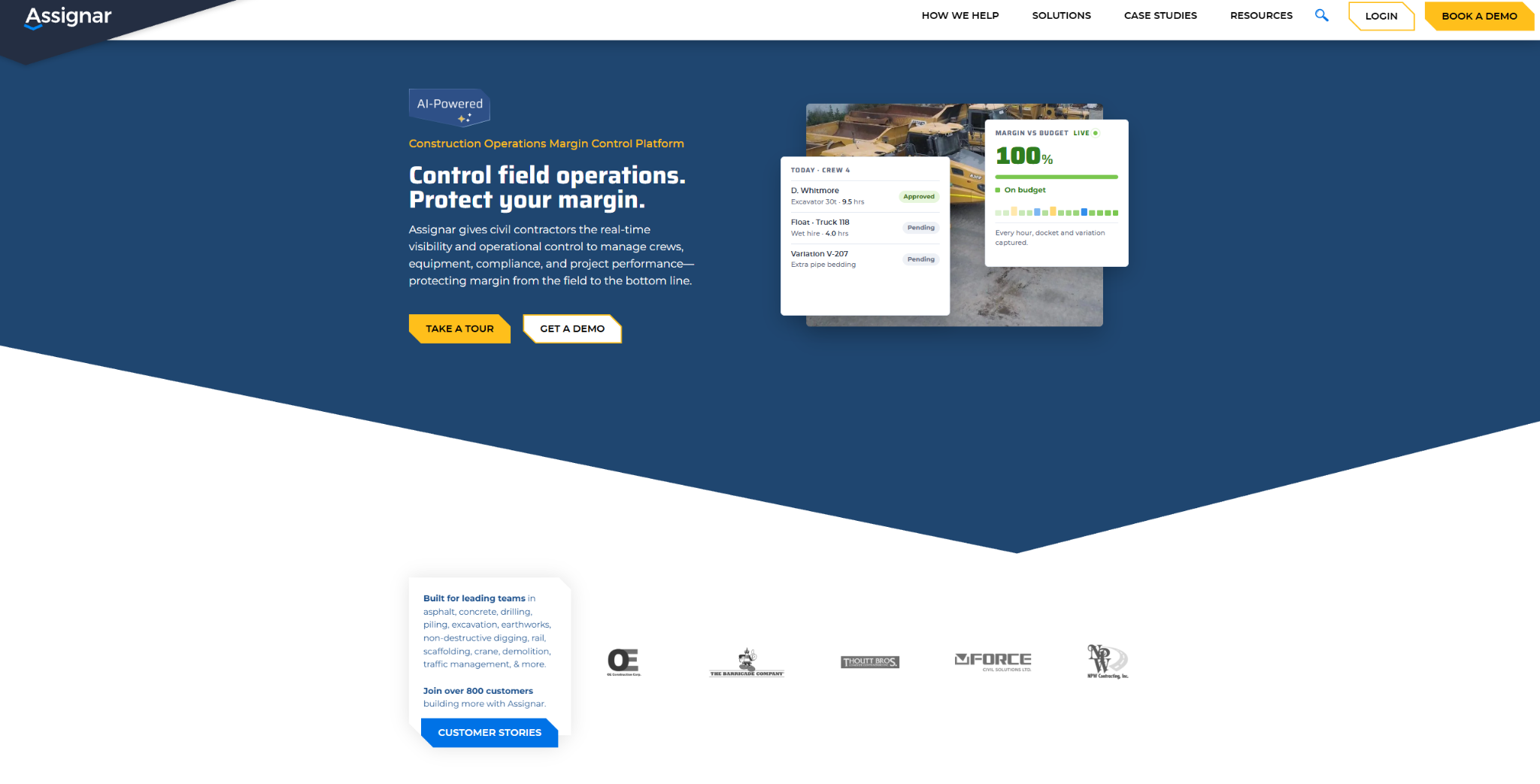
What it does: Assignar schedules crews, equipment, and compliance together, so the person building tomorrow's plan can see who is qualified, what machine is free, and whose ticket expires Friday.
Best for: Self-performing civil and infrastructure contractors with heavy equipment and real compliance obligations.
Assignar puts equipment beside labor in the same allocation view, which suits contractors who schedule machines as tightly as people.
Key features
- Crew and asset allocation: Assign people and machines to jobs in one board, with conflicts and gaps visible before dispatch.
- Skills and compliance tracking: Store licenses, tickets, and qualifications, and Assignar warns you before a certification lapses.
- Digital forms and dockets: Crews complete pre-starts, safety checks, and dockets in the Fieldworker app, and forms can record where each one was submitted when geolocation is switched on.
- Timesheets into payroll and costing: Field time flows into job costing and out to accounting systems including QuickBooks and Sage 300.
- Job costing against budget: Labor, equipment, material, and subcontractor costs roll up against budget as the work happens.
Pros
- Equipment is a first-class citizen: Few apps in this roundup treat a paver and a roller as schedulable resources with their own compliance records.
- Compliance handling is deep: Contractors bidding public work will recognize how much admin this removes.
- Accounting connections are broad: Xero, QuickBooks, Sage, and Acumatica all appear in its integration catalog.
Cons
- No takeoff or paving estimating: Assignar's bid support starts from unit costs you've already achieved, so measuring a lot and pricing tonnage happen in a separate tool.
- Learning curve is real: Several reviewers mention a learning curve when setting it up, and configuration takes time you may not have in July.
- Pricing stays private: Assignar tailors every quote, so comparison shopping means booking calls.
What users say
- Most operating information sits in one place: One reviewer said Assignar keeps most of the operating information their team needs in one place, though some platform updates, while mostly improvements, have cost usability in parts of the system, and most but not all of those changes could be adjusted through support. (Verified User in Construction, G2, October 12, 2026)

- Servicing and repair records replace paper: One reviewer said Assignar helps them keep track of machine servicing and repairs that used to take hours to sort out on paper, and that tracking document expiries and hours spares them from juggling multiple spreadsheets, though they'd like it to be more workshop-friendly, with more asset management options and a defects flag when allocating machines. (Mackenzie B., G2, September 2, 2026)

Pricing
Assignar's pricing page says pricing is tailored based on your team's specific needs and asks you to book a demo for a custom quote. No public tiers or starting figures appear, and our Assignar pricing breakdown covers what to budget.
Bottom line
Assignar suits a contractor whose biggest headache is crews, machines, and certifications colliding on a Monday morning. If your bottleneck is getting bids out the door, it solves the wrong half of the problem.
5. HCSS HeavyJob: Best for Heavy Civil Contractors Bidding in HeavyBid

What it does: HCSS HeavyJob collects crew hours, equipment hours, installed quantities, and daily logs from the foreman's tablet or phone, and turns them into daily job costs measured against the original estimate.
Best for: Self-performing heavy civil, highway, and utility contractors running their own crews and equipment, especially those already estimating in HeavyBid.
HeavyJob is built around the foreman's time card, so hours, machines, and quantities land against the same cost codes the estimator bid.
Key features
- Time cards for crews, equipment, and quantities: Foremen log crew hours, equipment hours, and installed quantities on one time card. The app works with or without a connection and syncs once the crew is back in service.
- Job costing against the bid: HeavyJob flags cost codes trending over budget while the work is still underway. Project managers can view estimator notes and production rates, and budget forecasting projects where the job will land.
- HeavyBid-to-HeavyJob handoff: Since the Spring 2026 release, estimators can send cost codes, pay items, and project setup straight from HeavyBid into HeavyJob.
- Daily logs, forms, and plans in one app: Foremen file daily logs with photos, fill out custom forms, and collect inspector or owner sign-off on daily field reports. In 2026 HCSS renamed its HCSS Field app to HeavyJob and built Docs & Plans into it.
- T&M billing and payroll export: HeavyJob pulls T&M work from time cards into billing reports backed by owner signatures, and approved time cards export to payroll and accounting systems including Sage, Viewpoint, and QuickBooks.
Pros
- Estimate and field share one set of cost codes: Contractors who bid in HeavyBid skip rebuilding the job for the field, and actual production feeds the next estimate.
- Support is the most-praised part: HCSS promises a live, US-based rep in three rings or less, 24/7/365, and recent G2 and Capterra reviewers keep naming support as a top strength.
- Equipment and safety on the same platform: Resource Planner, HeavyJob Safety, and HCSS Fleet all connect to HeavyJob, so a contractor running a large fleet can keep crews, machines, and inspections in one place.
Cons
- Paving's front end lives elsewhere: HeavyBid is a separate estimating product, and while HeavyJob's Docs & Plans can calculate takeoffs on plan sheets, nothing on HeavyJob's product page covers measuring a lot from aerial imagery or sending a proposal a property manager signs on a phone. HCSS positions T&M reports as the invoice itself or as backup to an invoice from your accounting system.
- Large upfront investment: Pricing is quote-only, and a June 2026 Capterra reviewer described the upfront cost as a hard hit to their budget.
- Rollout takes most of a season: HCSS says most HeavyJob customers are fully operational within 90 days, and G2 reviewers of HCSS put average implementation at about three months.
What users say
- Daily quantities and photos land in one place: One reviewer said HCSS became their single source for daily quantities and also lets foremen send photos from the field, saving the time they used to spend calling or visiting each foreman, though daily reports show the date only at the top, so it disappears when scrolling through entries from several foremen. (Verified User in Construction, G2, August 19, 2026)

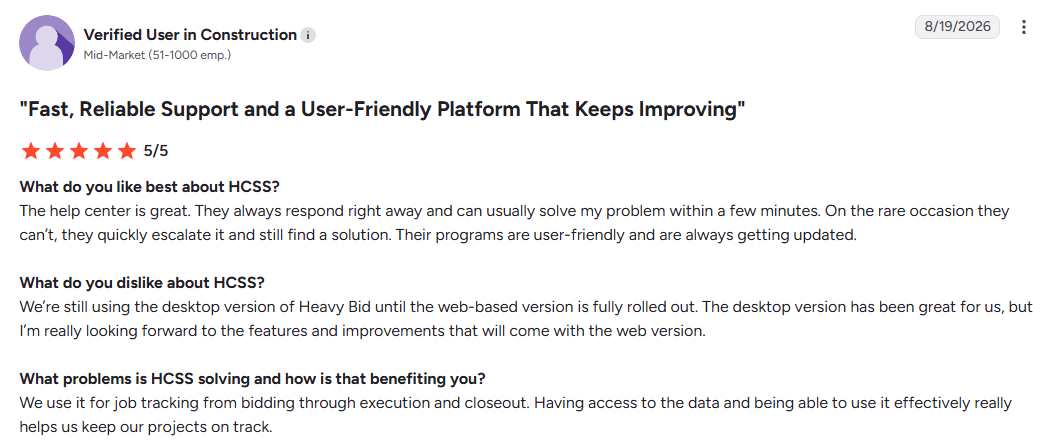
- Responsive support backs bid-to-closeout tracking: One reviewer said they use HCSS to track jobs from bidding through execution and closeout, and the help center usually solves their problems within minutes, though they're still on desktop HeavyBid while the web version finishes rolling out. (Verified User in Construction, G2, August 19, 2026)
Pricing
HCSS doesn't publish prices for HeavyJob or any of its other products. Its pricing page opens a custom-quote form that asks about your current tools, company type, and role.
HeavyBid, Resource Planner, HeavyJob Safety, and HCSS Fleet are separate products, so your quote depends on which ones you add.
Bottom line
HeavyJob fits heavy civil contractors who bid DOT work in HeavyBid and want crew hours, equipment hours, and quantities checked against that estimate every day.
A commercial paving contractor who bids lots from measurements and bills by phase will still need separate tools for the proposal and the invoice, which is where most HCSS HeavyJob alternatives come in.
6. Procore: Best for Large General Contractors

What it does: Procore runs large commercial construction projects across every stakeholder, tying drawings, RFIs, submittals, daily logs, change orders, and project financials into one platform with unlimited users.
Best for: General contractors and large specialty contractors managing significant annual construction volume and long stakeholder lists.
Procore has one of the deepest module sets in this roundup, and a two-week parking lot job would use only a small slice of it.
Key features
- Unlimited data storage: Every contract includes unlimited data storage, so years of drawings, logs, and photos stay in one place.
- Drawings and document control: Version control on plans and specs, with revision comparison so everyone works from the current set.
- RFIs, submittals, and change orders: The formal correspondence machinery public and institutional work demands.
- Project financials: Budgets, commitments, and change management connect field activity to contract value.
- Resource tracking and daily logs: Field productivity and daily reporting feed the same project record the office works from.
Pros
- Unlimited seats change the math: On a job with 50 stakeholders, per-seat pricing elsewhere becomes punitive, and Procore does not care how many people log in.
- Broad coverage for general construction: Drawings, RFIs, submittals, financials, and daily logs each have their own tool, though paving math isn't one of them.
- Owners and GCs already use it: If your general contractor runs Procore, sitting inside their platform removes friction.
Cons
- Priced against your construction volume: The annual fee tracks Annual Construction Volume, so a growing year can raise your bill at renewal even if your usage didn't change.
- Heavy implementation: Rollout is a project of its own, and mid-season is a poor time to start one.
- General takeoff, not paving takeoff: Procore Estimating covers linear, area, and weight-based takeoffs for general contractors and trades, but nothing in its pitch addresses asphalt tonnage or truck counts.
What users say
- Drawings, RFIs, and submittals live together: One reviewer said Procore centralizes drawings, RFIs, submittals, and site documentation, which makes it easier to track progress and keep office and site teams coordinated, though it can be complex to navigate, some features take extra steps or training, and keeping documentation current across multiple projects eats up time. (Aryan S., Capterra, October 13, 2026)

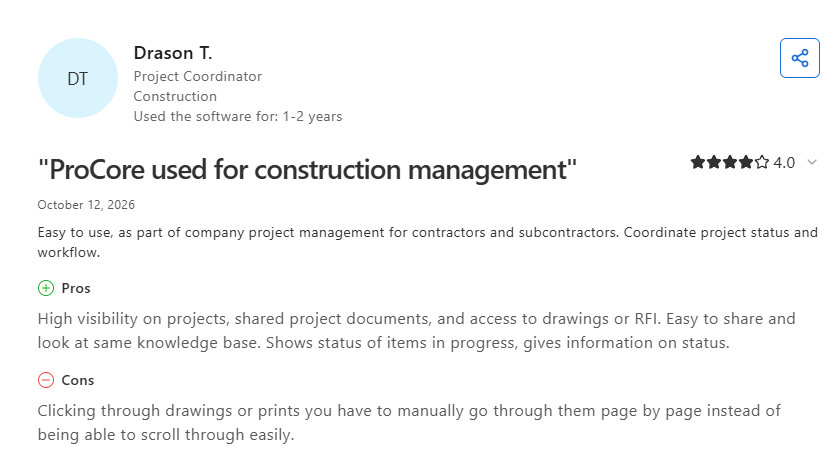
- Shared project status for contractors and subs: One reviewer said Procore gives contractors and subcontractors high visibility into projects, with shared documents, drawings, and RFIs in one knowledge base and clear status on items in progress, though drawings and prints have to be clicked through page by page instead of scrolled. (Drason T., Capterra, October 12, 2026)
Pricing
Procore does not publish figures. Its pricing page explains the model plainly: an upfront annual fee charged by product and based on your Annual Construction Volume, meaning the total dollar value of construction work across your projects. The exception is Field Productivity, which is priced per full-time employee.
Contracts include unlimited users, unlimited data storage, support, and product updates. Every quote comes from a conversation, and third-party dollar ranges you find elsewhere are guesswork.
Bottom line
Procore makes sense for contractors whose projects involve many parties and formal correspondence. A $10M paving contractor will pay for depth the crews never open.
7. ServiceTitan: Best for Large Technician-Based Service Trades

What it does: ServiceTitan manages high-volume service operations, connecting call booking, dispatch, pricebook, mobile estimates, invoicing, and payroll for technician-based trades.
Best for: Mid-sized to large service businesses in HVAC, plumbing, and electrical work, where revenue arrives as a stream of individual calls.
ServiceTitan's dispatch board is built to run a full day of service calls at volume. A two-phase parking lot is a project, so most of that strength goes unused on paving work.
Key features
- Call booking and dispatch: Inbound calls become scheduled visits on a drag-and-drop board with technician tracking against the day's plan.
- Pricebook and mobile estimates: Technicians present good, better, best options on a tablet at the customer's door.
- Memberships and service agreements: Sell, track, and renew recurring maintenance plans without leaving the platform.
- Payroll and commission tracking: Configurable payroll and commission structures suit teams paid on performance.
- Marketing attribution: Campaign reporting ties ad spend to booked revenue call by call.
Pros
- Dispatch built for service volume: The drag-and-drop board is built to run a full day of service calls with technician tracking.
- Depth for large operations: Multi-location service businesses with dedicated back-office staff get real value.
- Strong reporting culture: Revenue and technician performance data is thorough and well presented.
Cons
- Shaped around the service call: ServiceTitan added a construction product for specialty contractors, but its supplier catalog integrations center on HVAC, electrical, and plumbing work, which leaves paving's estimate-from-measurements workflow without a natural fit.
- Per-technician cost adds up: The bill grows with every technician you add, with a three-technician minimum.
- No self-serve trial: Evaluation runs through a sales demo.
What users say
- Strong toolset undercut by weak training support: One reviewer said ServiceTitan gives technicians a large set of tools that aren't hard to use in the field, but described the price as extremely high and the training classes as worthless despite attending many of them. (Jeff Y., Capterra, August 4, 2026)

- Permissions and multi-factor authentication build trust across teams: One reviewer said ServiceTitan blends the office and technician experience with permissions set per user and multi-factor authentication for sensitive access, though a second separate platform is still needed for accounting. (Kaley M., Capterra, July 30, 2026)

Pricing
ServiceTitan publishes no dollar figures. Its pricing page lists three packages (Starter, Essentials, and The Works), describes pricing as per-technician and designed to fit your goals at any size, and asks you to request pricing for each tier. Numbers circulating on comparison sites trace back to user reports, so treat them as rumor until a rep puts a quote in writing.
Bottom line
ServiceTitan is the right answer for HVAC, plumbing, and electrical companies running service at scale. Project-based paving contractors are buying a well-built platform aimed at a different business.
8. Jobber: Best for Small Residential Service Crews
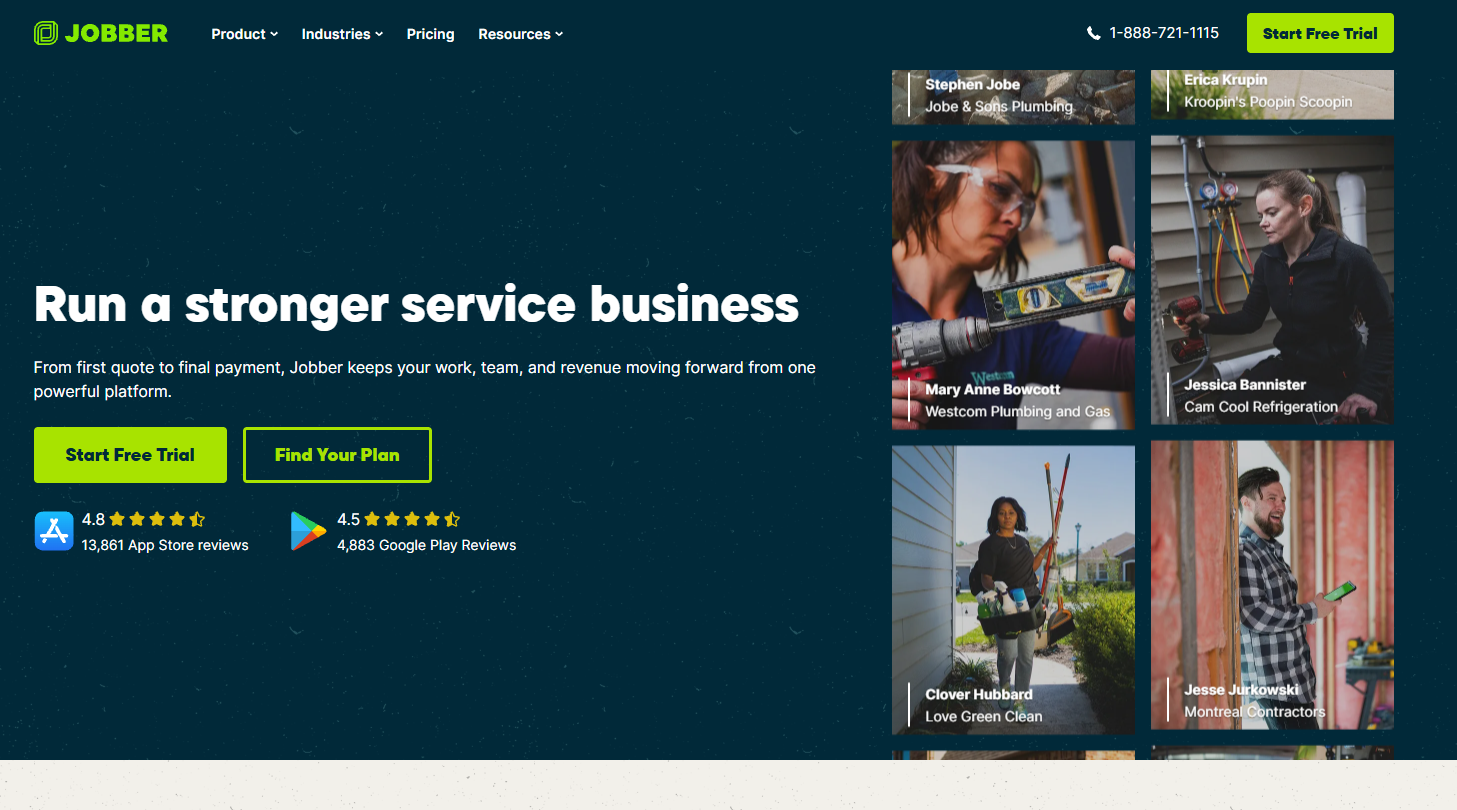
What it does: Jobber handles quoting, scheduling, invoicing, and payments for small home service businesses, with a mobile app crews pick up without training.
Best for: Small residential crews doing quick repairs and recurring service.
Jobber assumes your quote is a few line items, which keeps setup quick and is where paving parts ways with it.
Key features
- Quoting and online booking: Customers request work through a form, and Grow adds optional line items on quotes.
- Scheduling and routing: Drag jobs onto a calendar and optimize routes for the day or week.
- Client hub: Customers approve quotes, check appointments, and pay invoices in a self-serve portal.
- QuickBooks Online sync: Available from the Connect plan up, covering invoices and payments.
- Job costing on higher tiers: Grow adds job costing, automatic time tracking, and two-way texting.
Pros
- Crews pick it up fast: The mobile app is easy to learn on the job, and the Spanish-language app helps on mixed crews.
- You can try it for free: A 14-day trial on the Grow plan needs no credit card.
- Published pricing: Jobber shows its rates by plan and team size, which almost nobody else in this list does.
Cons
- No takeoff or tonnage math: Measuring a lot from satellite imagery and converting it to material and truck counts is outside its range.
- Project phases do not fit: Jobber now offers progress invoicing with deposits and milestone payments, but jobs are still built from visits and line items, with no takeoff or tonnage math behind each phase of a commercial lot.
- Add-ons stack up: Marketing Suite, Receptionist, and Pipeline each carry their own monthly fee below the Plus plan.
What users say
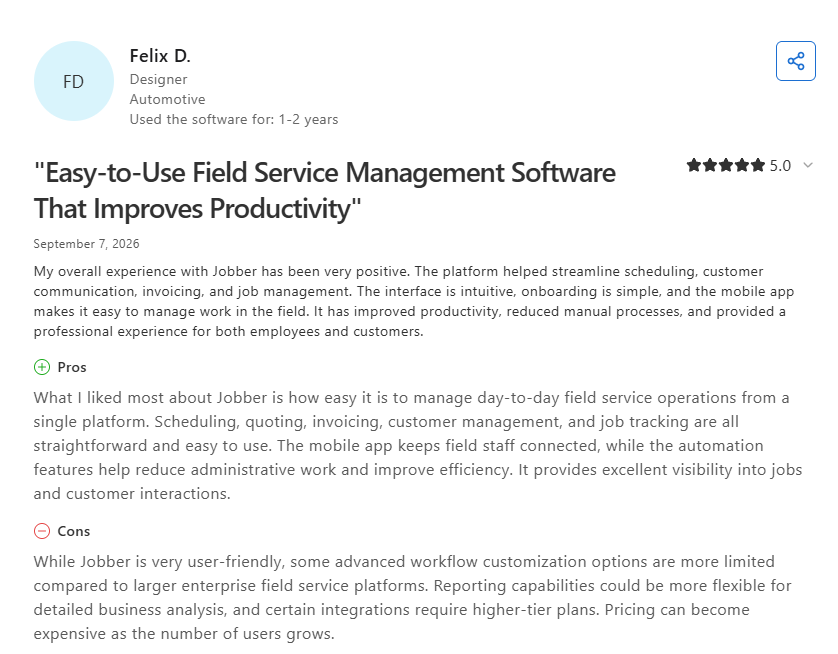
- All-in-one workflow reduces manual admin work: One reviewer said Jobber makes it easy to manage day-to-day service operations from a single platform, with scheduling, quoting, invoicing, and job tracking all straightforward, though advanced workflow customization is more limited than on larger enterprise platforms, and reporting could be more flexible for detailed analysis. (Felix D., Capterra, September 7, 2026)
- Quick estimates and fast payment collection drive daily use: One reviewer said they use Jobber for every aspect of their business, getting estimates out quickly and collecting payment within a couple of days with a card on file, though the schedule page can make it too easy to accidentally move things around. (Jason H., Capterra, August 31, 2026)

Pricing
Jobber publishes everything on its pricing page. Core starts at $29 per month for one user billed annually, or $49 with no commitment. Connect starts at $99, Grow at $149, and Plus at $399 for five users, all billed annually, and Jobber sells Connect, Grow, and Plus at several team sizes.
Bottom line
Jobber earns its reputation with small residential operators, and it is a fine first system if you are leaving pen and paper behind. Once your average job starts from a takeoff and runs in phases across a commercial lot, you will outgrow it.
Which Field Management App Should You Choose?
Start with how your revenue arrives: as projects you bid, or as calls you dispatch. Then pick the list that matches your work:
Choose OneCrew if you:
- Bid from measurements and need tonnage, trucks, and margin calculated before the proposal goes out
- Run multi-phase lots across several crews and want signed work to land in the scheduling queue automatically
- Bill by phase and want invoices and payments syncing with QuickBooks Online
- Want one platform for asphalt and concrete paving, plus sealcoating, crack filling, and striping, from first call to final payment
Choose Fieldwire if you:
- Live in plan sheets, punch lists, and inspections on larger commercial sites
- Want a free tier to test with a small crew before committing budget
- Already have estimating and billing handled somewhere you trust
Choose Raken or Assignar if you:
- Need daily reports, safety records, and photo documentation above all else, which points to Raken
- Wrestle with crews, heavy equipment, and expiring certifications colliding, which points to Assignar
Choose HCSS HeavyJob if you:
- Bid DOT and heavy civil work in HeavyBid and want cost codes and pay items to reach the field without retyping
- Track crew hours, equipment hours, and installed quantities against the estimate every day
- Have the office staff and time for a rollout HCSS says gets most customers fully operational within 90 days
Choose Procore if you:
- Run large GC or specialty projects with long stakeholder lists and formal correspondence
- Need RFIs, submittals, and change orders in the same platform your owners and GCs already use
Choose ServiceTitan or Jobber if you:
- Run technician-based service work where revenue comes from individual calls
- Sell memberships or recurring maintenance agreements at volume, which points to ServiceTitan
- Operate a small residential crew doing quick-turn jobs with simple quotes, which points to Jobber
Skip this category entirely if you:
- Run one truck and a phone, and a shared calendar plus QuickBooks covers your week
- Need accounting first, since none of these apps replace QuickBooks or an ERP
- Cannot commit anyone to a rollout for the next two months, because an unconfigured platform is worse than the whiteboard it replaced
Final Verdict: Stop Running Paving Jobs Through Five Different Apps
Construction-first tools are strongest once work is already sold and scheduled, and service-first tools are strongest when work arrives as a stream of calls. A paving job needs the bid, the schedule, the crew, and the bill on one record from the first measurement.
OneCrew is a field management app for paving contractors, built for commercial asphalt and concrete paving work. It carries each job from the satellite measurement to the paid invoice on one platform.
Here's what that looks like on a real Tuesday:
- Price the job before you leave the lot: OneCrew's estimating tools let you measure from satellite imagery or an uploaded plan set and turn those quantities into tonnage, trucks, labor, and margin before you drive away.
- Send proposals customers sign on a phone: OneCrew's proposals pull your measurements and pricing straight from the estimate, add your site photos, and build a branded proposal customers can review, approve, and sign from their phone.
- Schedule crews without double-booking: OneCrew's scheduling feature assigns specific crew members and equipment to job phases with conflict alerts before the problem hits the foreman's phone.
- Get actuals back the same day: The field management tools push scope, quantities, site maps, vendor contacts, and equipment assignments to crew phones and pull hours, production quantities, and photos back to the office as each phase closes out.
- Bill straight from the work order: OneCrew's invoicing tools generate invoices from the line items already in the platform and sync invoicing and payment data with QuickBooks Online.
- Keep every account in one CRM: OneCrew's CRM keeps accounts, contacts, and job sites as separate records so a property manager with 40 commercial lots stays organized in one system rather than a contact list and a calendar that don't talk to each other.
If your field management app has to start at the takeoff and end at the paid invoice, one platform beats five. Book a demo and see how OneCrew handles a real paving job from bid to final payment.
FAQs
1. What is a field management app?
A field management app is a mobile and web platform that connects office staff with crews working on site.
It pushes schedules, scope, and job details to a phone, and pulls back hours, photos, quantities, and issues so the office sees what happened without making a round of calls.
2. What is the best field management app for paving contractors?
The best field management app for paving contractors is OneCrew, because it carries a job from satellite measurement through estimate, proposal, crew schedule, daily actuals, and invoice on one platform.
Fieldwire fits better for plan-driven jobsite coordination, and Jobber suits small residential crews with simple quotes.
3. Do field management apps work offline?
Most field management apps work offline to some degree, since dead zones are normal on road and lot work.
Raken caches recent project data locally, and Fieldwire allows offline plan and task access on mobile. Confirm the specific offline behavior during a demo, because "offline" can mean anything from full editing to read-only viewing.
4. How much does a field management app cost?
A field management app can cost nothing to start, and most vendors in this category keep their rates private.
Fieldwire and Jobber publish rates starting at $0 and $29 per month, respectively. OneCrew uses seat-based pricing shared during a demo, and Raken, Assignar, HCSS HeavyJob, Procore, and ServiceTitan all require a quote.
5. Can a field management app replace my accounting platform?
No, a field management app cannot replace your accounting platform. These apps handle operations and billing, then sync with accounting systems like QuickBooks Online.
Plan on running both, and check what the integration moves before you buy, since some sync invoices and payments only while cost data stays put.