
7 Best Dispatch Software for Contractors I Tested for Construction Projects in 2026

I tested 7 platforms with dispatch software for contractors by running the same parking-lot job through each. Best for paving: OneCrew for asphalt and concrete contractors managing projects from estimate to invoice. Best for small crews: Connecteam for simple scheduling and team chat.
Best for labor tracking: Workyard for GPS-verified timecards and payroll. The right choice comes down to workflow: quick service visits need speed, while multi-day construction jobs need estimates, phases, crews, and billing tied together.
This guide breaks down which platforms fit each workflow, so you don’t pay for software built for someone else’s business.
7 Best Dispatch Software for Contractors: Quick Comparison
How I Researched and Tested These Dispatch Tools
I put each platform through the same paving scenario: a commercial parking-lot job that needed an estimate, a crew assigned across two phases, and a clean handoff from the office to the field.
I spent a few hours per tool over several weeks, using free trials where they existed and live demos where they didn't. Here's what I weighed:
- Dispatch and scheduling: how fast I could assign a crew, push a change, and have the field see it on their phones.
- Field visibility: whether the office could tell what was happening on site without a phone call.
- Integrations: how cleanly each one connected to QuickBooks and payroll, since that's where most contractors lose hours.
- Pricing reality: what you pay once your real team size and add-ons are in the math, not the headline rate.
- Workflow fit: whether the tool was built for scheduled service calls or for multi-day projects, because that gap decides everything.
That last point did most of the sorting. A tool can dispatch beautifully and still be wrong for you if it assumes a different kind of work.
Your dispatch is only as good as the estimate behind it. Good asphalt bidding software sets up the schedule that follows, and it helps to calculate asphalt yield correctly before a single crew hits the calendar.
1. OneCrew: Best for Project-Based Asphalt and Concrete Contractors
What it does: OneCrew runs paving projects end to end, from lead capture and estimating through crew scheduling, customer approvals, and invoicing.
Best for: Asphalt and concrete contractors running project-based work, at any company size.
OneCrew treated my paving job like a project, not a service ticket. I built an estimate from a PDF takeoff, turned it into a phased schedule, and watched it stay connected through to billing.
That lead-to-invoice flow is the part that usually breaks, and getting the numbers right first, like how to calculate asphalt thickness, feeds straight into it.
Key features
- Crew scheduling by job phase: assign crews and roles to specific phases so the field knows who owns what, and when. Field tools push work orders and GPS directions to crews on their phones.
- Estimating from plans or maps: build bids with labor, material, equipment, and sub line items using built-in estimating calculators.
- Customer portal: clients view and sign branded proposals, view and pay invoices, share photos and documents, and message your team chat-style.
- QuickBooks Online integration: invoicing and payment data sync to QuickBooks, so billing doesn't mean double entry.
Pros
- Genuinely built for paving, so estimating and scheduling match how the work runs
- One system from takeoff to invoice replaces the patchwork most contractors juggle
- The customer portal gives clients a polished, self-serve experience for approvals and payments
Cons
- It's designed around project work, so service-only businesses with recurring routes are a poor fit
- Small operators doing only basic maintenance may not use enough of the platform to justify it
What users say
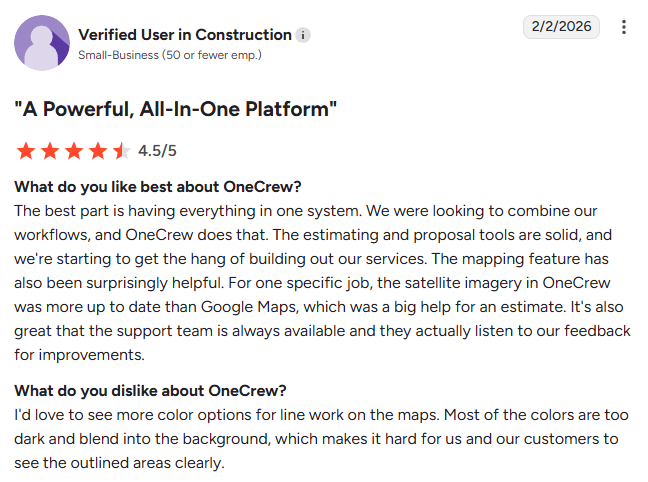
- Easy to adopt without disrupting existing workflows: OneCrew helps teams stay organized and manage scheduling and job tracking more efficiently without forcing them to change how they already run their business. Reviewers also praise the platform's ease of use and customer support. (Matt M., G2; February 11, 2026)
- Room for improvement in schedule visibility: Some users find the scheduling tab difficult to scan, making it harder to quickly see everything that's scheduled on the calendar. (Tim J., G2; March 12, 2026)
Pricing
OneCrew uses seat-based pricing tied to your company size and the features you need, with the exact figure shared during a demo. There's no public rate card and no free trial. You can book a demo to get a quote for your operation.
Bottom line
I'd recommend OneCrew to any asphalt or concrete contractor who runs real projects and wants estimating, scheduling, and billing in one place. If you run recurring service routes instead of projects, look at a service-first tool below.
2. Connecteam: Best for Small Crews That Need Scheduling Plus Team Chat
What it does: Connecteam is a mobile-first workforce app that combines shift scheduling, a GPS time clock, task checklists, and team communication.
Best for: Smaller field crews that want simple dispatch and strong team chat in one affordable app.
Connecteam had the easiest scheduling of any tool I tested. I built a shift, attached job details and a checklist, and the crew got a push notification right away.
Chat and announcements live next to the schedule, so workers aren't hunting through apps to find out where they're going. Training your people on the basics still matters more than the app, so a little roller operator training goes a long way.
Key features
- Drag-and-drop scheduling: build and publish shifts in minutes, with templates you can reuse week to week.
- GPS time clock: workers clock in from their phones with a location stamp that confirms they're on site.
- In-app communication: chat, company updates, and surveys keep the whole crew in one feed.
Pros
- One of the easiest scheduling tools to learn, which matters for less tech-savvy crews
- A genuinely free plan covers teams of up to 10 users
- Communication features reduce the morning "where am I going?" phone calls
Cons
- It's workforce management, not project management, so there's no estimating or job costing
- Pricing math gets confusing once you start stacking hubs for more features
What users say
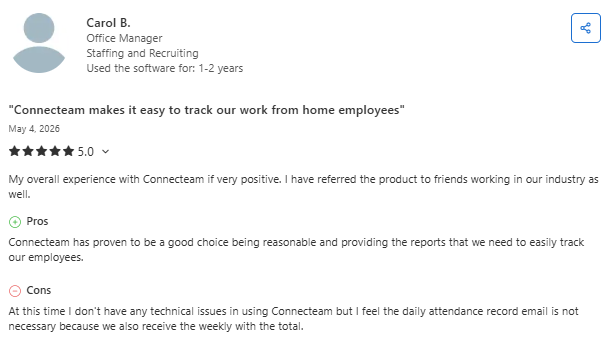
- Simple scheduling and team management in one app: Connecteam helps teams manage schedules, track time, and communicate more efficiently from a single platform. Users frequently praise its ease of use, mobile experience, and ability to keep daily operations organized. (Ryan F., Capterra; April 2, 2026)
- Feature-rich interface can feel overwhelming: Some users appreciate Connecteam's extensive functionality but find the interface busy and more difficult to navigate when completing tasks like editing schedules or approving timesheets on the go. (Nicole F., Capterra; April 6, 2026)
Pricing
Connecteam offers a free Small Business plan for up to 10 users. Paid Operations plans start at $29 per month for the first 30 users on the Basic tier (billed yearly), with Advanced at $49 and Expert at $99 per month for the first 30 users. See current rates on the official pricing page.
Bottom line
I'd recommend Connecteam to a small crew that wants easy scheduling and team chat without paying for a full project platform. If you need estimating or job costing, this isn't the tool.
3. Workyard: Best for GPS Time Tracking Tied to Scheduling
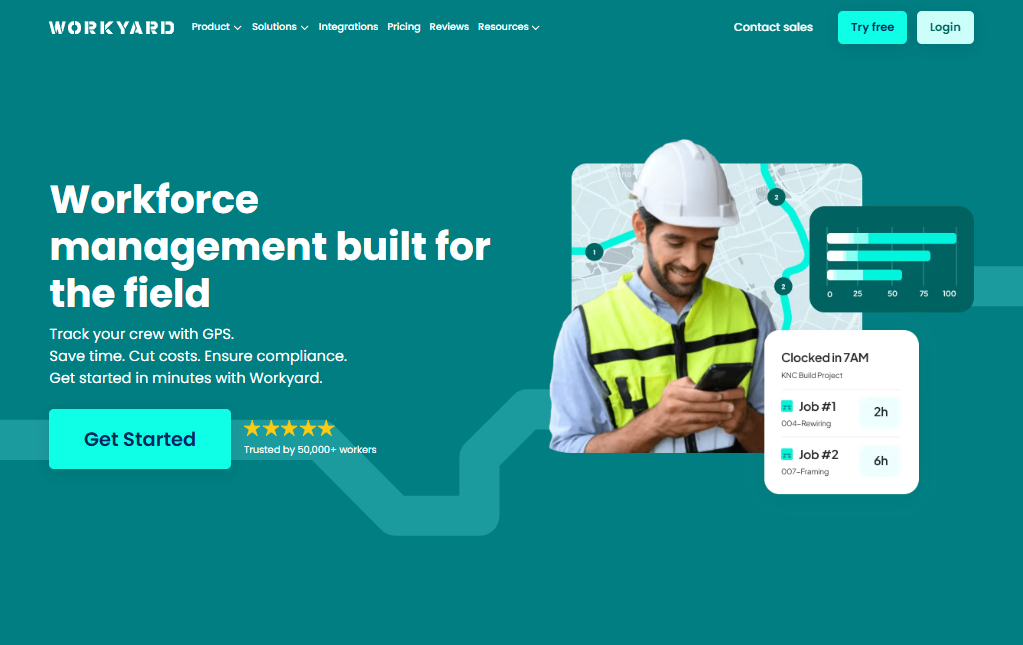
What it does: Workyard is a GPS-powered workforce platform for construction that ties crew scheduling to accurate, location-verified labor tracking.
Best for: Contractors who want dispatch and scheduling welded to precise labor cost data and payroll.
Workyard's strength is the link between where crews are and what their time costs. I scheduled a crew with a drag-and-drop calendar, and every clock-in came with a GPS-verified location and a cost code.
For anyone burned by fuzzy timecards, that audit trail is the draw. Accurate field hours start with safe, consistent crews, so it pays to keep asphalt safety practices tight before you trust any tool to tell you what happened on site.
Key features
- GPS-verified time clock: records clock-in location, travel, and mileage, with offline mode for remote sites.
- Crew scheduling: assign jobs or shifts to individuals or teams with site details and checklists attached.
- Job costing by cost code: labor data ties to specific jobs, so you can see where you make and lose money.
Pros
- GPS-verified timecards cut down on payroll guesswork and buddy punching
- Clean payroll and QuickBooks exports save real admin hours
- Purpose-built for construction crews working across multiple sites
Cons
- It's a labor and scheduling tool, so estimating and invoicing live elsewhere
- Some users report GPS accuracy issues and weak break tracking
What users say
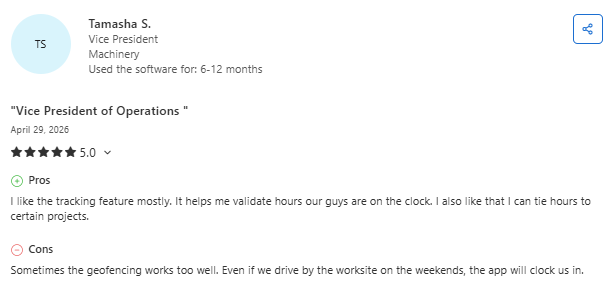
- Accurate GPS tracking and easy crew oversight: Workyard helps contractors track employee locations, monitor hours, and review work across multiple jobsites from a single platform. Users frequently praise its intuitive interface and geofencing tools for improving visibility into field operations. (Ricky B., Capterra; April 29, 2026)
- Geofencing can occasionally be too sensitive: Some users report that Workyard's automatic geofencing may clock employees in when they pass near a jobsite outside of working hours, creating a need for closer timekeeping oversight. (Kristopher P., Capterra; July 10, 2025)
Pricing
Workyard charges a per-user monthly rate plus a monthly company base fee, and a free trial is available. Tiers and exact figures are listed on the official pricing page, with starting prices of $6 + a $50 company base fee.
Bottom line
I'd recommend Workyard to contractors who care most about accurate labor costs tied to their schedule. If you want full project management with estimating, you'll need more than this.
4. Fieldwire: Best for Plan-Driven Task Dispatch on Large Jobsites
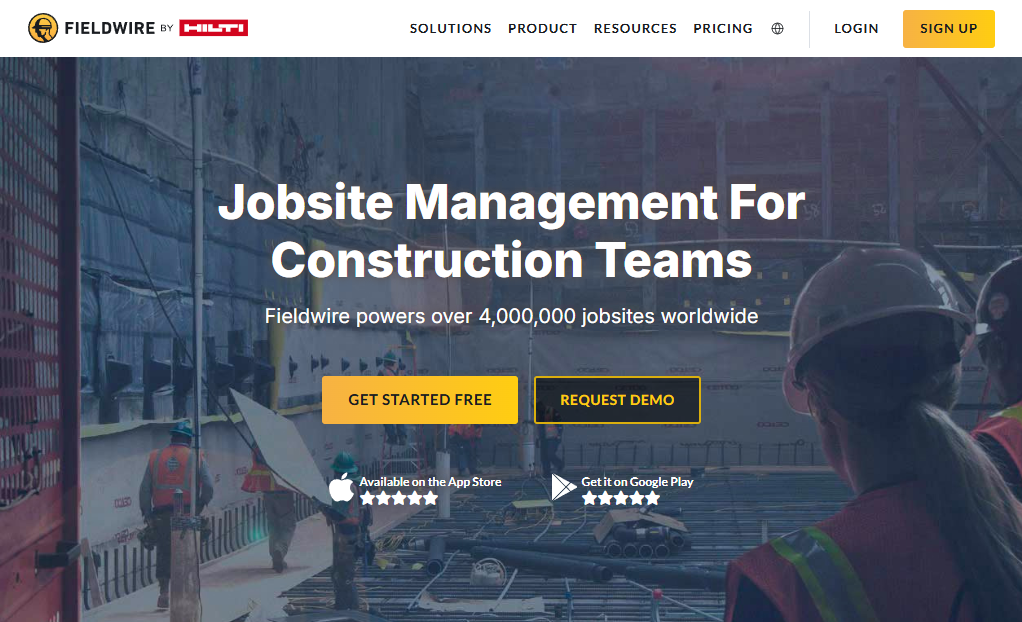
What it does: Fieldwire manages construction plans and turns markups into trackable field tasks, so office and field teams stay aligned on jobsite work.
Best for: Plan-heavy projects where dispatching specific tasks against drawings matters more than scheduling shifts.
Fieldwire approaches dispatch from the drawing, not the calendar. I uploaded plans, marked up a task, assigned it, and tracked it to completion against the actual sheet.
For jobsites defined by blueprints and punch lists, that link between plan and task is genuinely useful, and the mobile app held up in a field-style test.
Key features
- Plan and drawing management: view, mark up, and version sheets, then link tasks directly to them.
- Task dispatch: assign field tasks with photos, checklists, and statuses your crew updates from their phones.
- Punch lists and reports: generate PDF reports that document jobsite progress and issues.
Pros
- Tying tasks to drawings keeps plan-driven work organized and accountable
- A free plan lets small teams test core features before committing
- The mobile app is highly rated for on-site use
Cons
- No estimating, invoicing, or accounting, so it only covers field coordination
- Per-user pricing adds up fast once subs and clients need access
What users say
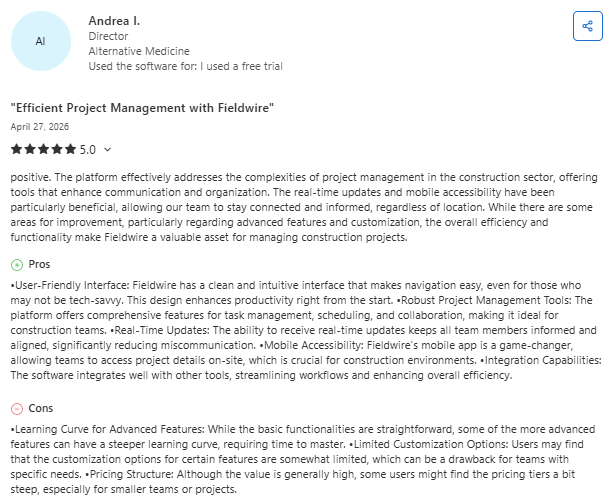
- Strong field coordination and project visibility: Fieldwire helps construction teams keep plans and communications organized in one place. Users highlight its ease of use and ability to improve coordination between office and field teams. (Yoelvis D., Capterra; March 25, 2026)
- Advanced workflows can feel limited: Some users say Fieldwire excels at day-to-day field coordination but offers less customization and reporting depth for more complex project workflows. (Murtaza L., Capterra; March 31, 2026)
Pricing
Fieldwire has a free Basic plan for up to 5 users and 3 projects. Paid plans are billed per user per month across Pro, Business, and Business Plus tiers, with a custom enterprise option. See tiers on the official pricing page, where $39 per month billed annually is the starting price.
Bottom line
I'd recommend Fieldwire to teams whose work is driven by plans and punch lists. If you need estimating and billing in the same system, it won't cover you.
5. ServiceTitan: Best for Large Service-Trade Businesses

What it does: ServiceTitan is an enterprise field service platform with intelligent dispatching, routing, and analytics built for trade businesses.
Best for: Large technician-based service companies in HVAC, plumbing, and electrical work.
ServiceTitan is a serious dispatch engine. Testing the scheduling board, routing, and reporting, it all felt built for high call volume and technicians bouncing between jobs all day.
The analytics and marketing tools go deeper than most tools here. The catch is that it's service software, not project software, and the company says it isn't optimized for businesses with three or fewer technicians.
Key features
- Intelligent dispatching: assign and route technicians across a high volume of service calls.
- Routing and scheduling: optimize who goes where to cut drive time and gaps.
- Analytics and marketing tools: deep reporting and attribution aimed at growing service revenue.
Pros
- Built for the pace and volume of large service operations
- Strong analytics, routing, and marketing features
- Scales well for companies with 20-plus technicians
Cons
- It's a service-first platform, so project-based contractors are a mismatch
- Heavy and expensive for small teams, with a long implementation
What users say
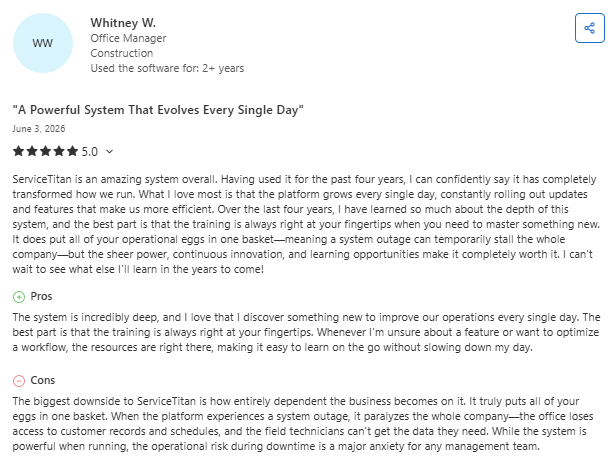
- Powerful platform with continuous improvements: ServiceTitan helps service businesses centralize operations, automate workflows, and improve efficiency through a wide range of features and training resources. (Whitney W., Capterra; June 3, 2026)
- Frequent updates can create operational challenges: Some users appreciate ServiceTitan's rapid pace of improvement, but note that frequent product updates can disrupt workflows and require teams to adapt to changes in the field. (Libby R., Capterra; May 18, 2026)
Pricing
ServiceTitan doesn't publish pricing. It uses a custom, per-technician quote that you get after a sales demo, and it's geared toward larger service businesses. Request pricing through the official site.
Bottom line
I'd recommend ServiceTitan to large HVAC, plumbing, or electrical service businesses that need enterprise dispatch and analytics. For project-based paving or concrete work, it's the wrong shape.
6. Procore: Best for Large General Contractors on Complex Builds

What it does: Procore is a cloud construction management platform that supports dispatch through advanced scheduling, resource allocation, and real-time field tracking.
Best for: Large general contractors and complex, multi-stakeholder commercial projects.
Procore is built for big, complicated jobs. Testing the scheduling and resource tools, it was clear the platform assumes many crews, many stakeholders, and a lot of moving documents.
You can assign crews, equipment, and tasks to sites, and field updates flow back through mobile tools. The depth is real, and so is the tradeoff: it's an enterprise system that smaller contractors usually find overbuilt for day-to-day dispatch.
Key features
- Advanced scheduling: resource assignments and lookahead planning for proactive dispatch.
- Resource allocation: assign crews, equipment, and tasks across multiple jobsites.
- Field tracking: mobile timesheets, daily logs, and GPS-enabled updates from the field.
Pros
- Deep tools for coordinating large, complex projects and big teams
- Unlimited users are included, so growing headcount doesn't change the seat math
- Strong document control and field-to-office data flow
Cons
- Enterprise pricing and scope make it heavy for smaller contractors
- Costs are tied to construction volume and climb as you grow
What users say
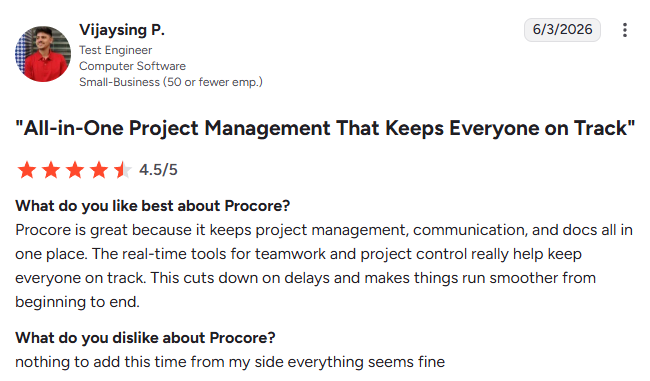
- Keeps project information and communication in one place: Procore helps construction teams centralize project management, docs, and collaboration, making it easier to track progress, improve coordination, and reduce delays. (Bade L., G2; June 3, 2026)
- Reporting and setup can require more customization: Some users praise Procore's financial and project management tools but feel the reporting capabilities could be more flexible. (Randie H., G2; April 7, 2026)
Pricing
Procore doesn't publish pricing. It quotes an annual fee based on your annual construction volume, with unlimited users included, and you get a custom number after a demo. Request a quote through the official site.
Bottom line
I'd recommend Procore to large general contractors running complex builds with many stakeholders. For a focused paving crew, it's more system than you need.
7. Buildertrend: Best for Home Builders and Remodelers
What it does: Buildertrend is an all-in-one construction management platform for builders and remodelers, covering scheduling, task dispatch, and project tracking.
Best for: Residential home builders and remodelers managing client-facing projects.
Buildertrend leans residential, and that focus is its personality. Testing the scheduling and project tools, the client-communication features stood out, with selections, daily logs, and homeowner updates baked in.
For a builder whose customers want to follow along, that's a strong fit. For paving and concrete work, the fit is looser, since the platform is shaped around home-building workflows.
Key features
- Scheduling and dispatch: assign tasks and crews with a Schedule Health view that flags conflicts.
- Client communication: selections, daily logs, and updates keep homeowners in the loop.
- Project tracking: monitor progress across active jobs from one dashboard.
Pros
- Strong client-facing tools for builders and remodelers
- Unlimited users are included on every plan
- All-in-one coverage for residential project workflows
Cons
- Built around residential building, so paving and concrete work fits loosely
- Pricing is now quote-only, which makes it harder to compare before a sales call
What users say
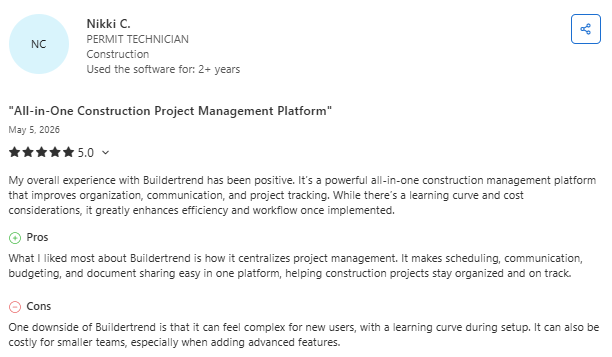
- Comprehensive platform for managing construction projects: Buildertrend helps contractors keep scheduling, budgeting, communication, and document management in one place. (Nikki C., Capterra; May 5, 2026)
- Complexity and contract terms can frustrate users: Many users value Buildertrend's broad feature set, but some report a steep learning curve and concerns about pricing or contractual flexibility for smaller companies. (Ricardo D., Capterra; May 1, 2026)
Pricing
As of 2026, Buildertrend moved to volume-based custom quotes and no longer publishes tier prices. All plans include unlimited users, and you get a figure after submitting a quote request. See details on the official pricing page.
Bottom line
I'd recommend Buildertrend to home builders and remodelers who want client-facing project tools. For paving or concrete projects, a paving-specific platform fits better.
Which Construction Workflow Software Should You Choose?
The decision comes down to one question: do you run scheduled service calls or multi-day projects?
Here's how the top three break down for the work most contractors are doing day to day:
Choose OneCrew if you ...
- Run project-based asphalt or concrete work and estimate from plans or maps.
- Want estimating, crew scheduling, customer approvals, and invoicing in one platform.
- Keep losing time copying job details between separate tools.
Choose Connecteam if you ...
- Run a small crew that mainly needs simple scheduling and team chat.
- Want an affordable app with a genuinely free tier for up to 10 users.
- Don't need estimating or job costing built in.
Choose Workyard if you ...
- Care most about accurate, GPS-verified labor costs tied to your schedule.
- Want clean payroll and QuickBooks exports without manual cleanup.
- Run crews across multiple sites and need a defensible time record.
Skip this category entirely if ...
- You're a solo operator handling a handful of jobs you can track on a whiteboard.
- Your work is so simple that any added software would create more steps than it removes.
Final Verdict: Run Crews, Estimates, and Projects in One Place
When you compare the best dispatch software for contractors, it comes down to fit. ServiceTitan handles large service operations well. Procore fits complex enterprise builds.
But if you're estimating from plans, assigning crews to phases, and managing real paving projects, that's where OneCrew comes in.
OneCrew is a platform built specifically for project-based asphalt and concrete contractors. It's not a generic construction tool adapted for paving: it was designed around the way paving businesses actually operate, from the first bid to the final payment. Here's what it covers:
- Estimate from PDFs or maps using labor, material, equipment, and subline items with built-in calculators.
- Assign crews and roles to specific job phases with crew scheduling that keeps the office and field aligned.
- Track leads and repeat customers in a built-in CRM instead of a separate system.
- Work with customers through a portal for approvals, payments, and shared documents.
- Get paid sooner with invoicing that syncs to QuickBooks without double entry.
You only need one platform that ties everything together from the first estimate to the final invoice. Book a free demo and see how it works for your operation.
FAQs
1. What is the best dispatch software for contractors?
The best dispatch software for contractors depends on your type of work. OneCrew is the best fit for project-based asphalt and concrete contractors because it combines estimating, crew scheduling, and invoicing in one platform. Service-trade businesses running scheduled calls get more from a field service tool like ServiceTitan, and large general contractors lean toward Procore.
2. What is the difference between dispatch software and field service software?
The main difference between dispatch software and field service software is scope. Dispatch software assigns crews and jobs to schedules and locations. Field service software wraps dispatch into a broader system for recurring service calls, including customer management, service histories, and invoicing for trade businesses like HVAC and plumbing.
3. Do small contractors need dispatch software?
Yes, small contractors can benefit from dispatch software once they start losing jobs in handoffs or managing crews across more than one site. A solo operator tracking a few jobs on a whiteboard may not need it yet. Crews juggling multiple projects or sites gain genuine time back from scheduling and field visibility.
4. Does dispatch software for contractors integrate with QuickBooks?
Yes, many dispatch and project platforms for contractors integrate with QuickBooks Online. OneCrew and Workyard both sync billing or labor data to QuickBooks, which cuts double entry and reduces accounting errors. Always confirm the integration scope, since some tools sync invoicing and others sync time and payroll.
5. How much does dispatch software for contractors cost?
Dispatch software for contractors ranges from free to enterprise pricing. Connecteam is free for up to 10 users and starts at $29 per month for the first 30 users. Workyard charges a per-user rate plus a monthly base fee. Project and enterprise platforms like OneCrew, Procore, and ServiceTitan use custom quotes you get after a demo.

