
9 Best Construction Payroll Software for Prevailing Wage

Construction payroll platforms earn their keep the week you run one DOT overlay, one private parking lot, and a crew that splits hours between both. That's when you're annualizing fringe, matching classifications, and rebuilding a WH-347 at 6 p.m. on a Friday while the office phone rings.
We compared nine platforms on certified payroll, prevailing wage, job costing, and how hours get from the field to the right cost code.
Here's which platforms handle that without a fight, which ones need a helper, and how to pick based on the work you bid.
9 Best Construction Payroll Software Tools: TL;DR
- OneCrew: Best for commercial paving contractors who want every crew hour tied to a job and costed before payroll runs.
- Miter: Best for contractors who want field time, payroll, and certified payroll running in one system.
- FOUNDATION: Best for contractors who want payroll living inside construction accounting.
- Payroll4Construction: Best for contractors who would rather hand payroll processing to a service.
- eBacon: Best for open-shop contractors juggling prevailing wage and fringe benefits.
- Arcoro: Best for contractors who need hiring, HR, and payroll on one platform.
- ADP Workforce Now for Construction: Best for larger contractors who want payroll, HR, and benefits from one provider.
- Points North Certified Payroll Reporting: Best for adding certified payroll to the payroll system you already like.
- QuickBooks Workforce: Best for small crews who already keep their books in QuickBooks.
How We Chose These Construction Payroll Tools
The criteria below come from the week that breaks most payroll setups: eight field workers, one municipal overlay job under prevailing wage, one commercial lot, two operators splitting hours across both, and a fringe package that has to annualize correctly.
The question for each platform: does labor cost land where it belongs in job costing, or vanish into a lump-sum wage number nobody can break apart later?
Davis-Bacon and its related acts cover an estimated $217 billion in federal and federally assisted construction spending a year, according to the Labor Department's 2023 estimate built on 2019 spending, so the compliance side of this decision touches a lot of paving work.
Here's what we weighed, and why each one matters on a paving job:
- Certified payroll and prevailing wage: Does the platform build a WH-347 from payroll data, or hand you a half-finished spreadsheet on Friday afternoon? Covered contractors owe those reports every week a crew is on a federally funded job, and the DOL revised the form in January 2025, so check that any platform you shortlist outputs that version.
- Job cost detail: Hours should arrive tagged to a job, phase, and cost code, with burden riding along. Tonnage and labor are where paving margin lives, so a payroll system that reports one gross number per week costs you the ability to price the next bid properly. To see how many paving crew hours a job should take, run it through our free asphalt labor calculator.
- Integrations: Payroll data has to reach your books without anyone re-keying it. We looked at how each platform pushes journal entries and burdened labor cost into accounting, and whether that number survives the trip through invoicing for contractors and into a job cost report you can hand your CPA.
- Field usability: A foreman should be able to clock six people in from a job site without a training session, without a laminated cheat sheet in the truck, and without calling the office at 6:30 a.m. because the app logged him out. Crews turn over seasonally, and gloves make small buttons useless, so time entry has to clear the same bar as any crew scheduling tool.
- Pricing transparency: Some companies publish a number. Most quote after a discovery call, and each Pricing section below says how to get one.
Two platforms came off the list along the way. Gusto and Rippling both run clean payroll for office-style teams. Gusto doesn't produce certified payroll reports, and Rippling hands them off to Points North, so neither made the list.
If you're weighing your accounting platform against a contractor-specific app before you shop payroll at all, we've broken down QuickBooks against Jobber separately, and the same logic applies here. Payroll should plug into how you already run jobs.
9 Best Construction Payroll Software Tools: Quick Comparison
Keeping labor data in one place from the field to the ledger is the argument behind construction project centralization, so watch which picks hold that data themselves and which sit on top of payroll you already run.
1. OneCrew: Best for Commercial Paving Contractors Who Need Job-Costed Field Hours
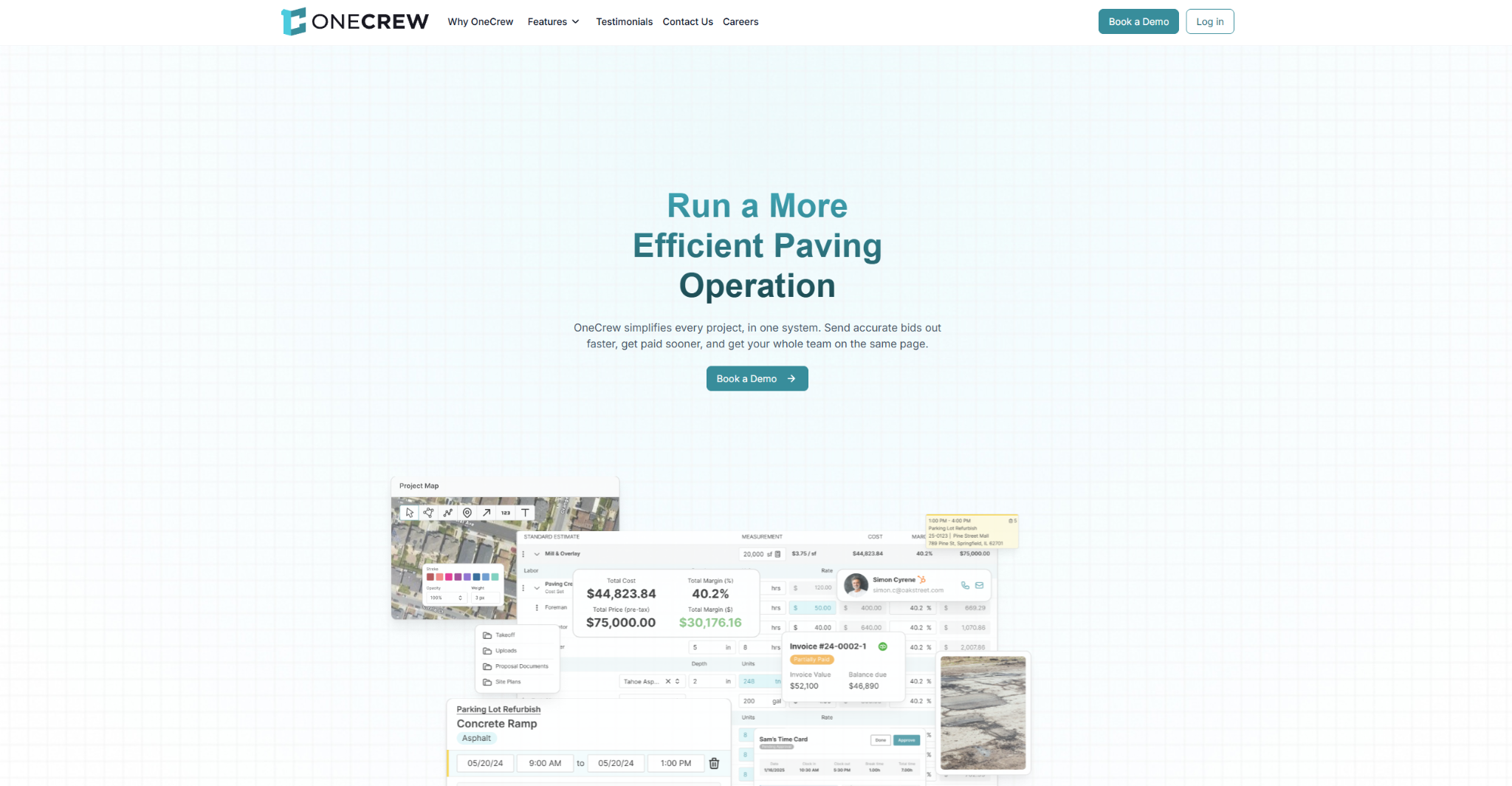
What it does: OneCrew runs paving jobs from lead capture to invoicing, with estimating, scheduling, field time, CRM, and billing in one platform for asphalt and concrete contractors.
Best for: Asphalt and concrete outfits that want payroll to start from hours already logged and approved on the job.
Payroll itself runs in one of the platforms below. OneCrew's job costing compares what you estimated against what the foreman submitted from the field, covering labor, materials, and trucking, so you can see where labor ran over on each job.
Key features
- Paving estimates: OneCrew's estimating tools calculate tonnage, materials, and trucks from areas you draw on monthly satellite images.
- Crew scheduling by service: OneCrew's scheduling feature assigns specific crew members and equipment to individual services and splits multi-phase projects across different weeks or crews.
- Field clock-in: The job site management tools put each crew's work orders on their phones, let crew members clock in and out with GPS-enabled time tracking (or foremen manage time for the whole crew), and feed approved time into job actuals.
- Client-ready proposals: OneCrew's proposal feature generates professional, branded proposals directly from your estimate.
- Property records: OneCrew's CRM stores accounts, contacts, and job sites as separate records, so work history stays with the location.
- Billing: OneCrew's invoicing tools generate invoices from the line items already in the platform and sync invoices and payments with QuickBooks in both directions.
Pros
- Made only for asphalt and concrete businesses, so it fits how paving jobs actually run
- OneCrew reports a 75% reduction in estimating time for its customers
- Sold as one full platform, so there are no modules to piece together
Cons
- Doesn't run payroll, so you still need one of the payroll platforms on this list
- Pricing isn't published, so the first number comes from a demo
- Blueprint plan takeoff is an additional fee, and Instant Takeoffs runs on credits
What users say
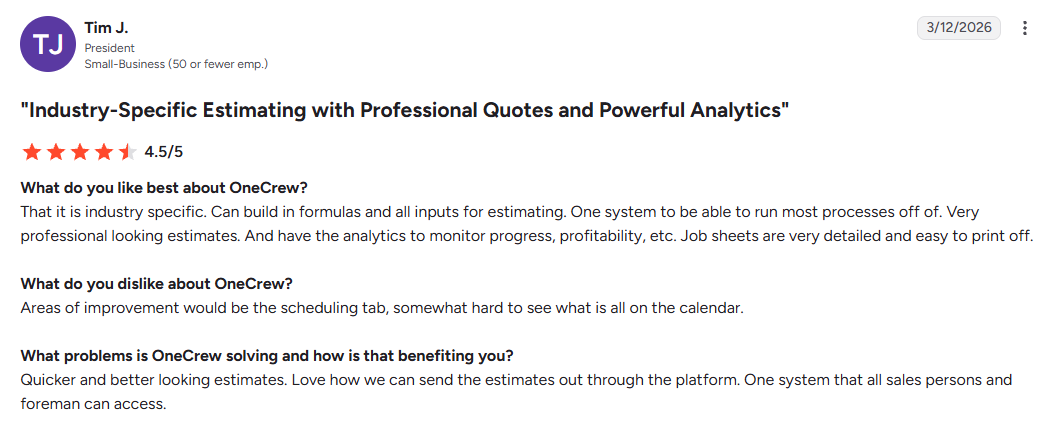
- Built for the trade: A small-business president said OneCrew feels industry-specific, with estimate formulas and inputs that produce professional-looking estimates, though the scheduling calendar was hard to read at a glance (G2, March 2026).
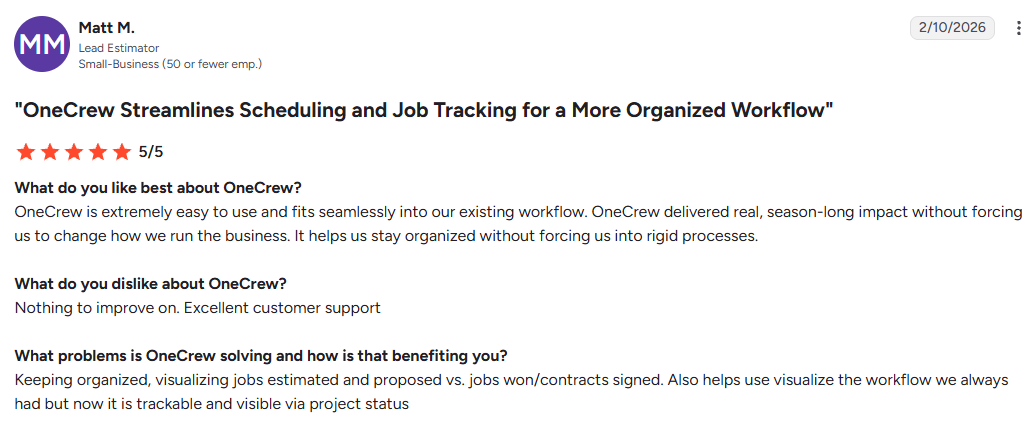
- Easy to adopt: A lead estimator called it very easy to use and said it slotted into the team's existing workflow (G2, February 2026).
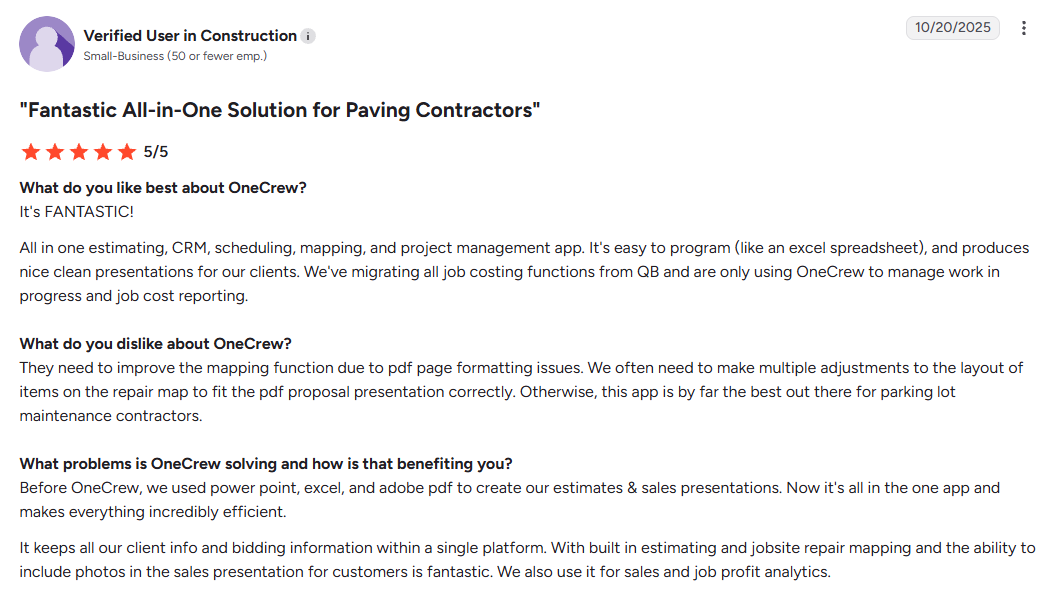
- One app for paving work: A construction reviewer who titled the review for paving contractors liked having estimating, CRM, scheduling, and mapping in one place, but wants the mapping tool to handle PDF page formatting better (G2, October 2025).
Pricing
OneCrew uses seat-based pricing that scales with company size and feature needs, and the team shares figures during a demo.
Bottom line
For commercial paving contractors who want job costing to start in the field, OneCrew is the place to capture crew hours, paired with whichever payroll pick below matches your mix of public and private work.
2. Miter: Best for Contractors Who Want Field Time, Payroll, and Certified Payroll in One System
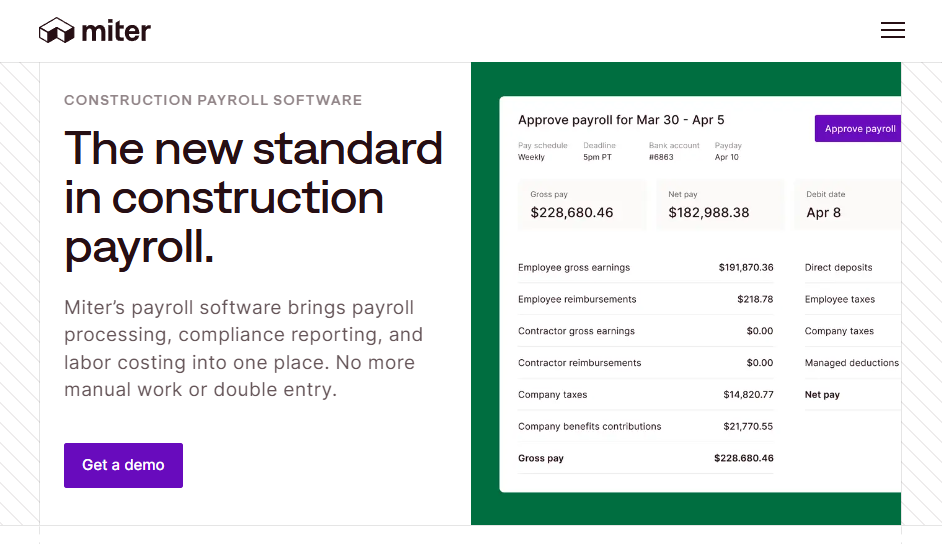
What it does: Miter runs construction payroll, field time tracking, and certified payroll reporting on one platform, applying prevailing wage, union, fringe, and tax rates by job and classification.
Best for: Contractors who bid municipal, DOT, or federally funded work and want field hours feeding payroll without a middle step.
Miter's standout is submission. It sends certified payroll straight to state portals in 11 states, including California, New York, and New Jersey, and produces exports for LCPTracker, eMars, eComply, and Elation Systems, which removes the retyping step that most platforms quietly leave on your desk.
That saves the most time when your paving project management already runs on phones and text messages.
Key features
- WH-347 generation from payroll data: Reports come out pre-filled and validated, so the Friday spreadsheet ritual disappears.
- Automatic wage determinations: Miter applies federal, state, and local prevailing wage rates by job location and classification, including mid-project rate changes and workers split across classifications in one pay period.
- Fully burdened job costing: Payroll taxes, workers' comp premiums, benefits, union fringe, and per diems get allocated to the job, phase, and cost code, which gives you a real labor number instead of gross wages.
- ERP and accounting syncs: Journal entries and burdened labor costs flow into Sage 100, 300, and Intacct, Acumatica, Oracle NetSuite, and QuickBooks, which pairs well if you run a scheduling platform that integrates with QuickBooks on the operations side.
- Mobile time entry built for crews: Hours, rates, and job tags come straight from the field, which is the only way certified payroll stops being a weekly rebuild.
Pros
- Connects to 13 accounting and ERP systems, including Viewpoint Vista and Spectrum, CMiC, and Sage
- Crews pick it up quickly, and the whole platform runs in English or Spanish
- SOC 2 Type II attested, with encryption, role-based access, and multi-factor authentication on payroll and banking data
- Direct portal submissions with full submission history retained for audits
Cons
- No published pricing, so you're booking a call before you see a number
- Younger than FOUNDATION or Sage, so fewer construction accountants already know the system
What users say
- Crew-side ratings: Miter holds 4.7 stars from about 2,700 App Store ratings, mostly from crew members using the clock-in app (App Store reviews).
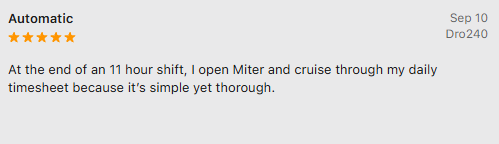
- Quick timesheets: One worker said the daily timesheet is fast to get through, even at the end of an 11-hour shift (September 2026).
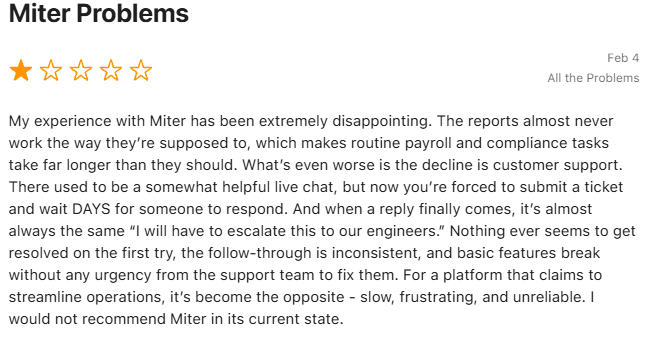
- Recent stability complaints: Eight of the 10 newest App Store reviews, posted between late August and mid-October 2026, are one-star complaints about crashes, slow loading, or kiosk mode not working.
- No admin reviews yet: Miter has no reviews on G2 or Capterra, so there's little public feedback from the people who run payroll.
Pricing
Miter doesn't publish pricing. Start at Miter's demo request page to get a scoped number.
Bottom line
If you bid public work and your crews already clock in on phones, Miter is where we'd start looking. Contractors who never touch prevailing wage will pay for compliance machinery they'll never open, and that budget usually does more good tightening up bid workflows instead.
3. FOUNDATION: Best for Contractors Who Want Payroll Inside Construction Accounting
What it does: FOUNDATION is a construction accounting platform with payroll and job costing built into the core system, plus add-on modules for mobile time tracking, project management, and equipment.
Best for: Established contractors who want one ledger, one payroll, and one job cost report without wiring three vendors together.
Payroll and job costing ship inside the platform alongside accounts receivable and purchase orders, so the sync question that eats up implementation time never comes up.
Key features
- Payroll and job costing in the base system: Labor hits the job cost report the moment payroll posts.
- Module-based pricing: You pay for the modules your business runs, so a 30-person contractor isn't buying an enterprise footprint.
- Field and operations add-ons: Mobile time tracking, service dispatch, equipment management and tracking, and project management extend the same ledger.
- Construction reporting depth: Certified payroll, union tracking, and job labor reporting come from the same engine that powers Payroll4Construction.
- Hosted cloud version: FOUNDATION Hosted is the cloud-based version of the same accounting platform.
Pros
- Payroll4Construction runs on the same platform, so you can hand payroll processing off later without switching systems
- Long track record, which means your CPA has probably seen it before
- Modular build lets you start narrow and add field tools later
- Strong union and multi-jurisdiction payroll handling
Cons
- No published pricing at all, only a custom quote after a conversation
- Several 2026 Capterra reviewers call the interface clunky or outdated
- Full accounting migration is a real project, not a weekend switch
What users say
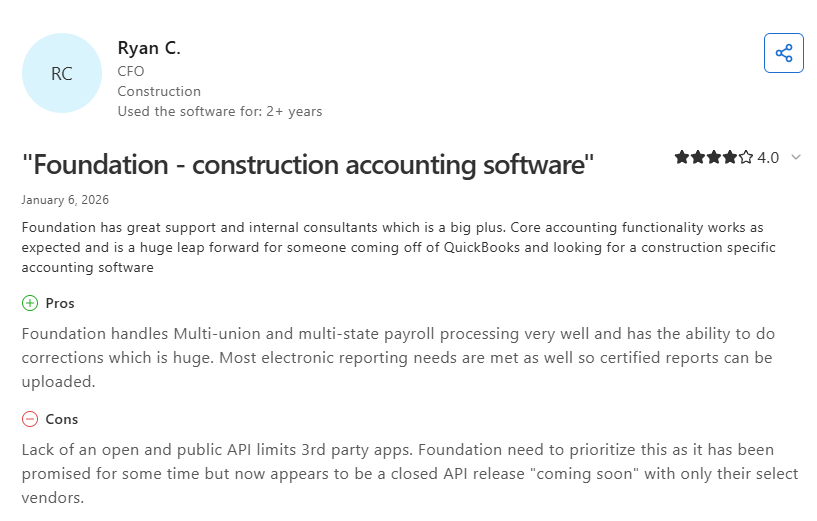
- Construction payroll depth: A construction CFO said FOUNDATION handles multi-union and multi-state payroll well and can process corrections, though the lack of an open public API limits third-party apps (Capterra, January 2026).
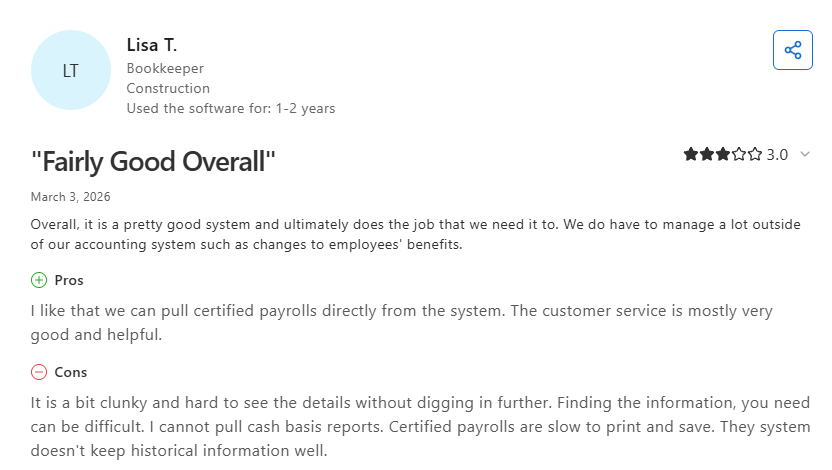
- Certified payroll in the system: A construction bookkeeper liked pulling certified payrolls directly from FOUNDATION but found them slow to print and save (Capterra, March 2026).
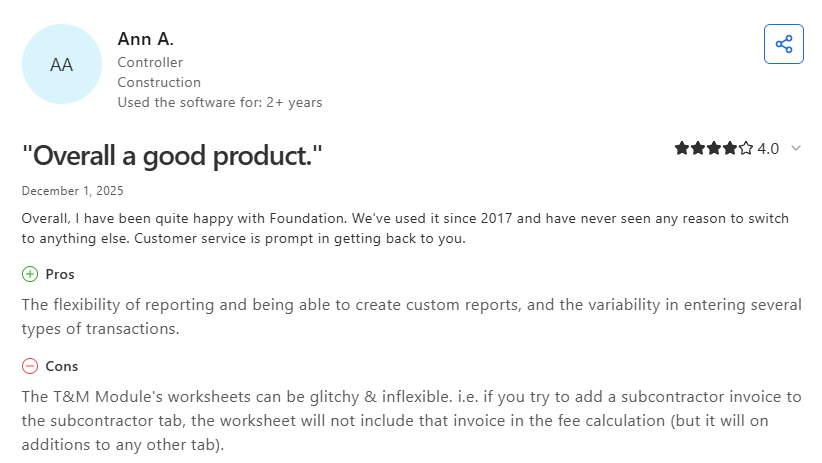
- Check union rules in the demo: A construction controller praised the custom reporting but said it turned out not to track different overtime rules for different unions, despite what the team was told before buying (Capterra, December 2025).
Pricing
FOUNDATION builds a custom quote by module. The company states plainly on its pricing page that it doesn't offer standard pricing, and that job costing, payroll, purchase orders, and accounts receivable come included, with mobile time tracking and project management available as add-ons.
Bottom line
We'd point a $10M contractor still running payroll in a spreadsheet and books in QuickBooks toward FOUNDATION, because the consolidation is worth the migration pain. If your accounting already works and payroll is the only broken piece, this is more surgery than you need.
4. Payroll4Construction: Best for Contractors Who Want Payroll Processing Handled for Them
What it does: Payroll4Construction is an outsourced construction payroll service. You submit time, and their team handles paychecks, tax filing, and construction reporting.
Best for: Contractors with a one-person back office who lose Thursday nights to payroll every week.
The service runs on FOUNDATION, so the reporting depth comes from a construction accounting engine instead of a generic payroll bureau.
Key features
- Automated rates across trades and jurisdictions: Pay rates and taxes calculate for as many trades, jobs, and tax jurisdictions as your work requires.
- Full-service processing: Direct deposit, paychecks, W-2s, and automatic electronic tax filing all come with the service.
- 40+ construction reports: Certified payroll, EEO minority compliance, new hire, workers' comp, union tracking, job hour variance, and job labor reports.
- Complex payroll handling: Prevailing wage rates and union fringes come standard with the service.
- Unlimited support from construction payroll people: You call and get someone who knows what a wage determination is.
Pros
- Payroll stops being your job, which is the entire point
- Run payroll from an online account or submit timecards from the mobile app
- Natural fit if you already run FOUNDATION accounting
- Quoted price covers everything needed to run payroll, with no à la carte add-ons
Cons
- You work on their processing calendar, so last-minute time corrections get awkward
- Less hands-on control than running payroll in-house
- No published price list, so you only see a number after entering contact details, employee count, and pay frequency
- Outsourcing means one more relationship to manage when something goes sideways
What users say
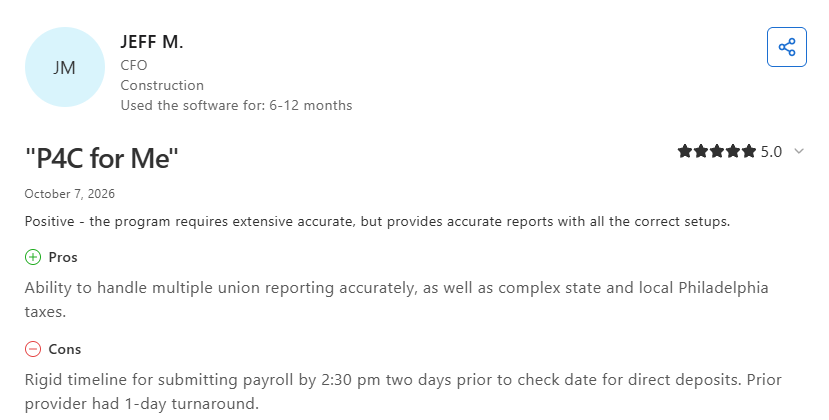
- Union and local taxes handled: The CFO of a small construction company said the service handles multiple union reports and Philadelphia's complex state and local taxes accurately, but the 2:30 p.m. cutoff two days before payday for direct deposit is rigid (Capterra, October 2026).
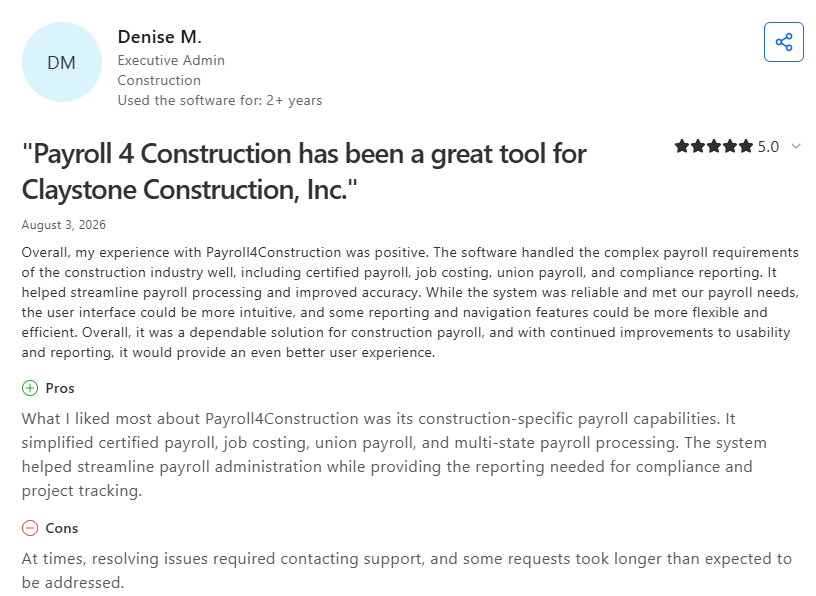
- Simpler certified payroll: An executive admin at a construction firm said it simplified certified and union payroll, though some requests took longer than expected to resolve (Capterra, August 2026).
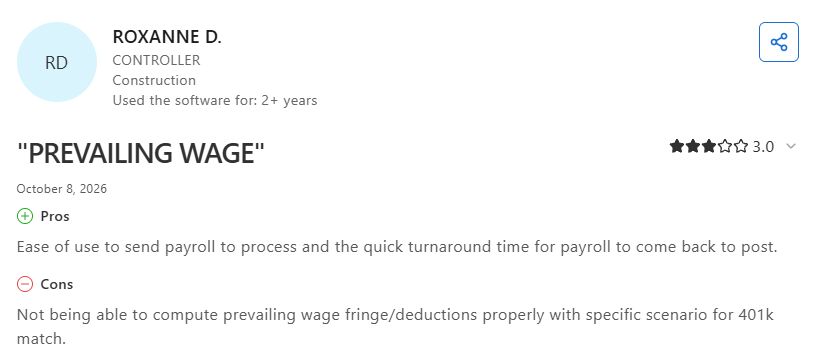
- A prevailing wage edge case: A construction controller liked how easy it is to send payroll and how quickly it comes back, but said it couldn't calculate prevailing wage fringe and deductions correctly for one 401(k) match setup (Capterra, October 2026).
Pricing
Payroll4Construction doesn't list prices, but its quote form shows custom pricing right after you submit your employee count, pay frequency, and company details. You can also book a live demo.
Bottom line
For a contractor whose office manager wears five hats, handing payroll to specialists buys back real hours. Contractors who want to own the process, tinker with cost codes, and run corrections at 9 p.m. will find the handoff frustrating.
5. eBacon: Best for Open-Shop Contractors Managing Prevailing Wage and Fringe
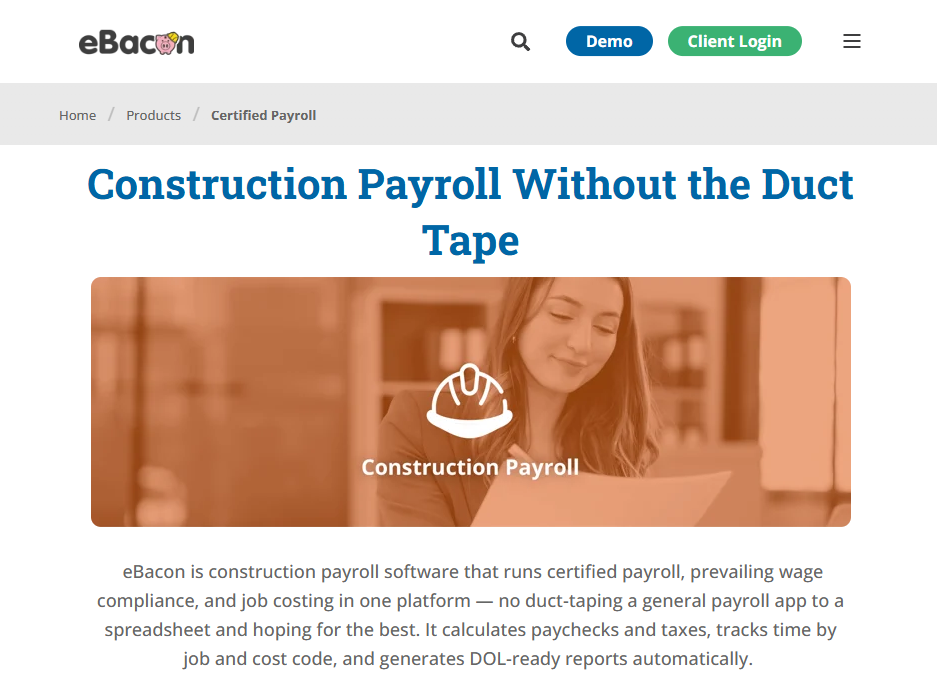
What it does: eBacon runs construction payroll, certified payroll, fringe benefit management, and job costing on one platform, with field time captured against jobs and cost codes.
Best for: Open-shop contractors on Davis-Bacon work who want fringe handled automatically.
eBacon generates the WH-347 from the same payroll run. The company also says it keeps more than 187,000 pre-loaded wage determinations that auto-assign classifications and pay rates.
Key features
- Automatic fringe annualization: eBacon handles the math on fringe credits for benefits that also cover private work, which is exactly where open-shop contractors get burned by hand calculations.
- Smart fringe management: eBacon operates a bona fide fringe trust the company says reduces payroll taxes and workers' comp costs while letting workers pick benefits.
- Restitution tooling: When you need a correction, payroll records update and corrected certified payroll reports regenerate without a full manual recalculation.
- Garnishment priority handling: Court orders calculate inside payroll with the correct order of priority applied automatically.
- Unlimited payroll runs and GL export: Pay on whatever schedule the job requires, and push a customizable general ledger import into your accounting platform.
Pros
- Onboarding, I-9/E-Verify, certification and training tracking, and employee records sit on the same platform as payroll
- Job-costed time captured in the field, tied to cost codes the moment payroll runs
- Federal and state tax filing handled without a separate tax service
Cons
- The fringe trust excludes union work, so all-union crews get certified payroll and the rest of the platform without the trust savings
- No published pricing, and eBacon notes that industry or location can limit some offerings
- Narrower than the full HR platforms if you also want hiring and performance tools
What users say
- Few recent reviews: eBacon has just one public review from 2025 or 2026 across G2 and Capterra, which is too thin to sum up. Ask for current construction references during the demo.
Pricing
eBacon publishes no pricing on its site, and its demo request form asks for your employee count and the share of your payroll that's certified. Request a number through the eBacon demo page.
Bottom line
Open-shop paving contractors running federally funded work should shortlist eBacon on the fringe handling alone. All-union contractors and private-work-only shops have better-matched options above and below.
6. Arcoro: Best for Contractors Who Need Hiring, HR, and Payroll Together
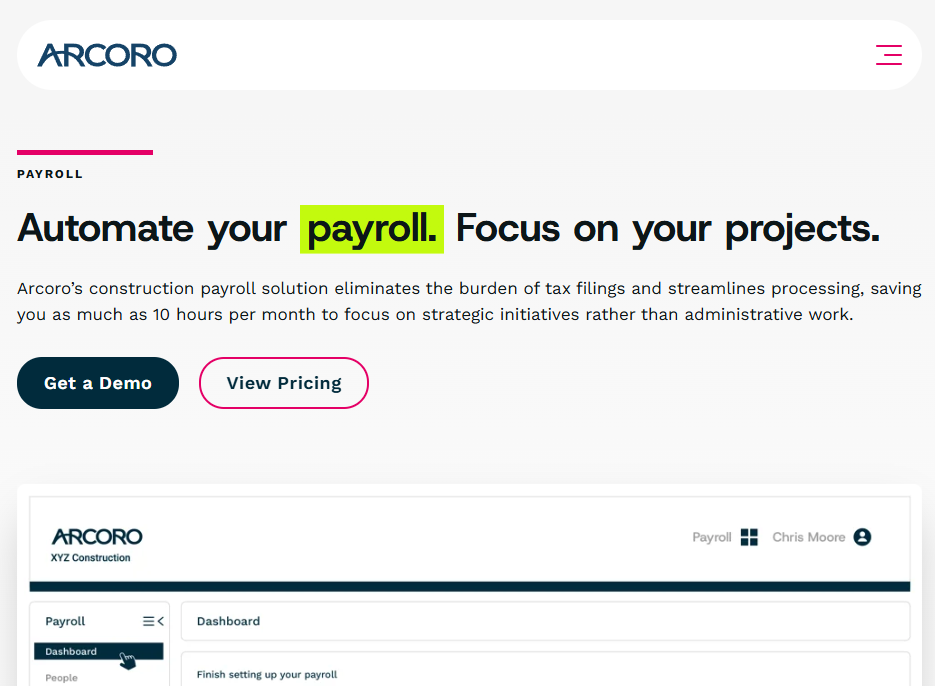
What it does: Arcoro is a construction HR platform that bundles applicant tracking, onboarding, time tracking, HRIS, benefits, and payroll, with certified payroll data exports for WH-347 and LCPTracker.
Best for: Contractors hiring fast who want recruiting, onboarding, and payroll on one platform, especially on Sage, Viewpoint, CMiC, or Acumatica.
Arcoro's real strength is breadth across the employee lifecycle. The company says more than 7,000 companies run on Arcoro, and it advertises more ERP integrations than any other construction HR provider.
Key features
- Automated tax filing: Monthly, quarterly, and annual filings across jurisdictions happen on Arcoro's side.
- Construction compliance tools: Automated prevailing wage rate-setting, certified payroll exports for WH-347 and LCPTracker reporting, multi-state taxation, and union-specific deductions.
- General ledger mapping: Payroll line items map to location, job codes, and cost categories for cleaner cost analysis.
- Time tracking connected to payroll: Field hours feed payroll directly, which produces usable labor cost data for forecasting.
- Deep ERP integration list: Sage 100, 300, and Intacct, Viewpoint Spectrum and Vista, CMiC, Acumatica, and FOUNDATION.
Pros
- Hiring through payroll on a single platform, useful when seasonal ramp-up hits in May
- Construction-specific compliance instead of a general HR tool with a hard hat sticker on it
Cons
- Certified payroll comes out as WH-347 PDFs or CSVs, or as a file formatted for upload to LCPTracker, so someone on your team still owns the submission
- No published figures, only a custom proposal
- Breadth can mean buying more platform than a 20-person shop will ever use
- Payroll is one module among many, so the payroll experience feels less specialized than Miter's or eBacon's
What users say
- No recent contractor reviews: Arcoro's 2026 Capterra reviews come from outside construction, so read them as general HR and payroll feedback.
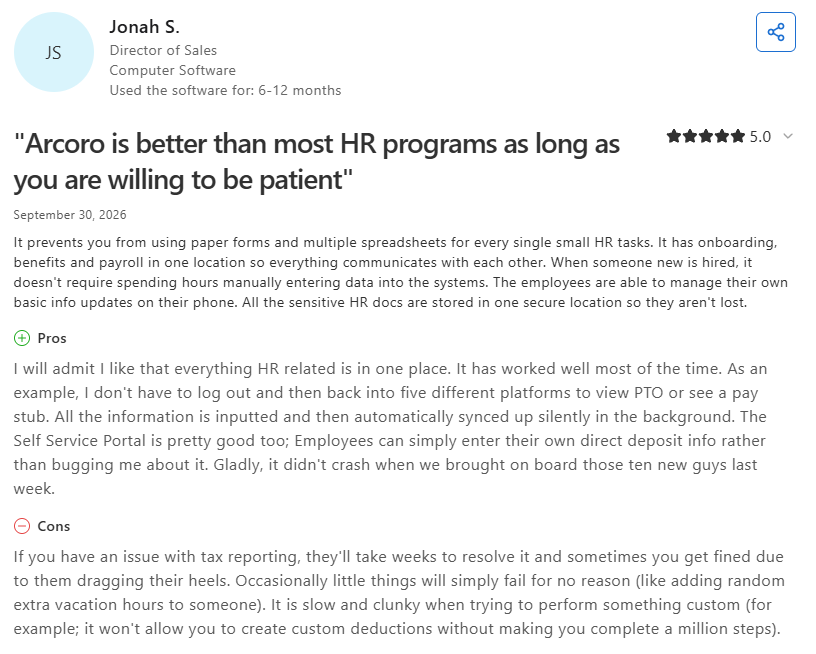
- One login for HR and pay: A sales director at a tech company liked seeing PTO and pay stubs without switching between five platforms, but said tax reporting problems took weeks to fix and sometimes led to fines (Capterra, September 2026).
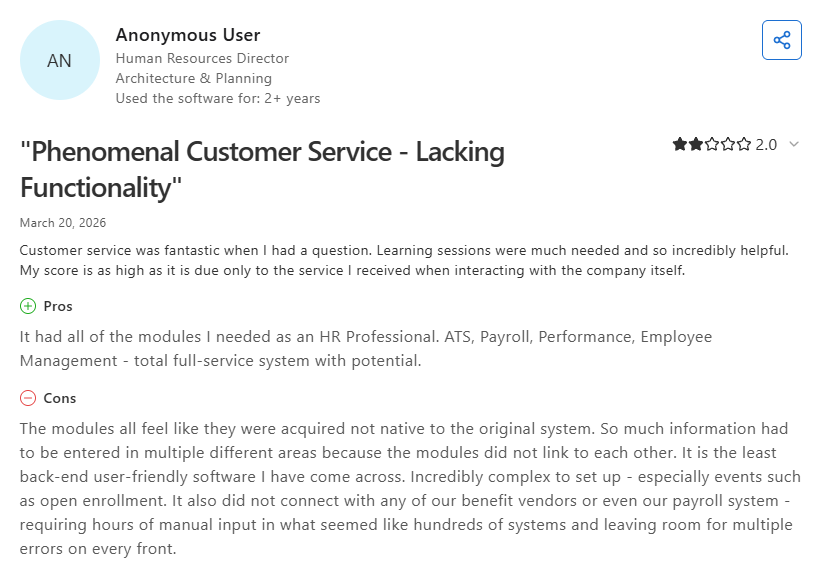
- Modules that don't connect: An HR director at an architecture firm saw full-service potential but said the modules felt bolted on and didn't connect with the firm's benefit vendors or payroll system (Capterra, March 2026).
Pricing
Arcoro builds a custom proposal from a short questionnaire on team size, current ERP, and workforce challenges. Its pricing page publishes no figures.
Bottom line
If your bottleneck is hiring and onboarding as much as payroll, Arcoro solves both at once. Contractors who only need payroll and certified reports will get more per dollar from a dedicated construction payroll platform.
7. ADP Workforce Now for Construction: Best for Larger Contractors Who Want Payroll and HR From One Provider

What it does: ADP Workforce Now for Construction is ADP's all-in-one HR and payroll platform built for construction companies.
Best for: Contractors with 50 or more employees who also want benefits and workers' comp handled by their payroll provider.
More than 20,000 construction companies choose ADP, according to its construction page. For WH-347 and state-specific forms, ADP's Marketplace also sells third-party add-ons, including Points North.
Key features
- Prevailing wage and union rates: ADP auto-assigns union wage and benefit rates, including prevailing or fringe rates for Davis-Bacon projects.
- Certified payroll reporting: ADP says the platform creates certified payroll reports for government agencies automatically.
- Multi-site, multi-state hours: Hours get captured across job sites and states, and labor costs feed job costing.
- Mobile clock-in: Crews clock in from the field on ADP's mobile app, which supports geofencing.
- Workers' comp without a deposit: ADP offers workers' comp with no upfront premium deposit, alongside benefits and HR.
Pros
- Recent reviewers credit it with handling tax filings and withholdings across multiple states
- Employee self-service lets crews pull pay stubs, W-2s, and PTO balances themselves
- ADP's Construction Center of Excellence gives you support staff who know construction payroll
Cons
- Recent Capterra reviews describe a dated interface with reports that are hard to find
- Glitches and slow, laggy screens are common complaints
- Reviewers describe support as slow or inconsistent, with long holds and transfers
- No published pricing, and automated time tracking is limited to the Premium plan
What users say
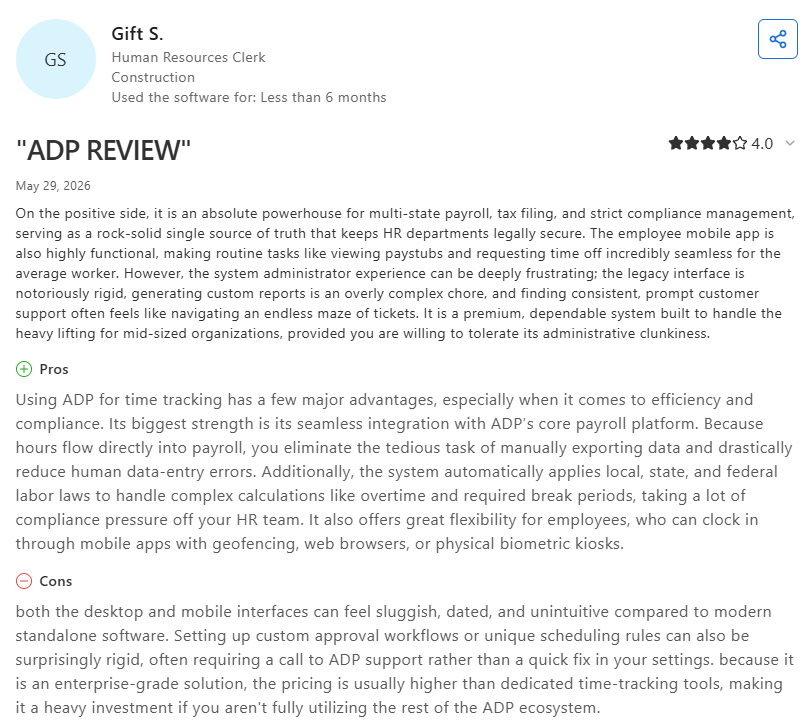
- Strong on multi-state payroll: An HR clerk at a 51–200-person construction company praised ADP for multi-state payroll, tax filing, and compliance, while calling custom reports a chore to build (Capterra, May 2026).
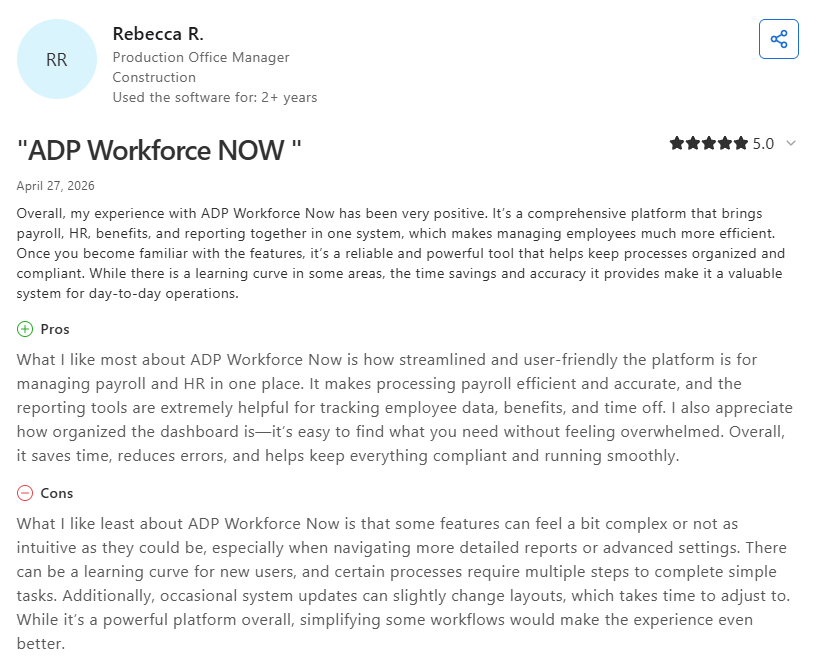
- Accurate but click-heavy: A construction production office manager who moved over from Paychex said payroll runs efficiently and accurately, though simple tasks can take several steps (Capterra, April 2026).
Pricing
ADP doesn't publish pricing for Workforce Now for Construction. Plans for companies with 50 or more employees come in Select, Plus, and Premium editions, and each one is quoted through ADP's Get Pricing form.
Bottom line
For a contractor past 50 employees that would rather manage one vendor than several, ADP is the familiar choice. Smaller crews will get more from a construction-only pick on this list.
8. Points North Certified Payroll Reporting: Best for Adding Certified Payroll to Payroll You Already Run
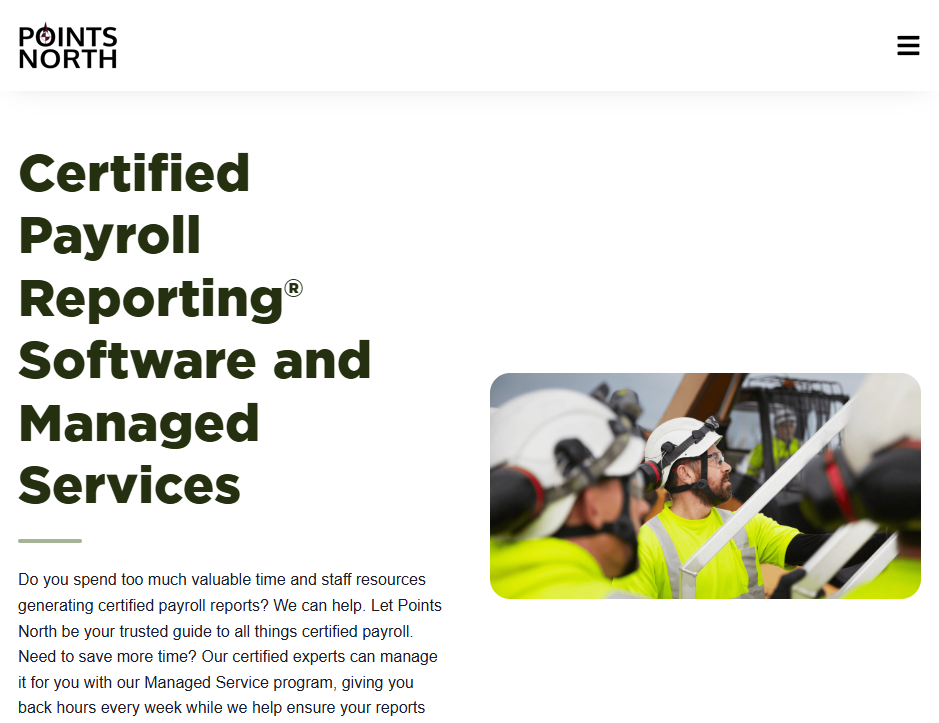
What it does: Points North Certified Payroll Reporting sits on top of the payroll system you already run and generates certified payroll reports, with a managed service option where their team produces and submits them for you.
Best for: Contractors who like their payroll platform and only need the weekly reporting burden gone.
This is the one pick here that replaces nothing. You keep your payroll platform, and Points North handles the reporting layer on top of it, either as a program your office runs or as a managed service that moves the work off your calendar.
Key features
- Payroll-agnostic reporting: Connects directly to ADP, UKG, Workday, Rippling, Paycor, Paychex, QuickBooks, Deltek, and Greenshades, and imports payroll data from other sources.
- Submission to any portal: Reports go to federal, state, and municipal agencies regardless of which electronic portal each one uses.
- Managed service option: Their certified payroll experts generate weekly reports per government-funded project and submit them directly to the agencies.
- Email distribution per project: Build a recipient list for each project and attach multiple reports to one email.
- Indefinite report retention: Past reports stay available, which is what you want when an audit letter shows up two years later.
Pros
- Keeps the payroll platform your bookkeeper already knows
- Managed service is the closest thing here to making the problem someone else's
- Compliance statements and no-work reports handled alongside the weekly reports
- The managed service also sources wage rates and keeps your rate tables current when rates change
Cons
- Doesn't run payroll, so it's a second subscription on top of your first
- Reports are only as accurate as the payroll and time data you send in
- No pricing on its own site, so anyone not on ADP payroll has to ask for a quote
- One more vendor relationship and one more login for your office staff
What users say
- Thin review record: Points North's only public review from the past year came through a vendor invite, so there's too little recent feedback to summarize. Ask for references from contractors on the same payroll system you run.
Pricing
Points North doesn't list pricing on its own site, but its ADP Marketplace listings do:
- RUN Powered by ADP: $175 a month plus $7.50 per report, with a one-time setup fee of $995 to $4,995 depending on headcount
- ADP Workforce Now: $375 to $475 a month plus $7.50 per report, with a $4,995 to $6,995 setup fee
For other payroll systems or the managed service, request a quote through the Points North contact page.
Bottom line
If your payroll runs fine and certified payroll is the only reason you're shopping, adding a reporting layer beats replacing a working system. Contractors with messy time data should fix that upstream first, because this tool reports what you feed it.
9. QuickBooks Workforce: Best for Small Crews Already Running Their Books in QuickBooks
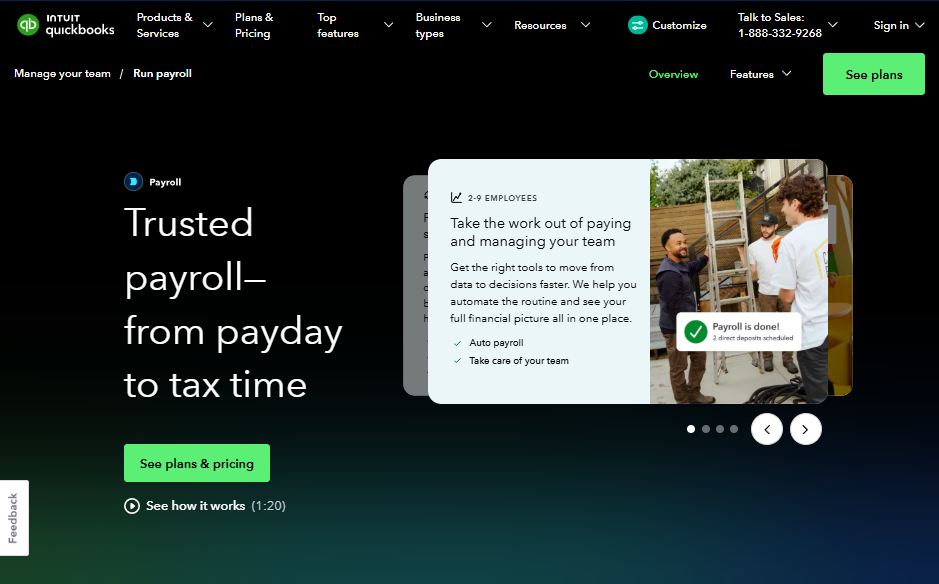
What it does: QuickBooks Workforce (formerly QuickBooks Online Payroll) runs full-service payroll with automatic federal and state tax filing, and adds employee time tracking on the Premium and Elite plans.
Best for: Small paving and concrete crews who already keep their books in QuickBooks and bid prevailing wage work occasionally instead of every week.
For a six-person crew, this covers payday well.
Key features
- Full-service payroll: QuickBooks calculates, files, and pays payroll taxes, and handles garnishments and deductions per paycheck.
- Direct deposit speed by plan: Next-day deposit on Workforce Payroll, same-day on Premium and Elite.
- Certified payroll on the higher plans: Workforce Premium and Elite produce a federal WH-347 report after you set up projects, a weekly pay schedule, and custom pay types for each job classification, and parts of the report still need manual entry.
- Time tracking bundled higher up: Time tracking comes with Premium and Elite, with geofencing and project estimates versus actuals on Elite.
- Workers' comp administration: Pay-as-you-go coverage through a connected policy, with automatic calculations.
- Tax penalty protection on Elite: Intuit covers IRS penalty fees and interest up to $25,000 a year, with terms.
Pros
- Prices are public on Intuit's site, so you can budget without a sales call
- Already wired into the books your bookkeeper opens every morning
- No annual contract required, and you can cancel anytime (effective at the end of the billing period)
- Time tracking included at Premium and above instead of sold separately
Cons
- Intuit's certified payroll setup applies to Premium and Elite, and any worker who covers more than one job classification on a project needs two custom pay types per classification (standard time and overtime), each with an hourly rate you type in
- Qualified overtime tracking gets entered manually on custom overtime rates, so the weekly step never fully disappears
- No prevailing wage rate database, so wage determinations and union fringe math stay with your office manager
- Per-employee fees climb quickly once you're paying 40 field workers seasonally
- Job cost detail is thinner than anything construction-specific on this list
What users say
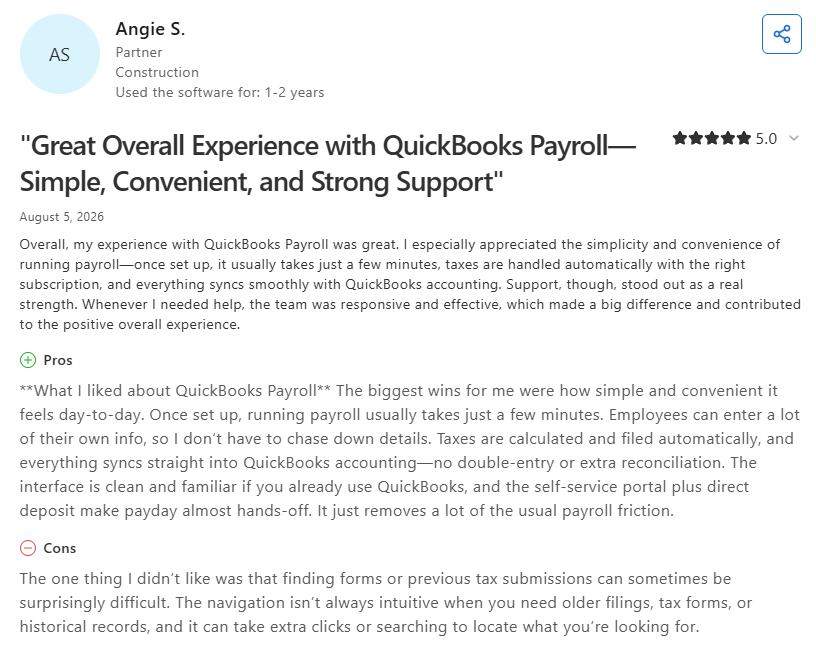
- Fast payroll runs: A construction company partner said payroll takes a few minutes once it's set up, with taxes filed automatically and everything syncing into QuickBooks accounting, but old forms and past tax filings can be hard to find (Capterra, August 2026).
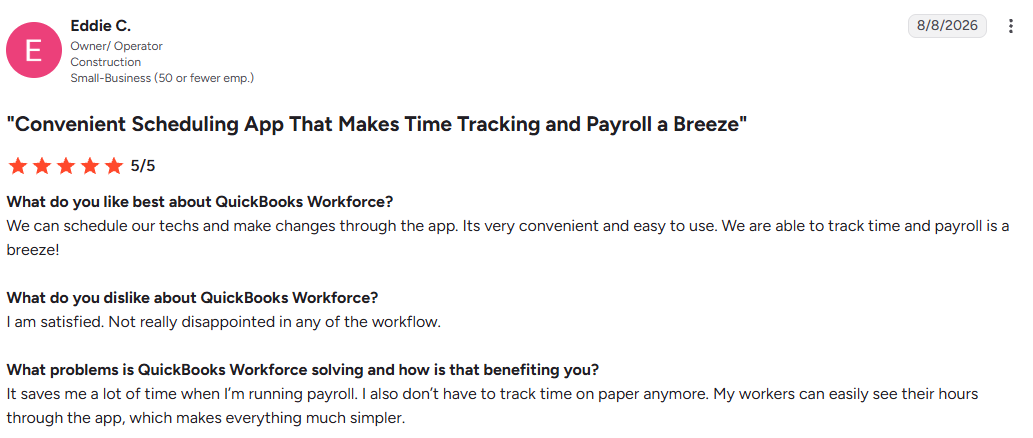
- Time tracking for small crews: A construction owner-operator with a small team said scheduling techs and tracking time in the app makes payroll easy (G2, August 2026).
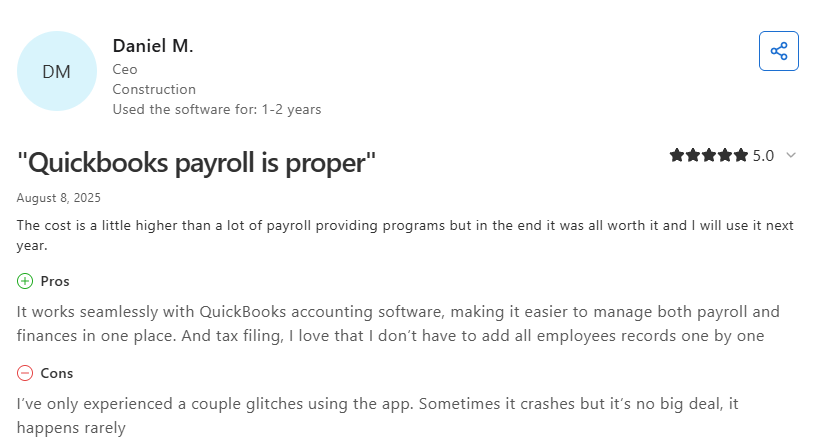
- Price and stability: A construction CEO liked running payroll and finances in one place but found the price higher than other payroll programs and saw occasional crashes (Capterra, August 2025).
Pricing
Intuit publishes payroll pricing openly. On its official pricing page, payroll-only plans run $50 a month plus $7 per employee for Workforce Payroll, $88 a month plus $13 per employee for Workforce Premium, and $134 a month plus $17 per employee for Workforce Elite.
Bundles that include QuickBooks accounting start at $88 a month plus $7 per employee. Intuit was offering 50% off base fees for the first three months as of October 2026, so check current terms before you budget.
Bottom line
We'd keep a small crew already on QuickBooks right here and spend the savings elsewhere. Once prevailing wage work turns into a weekly routine, the manual classification setup starts costing more office hours than a construction platform would.
Which Construction Payroll Software Should You Choose?
Start with how much public work you bid now, and how much you plan to bid next year.
Choose OneCrew if you:
- Run commercial asphalt or concrete jobs and need field time approved before it reaches payroll
- Want estimates, schedules, and invoices in one platform
- Use QuickBooks Online and want invoices and payments to sync without double entry
Choose Miter if you:
- Bid municipal, DOT, or federally funded jobs regularly
- Want field hours, payroll, and WH-347 submission in one platform
- Have workers who split classifications and jobs inside a single week
Choose FOUNDATION if you:
- Want payroll, job costing, and accounting sharing one database
- Are ready for a real accounting migration to get consolidation
- Value a long track record your CPA already recognizes
Choose Payroll4Construction if you:
- Have a small office staff and no time to process payroll in-house
- Want to submit timecards and let a service handle the rest
Choose eBacon if you:
- Run nonunion crews on federally funded jobs
- Want fringe credits annualized automatically
Choose Arcoro if you:
- Hire seasonally and want applicant tracking and onboarding tied to payroll
- Need HR tools that sync with a construction ERP
Choose ADP Workforce Now for Construction if you:
- Employ 50 or more people and want one company behind payroll and HR
- Pay union or Davis-Bacon rates across several states
Choose Points North if you:
- Want to keep the payroll you run today
- Need weekly certified payroll reports built and submitted for you
Choose QuickBooks Workforce if you:
- Already keep your books in QuickBooks and want payroll sitting next to them
- Bid prevailing wage jobs occasionally instead of every week
- Want a published price you can budget against today
Skip a construction payroll platform entirely if:
- You pay fewer than five people and never touch prevailing wage
- Your CPA already runs payroll as part of a bookkeeping package that works
- You're mid-season with no bandwidth for implementation, in which case revisit this in November
Final Verdict on Construction Payroll Software
For commercial asphalt and concrete paving contractors, the payroll decision starts with where the hours come from. OneCrew doesn't run payroll, but it captures approved crew hours against each job, so whichever payroll platform you pick starts from hours you can trust.
From there, match the construction payroll platform to the work you bid:
- Miter: Regular public work
- FOUNDATION: Rebuilding the back office around construction accounting
- eBacon: Open-shop fringe
- Arcoro: Hiring is the bottleneck
- ADP Workforce Now for Construction: Larger contractors that want one HR and payroll provider
- Payroll4Construction: Outsourcing payroll to construction specialists
- Points North: Adding certified payroll to payroll that already works
- QuickBooks Workforce: Small crews already on QuickBooks
Track Crew Hours by Job With OneCrew
If Friday payroll still starts with a group text and a stack of paper tickets, fix it in the field. OneCrew gives commercial asphalt and concrete paving contractors, including sealcoating, striping, and crack-filling crews, one platform for the work behind every paycheck.
Crews clock in from their phones against each job, and approved time lands in that job's actuals.
Your payroll platform still runs the checks. OneCrew makes sure the hours and job costs behind them trace back to real work, so labor overruns show up before you bid the next job. Book a demo to see it with your own crews.
FAQs
1. What is construction payroll software?
A construction payroll platform calculates and files payroll using construction-specific rules: prevailing wage rates by job and classification, union fringe packages, multi-state taxes, and labor costs tagged to jobs and cost codes. General payroll platforms handle paychecks and tax filing well, and most stop short of certified payroll reporting.
2. How much does construction payroll software cost?
Most construction payroll vendors don't publish pricing, and quotes vary with employee count and the modules you choose. QuickBooks Workforce is the only pick here with full pricing on its own site, starting at $50 a month plus $7 per employee per month on Intuit's official pricing page.
3. What is the difference between certified payroll and regular payroll?
The main difference between certified payroll and regular payroll is the weekly report. Certified payroll is a payroll report for each workweek listing every worker's classification, hours, pay rates, fringe benefits, and deductions, with a signed Statement of Compliance attached. On federally funded work, it's filed weekly with the contracting agency or the agency's grantee (such as the state DOT or city); subs file through the prime, and state-funded jobs use the state's own forms and schedule. Regular payroll pays your crew and files taxes with no report attached.

