
7 Best Construction Crew Scheduling Software I Tested for Contractors (2026)

After testing construction crew scheduling software across real contractor workflows, a few tools clearly stood out. OneCrew, Connecteam, and Workyard lead the pack in 2026 because they each solve a core problem contractors deal with daily.
OneCrew is the best fit for paving contractors who need estimating, scheduling, and job tracking in one system. Connecteam is the simplest way to schedule crews and keep everyone connected, while Workyard is ideal if your priority is accurate time tracking.
7 Best Construction Crew Scheduling Software: At a Glance
How I Tested These Construction Crew Scheduling Software Options
To find the best options, I evaluated each platform across six key criteria and put them through real-world construction scenarios.
What I looked for:
- Scheduling usability: How easy is it to create, modify, and communicate crew schedules? Can field workers access schedules from their phones without confusion?
- Time tracking accuracy: Does the tool offer GPS, geofencing, or other verification to prevent time theft and ensure accurate job costing?
- Construction-specific fit: Is the platform designed for construction workflows, or is it a generic tool marketed to contractors? (This matters for crews running line striping equipment.)
- Accounting integration: Does it connect to QuickBooks, Xero, or similar accounting platforms to reduce manual data entry?
- Mobile experience: Field workers aren't sitting at desks. The mobile app needs to work well on-site, even with spotty connectivity.
- Pricing transparency: Are costs clear upfront, or do hidden fees emerge after onboarding?
My testing process: I signed up for demos and free trials, then tested each platform against real scenarios: multi-site crew management, last-minute changes, and labor cost tracking.
1. OneCrew: Best Construction Crew Scheduling Software for Paving Contractors
OneCrew is an all-in-one platform built specifically for paving contractors that covers everything from lead intake and estimating to crew scheduling, invoicing, and analytics.
Best for: Any commercial asphalt and concrete contractors who need a single system to replace the patchwork of spreadsheets, whiteboards, and disconnected apps they're currently juggling.
Most construction crew scheduling software treats paving like any other trade. OneCrew doesn't. It was purpose-built for how paving contractors actually work, from estimating off maps and PDFs to assigning crews across job phases and tracking project costs through final invoice.
Key features
- Estimating from PDFs and maps: Upload blueprints or use satellite imagery to measure and build estimates with labor, material, equipment, and sub-line items. Built-in calculators speed up the process dramatically, with some customers cutting million-dollar bids down to 10-minute tasks.
- Crew and role assignments: Assign specific crews and roles to individual job phases. This gives your team clarity on who's doing what, where, and when, reducing the miscommunication that causes jobs to fall through the cracks.
- Project tracking across phases: Track every job through pre-construction, production, and billing. You can see where each project stands without calling the site or chasing updates.
- Customer portal: Your clients can view and sign proposals, pay invoices, share documents, and communicate through a built-in portal. It's a big differentiator that most competitors don't offer.
- QuickBooks integration: Invoicing and payment data syncs directly with QuickBooks Online, so you avoid double-entry on the financial side.
Pros
- Designed specifically for paving workflows. You won't find generic features crammed into a construction template. Every tool maps to how asphalt and concrete contractors operate daily.
- Replaces 4 to 7 disconnected tools with one unified platform. Lead management, estimating, scheduling, dispatch, job costing, invoicing, and analytics all live in one place.
- Reduces estimator training time from months to weeks. New hires can produce accurate bids in about two weeks because the system guides the process, compared to the 6 to 12 months it takes with no system in place.
- Independent ownership. OneCrew isn't owned by a private equity rollup that also acquires paving companies. Your data stays yours, with zero conflict of interest.
Cons
- Doesn't include accounting. You'll still need QuickBooks or a similar tool for your books, though the integration keeps things connected.
- No free trial available. OneCrew uses hands-on demos instead, where you screen-share and explore the platform with their team. It's more involved than a self-serve trial, but it means you get proper onboarding from day one.
What users say
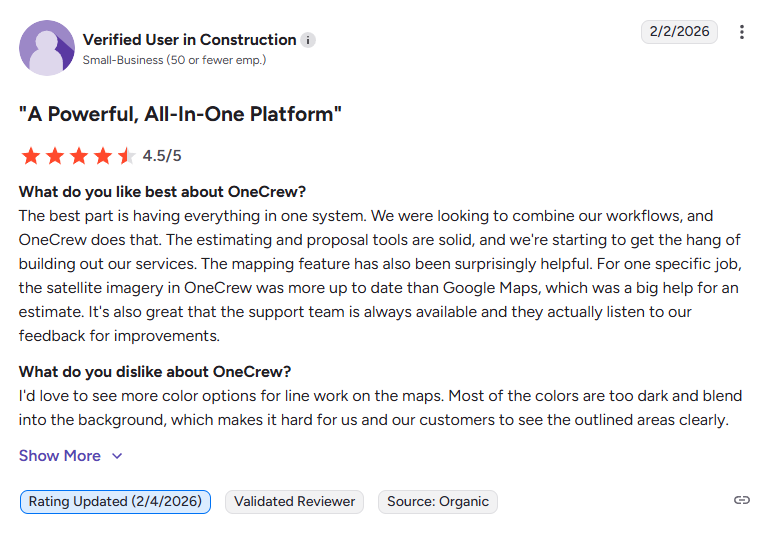
- Easy setup and workflow fit: OneCrew is easy to adopt and fits naturally into existing workflows without forcing major operational changes. It helps teams stay organized throughout the season while maintaining flexibility, backed by responsive customer support. (G2, February 2026)
- Strong estimating and analytics tools: OneCrew stands out for its industry-focused estimating tools, allowing teams to build detailed, professional quotes with custom formulas. It also provides strong analytics for tracking performance and profitability, along with clear and printable job documentation. (G2, March 2026)
Pricing
OneCrew uses seat-based pricing that scales based on your company size and feature needs. Book a demo to get a personalized quote.
Bottom line
If you're a paving contractor and you've been trying to make general construction crew scheduling software work for your business, OneCrew is worth a serious look.
It's the only platform on this list built from the ground up for project-based asphalt and concrete work. The biggest ROI comes when you commit to the full platform (not just estimating), because that's where the data flow and time savings really compound.
Extra tip: If you're still building bids manually, using structured templates like a paving estimate template or an asphalt paving proposal template shows how much time the right system can save.
2. Connecteam: Best Construction Crew Scheduling Software for Team Communication
Connecteam is a workforce management app that combines employee scheduling, time tracking, communication, and HR tools in one mobile-first platform.
Best for: Construction companies of all sizes that need a simple, affordable way to schedule crews, track hours, and communicate with field workers who aren't sitting at desks.
Connecteam isn't built specifically for construction, but it does construction crew scheduling well, especially if your primary need is getting the right people to the right site and making sure they clock in on time.
The mobile app is clean and intuitive for crews who aren't tech-savvy. It’s easy to align roles and expectations using benchmarks like a paver operator salary.
Key features
- Drag-and-drop scheduling with shift templates, recurring schedules, and open shifts that workers can claim
- GPS-enabled time clock with geofencing to prevent off-site clock-ins and buddy punching
- In-app chat and updates feed so you can reach every crew member without a group text chain
- Forms and checklists for safety inspections, daily logs, and job site reports
Pros
- Free plan for teams up to 10 users makes it one of the most accessible options for small crews
- Clean mobile experience that field workers pick up quickly
- Covers scheduling, time tracking, and communication in one app, reducing tool sprawl
Cons
- Not construction-specific. It won't handle estimating, job costing, or project management the way industry-specific tools do.
- Pricing can climb quickly once you exceed 30 users and start adding hubs (Operations, Communications, HR are priced separately)
- No resource or equipment scheduling. You're tracking people, not machines.
What users say
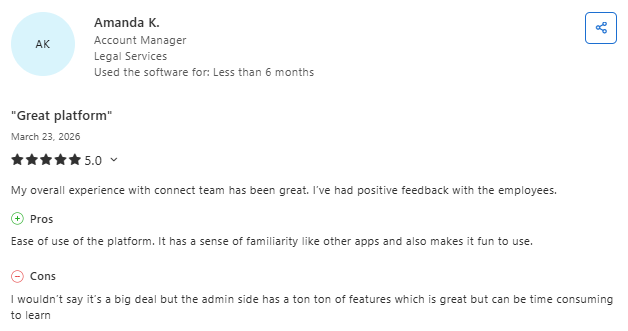
- Flexible features and real-time updates: Connecteam offers a wide range of customizable features that adapt to different business needs. Teams benefit from real-time schedule updates and the ability to request time off directly through the app, improving communication and efficiency. (Capterra, March 2026)
- Easy to use but complex admin setup: The platform is intuitive and familiar, making it easy for teams to adopt and use daily. However, the admin side includes many features, which can take time to learn and navigate efficiently. (Capterra, March 2026)
Pricing
Connecteam offers a free Small Business Plan for up to 10 users. Paid plans start at $29/month (billed annually) for up to 30 users on the Basic plan, scaling to $49/month (Advanced) and $99/month (Expert). Each hub (Operations, Communications, HR & Skills) is priced separately, so costs add up if you need all three. See full pricing here.
Bottom line
Connecteam is a strong pick if your main challenge is scheduling shifts, tracking hours, and keeping your crew connected. It won't manage your bids or track project costs, but for pure construction crew scheduling software focused on workforce management, it delivers strong value.
3. Workyard: Best Construction Crew Scheduling Software for GPS Time Tracking
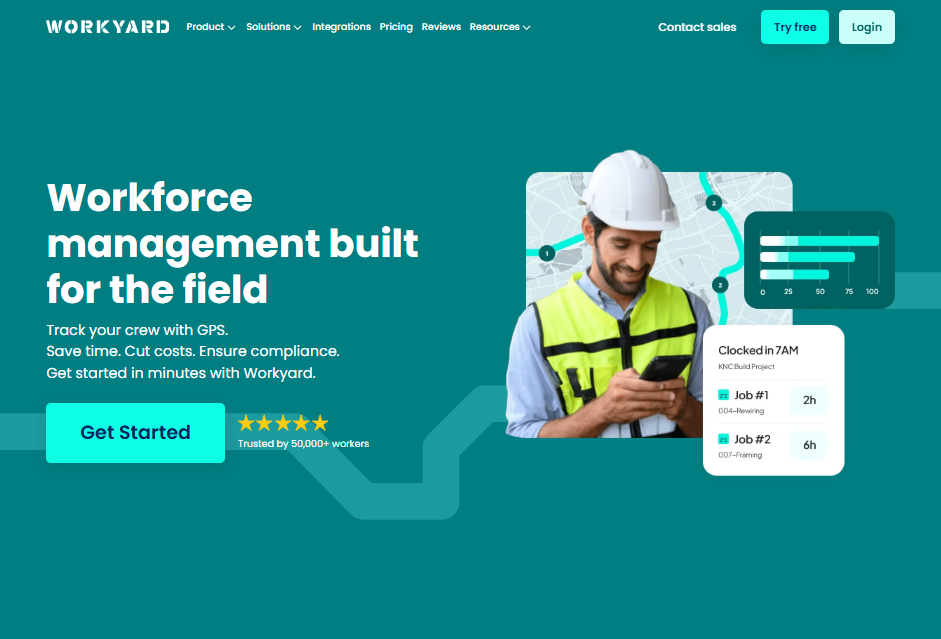
Workyard is a GPS time tracking and workforce management platform built for construction and field service companies with crews spread across multiple job sites.
Best for: Contractors who need precise location tracking, accurate job costing tied to labor hours, and a way to push schedule changes directly to crews in the field.
Workyard's strongest selling point is its GPS accuracy. The platform captures exact clock-in and clock-out times at each job site and ties hours to the correct job and cost code automatically. If you've ever dealt with crews claiming hours they didn't work or struggled to figure out where your labor budget actually went, this tool addresses both problems.
Key features
- Real-time GPS tracking that logs locations throughout the workday, not just at clock-in
- Job-based scheduling where you assign workers by project and push changes to their phones instantly (similar to asphalt paving scheduling workflows)
- Automated job costing that connects tracked hours to specific cost codes and projects
- Batch scheduling edits for quick rescheduling when weather or material delays hit (especially around when paving season starts)
Pros
- GPS accuracy is best-in-class among the construction crew scheduling software options I tested
- Live map view helps dispatchers see where every crew is and make real-time adjustments
- Payroll-ready timesheets reduce manual corrections between field and office
Cons
- Limited beyond time tracking and scheduling. No estimating, proposals, or invoicing tools.
- $50 monthly base fee on top of per-user costs can make it pricier for very small teams
- No customer-facing portal or project communication features
What users say
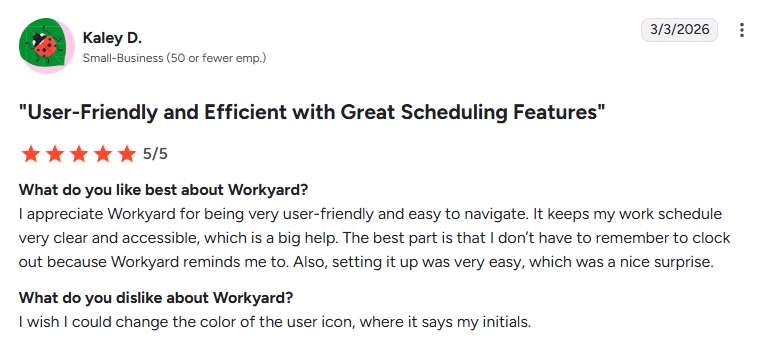
- Accurate time tracking and job costing: Workyard automatically tracks employee hours across job sites, even without cellular data, helping improve accuracy and simplify job costing without manual input. (G2, March 2026)
- Strong field visibility and accountability: Workyard improves transparency by giving teams clear visibility into field activity, helping managers stay informed and maintain accountability across job sites more effectively than other tools. (G2, March 2026)
Pricing
Workyard starts at $6/user/month (billed annually) + a $50 base fee. Check current pricing here.
Bottom line
If your number one pain point is knowing where your crews are and what they're costing you, Workyard is hard to beat. It's focused and does GPS time tracking exceptionally well.
4. ClockShark: Best Construction Crew Scheduling Software for Simplicity
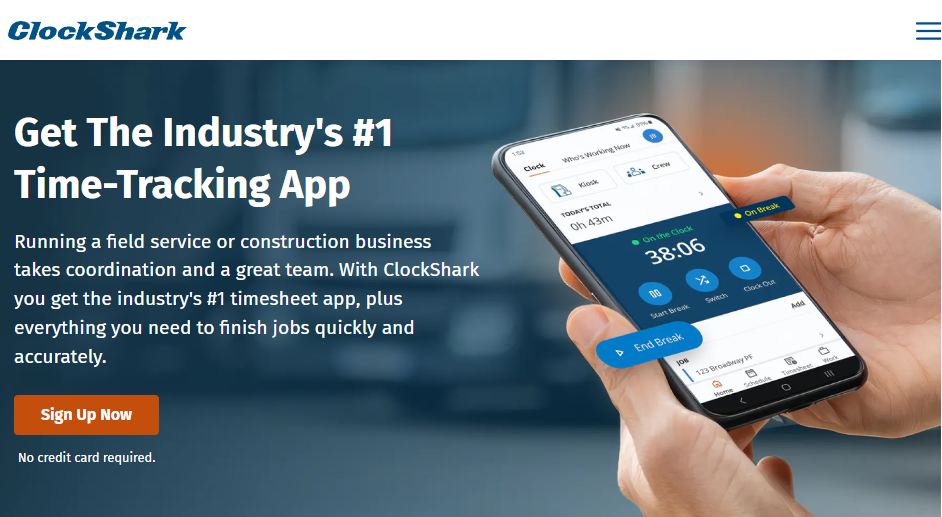
ClockShark combines time tracking with crew scheduling in a straightforward mobile app designed for local construction and field service businesses.
Best for: Small to mid-size contractors who want a dead-simple way to track hours and schedule crews without a steep learning curve.
ClockShark won't overwhelm you with features. That's actually its biggest strength. The drag-and-drop scheduler is quick to set up, the mobile clock-in works even with spotty signal, and it integrates directly with QuickBooks, Xero, and other accounting tools for clean payroll handoff.
Key features
- Drag-and-drop crew scheduling with job details, locations, and notes attached to each shift
- GPS-enabled time tracking with offline mode that syncs automatically when signal returns
- Job costing reports that show labor hours and costs broken down by project
- Photo capture and safety check-ins from the field
Pros
- Dead simple to learn and use. Most crews pick it up within a day.
- Affordable at $40/month + $9/user/month with no hidden fees
- Reduces admin time through integrated scheduling and time tracking
Cons
- No estimating, invoicing, or project management. It's a scheduling and time tracking tool, period.
- Limited reporting depth compared to more specialized platforms
- Not ideal for large, complex multi-site operations
What users say
- Map-based tracking and job clock-ins: ClockShark makes it easy to track where team members are on a map and allows them to clock in and out across different jobs, improving visibility and job-based time tracking. (G2, February 2026)
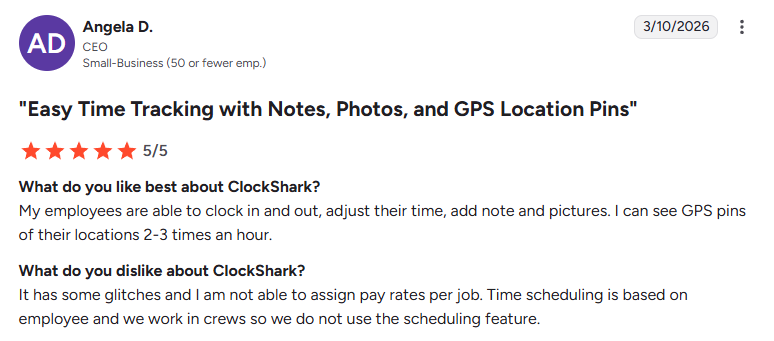
- Easy time tracking with GPS features: ClockShark allows employees to clock in and out, adjust time, and add notes or photos while providing frequent GPS location updates, though some users report occasional glitches and limited payroll functionality. (G2, March 2026)
Pricing
ClockShark starts at $40/month + $9/user/month, with bulk pricing for larger teams. View pricing details here.
Bottom line
ClockShark is the "just get it done" option on this list. If you need construction crew scheduling software that your least tech-savvy crew member can figure out in five minutes, this is it.
5. Assignar: Best Construction Crew Scheduling Software for Heavy Civil Contractors
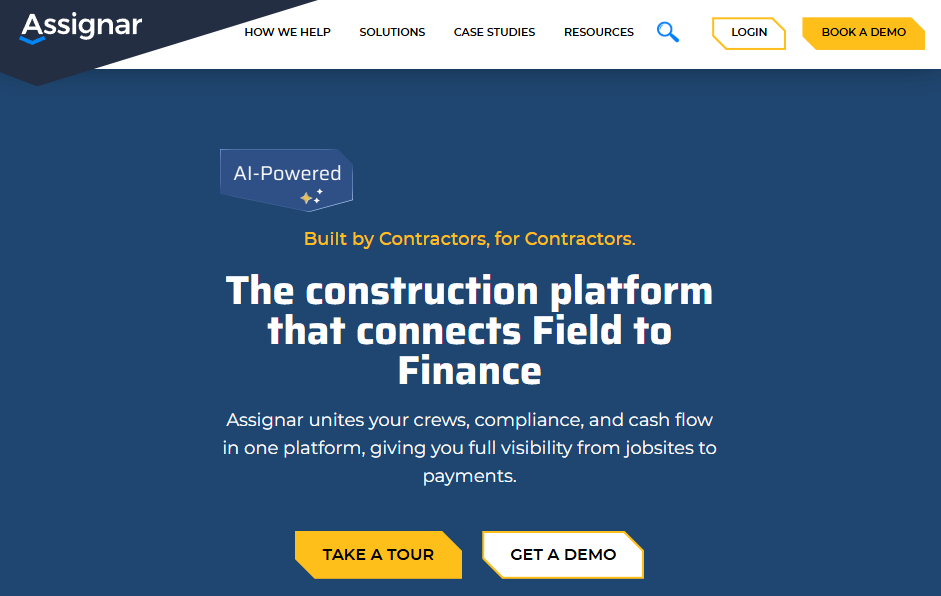
Assignar is an operations platform built for heavy civil, infrastructure, and specialty contractors that handles scheduling, time tracking, compliance, and job costing.
Best for: Mid-size to large civil contractors, excavation companies, crane and rigging firms, and infrastructure builders who manage complex crew and equipment allocations across multiple projects.
Assignar stands apart because it schedules both people and equipment in one view, which is critical for heavy civil work where a missing excavator is just as costly as a missing crew. The platform auto-recommends workers for jobs based on skills, certifications, and availability, which cuts down on scheduling conflicts.
Key features
- Drag-and-drop crew and equipment scheduling on a single visual board
- Automated worker recommendations based on skills, certifications, and availability
- Compliance tracking for licenses, inductions, and safety requirements
- Digital timesheets with field data capture and reporting analytics
Pros
- Equipment scheduling is a standout feature that most general construction crew scheduling software platforms don't offer
- Compliance automation prevents unqualified workers from being assigned to jobs
- Strong integrations with ERP systems like Sage, QuickBooks, Xero, and Acumatica
Cons
- No public pricing. You'll need to book a demo for a quote.
- Mobile app has received mixed reviews. Some field workers find the interface less intuitive after recent updates.
- Geared toward larger operations. Smaller crews might find it more complex than needed.
What users say
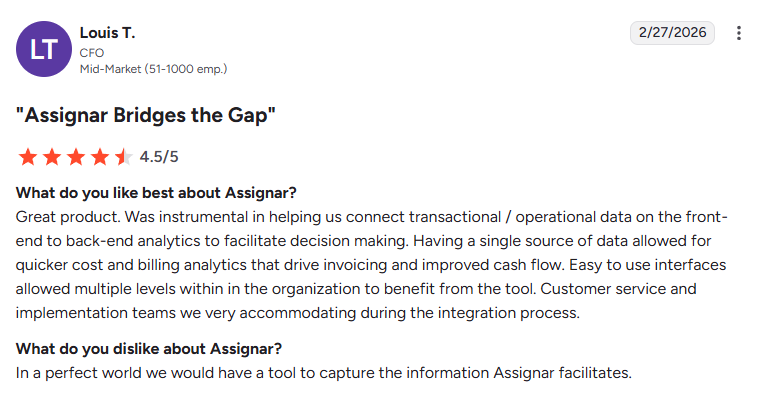
- Strong data integration and analytics: Assignar helps connect operational and financial data into a single system, making it easier to analyze costs, improve invoicing, and support better decision-making across projects. (G2, February 2026)
- Easy setup but outdated interface: Assignar is simple to set up and use, especially for building forms and managing workflows, but some users feel the interface could be improved with more modern features. (G2, February 2026)
Pricing
Assignar uses custom pricing based on company size and needs. Request a demo for a quote.
Bottom line
For heavy civil contractors who manage large fleets and multi-trade crews, Assignar is one of the strongest construction crew scheduling software options available. It handles the complexity of infrastructure work better than generalist tools. Paving contractors will find some overlap, but the platform wasn't designed with asphalt and concrete workflows in mind.
6. Buildertrend: Best Construction Crew Scheduling Software for Residential Builders
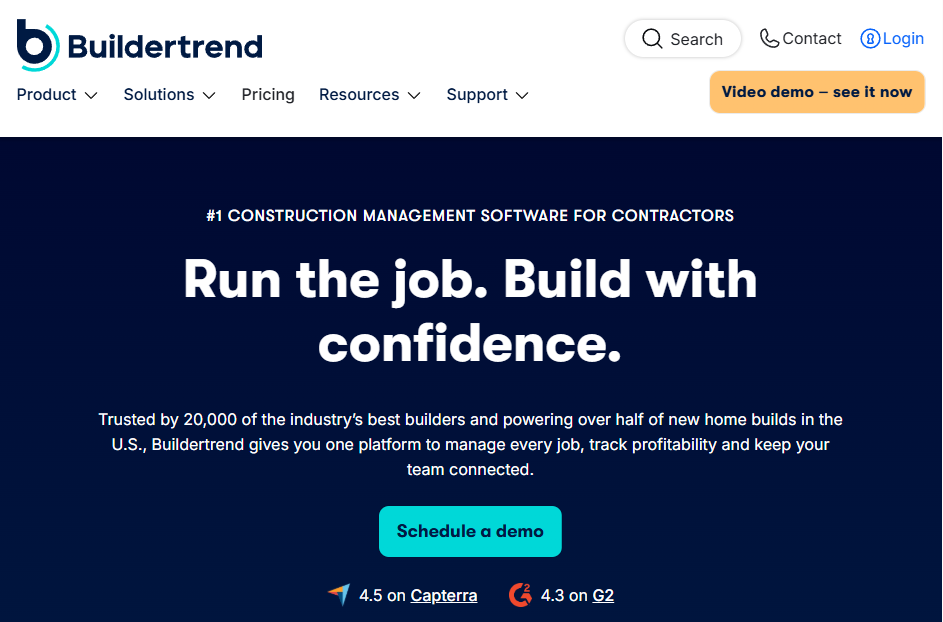
Buildertrend is a cloud-based project management platform designed for home builders, remodelers, and residential contractors that covers scheduling, budgeting, client communication, and document management.
Best for: Residential builders and remodelers who want to manage the full project lifecycle (from lead to closeout) in one system, with a strong emphasis on client experience and transparency.
Buildertrend is a popular name in residential construction, and for good reason. It ties scheduling directly to budgets, change orders, and client communication, so when a homeowner changes their kitchen finishes mid-project, the schedule and budget adjust together.
Key features
- Gantt chart scheduling with task dependencies and milestone tracking
- Client portal where homeowners can view progress, approve selections, and make payments
- Budget tracking tied to change orders and labor hours
- Daily logs with photo uploads, weather tracking, and crew notes from the field
Pros
- Excellent client-facing tools that improve the homeowner experience and reduce back-and-forth
- Change order management automatically adjusts both timelines and budgets
- Large user base with strong community resources and training
Cons
- Designed for residential work. Commercial paving or infrastructure contractors will find gaps in workflow fit.
- Learning curve is steep. The interface can feel cluttered until you get comfortable with it.
- Data export limitations. Multiple users have reported difficulty bulk-exporting data if you decide to switch platforms.
What users say
- Strong project management and client tools: Buildertrend provides a streamlined project management experience with useful features like daily logs, change orders, purchase orders, and a client portal that helps teams stay organized and communicate effectively. (Capterra, February 2026)
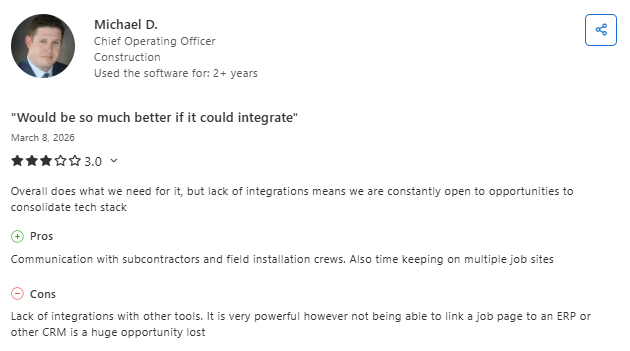
- Powerful platform but limited integrations: Buildertrend offers solid communication tools and supports coordination across subcontractors and job sites, but limited integrations with other systems can make it harder to fully centralize operations. (Capterra, March 2026)
Pricing
Buildertrend uses a custom quote model.
Bottom line
For residential builders and remodelers, Buildertrend is one of the most complete construction crew scheduling software options on the market. However, if you're a commercial paving contractor, this platform wasn't built for your workflow, and you'll likely end up paying for features you'll never use.
7. Procore: Best Construction Crew Scheduling Software for Large General Contractors

Procore is a cloud-based construction management platform that covers project management, financials, quality and safety, and workforce planning. It's one of the most recognized names in commercial construction.
Best for: Large general contractors, multi-project firms, and enterprise operations managing high-volume construction portfolios where deep documentation, stakeholder collaboration, and financial controls are non-negotiable.
Procore is a heavyweight. It connects scheduling with RFIs, submittals, change orders, and project documents, so every schedule update is tied to real-world project changes and the asphalt paving contract.
The unlimited user model means your entire team (subs included) can access the platform without per-user charges eating your budget.
Key features
- Resource planning with drag-and-drop scheduling based on skills, certifications, and availability
- Time tracking with geofencing that ties labor hours to specific cost codes and projects
- Deep document integration linking schedules to RFIs, drawings, and change orders
- Unlimited users on every plan
Pros
- Unlimited users make it cost-effective for very large teams with dozens of subs and stakeholders
- Deep integration between scheduling and project documentation gives you a single source of truth
- Strong ecosystem with hundreds of third-party integrations
Cons
- Expensive. Pricing starts around $375/month and scales with your annual construction volume. Large firms often pay $20,000 to $80,000+ per year.
- Steep learning curve. New users typically need formal training before they're productive.
- Overkill for small and mid-size contractors who don't need enterprise-level project management.
- No estimating tools for paving-specific workflows. Procore handles general construction well, but it's not built for trade-specific estimating.
What users say
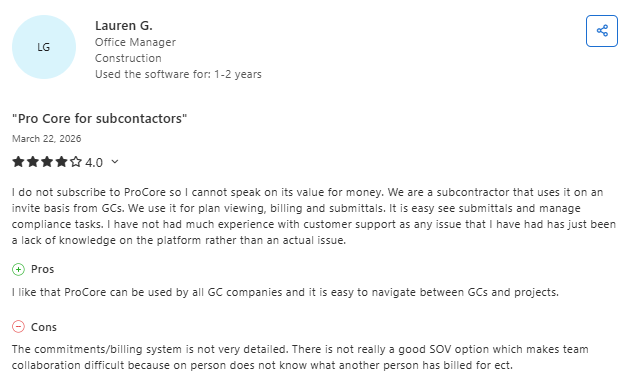
- Centralized project management and documentation: Procore provides a centralized platform for managing project documents, RFIs, submittals, and communication, making it easier for teams to stay aligned and improve coordination across projects. (Capterra, March 2026)
- Easy to use but performance issues: Procore is user-friendly and helps streamline workflows from the office to the field, but some users report slow load times and higher costs, which can impact the overall experience. (Capterra, March 2026)
Pricing
Procore uses custom pricing based on Annual Construction Volume (ACV) rather than per-user fees.
Bottom line
Procore is the go-to construction crew scheduling software for large GCs running complex, multi-stakeholder projects. If you're a mid-size paving contractor, you'll likely find it overbuilt and overpriced for your needs.
But if you're managing $25M+ in annual construction volume with dozens of subs, it's hard to find a more connected platform.
Which Construction Crew Scheduling Software Should You Choose?
The right construction crew scheduling software depends on your trade, your team size, and how much of your workflow you want one platform to handle. Here's the quick breakdown:
Choose OneCrew if you …
- Run an asphalt or concrete contracting business
- Need estimating, scheduling, crew assignments, job costing, and invoicing in one place
- Want a platform built specifically for project-based paving work
- Are tired of stitching together 4 to 7 disconnected apps
Choose Connecteam if you …
- Need affordable crew scheduling with team communication built in
- Have a small to mid-size crew (especially under 30 workers)
- Don't need estimating or project management tools
Choose Workyard if you …
- Need the most accurate GPS time tracking available
- Manage crews across multiple job sites daily
- Want automated job costing tied directly to labor hours
Run Jobs, Crews, and Schedules in One Place
OneCrew was built for project-based asphalt and concrete contractors who are done stitching together disconnected tools. It replaces the patchwork of apps that slows you down and creates gaps where jobs and revenue slip through the cracks. Here's what you can do with OneCrew:
- Estimate from PDFs or satellite maps with built-in calculators: Upload blueprints or pull aerial imagery, then build bids using labor, material, equipment, and sub-line items.
- Schedule crews and assign roles to specific job phases: Give every team member visibility into who's doing what, where, and when.
- Track leads and customer relationships from first call to repeat business: Capture every inquiry, conversation, and project history in one place.
- Send professional proposals that win more work: Create polished, branded proposals your clients can review, approve, and sign through a customer portal.
- Keep field crews connected to job details, schedules, and site information: Field management tools put everything your crews need on their phones, including GPS tracking, time capture, and real-time schedule updates.
- Invoice and collect payment without chasing paperwork: Generate invoices from completed work orders and collect payment through the customer portal.
You don't need five different apps to run your paving business. You need one platform that ties construction crew scheduling software, estimating, project management, and invoicing together from takeoff to final invoice.
Book a free demo and see how OneCrew helps you take control of your jobs from start to finish.
FAQs
1. What is the best construction crew scheduling software?
The best construction crew scheduling software depends on your trade and business model. OneCrew is the best option for asphalt and concrete contractors because it combines estimating, crew scheduling, project tracking, and invoicing in one platform designed for paving work. For general workforce scheduling, Connecteam offers strong value at a low price, and Workyard leads the market for GPS time tracking accuracy.
2. Do I need construction-specific scheduling tools, or can I use a general app?
You can technically use a general scheduling app, but construction-specific tools handle things like job-based scheduling, multi-site crew management, and integration with estimating or job costing that generic apps don't support. If your crews move between sites and your scheduling ties to project phases, a construction-focused platform will save you time and reduce errors.
3. How much does construction crew scheduling software cost?
Costs range from free (Connecteam for up to 10 users) to $80,000+/year (Procore for large enterprises). Most mid-size contractors spend between $6 and $15 per user per month on scheduling and time tracking tools. OneCrew uses seat-based pricing for the full platform, which typically replaces the combined cost of 4 to 7 separate tools.
4. Can construction crew scheduling software help with job costing?
Yes, most tools on this list connect tracked labor hours to specific projects and cost codes. Workyard and ClockShark focus specifically on tying time data to job costs. OneCrew goes further by connecting estimating, crew assignments, and project tracking to give you a complete picture of project profitability from bid to invoice.
5. What's the difference between construction scheduling and employee scheduling?
Employee scheduling focuses on shifts, availability, and labor compliance (think: who works when). Construction scheduling adds project-based layers like job phases, crew assignments to specific sites, equipment allocation, and task dependencies. The best construction crew scheduling software handles both, so your people and your projects stay aligned.

