
7 Best Construction Crew Management Software for Field Crews

After I compared over a dozen construction crew management software platforms, seven stood out for scheduling field crews, tracking hours, and keeping jobs on track in 2026.
OneCrew leads the pack for paving contractors who need estimating, crew assignments, and invoicing in one place. Connecteam is the strongest pick for large mobile teams on a budget, and Procore works best for enterprise-level general contractors (GCs) who need unlimited users across complex projects.
7 Best Construction Crew Management Software: Quick Comparison
How I Researched These Construction Crew Management Software Tools
Based on live demos, verified user reviews, and feedback from contractors who work with these platforms daily, I factored in:
- Scheduling depth: How easily can you assign crews to jobs, shift people around, and see who's available at a glance?
- Field usability: Does the mobile experience actually work for foremen and crew leaders who are on-site all day?
- Integrations: Can the platform talk to QuickBooks, payroll tools, or other apps your office already runs?
- Pricing vs. value: Are you paying per user, per project, or a flat rate, and does the total cost make sense for your team size?
- Industry fit: Is the platform designed for construction workflows, or are you forcing a generic tool into a hard hat?
This hands-on analysis helped me separate the construction crew management software that holds up to daily use from the tools that only look good on paper.
1. OneCrew: Best for Project-Based Asphalt and Concrete Contractors

OneCrew is a unified management platform built specifically for paving contractors. It covers everything from lead intake and estimating to crew assignments, proposals, invoicing, and job costing, all in one place.
Best for: Asphalt and concrete contractors of any size who run projects and want to replace the four to seven disconnected tools they're currently juggling.
You can estimate directly from PDFs or satellite maps, which is a big deal when you're doing takeoffs for parking lots or road projects that don't come with formal blueprints.
Key features
- Crew and role assignments by job phase: Assign specific crews and roles to pre-construction, production, or billing phases.
- Site mapping: This feature uses satellite imagery to plan and measure job areas.
- Configurable estimating with built-in calculators: Build complex bids using labor, material, equipment, and sub-line items.
- Customer portal: Clients can view and sign proposals, view and pay invoices, and share documents and photos. It's a real competitive advantage when your proposal looks professional, and your customer can approve it from their phone.
- QuickBooks Online sync: Invoicing and payment information syncs directly with QuickBooks, eliminating double-entry on the accounting side, while job costing data stays with OneCrew.
Pros
- Purpose-built for paving workflows, not a repackaged plumbing or HVAC tool
- Estimating tools with configurable automations that competitors can't match
- Brings your entire operation into one platform, from lead intake to final invoice
- Independent ownership, so your data stays yours
Cons
- Focused on paving contractors, so if you're in HVAC, plumbing, or electrical, this isn't for you
- No free trial; you’ll need a demo to see the platform and pricing
- Doesn't include accounting, though the QuickBooks integration covers most needs
What users say
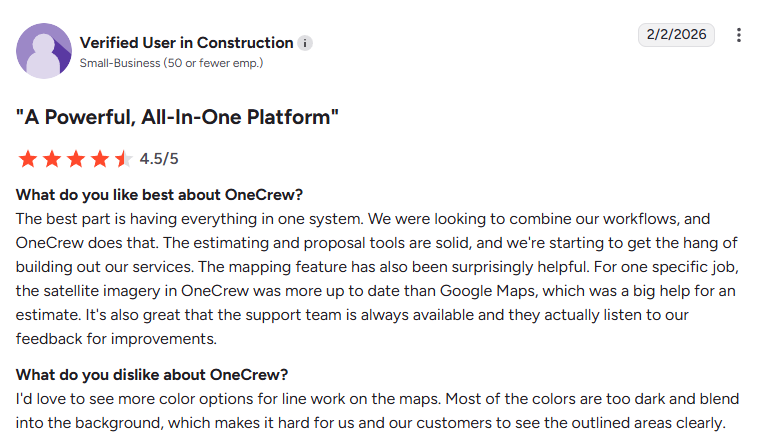
- Easy to adopt and flexible: Fits seamlessly into existing workflows and helps teams stay organized without forcing rigid processes or major operational changes. (G2, Matt M., February 10, 2026)
- Scheduling visibility issues: A user reports that the calendar view can make it difficult to see all jobs clearly. (G2, Tim J., March 12, 2026)
Pricing
OneCrew uses seat-based pricing. The contract is annual, and you'll need to book a free demo to get a quote tailored to your company’s size and needs.
Bottom line
If you're an asphalt or concrete contractor running project-based work, OneCrew is the most purpose-built option on this list.
It replaces the spreadsheets, whiteboards, and app combinations that most paving companies are still juggling. OneCrew is designed for projects, not service calls, so service-based contractors should look elsewhere.
2. Connecteam: Best for Large Teams Needing Communication and Time Tracking
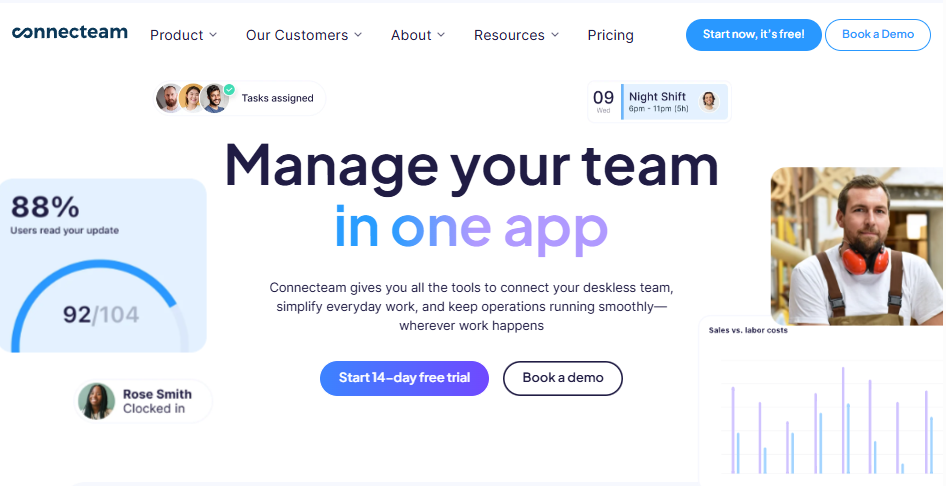
Connecteam is a workforce management platform with scheduling, time tracking, communication, training, and HR tools. It's designed for deskless and mobile teams across multiple industries.
Best for: Construction companies with over 10 field workers, who need strong communication tools alongside GPS-based clock-ins and basic crew scheduling.
Key features
- Drag-and-drop scheduling: Build weekly schedules, assign shifts, and let employees set their availability. Repeating schedules saves time on recurring projects.
- GPS time clock with geofencing: Crew members clock in from their phones, and GPS confirms that they're on the job site. Geofencing can auto-remind workers to clock in when they arrive.
- In-app chat and updates: Send broadcast messages, share forms and checklists, and communicate without using personal phone numbers. The platform’s multi-language support matters when not everyone speaks English.
- Training and onboarding courses: Build mobile-friendly training modules for safety compliance, equipment use, and new-hire onboarding. This is a standout feature that most scheduling-focused tools don't offer.
Pros
- The free plan for teams of 10 or fewer is genuinely useful, not a stripped-down teaser.
- Flat pricing for the first 30 users keeps costs predictable during growth.
- The communication tools go well beyond what most scheduling apps provide.
- The training features are useful for safety compliance and crew development.
Cons
- No estimating, invoicing, or job cost features
- Not construction-specific, so scheduling doesn't account for project phases, trade assignments, or material coordination
- Pricing gets confusing when you need features across the Operations, HR, and Communications hubs
What users say
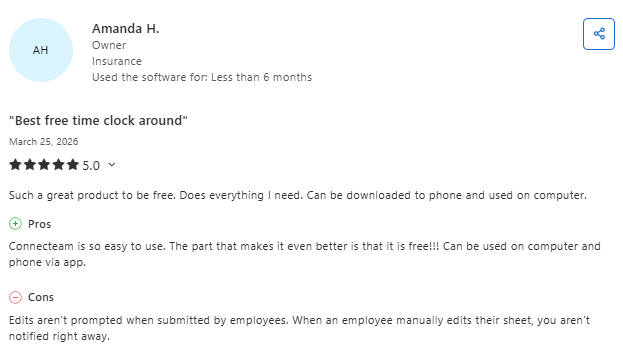
- Strong usability and support: Easy for teams to adopt. The intuitive tools improve communication and efficiency, and customer support is responsive. (Capterra, Lara L., March 25, 2026)
- Costs can add up: While it’s simple to use, adding features over time can increase pricing, especially for small teams. (Capterra, Colleen C., March 25, 2026)
Pricing
Connecteam's pricing works like this:
- Small Business: Free for up to 10 users
- Basic: $29/month for up to 30 users, billed annually
- Advanced: $49/month, billed annually
- Expert: $99/month, billed annually
- Enterprise: Custom pricing
Each hub is priced separately, so total costs can snowball if you need features across operations, communications, and HR. Monthly billing is available at a ~20% premium.
Bottom line
Connecteam is a strong construction crew management software if your main pain points involve communication, time tracking, and basic scheduling.
For keeping field crews connected and accountable, Connecteam is hard to beat, especially on the free tier. Pair it with an estimating and invoicing tool to fill the gaps.
3. Procore: Best for Large GCs

Procore is a full-lifecycle construction management platform covering project management, financials, resource tracking, quality and safety, scheduling, and workforce management.
Best for: GCs and construction managers with over $10 million in annual construction volume who need an enterprise-grade system with unlimited users.
Key features
- Unlimited users: Everyone on your project, from field workers to the building owner, can access the platform at no extra cost. For large teams, this is a genuine differentiator.
- Resource management: Track crew allocation, equipment, and labor across all active projects from a single dashboard.
- Integrated financials: Budget tracking, change orders, invoicing, and payment applications all live inside the platform. There’s no exporting to another tool.
- Scheduling tied to project timelines: Schedules sync with project milestones and Gantt-style timelines, giving you a connected view of deadlines and crew assignments.
Pros
- Unlimited users is a real advantage for large teams and stakeholder-heavy projects.
- The depth of project management features is unmatched.
- The ecosystem of integrations connects with hundreds of other construction tools.
- It offers 24/7 support, multiple certifications and courses, and a 60,000+ member community.
Cons
- Pricing is opaque and tied to construction volume, with reports of 10%–15% annual increases at renewal.
- The learning curve is steep, and it may be needlessly complex for subcontractors and specialty trades.
- Implementation can cost $5,000 to over $30,000, depending on the level of customization.
- It’s not trade-specific, so paving contractors won't find asphalt yield calculators or material-specific estimating tools.
What users say
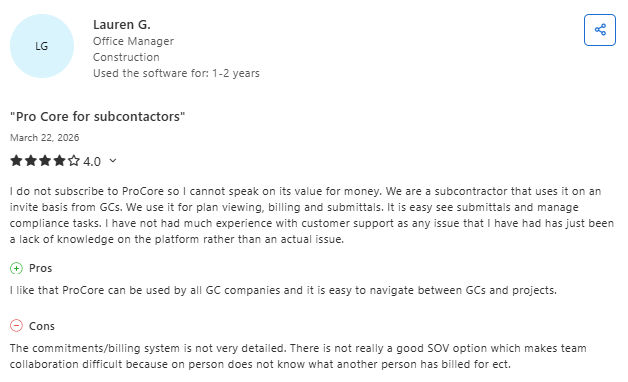
- Centralized project control: Procore keeps plans, requests, submittals, and communication in one place, improving coordination across teams and stakeholders. (Capterra, Murtaza L., March 8, 2026)
- Performance and cost concerns: Users note slower load times and relatively high pricing, compared to other tools. (Capterra, Natalie Y., March 11, 2026)
Pricing
Procore's pricing is custom, based on annual construction volume.
Bottom line
Procore is the right construction crew management software for large GCs managing complex, multi-stakeholder projects where the unlimited user model and deep feature set justify the investment.
For smaller specialty contractors or paving companies, the cost-to-value ratio doesn't add up, and you'll pay for features you never open.
4. Fieldwire: Best for Jobsite Task and Plan Management

Fieldwire (owned by Hilti) is a field management app focused on plan viewing, task management, punch lists, inspections, and real-time collaboration between office and field teams.
Best for: General and specialty contractors who need a mobile-first tool for managing drawings, tasks, and documentation at the jobsite level.
You can assign tasks and set due dates, but that's closer to task management than real crew scheduling. If you need to see which crews are free next Tuesday and dispatch them to a new parking lot striping project, Fieldwire won't get you there.
Key features
- Plan viewing with markup: Upload drawings, control versions, and annotate on mobile or desktop. When you upload new sheets, Fieldwire overlaps them so you can reference older versions easily.
- Task management with location pins: Create tasks linked to specific spots on your floor plans. Assign them to team members with due dates, priorities, and hashtag-based organization.
- Punch lists and inspections: Pre-loaded checklist templates and photo documentation make inspections faster and more consistent across crews.
- Requests for information and submittals (Business Plus): Manage document workflows without leaving the platform, if you’re on a higher tier.
Pros
- Best-in-class plan viewing and markup tools for field teams
- Free plan covers up to five users, three projects, and 100 sheets, which is enough to test thoroughly
- Offline capability means crews can access plans and tasks without connectivity
- Photo documentation and reporting features keep records organized by project
Cons
- There’s no crew scheduling, resource allocation, or availability tracking.
- There’s no estimating, invoicing, or job costing.
- Costs add up fast for larger teams, at $39–$89/user/month, depending on the tier.
- Budget and financial features only come with the Business Plus plan.
What users say
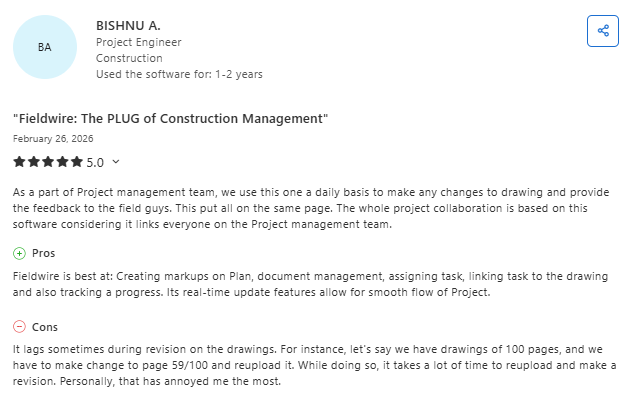
- Real-time collaboration: It enables teams to manage drawings, tasks, and communication in one place, with live updates that improve jobsite coordination. (Capterra, Bishnu A., February 26, 2026)
- Limited for advanced workflows: BIM integration and handling complex project requirements can be limited for more advanced uses. (Capterra, Yoelvis D., March 25, 2026)
Pricing
Fieldwire's pricing is per user, per month:
- Basic: Free; up to five users, three projects, and 100 sheets
- Pro: $39/user/month (annual) or $54/user/month (monthly)
- Business: $64/user/month (annual) or $79/user/month (monthly)
- Business Plus: $89/user/month (annual) or $104/user/month (monthly)
- Custom: Custom pricing, with unlimited user options, API access, SSO, and dedicated support
Bottom line
Fieldwire is a purpose-built field management tool focused on plan viewing, tasks, and documentation. If you need a full construction crew management platform, including scheduling, estimating, or billing alongside plan management, you'll have to stack more tools on top, and the cost can climb quickly.
5. Pro Crew Schedule: Best for Budget-Conscious Subcontractors
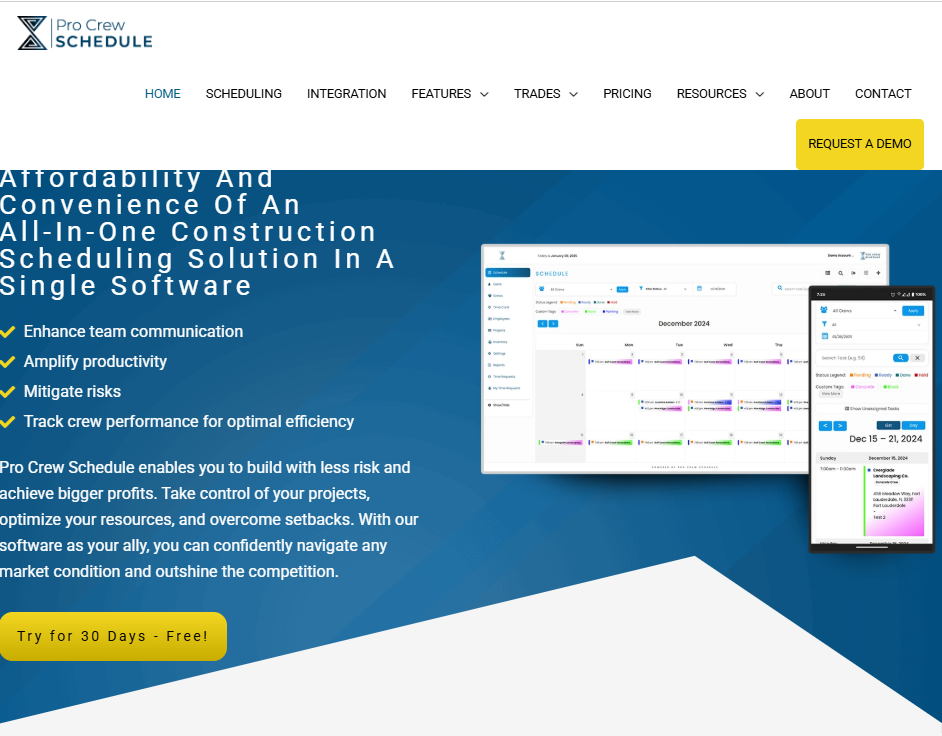
Pro Crew Schedule is a cloud-based scheduling and time tracking platform designed specifically for subcontractors in the construction industry.
Best for: Small to mid-sized subcontractors (HVAC, electrical, plumbing, concrete, roofing, and painting) who need simple, affordable scheduling and timekeeping without the bloat of a larger platform.
Key features
- List and calendar views: Toggle between a list view for quick scanning and a calendar view to see the full project timeline. Color-coding your crews helps you track projects.
- Built-in timekeeping with approval workflows: Crew leaders submit daily hours, supervisors approve or edit them, and the data exports to QuickBooks for payroll.
- Inventory and equipment tracking: Track tools and equipment alongside your scheduling. Know what's on which jobsite without making calls.
- Document storage: Upload and organize project documents, photos, and files in one centralized location. Role-based access keeps sensitive information protected.
Pros
- Starting at $9.99/user/month, it's one of the cheapest construction crew management software options available.
- It’s built by subcontractors for subcontractors, so the workflow assumptions match specialty trade operations.
- The 30-day free trial, with no credit card required, gives you plenty of time to test.
- QuickBooks integration and Zapier support extend functionality without heavy configuration.
Cons
- Interface feels dated, compared to more modern platforms
- No estimating, proposal generation, or invoicing capabilities
- Reporting and analytics are limited; no deep profitability insights
- Smaller user base and fewer reviews, compared with the bigger names on this list
Pricing
Pro Crew Schedule's pricing starts at $9.99/user/month. No long-term contracts are required, and a 30-day free trial is available. Contact the team for custom plans and enterprise pricing.
Bottom line
Pro Crew Schedule is the right construction crew management software for subcontractors who want affordable, no-frills scheduling and time tracking. It doesn't try to replace a full project management platform, and it's priced accordingly.
Paving contractors who need estimating, job phasing, and end-to-end project management will outgrow it quickly. But for trades focused on service calls and simple crew dispatch, it's a smart starting point.
6. Buildertrend: Best for Residential Builders Moving into Commercial
Buildertrend is a construction project management platform covering presale, project management, financial tools, scheduling, and client communication.
Best for: Residential home builders and remodelers who are scaling into commercial work and want a system that handles client selections, change orders, scheduling, and daily logs.
The client-facing portal is polished, the selection process for finishes, fixtures, and materials is thoughtfully designed, and the scheduling ties into the project timeline, with daily logs, to-do lists, and change order tracking.
The trade-off is that Buildertrend's DNA is residential construction. If you're running a paving operation, managing asphalt crews across 15 commercial sites, and need to calculate material yields for each one, Buildertrend isn't going to fit.
Key features
- Customer-facing portal: Clients log in to see schedules, make selections, approve change orders, and send messages. Managing homeowner expectations becomes significantly easier.
- Daily logs and to-do lists: Field teams and project managers log progress daily, attach photos, and check off tasks tied to the schedule.
- Financial management: Track budgets, process change orders, create invoices, and sync with QuickBooks or Xero. Change order workflows keep everyone aligned on scope and cost.
- Gantt chart scheduling: Visual timelines show task dependencies and critical paths. Drag-and-drop functionality makes rescheduling simple.
Pros
- Best-in-class client communication for residential projects
- Handles the full project lifecycle from lead to final payment in one platform
- 170+ integrations, including QuickBooks, Xero, and various supplier catalogs
- Large user community, plus extensive training resources and live support
Cons
- Third-party reports claim pricing starts at $339 to $499/month for Essential and climbs steeply for Complete.
- It’s not built for specialty trades or project-based commercial work, like paving.
- It can feel bloated for contractors who only need scheduling and crew management.
- The learning curve is steep, and smaller teams can struggle with the depth of features.
What users say
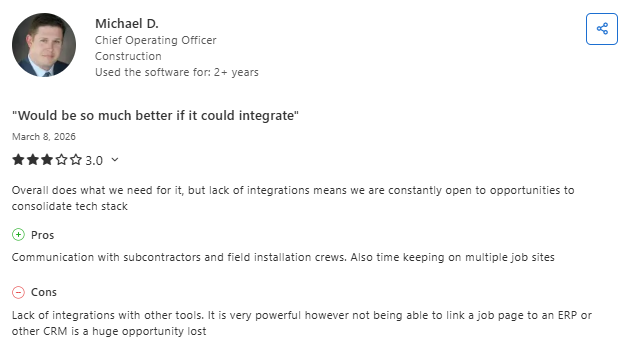
- Comprehensive project tools: It combines scheduling, client communication, and cost tracking in one platform, making it easier to manage projects end to end. (Capterra, Matt G., February 9, 2026)
- Usability and pricing drawbacks: Reporting, interface complexity, and higher costs can make it harder to justify for some teams. (Capterra, Julieann L., January 28, 2026)
Pricing
Buildertrend doesn’t publish its rates and offers custom quotes. Third-party reports state that pricing starts at around $339 to $499/month for the Essential plan. Advanced and Complete plans add features at higher prices. All plans require annual billing. There’s no free tier, but a trial is available.
Bottom line
Buildertrend is the right construction crew management software for residential builders who want one platform for scheduling, client communication, and financial management.
If you're a commercial paving contractor, the feature set is designed for a different kind of project and customer relationship.
7. ClockShark: Best for GPS Time Tracking and Simple Scheduling

ClockShark is a time tracking and scheduling app built for field service and construction companies, with GPS tracking, job costing, and payroll integrations.
Best for: Contractors who need accurate, GPS-verified time tracking for field crews spread across multiple job sites, with basic scheduling as a bonus.
If you've been guessing at labor costs or working off paper time sheets, ClockShark’s level of detail can change how you price future estimates.
Key features
- GPS time clock with breadcrumb tracking: See where your crews are and where they've been throughout the day. Geofencing auto-prompts clock-in and clock-out at specific sites.
- Job costing by task and employee: Break down labor hours by job, task, and individual worker. You see where your money is actually going.
- Drag-and-drop scheduling: Assign jobs to crew members, set times, and push notifications. It’s nothing fancy, but it works.
- Payroll integrations: Sync directly with QuickBooks, ADP, Gusto, and other payroll providers to eliminate manual timesheet entry.
Pros
- GPS time tracking is best-in-class for field crews working across multiple sites
- Job costing gives you real labor data you can use to bid more accurately on future work
- Affordable pricing that doesn't penalize you for growing your team
- Easy setup; most teams are fully running within a day
Cons
- Basic scheduling features, compared to dedicated construction crew management software
- No estimating, proposal, or invoicing features
- Project management capabilities limited to time tracking and simple job assignments
- Limited value if you don't need GPS tracking
What users say
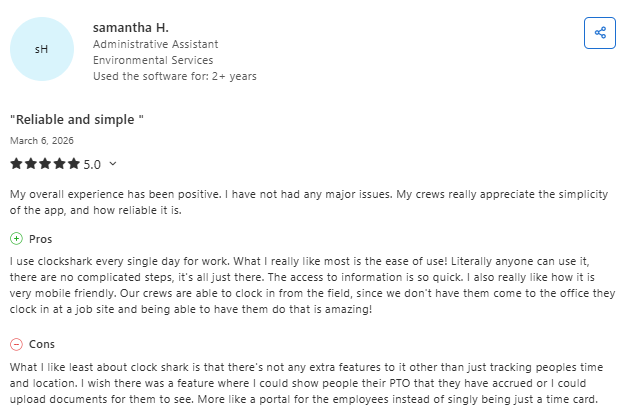
- Simple and field-friendly: It’s extremely easy to use, with fast access to time tracking, allowing crews to clock in from job sites without friction. (Capterra, Samantha H., March 6, 2026)
- Limited functionality and bugs: It lacks advanced features beyond time tracking, and some users report occasional mobile syncing and GPS issues. (Capterra, Yatra P., January 14, 2026)
Pricing
ClockShark's pricing includes two plans:
- Standard: $40/month base + $9/user/month
- Pro: $60/month base + $11/user/month, offering PTO management, crew-level scheduling, and advanced reporting
A 14-day free trial is available for both plans.
Bottom line
ClockShark is the right pick if time tracking accuracy and job costing are your biggest pain points.
ClockShark handles GPS time tracking and payroll integration better than most platforms that try to do everything. Pair it with a scheduling or project management tool to fill the gaps.
Which Construction Crew Management Software Should You Choose?
The right construction crew management software will match how your jobs actually work. Look for flexible crew scheduling across multiple job sites, a mobile experience your field teams will actually use, and GPS-based time tracking for accurate labor data.
Integrations with tools like QuickBooks or payroll systems matter if you want to avoid double-entry, and pricing should make sense at your current team size. Here's a quick breakdown to help you choose:
Choose OneCrew if you …
- Run a paving, asphalt, or concrete contracting business
- Need estimating, crew assignments, and invoicing in one platform
- Want to stop juggling four to seven disconnected apps
- Care about your data staying independent and not controlled by a private equity-backed competitor
Choose Connecteam if you …
- Have a large mobile workforce and need strong communication and training tools
- Want GPS-based time tracking with a free option for small teams
- Don't need estimating or invoicing from the same platform
Choose Procore if you …
- Are a large GC managing complex, multi-stakeholder projects
- Have the budget and implementation resources for an enterprise system
- Need unlimited users without per-seat fees
Final Verdict
OneCrew is the only platform on this list that's built around how your business actually works, from estimating asphalt thickness to assigning crews by job phase to sending a professional proposal and getting paid. It's the difference between adapting a generic tool and using something designed for your trade.
Whichever platform you choose, the goal is the same: spend less time on scheduling logistics and more time getting work done in the field.
Run Crews, Estimates, and Jobs from One Place
Most construction crew management software platforms solve one piece of the puzzle. You get scheduling in one app, time tracking in another, estimating in a third, and invoicing in a fourth.
OneCrew was built for project-based asphalt and concrete contractors who need one platform that connects everything, from the first lead to the final payment. Here's what you can do with OneCrew:
- Estimate from PDFs or satellite maps with built-in calculators and configurable cost automations: Set up your labor rates, material costs, equipment charges, and subcontractor pricing once, and the system applies them consistently across every bid.
- Schedule crews and assign roles to specific job phases with clear accountability: Assign foremen, operators, and laborers to pre-construction, production, or billing phases, so everyone knows who's doing what, where, and when.
- Track leads and customer relationships from the first call through repeat business: Every inquiry, conversation, quote, and project history lives in one system.
- Build and send proposals through a customer portal where clients can review, approve, and sign: Turn your finished estimates into polished, branded proposals without jumping to a separate tool.
- Keep field crews connected to job details, schedules, and real-time updates from the office: Field management tools put site information, material specs, and daily assignments on your crews' phones.
- Invoice and collect payment without double-entry or chasing paperwork: Generate invoices from completed work orders with line items pulled directly from your original estimate.
Book a free demo and see how OneCrew helps you take control of your jobs from start to finish.
FAQs
1. What is construction crew management software?
Construction crew management software is a digital platform that helps contractors schedule crews, assign workers to job sites, track hours, and coordinate field operations. Most tools include features like drag-and-drop scheduling, mobile access for field teams, time tracking with GPS, and integrations with payroll or accounting systems.
2. How much does construction crew management software cost?
Construction crew management software can cost more than $60,000 per year, depending on the platform and your team’s size. Free options exist for small teams.
Mid-range tools, like ClockShark, can run $40–$60/month plus per-user fees. Enterprise platforms, like Procore, can start at around $375/month.
3. What's the best construction crew management software for small contractors?
For small contractors on a tight budget, Pro Crew Schedule ($9.99/user/month) and Connecteam (free for up to 10 users) offer the most value without a big up-front commitment. If you're a small paving contractor open to a custom quote, OneCrew handles the full workflow, from estimating to invoicing, so you grow into the platform rather than out of it.
4. Do I need construction-specific scheduling tools, or will a general tool work?
General workforce scheduling tools, like Connecteam, can work fine if your main need is shift scheduling and time tracking. But construction has unique requirements: project phasing, crew-based assignments, equipment tracking, weather delays, and integration with estimating and job costing. Industry-specific platforms save you from having to patch together tools and use manual workarounds.
5. Can construction crew management software replace a project management platform?
It depends on the tool. Platforms like OneCrew and Procore include full project management alongside crew scheduling. Simpler tools, like ClockShark and Pro Crew Schedule, focus on time tracking and basic scheduling, so you'd still need a separate project management solution.

