
Project Management Guide for Contractors: Win Every Job

You’ve seen it before. A project that started clean goes sideways by week three. Materials show up late, a subcontractor falls behind, and suddenly you’re explaining to the owner why the schedule slipped two weeks. It’s a story most contractors know too well. Fewer than half of construction projects finish on time, and the root cause almost never comes down to bad luck. It comes down to how the job was planned and managed from day one. This project management guide for contractors walks you through the proven methods that keep jobs on track, on budget, and far less stressful.
Key Takeaways
Project management guide for contractors: start with solid planning
The jobs that finish on time almost always have one thing in common. Someone did the hard thinking before the first crew hit the site. That upfront work is what separates contractors who scramble from those who deliver.
Start by defining your project objectives in plain language. Not “complete paving work on Lot 7” but “complete 12,000 square feet of asphalt paving on Lot 7 by June 30, within a $95,000 budget, with final grade and striping included.” Measurable, specific, and agreed upon by everyone at the table.
From there, build a Work Breakdown Structure (WBS). Break the full scope into phases, then into individual tasks. A commercial paving job, for instance, might break into site preparation, base compaction, asphalt installation, and line striping. Each phase then breaks into smaller work packages with defined outputs, assigned crews, and realistic durations.
- Assign a responsible person to each task, not just a crew or trade
- Identify which tasks depend on others being finished first
- Flag any risks tied to each work package, whether weather, equipment availability, or subcontractor lead times
- Set measurable completion criteria for each deliverable so there’s no ambiguity about when something is d
Formal risk assessment with assigned owners turns a standard project plan into a resilient one that absorbs disruptions without unraveling. Don’t skip that step.
Pro Tip: Write your project objectives on a single page and share it with every stakeholder before mobilization. If anyone has a different interpretation of scope, you want to find out on day zero, not day twenty.
Building a schedule that actually works
A schedule printed and never touched again is not project management. It’s wishful thinking. CPM scheduling transforms a list of tasks into a logical network that shows you exactly which activities drive your completion date.
Here’s how CPM works in practice. You map every task, assign durations, and link them using dependencies. The longest chain of dependent tasks with no flexibility is your critical path. Those are the activities that, if delayed even one day, push your end date back. Everything else has “float,” meaning they can slip slightly without hurting the finish date.
Comparing your schedule management options
Scheduling software like Primavera P6 and MS Project both produce CPM outputs, but they suit different project sizes. For most paving and specialty contractors, purpose-built tools will get you 90% of the benefit with far less setup time.
When you need to recover lost time, CPM gives you two real options. Crashing means adding resources to critical path tasks to shorten their duration. Fast-tracking means running tasks in parallel that were originally planned in sequence. Both carry risk, and using CPM actively for crashing and fast-tracking is what separates proactive project managers from reactive ones.
- Update your CPM schedule at least weekly, not just when something goes wrong
- Share the updated schedule with your subs and key crew leads, not just the office
- Protect your critical path tasks with priority resources and tighter supervision
- Use float on non-critical tasks to absorb minor disruptions without drama
Pro Tip: Every Friday, compare your planned progress against actual completion percentages. If you’re running 10% behind by Friday, you have the weekend to think through a recovery plan instead of discovering the gap on Monday morning.
Monitoring progress and protecting your budget
Good planning only pays off if you defend it. Once the job starts, your job shifts from planning to active monitoring. Project delays grow from small unnoticed issues accumulating over time. Daily monitoring is how you catch them before they compound.
Here’s a practical daily monitoring routine that works for most construction projects:
- Review field daily reports first thing each morning and compare production against the plan
- Check crew counts, equipment status, and material deliveries against what was scheduled
- Flag any variance greater than 5% of the planned daily output and trace the cause
- Update your cost-to-complete forecast using real productivity data, not the original estimate
- Communicate any issues and corrective actions to the relevant team members before the end of the day
The budget side of monitoring gets neglected most often. Many contractors track costs at the end of the month, which means they find out they’re over budget thirty days after they could have done something about it. Tracking job costs in real time against your estimate gives you a much earlier warning signal.
Pro Tip: Walk the site yourself at least twice a week. Digital reports show you what crews record. Walking the site shows you what’s actually happening. Those two pictures are sometimes very different.

Communication and collaboration across your whole team
Communication failures cause nearly half of construction rework, and rework is the fastest way to blow a margin. A communication plan sounds formal, but it really just means deciding in advance who talks to whom, how often, and through what channel.
Set that up before the job starts:
- Name one point of contact on your side for each party: the owner, the designer, and each subcontractor
- Establish a weekly meeting cadence and stick to it, even if the update is brief
- Decide which issues get resolved by text or phone and which ones require written confirmation
- Create a clear path for submitting RFIs and change order requests so nothing falls through the cracks
Incomplete documentation is the primary driver of disputes, and disputes kill profit faster than almost anything else. Get scope changes in writing every time. Send a follow-up email after any verbal conversation that changes what’s being built, when, or for how much. That habit protects you and the owner.
Collaboration also means involving your subs in problem solving instead of just issuing orders. When a subcontractor flags a conflict early, treat it as useful information, not a complaint. Teams that work that way close out projects on time and on budget far more consistently. Check out these construction document management tips for building the paper trail that keeps everyone honest.
How OneCrew helps you manage better from day one
Managing construction projects well means having your estimating, scheduling, and field data all working together. OneCrew is built specifically for paving and specialty contractors, and it handles exactly that
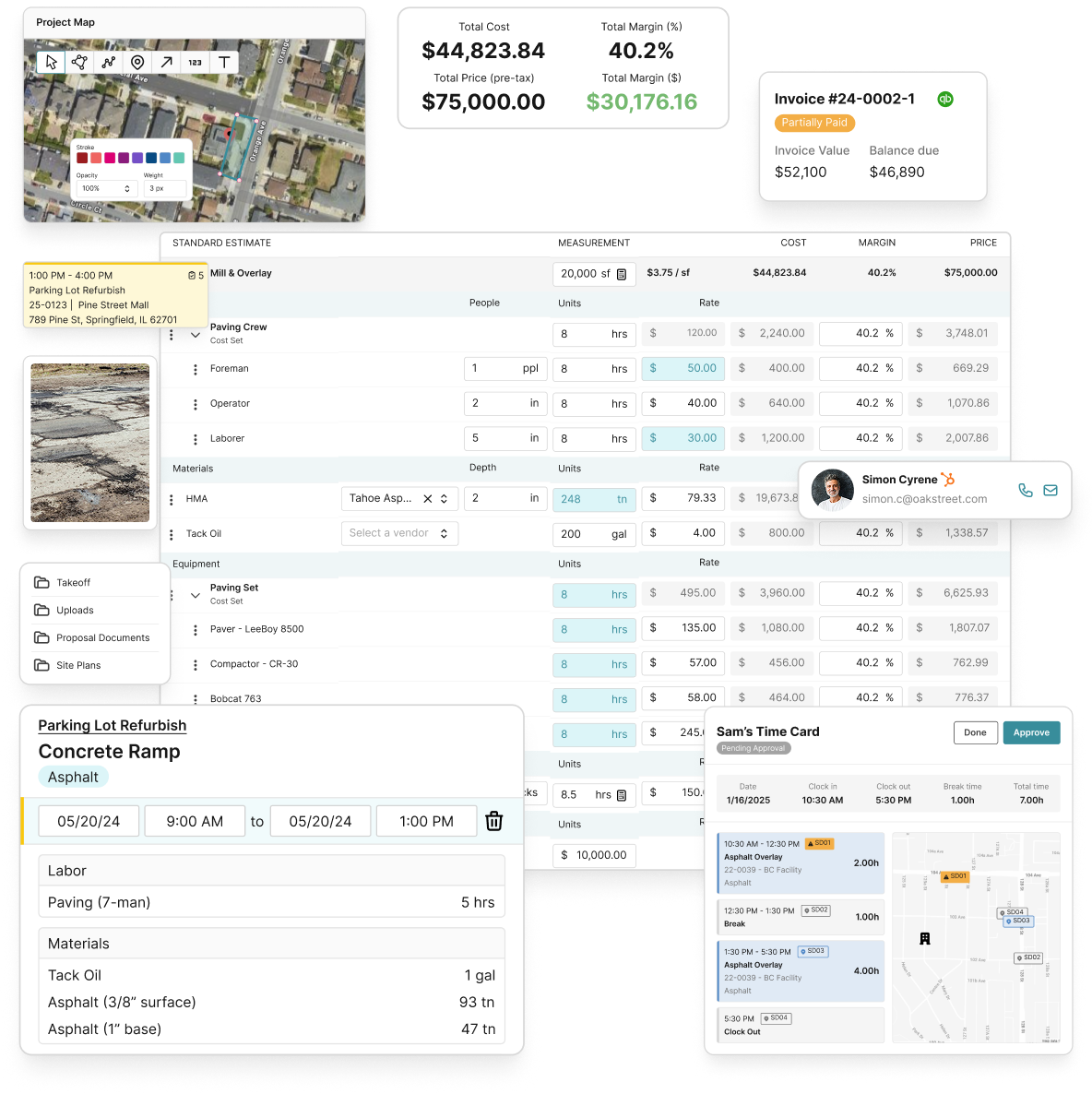
With OneCrew’s paving estimating software, you can produce accurate bids faster and carry that cost data straight into project monitoring. The drag-and-drop scheduling tool makes it easy to build CPM-aligned timelines and adjust them when conditions change. Field crews can log progress from mobile devices, which feeds your daily monitoring without extra admin work. If you want to close more jobs on time and keep more margin in each one, explore what OneCrew’s platform can do for your operation.
FAQ
What is the most common reason construction projects run late?
Fewer than half of projects finish on time, primarily because of small undetected issues that accumulate without disciplined daily monitoring and a maintained schedule.
How does CPM scheduling help contractors?
CPM identifies the longest chain of dependent tasks, giving contractors a clear view of which activities control the finish date so they can prioritize resources and catch risks early.
How often should contractors update their project schedule?
Update your schedule at minimum once per week and share it with subcontractors and key crew leads so everyone is working from the same picture.
What should be included in a project management checklist for builders?
A solid project management checklist for builders covers project objectives, a WBS, CPM schedule, daily monitoring routine, communication plan, and a document management system for changes and RFIs.
Why does documentation matter so much in contractor project planning?
Incomplete documentation drives disputes, and disputes cost time and money. Written records of scope, changes, and decisions are your best protection when disagreements arise.

