
Paving Cost Estimating Software: 7 Tools That Calculate Jobs Right

Most paving contractors lose money not because they can't do the work, but because their cost estimates miss the mark. A forgotten material line item here, an underestimated labor hour there, and suddenly that “profitable” job is bleeding cash.
Platforms like OneCrew, SharpeSoft Estimator, and B2W Estimate each approach this differently, and the comparison below shows which ones deliver accurate cost calculations for asphalt and concrete contractors.
Quick Comparison: Paving Cost Estimating Software
Note: Seasonal pricing and crew availability matter, so local paving season timing is worth weighing alongside these platforms.
The Real Problem with Paving Cost Estimates
Most estimate blowups trace back to the same issues: inconsistent pricing, no estimate-versus-actual feedback loop, spreadsheet math mistakes, and missed scope from field reality. Fix those inputs first, then the platform you choose has something solid to work with.
Here’s a closer look at each problem:
- Inconsistent pricing across estimators: When three people on your team price the same parking lot job differently, you've got a problem. One estimator uses last year's material costs. Another forgets equipment mobilization. A third estimator prices labor at rates you haven't charged in two years.
- No connection between estimates and actual costs: You send a proposal, win the job, and complete the work. But did you actually make money? Without tracking actual versus estimated costs, you keep repeating the same pricing mistakes.
- Manual calculations invite errors: Spreadsheets work until they don't. A misplaced decimal, a wrong cell reference, or a forgotten formula update can turn a 15% margin into a 5% loss.
- Missing scope items from field reality: A quick checklist of asphalt paving tips keeps prep work and finish details from slipping out of your estimate.
Good paving cost estimating software addresses all four issues. The platforms below each tackle these problems differently. If you bid public work, build compliance tasks into your estimate; this guide on OSHA requirements for asphalt is a helpful starting point.
1. OneCrew: For Complete Cost Control
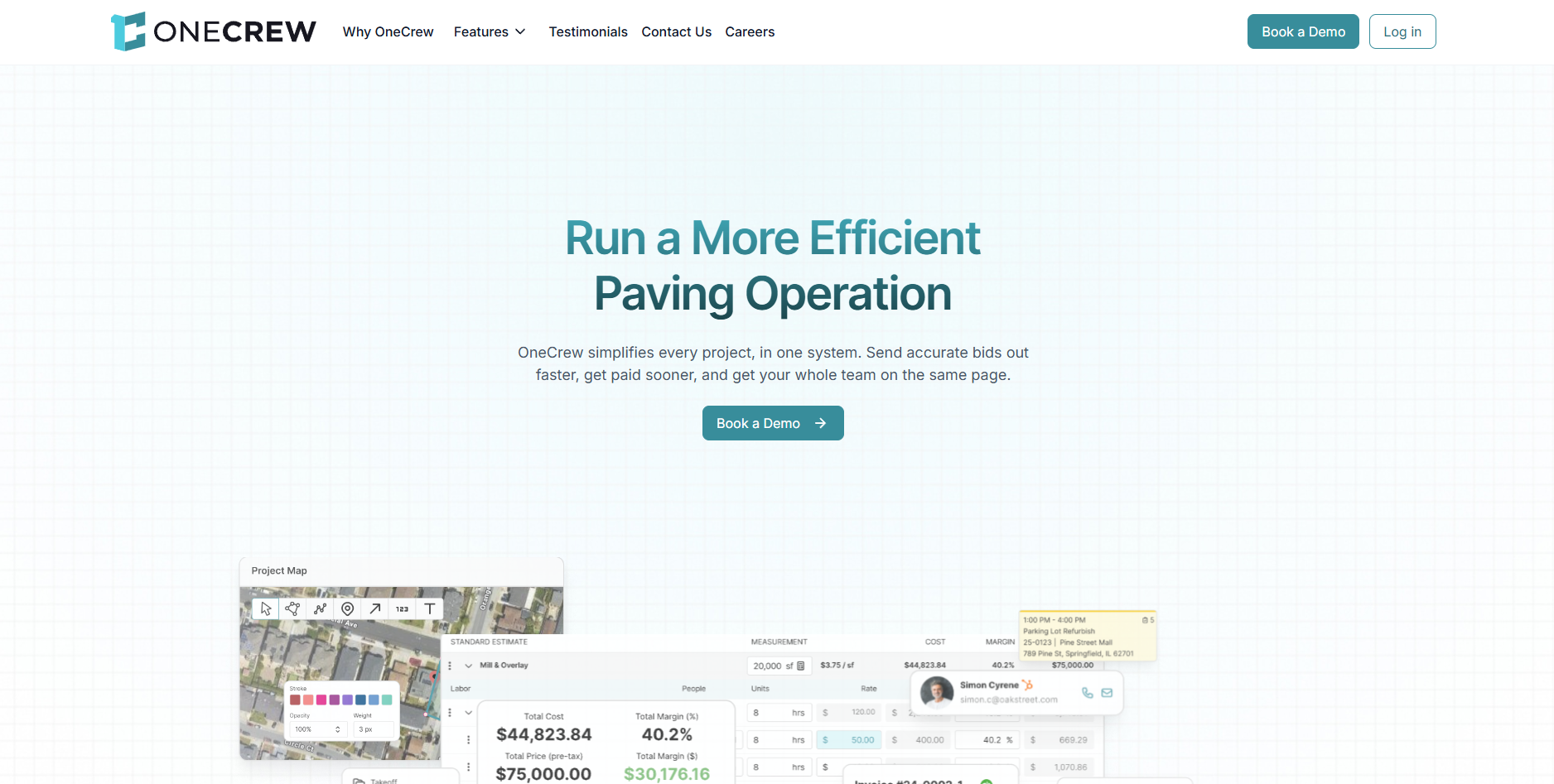
OneCrew builds cost estimates using configurable formulas that reflect how your business actually prices work, not generic industry averages.
Key features
- Formula-based estimating you configure around your production rates and cost codes
- PDF takeoff and map measurements that push quantities into line items
- Job costing that compares estimated vs actual costs as the job runs
OneCrew treats cost estimation as the foundation for everything else. You set up your production rates, material costs per unit, labor rates by role, and equipment charges once. Then the system calculates estimates based on your numbers.
The configurable automations handle the math that trips up manual estimates. Need to price a parking lot overlay?
The platform calculates asphalt tonnage based on area and depth, applies your material cost per ton, adds labor based on your crew's production rate, and factors in equipment time. Change your material supplier's pricing, and every future estimate reflects the update.
What makes OneCrew different from basic estimating tools is how cost data flows through the entire project. Your estimate becomes the budget baseline. That handoff makes paving project management easier because the estimate already carries quantities and budget targets.
As the job progresses, you track actual costs against that baseline. Over time, you learn which jobs make money and which don't, then adjust your cost formulas accordingly.
OneCrew pros
- Labor, material, equipment, and subcontractor line items with automatic calculations
- PDF takeoff and map measurement tools that feed quantities into cost formulas
- Cost data connects to scheduling, crew assignments, and invoicing without re-entry
- Customer portal for proposal approvals and payments
OneCrew cons
- Setup takes about 2 weeks because you need to load your cost database and production rates
- Seat-based pricing requires a demo, so you won’t see a checkout price upfront
Consider this if you want one system where cost estimates, project management, and financial tracking actually talk to each other. OneCrew serves asphalt and concrete contractors of any size who handle project-based work.
Pricing
Seat-based pricing, determined during demo based on team size and needs.
2. SharpeSoft Estimator: For Heavy Civil Cost Databases
SharpeSoft gives heavy construction contractors a task-based estimating approach where labor, equipment, and material costs flow from reusable templates you build once and apply everywhere.
Key features
- Item Master library that standardizes bid items across estimators
- Crew and equipment templates tied to production rates by task
- DOT bid item workflows for public works style estimating
Serving the construction industry since 1986, SharpeSoft understands how civil contractors think about costs. The platform organizes estimates around tasks, crews, and production rates rather than simple line items.
The Item Master feature saves entire bid items for reuse across jobs. Price a 2-inch mill and overlay once with your standard crew composition, equipment rates, and material costs. Next time you bid similar work, drag that item into your estimate and adjust quantities.
This consistency prevents the pricing drift that happens when estimators rebuild calculations from scratch every time.
Contractors praise SharpeSoft's ability to import DOT bid items directly, simplifying public works bidding where item numbers and descriptions must match agency requirements exactly.
SharpeSoft pros
- Task-based costing with crew compositions and production rates
- Item Master library stores complete bid items for reuse
- DOT bid item import for public works projects
- Material and subcontractor comparison sheets for analyzing vendor pricing
- Integration with Sage, Foundation, and other accounting platforms
SharpeSoft cons
- The workflow leans Windows-first, which can frustrate Mac-heavy teams
- Template setup takes effort before the speed gains show up
Consider this if you bid heavy civil, utility, or highway work and want task-based estimating that matches how crews actually perform work. SharpeSoft runs on Windows with cloud options available.
Pricing
Quote-based; free trial available.
3. B2W Estimate: For Enterprise Cost Tracking

B2W Estimate from Trimble builds cost estimates from centralized databases and connects them directly to field tracking, so your historical costs improve every estimate you create.
Key features
- Centralized estimating database with shared labor, equipment, and material rates
- Collaboration tools for multi-estimator bids with consistent inputs
- Cost feedback loops when you pair it with field tracking modules
This platform operates at enterprise scale. The centralized database stores labor rates, equipment costs, material pricing, crew compositions, and task templates. Estimators pull from this shared resource rather than maintaining personal spreadsheets.
The real power shows up over time. B2W connects estimating to field operations through companion modules for scheduling and production tracking. When crews log actual hours and materials, that data feeds back into your cost database.
Your next estimate for similar work starts with what you actually spent, not what you guessed.
Users report cutting estimate time in half compared to spreadsheet methods, though the learning curve requires dedicated training. B2W fits contractors who bid complex DOT work where historical accuracy determines competitiveness.
B2W pros
- Centralized cost database shared across estimating team
- Historical cost analysis compares estimated versus actual expenses
- Multi-estimator collaboration on complex bids
- Integrations with major accounting and ERP platforms including Viewpoint Vista, Oracle, Foundation, and QuickBooks
- DOT electronic bidding system compatibility
B2W cons
- Implementation and training demand time from ops and finance
- Enterprise pricing and overhead can outweigh the upside for smaller teams
Consider this if you're a larger contractor bidding infrastructure work where historical cost data drives competitive advantage. Smaller paving operations may find that the overhead exceeds the benefit.
Pricing
Enterprise pricing; quote required.
4. Houzz Pro: For Residential Paving Projects

Houzz Pro combines estimate templates, takeoff tools, and AI-assisted line item generation in a platform that connects directly to homeowners looking for contractors.
Key features
- Estimate templates that look polished for homeowners
- AI-assisted line items you can refine into your own pricing
- Client portal for approvals, payments, and communication
This platform takes a different approach than paving-specific tools. Houzz Pro serves residential contractors across trades, including driveway and patio paving.
The estimating features include digital takeoffs, cost catalogs, and the ability to generate estimates up to 10x faster than manual methods, according to Houzz.
The AI generation feature stands out. Describe your project scope, and the platform suggests line items with costs based on your region and project type. You refine from there rather than building every estimate from scratch.
Houzz Pro also connects you to homeowners through the Houzz platform, turning estimates into a lead generation tool. The premium profile and targeted advertising features help contractors reach people actively planning paving projects.
Houzz Pro pros
- AI-assisted estimate generation from project descriptions
- Built-in cost catalogs with regional pricing
- Digital takeoffs convert measurements to estimates
- Client dashboard for approvals and payments
- Lead generation through Houzz homeowner network
- QuickBooks Online integration
Houzz Pro cons
- The estimating structure is general-purpose, so paving crews often build custom line items
- It’s light on DOT-style bidding and production-rate-based costing
Consider this if you handle residential driveways, patios, and walkways where speed and professional presentation win jobs. Commercial paving contractors need more specialized tools.
Pricing
Design $99/month, Pro $199/month, and Teams (unlimited users) from $399/month.
5. Pittbos: For Asphalt Supplier Integration
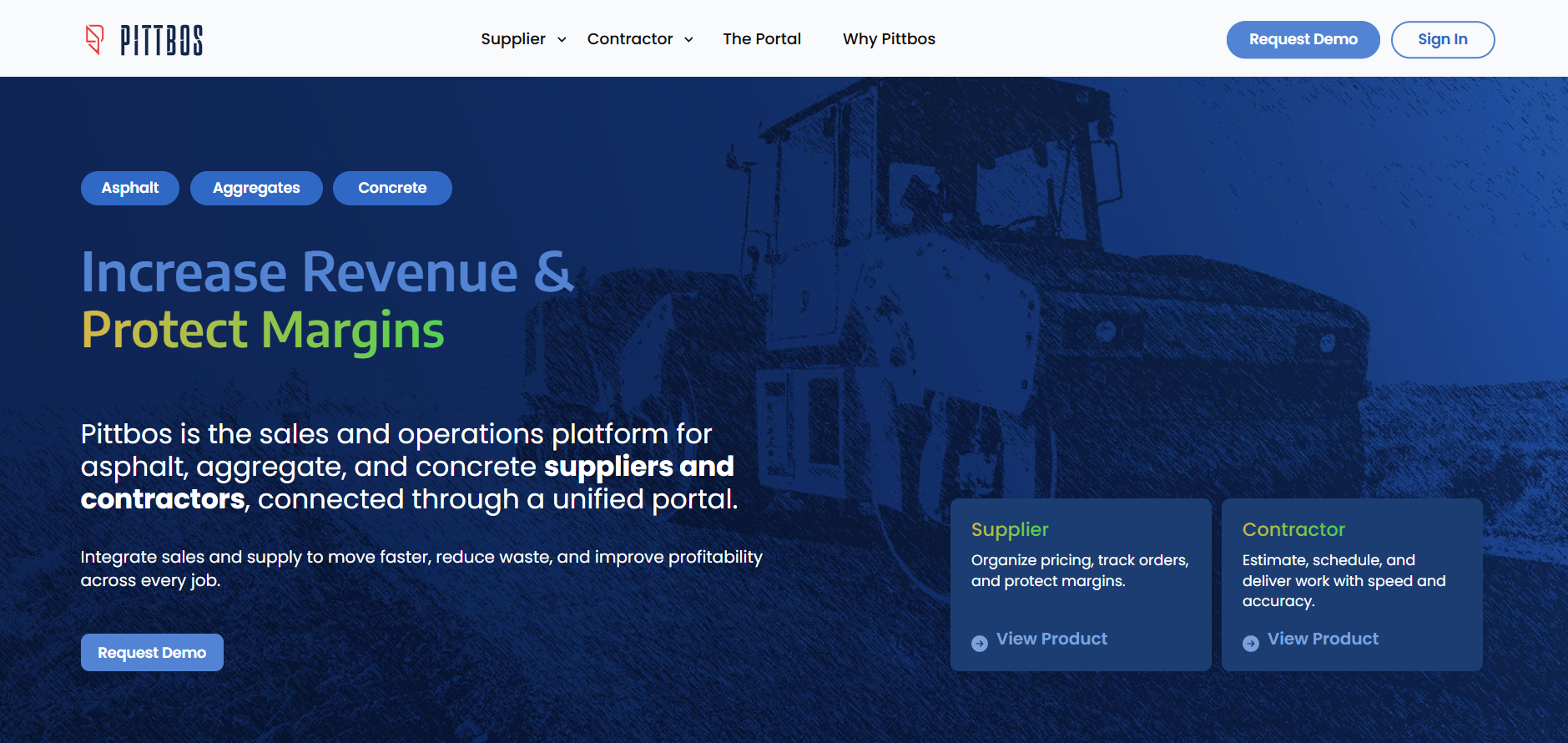
Pittbos connects asphalt suppliers and paving contractors on a shared platform where material costs, haul rates, and plant variables flow directly into estimates.
Key features
- Asphalt plant economics baked into pricing (mix variables, haul, margins)
- Supplier-contractor portal for sharing updates and quote details
- Backlog and quote management built around asphalt workflows
Built by people with two decades in the asphalt industry, Pittbos addresses a problem other platforms ignore: the disconnect between material suppliers and contractors. The platform handles plant costs, AC pricing, additives, RAP blends, and margins in ways that generic construction tools can't match.
The Portal feature creates a shared space where suppliers and contractors connect for estimates, scheduling, and pricing updates. When your material costs change, those updates flow to contractors using the platform.
Contractors using Pittbos report professional quotes that win more bids and backlog management that keeps sales details synced across the organization.
Pittbos pros
- Material costs with plant variables, haul rates, and margins built in
- Supplier-contractor portal for shared pricing and scheduling
- Quote templates designed for asphalt industry presentations
- Backlog tracking that syncs with sales details
- Purpose-built for asphalt, aggregates, and concrete industries
Pittbos cons
- Value depends on whether your suppliers and partners operate in the same ecosystem
- Custom pricing and onboarding can feel heavy for simple estimating needs
Consider this if you're an asphalt supplier or commercial contractor who needs material costing that reflects actual plant economics rather than generic material prices.
Pricing
Custom pricing; demo available.
6. Jobber: For Quick Service Estimates
Jobber helps small paving crews create professional quotes quickly and see estimated margins before sending proposals to customers.
Key features
- Fast quote templates you can build from your phone
- Automated follow-ups that help you close small jobs
- Scheduling and invoicing are tied directly to approved quotes
This platform serves contractors who handle smaller jobs where speed beats complexity. The quoting features include templates, optional line items for upselling, and automatic follow-up when customers don't respond.
Jobber doesn't include the takeoff tools or cost databases that larger operations need. Instead, it focuses on getting quotes out fast and converting them to scheduled work. The platform handles scheduling, invoicing, and customer communication alongside estimating.
Residential paving contractors doing driveways, repairs, and sealcoating find Jobber's approach fits their workflow. The mobile app lets you create and send quotes from job sites, capturing work while you're already talking with the customer.
Jobber pros
- Quick quote creation with professional templates
- Margin visibility shows profitability before you send
- Optional add-on items for upselling additional services
- Automatic follow-up on pending quotes
- Mobile quoting from job sites
- QuickBooks integration for invoicing
Jobber cons
- No true takeoff or cost database, so accuracy depends on disciplined inputs
- Limited fit for multi-phase commercial work with tight job costing needs
Consider this if you're a smaller crew handling residential work where speed and simplicity beat enterprise features. Commercial contractors need more robust estimating capabilities.
Pricing
Starting at $49/month (billed monthly) or $29/month; plans scale with features and users.
Note: If you upsell striping, add paint, layout time, and line striping equipment to your cost line items.
7. InSite Elevation Pro: For Earthwork and Quantity Calculations

InSite Elevation Pro calculates cut and fill, paving quantities, and material volumes from site plans, providing the quantity data that feeds your cost estimates.
Key features
- Plan-based takeoffs for paving areas, volumes, and cut/fill quantities
- Detailed reports you can export to spreadsheets or estimating platforms
- GPS model outputs for crews that run machine control
This platform handles the measurement side of estimating rather than the full cost calculation process. Upload site plans, and InSite calculates earthwork quantities, paving areas, concrete volumes, and topsoil requirements.
The speed improvement over manual calculation is substantial. Projects that took days with scale rulers and calculators finish in hours. The platform also creates GPS models for machine control, connecting your takeoff directly to grading operations.
Paving contractors who handle sitework and grading alongside surface installation find InSite bridges the gap between design plans and executable quantities. The detailed reports help prove your numbers to clients and justify pricing.
InSite pros
- Cut and fill calculations from site plans
- Paving and concrete quantity takeoffs
- Topsoil, stripping, and strata quantity calculations
- GPS model creation for machine control
- Detailed reports for client presentations
- Export to estimating systems and spreadsheets
InSite cons
- It calculates quantities, so you still need a separate system to price labor and materials
- The learning curve shows up fast if your plans come with messy layers
Consider this if your paving work includes significant earthwork and grading where quantity accuracy drives profitability. Pure surface paving contractors may not need this level of capability.
Pricing
Quote-based; trial available.
Setting Up Your Cost Database: What Actually Matters
Regardless of which paving cost estimating software you choose, accurate estimates depend on accurate cost data. A cost database only helps if it reflects your real inputs: supplier pricing, crew pay rates, equipment and mobilization costs, and production rates.
Get all your rates right once, then every estimate improves instead of drifting over time. Here's what to get right:
- Material costs by supplier and product. Don't use generic "asphalt" pricing. Track costs for specific mixes from specific suppliers. Hot mix from Supplier A is priced differently from hot mix from Supplier B, and those differences affect your margins.
Spec work often requires asphalt testing. Add lab fees, coring, and density checks as line items so QC doesn’t eat your margin.
- Labor rates by role and task: A foreman costs more than a laborer. Crack sealing takes a different amount of time than overlay work. Build your cost database with enough detail to price different work types accurately.
- Equipment costs including mobilization: That paver doesn't just have an hourly rental cost. Factor in mobilization, fuel, and maintenance. These "hidden" costs eat into margins when estimates ignore them.
- Production rates from your crews: Industry averages tell you what a typical crew does. Your crew might be faster or slower. Track actual production and update your cost formulas to reflect reality.
- Waste and contingency factors: Materials don't go 100% into the finished product. Build realistic waste percentages into your cost calculations.
Choosing the Right Paving Cost Estimating Software
Use the quick chart below to match your estimating needs to the right platform. If you want estimates to flow into budgets and job costing, pick a tool built for paving project management.
Manage Estimates, Crews, and Projects from One Platform
The best paving cost estimating software does more than calculate numbers. It connects those calculations to everything else in your operation.
OneCrew was designed for project-based asphalt and concrete contractors who want their cost estimates to actually mean something. With OneCrew, you can:
- Build estimates using configurable cost formulas: The estimating features let you set up labor rates, material costs, equipment charges, and subcontractor pricing once. The system calculates every estimate using your numbers.
- Track every lead and customer interaction: The CRM captures inquiries and tracks communications from first contact through project completion.
- Send professional proposals that close faster: Create polished proposals clients can review, approve, and sign through a customer portal.
- Turn won estimates into scheduled work: The scheduling features assign crews to job phases with clear accountability.
- Keep field crews connected to job details: Field management tools put site information, material specs, and schedule updates in your crews' hands.
- Get paid without the back-office chaos: The invoicing features sync with QuickBooks to keep financials organized without double-entry. When your cost estimates are accurate, invoicing reflects the real value you delivered.
You don't need separate tools for estimating, scheduling, and project management. You need one platform where paving cost estimating software connects to operations.
Book a demo to see how OneCrew handles cost estimating for contractors who want control over their numbers.
FAQs
1. How do I build accurate cost estimates for paving jobs?
Building accurate cost estimates for paving jobs requires detailed data on material costs by supplier, labor rates by role, equipment expenses including mobilization, and production rates from your actual crews. The best paving cost estimating software lets you configure these variables and lets you apply them consistently across every estimate.
2. What's the difference between estimating software and bidding software?
The difference between estimating software and bidding software comes down to focus. Estimating software calculates accurate costs for labor, materials, and equipment. Bidding software emphasizes proposal generation, bid tracking, and submission workflows. Many platforms combine both functions, though some specialize in one area. OneCrew handles complete workflows from cost calculation through proposal delivery.
3. Can paving cost estimating software track actual versus estimated costs?
Yes, paving cost estimating software can track actual versus estimated costs on platforms like OneCrew, B2W Estimate, and SharpeSoft. These tools connect estimates to job costing features that monitor real expenses. This comparison helps you identify pricing errors and refine future estimates. B2W takes this further by building estimates from historical cost data automatically.
4. How much should I expect to pay for paving cost estimating software?
You should expect to pay anywhere from about $29 to several hundred dollars monthly for paving cost estimating software, depending on team size and features. Jobber starts at $29/month billed annually. Houzz Pro starts at $99/month. OneCrew uses seat-based pricing determined during a demo. Enterprise platforms like B2W Estimate require custom quotes.
5. Which paving cost estimating software integrates with QuickBooks?
Paving cost estimating software that integrates with QuickBooks includes OneCrew, Houzz Pro, Jobber, and SharpeSoft. OneCrew syncs invoicing and payment information to keep financials organized without double-entry. Jobber offers similar integration for smaller operations focused on service work.

