
5 Concrete Estimating Software Reviews I Tested and Ranked for 2026

I spent weeks testing tools across takeoff, estimating, and project management categories to find what actually works for concrete and paving contractors. If you bid asphalt work as well, timing matters, especially when paving season starts.
OneCrew stood out for end-to-end project workflows built specifically for the industry, and STACK impressed with cloud-based precision. Our concrete estimating software review breaks down exactly what each tool offers
5 Best Concrete Estimating Platforms: At a Glance
1. OneCrew: Best Concrete Estimating Platform Overall
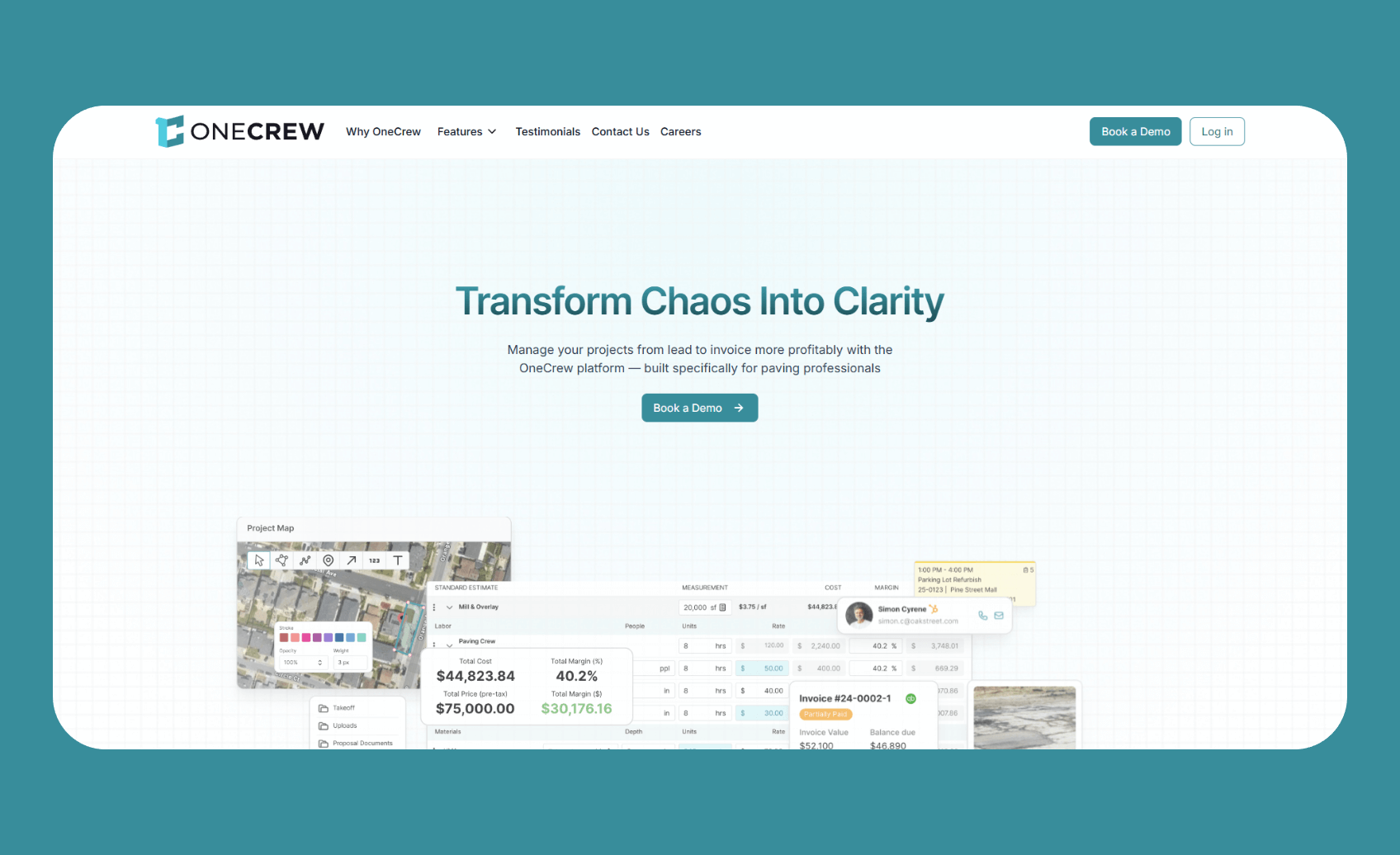
OneCrew centralizes everything from lead capture through final invoicing in one cloud-based platform built specifically for paving contractors handling asphalt and concrete work.
Who it's for: Asphalt and concrete contractors of any size who manage project-based work and want to replace patchwork tools with one unified system.
OneCrew grabbed my attention because it thinks like a concrete contractor thinks. Most estimating tools force you to adapt your workflow to their structure. OneCrew flips that approach. The platform handles PDF takeoffs, map-based measurements, crew assignments, customer approvals, and invoicing without bouncing between five different apps.
What separates OneCrew from generic construction tools is its industry-specific focus.
The estimating engine understands paving workflows, so you can build bids using labor, material, equipment, and subcontractor line items with built-in calculators that reflect how concrete jobs actually work. That helps when you price add-ons like striping, especially when you already run the right line striping equipment.
During testing, the platform cut estimating time by up to 75% compared to manual methods.
The customer portal deserves special mention. Clients can view and sign proposals, pay invoices, share photos, and message your team directly. This kind of transparency builds trust and keeps projects moving without constant phone tag.
Note: It’s good practice to keep a signed asphalt paving contract and a simple OSHA requirements for asphalt checklist attached to each job.
Key features
- PDF takeoff and map measurement: Two separate tools let you estimate from blueprints or satellite imagery. Mark up plans directly, measure job sites from aerial views, and pull quantities into your estimates automatically.
- Configurable estimating automations: Build estimates using labor, material, equipment, and subcontractor line items. The system calculates costs based on your production rates and material needs.
- Crew and phase scheduling: Assign crews and roles to specific job phases. Track project status across pre-construction, production, and billing stages without losing visibility.
- Customer portal: Share proposals, collect approvals, process payments, and exchange documents through a dedicated portal.
- QuickBooks Online integration: Sync invoicing and payment information to keep financials organized without double-entry headaches.
Pros
- Purpose-built for paving: Unlike generic field service tools, OneCrew understands project-based workflows for asphalt and concrete contractors.
- Independent ownership: Your data stays yours. OneCrew isn't owned by private equity roll-ups that acquire paving companies, eliminating potential conflicts of interest.
- Replaces multiple tools: Estimating, scheduling, customer management, and invoicing live in one platform instead of being scattered across disconnected apps.
- Strong onboarding support: The team provides training to help contractors maximize their investment, treating the relationship as a true partnership.
Cons
- Requires demo for pricing: You'll need to schedule a conversation to get specific costs based on your team size and feature needs.
- Not built for quick service calls: OneCrew focuses on project-based work. If you primarily handle same-day repairs, simpler tools might be a better fit.
Pricing
OneCrew uses seat-based pricing determined during a demo based on company size and feature requirements. The platform serves contractors from small operations to large enterprise paving companies.
Bottom line
OneCrew delivers the most complete concrete estimating experience for contractors who handle real projects from estimate to final invoice.
If you're tired of juggling spreadsheets, whiteboards, and disconnected apps, this platform ties everything together. Book a demo to see how it handles your specific workflow.
Note: For a deeper look at what “good scheduling” looks like in paving, see our guide to asphalt paving scheduling software.
2. STACK: Best for Cloud-Based Precision Takeoffs

STACK provides cloud-based takeoff and estimating tools that let teams measure digital blueprints, calculate quantities, and generate estimates from anywhere with an internet connection.
Who it's for: Concrete contractors and estimating teams who want browser-based access with real-time collaboration capabilities.
STACK's cloud-first approach means your entire team can work on takeoffs simultaneously without passing files back and forth or dealing with version control nightmares. The platform supports area, linear, and volume measurements essential for calculating concrete quantities, rebar counts, and surface coverage.
During testing, the interface felt intuitive enough that new estimators could produce accurate work within hours. The searchable plan text and auto-page-renaming features stood out as genuine time-savers on large projects with dozens of sheets.
The pre-built assemblies deserve credit for saving significant time on repetitive calculations. Create a standard concrete assembly once, and drag it onto future jobs to populate material, labor, and cost figures instantly. This standardization helps maintain consistent pricing across your estimating team and reduces the variability that leads to underbidding.
Key features
- Digital plan markup: Upload blueprints and measure quantities directly on screen with point-and-click tools for area, linear, count, and volume takeoffs.
- Pre-built and custom assemblies: Use existing templates or build your own assemblies for common concrete specs. Apply them to takeoffs for instant cost calculations.
- Real-time collaboration: Multiple team members can access and work on the same project simultaneously from any device.
- OCR search and overlay: Find specific notes in plans using text search. Compare different plan versions with overlay controls.
Pros
- True cloud access: Work from the office, home, or job site on any device without installing desktop applications.
- Team collaboration: Distributed teams can work together on complex bids without version control headaches.
Cons
- Requires internet connection: The cloud-based approach means you need reliable internet access throughout your workday.
- General construction focus: STACK serves many trades, so concrete-specific features aren't as thorough as purpose-built tools.
Pricing
The Standard plan costs $2,599 per user annually for takeoff and estimating.
Bottom line
STACK delivers a solid option for contractors who prioritize cloud access and team collaboration in their concrete estimating software reviews. The platform handles concrete takeoffs well, though contractors wanting deeper paving-specific automations and full project management may prefer OneCrew.
3. PlanSwift: Best for Fast Digital Measurements

PlanSwift provides point-and-click takeoff tools that turn digital blueprints into accurate material quantities and cost estimates with a minimal learning curve.
Who it's for: Contractors and estimators who need fast, accurate measurements from digital plans with Excel export capabilities.
PlanSwift has been a takeoff staple for years, and the reputation is deserved. The single-click area tool measures parking lots and concrete slabs in seconds. During testing, I appreciated how the platform handles Google Maps integration for estimating concrete areas without separate satellite imagery tools.
The drag-and-drop interface requires minimal training. Most estimators can start producing quality work within a day or two of installation.
Custom assemblies let you build templates that include materials, labor, waste factors, and costs. Drag them onto takeoffs for instant estimates that reflect your actual pricing.
One thing to note: PlanSwift runs on Windows computers, which limits mobile and Mac/Apple access compared to cloud platforms. If your team needs to estimate from iPads or Chromebooks, look elsewhere.
Key features
- Single-click area takeoff: Measure square footage for concrete slabs, footings, and driveways with minimal clicks. The tool automatically calculates perimeters as well.
- Custom assemblies: Build assemblies that include materials, labor, waste factors, and costs. Drag them onto takeoffs for instant estimates.
- Excel integration: Export quantities directly to your existing Excel estimating spreadsheets for further analysis or formatting.
- Google Maps integration: Pull in aerial imagery to measure and estimate land areas or concrete projects without separate mapping tools.
Pros
- Fast learning curve: The point-and-click interface requires minimal training for basic takeoff work.
- Trade customizable: Configure the platform for concrete, asphalt, or other paving-related measurements.
- Predictable cost: Annual subscription means you know exactly what you're paying each year.
Cons
- Desktop-based: PlanSwift runs on Windows computers, limiting mobile and Mac access compared to cloud platforms.
- Takeoff focused: The platform handles measurements and estimates but lacks scheduling, invoicing, and project management features.
Pricing
PlanSwift costs $2,000 per year for the subscription plan.
Bottom line
PlanSwift delivers proven takeoff capabilities for contractors who want fast measurements with predictable costs. The tool excels at what it does, but concrete contractors needing end-to-end project management will need to pair it with additional platforms like OneCrew.
4. Bluebeam Revu: Best for PDF Markup and Collaboration

Bluebeam Revu provides advanced PDF markup and measurement tools that let teams annotate plans, take precise measurements, and collaborate in real time across project stakeholders.
Who it's for: Contractors and estimators who work heavily with PDF plans and need deep collaboration features with architects, engineers, and project managers.
Bluebeam has carved out a strong position in construction workflows, and concrete contractors benefit from its measurement precision. The platform measures lengths, areas, volumes, depth, radius, wall area, angles, and arcs. For concrete work, the volume calculations prove especially valuable when estimating footings, foundations, and structural elements.
The Quantity Link feature stands out in concrete estimating software reviews. It syncs PDF measurement data directly to Excel worksheets, updating totals in real time as you mark up additional areas. This eliminates the manual transfer step that causes errors in most workflows.
Bluebeam also shines for teams that need to share marked-up drawings with architects, engineers, or general contractors. The Studio cloud collaboration lets multiple users mark up and measure simultaneously from anywhere.
Key features
- Extensive measurement tools: Measure volume, depth, radius, wall area, angles, and arcs. Customize counts and create multiple scaled viewports on a single drawing.
- Quantity Link to Excel: Link measurement totals from multiple PDFs to Excel worksheets for automatic bid calculations.
- Studio collaboration: Mark up and measure together with teammates in real time using customizable toolsets.
- Custom tool sets: Create standardized takeoff tools your entire team can share for consistent estimates.
Pros
- Measurement precision: More measurement types than most takeoff tools, including specialized options for concrete volumes and wall areas.
- Excel automation: Quantity Link reduces manual data entry and the errors that come with it.
- Industry standard: Many general contractors already use Bluebeam, making document sharing a direct process.
Cons
- Steeper learning curve: Advanced features take time to master compared to simpler point-and-click tools.
- Primarily a markup tool: Bluebeam handles takeoffs well but lacks estimating, scheduling, or project management capabilities built in.
Pricing
Bluebeam Revu Basics costs $260 per year. The Complete version with additional features runs higher. Check current pricing as plans can evolve without notice.
Bottom line
Bluebeam Revu fits concrete contractors who need precise PDF measurements and collaborate regularly with architects, engineers, or GCs who already use the platform. For full concrete estimating workflows, you'll need to pair it with a dedicated estimating or project management tool.
5. eTakeoff: Best for Concrete-Specific Calculations

eTakeoff provides specialized takeoff tools designed for concrete contractors, with built-in calculations for rebar, mesh, post-tension cables, and other materials unique to concrete work.
Who it's for: Dedicated concrete estimators who need specialized material calculations and want to integrate takeoff data with estimating platforms like Sage.
eTakeoff claims contractors can increase productivity by up to 15 times compared to manual methods. That number seems aggressive, but the platform genuinely speeds up concrete-specific calculations. The ability to measure cubic yards for concrete and sand, plus length and weight calculations for rebar, addresses real pain points in concrete estimating.
The Bridge feature deserves attention for contractors using Sage Estimating. It eliminates manual data entry between takeoff and estimating, reducing both time and error rates. Contractors who previously typed quantities into Sage by hand particularly appreciate this integration.
eTakeoff's SnapAI feature uses predictive measurements to reduce takeoff time further. The technology identifies patterns in your measurements and suggests completions, though results vary based on plan complexity.
Key features
- Concrete-specific assemblies: Pre-built tools for concrete walls, footings, slabs, rebar, mesh, and post-tension calculations.
- Cubic yard calculations: Automatic volume calculations for concrete, sand, and gravel in the units contractors actually use.
- Sage integration via Bridge: Direct connection to Sage Estimating eliminates manual quantity transfer.
- SnapAI predictions: AI-assisted measurements suggest completions based on patterns in your takeoff work.
Pros
- Built for concrete: More concrete-specific features than general takeoff tools, including rebar weight calculations.
- One-time purchase option: Perpetual licensing is available for contractors who prefer avoiding subscriptions.
- Strong customer feedback: Users consistently praise the customer support and frequent updates based on user input.
Cons
- Windows-only: Desktop application limits access from mobile devices or Mac computers.
- Narrower focus: Specialized for concrete may be overkill if you also handle diverse general construction work.
Pricing
eTakeoff Dimension Advanced Subscription costs $795 a year.
Bottom line
eTakeoff wins for dedicated concrete estimators who want specialized calculations and Sage integration. General paving contractors handling both asphalt and concrete may find broader platforms like OneCrew more practical.
How I Evaluated These Concrete Estimating Platforms
Here's what I looked for:
- Concrete-specific features: Does the platform understand how concrete contractors actually work? Generic construction tools often miss important workflow details like rebar calculations or cubic yard measurements.
- Estimating speed: How quickly can you move from plan upload to polished proposal? I tracked time-to-estimate for similar projects across platforms.
- Integration capabilities: Does the platform connect with QuickBooks, CRMs, or other tools contractors already use? Disconnected data creates double-entry headaches.
- Learning curve: Can your team start using the platform productively within days, or does implementation stretch into weeks?
- Support quality: When questions arise, how quickly and effectively does the vendor respond? Concrete contractors can't wait days for answers during the busy bidding season.
My testing process: I created sample estimates for a commercial concrete project on each platform, evaluating how the tools handled measurements, material calculations, and proposal generation. I also reviewed user feedback from G2, Capterra, and industry forums to validate my findings against real contractor experiences.
Extra factors considered:
- Mobile access: Field crews need schedule and job information on their phones. Desktop-only platforms create friction.
- Pricing transparency: Platforms that hide pricing until demos add friction that busy contractors don't appreciate.
- Industry focus: Tools built for paving and concrete contractors outperform generic construction platforms for specialized workflows.
Which Concrete Estimating Platform Should You Choose?
The right choice depends on your project types, team size, and current tool stack. Here's how to narrow your decision:
Choose OneCrew if you …
- Run an asphalt or concrete contracting business of any size
- Handle project-based work from estimate through final invoice
- Want to replace multiple disconnected tools with one unified platform
- Need configurable estimating with labor, material, and equipment calculations
- Value a platform built specifically for paving workflows
Choose STACK if you …
- Want cloud-based takeoff tools with real-time team collaboration
- Need accurate quantity takeoffs paired with fast estimate generation
- Work with a remote estimating team that needs access from multiple locations
- Prefer a free tier to test before committing
Choose PlanSwift if you …
- Need fast, accurate takeoffs from digital blueprints
- Want predictable annual pricing without surprise cost increases
- Already have separate tools for scheduling and invoicing
- Prefer Excel export for your existing estimating workflows
My Final Verdict
After testing these platforms against real concrete workflows, OneCrew stands out as the best option for most paving contractors. The platform replaces the patchwork of spreadsheets, whiteboards, and disconnected apps that slow down operations every day.
From PDF takeoff to customer portal to QuickBooks integration, everything connects in one system built specifically for how asphalt and concrete contractors work. The reduction in estimating time alone can pay for the platform quickly, and the end-to-end visibility prevents the dropped balls that cost jobs.
That said, specialized needs call for specialized tools. STACK wins for contractors who need pure cloud-based takeoffs with team collaboration. Bluebeam remains unmatched for PDF markup and sharing with architects and engineers. eTakeoff delivers specialized concrete calculations that general platforms can't match.
For most commercial and residential paving contractors handling concrete work, though, OneCrew delivers the complete package that makes the biggest difference in daily operations.
Run Jobs, Crews, and Quotes in One Place
When reading concrete estimating software reviews, consider which platform fits your workflow. Pure takeoff tools handle measurements well. PDF markup platforms excel at collaboration with design teams.
OneCrew was designed specifically for project-based asphalt and concrete contractors. It replaces the patchwork of tools that slow you down and gives you a single platform that ties everything together.
Here's what you can do with OneCrew:
- Build estimates that win profitable concrete work: The estimating features let you measure from PDFs or aerial maps and apply labor, material, equipment, and sub-line items with built-in calculators.
- Track every lead from first inquiry to signed contract: The CRM captures inquiries and tracks interactions throughout your sales process.
- Send professional proposals that close faster: Create polished proposals clients can review, approve, and sign through a customer portal. Your detailed breakdowns build trust and show clients exactly what their concrete project includes.
- Schedule crews across multiple job sites: The scheduling features assign crews and roles to specific job phases. When your concrete estimates turn into won work, scheduling flows naturally without re-entering project details.
- Keep field crews connected to job details: Field management tools put site information, material specs, and schedule updates in your crews' hands.
- Get paid without the back-office chaos: The invoicing features sync with QuickBooks to keep financials organized without double-entry.
You don't need five different apps to run your concrete business. You need one platform that handles project management from takeoff to final invoice. Book a free demo and see how OneCrew helps you take control of your jobs from start to finish.
FAQs
1. What is the best concrete estimating platform for paving contractors?
The best concrete estimating platform for paving contractors is OneCrew because it covers the complete project workflow from estimating through invoicing. The platform handles PDF takeoffs, map measurements, configurable cost calculations, crew scheduling, customer approvals, and QuickBooks integration in one unified system built specifically for asphalt and concrete contractors.
2. Do I need specialized concrete tools, or can I use general construction platforms?
Whether you need specialized concrete tools or can use general construction platforms depends on your work. General construction tools work but miss important paving-specific features. Dedicated concrete estimating platforms include material calculators for cubic yards, rebar weight, and production rates that generic programs lack. Purpose-built tools like OneCrew and eTakeoff understand how concrete jobs actually flow from estimate to completion.
3. What features should I look for in concrete estimating software reviews?
The features you should look for in concrete estimating software reviews include PDF and map-based takeoff tools, automated material and labor calculations, proposal generation with e-signatures, scheduling with crew assignments, customer portals for approvals and payments, and QuickBooks integration. The best platforms handle all these functions without requiring separate apps for each step.
4. How much does concrete estimating software cost?
Concrete estimating software costs vary widely across the market. STACK provides a free tier with paid upgrades. PlanSwift costs $2,000 annually. OneCrew uses seat-based pricing determined during a demo. eTakeoff offers yearly licensing starting at $795. Expect to invest based on your team size and feature requirements.
5. Can concrete estimating tools integrate with QuickBooks?
Yes, concrete estimating tools can integrate with QuickBooks Online. OneCrew syncs invoicing and payment data with QuickBooks. Integration eliminates double-entry and keeps your books accurate without manual reconciliation.

