
Invoicing Workflow for Contractors: 2026 Guide

You finish a job, the crew packs up, and then two months later you’re still chasing a payment. Sound familiar? For most contractors and project managers, billing delays don’t come from lazy clients. They come from a broken invoicing workflow for contractors, where invoices get lost, approvals bottleneck, and nobody catches the math error until the GC kicks it back. This guide walks you through every stage of a contractor invoicing process that actually works, from prerequisites and approval roles to follow-up systems that get you paid without the awkward phone calls.
Key takeaways
| Point | Details |
|---|---|
| Set up approval roles early | Assign foreman, PM, and owner thresholds before the first invoice touches your system. |
| Complete G703 before G702 | Filling the detail sheet first prevents math errors that cause payment rejections. |
| Invoice the same day | Same-day billing meaningfully shortens average payment timelines. |
| Use a 4-step follow-up ladder | Structured reminders at day 3, 7, 14, and 30 recover most overdue accounts before they become write-offs. |
| Integrate your tools | Connecting scheduling, dispatch, and invoicing generates bills automatically on job completion. |
Building your invoicing workflow for contractors
Before you touch a single invoice, you need your infrastructure in place. A good workflow for contractor invoicing doesn’t start at the billing step. It starts with the systems and documents that make billing accurate.
Central intake point. Every invoice your company receives or issues should flow through one inbox or folder, not three email accounts and a paper pile on someone’s desk. Pick a single dedicated email address or job management folder per project and enforce it from day one.
Defined approval roles. A layered verification process with foreman, PM, and owner approvals protects your margins and speeds up month-end close. Here’s how most effective setups break it down:
- Foreman: Confirms quantities, delivery slips, and that work was actually done on site
- Project Manager: Checks job alignment, cost codes, change orders, and contract compliance
- Owner or CFO: Reviews and approves invoices above a defined dollar threshold
Standard billing forms. For commercial work, AIA G702 and G703 forms are standard. The G703 continuation sheet tracks work completed by cost item, and the G702 is the summary page. Retainage on commercial invoices typically runs 5 to 10%, calculated on cumulative work and stored materials, and is released at milestones like substantial completion.
Job and cost coding. Every line item needs to tie back to your schedule of values (SOV). Accurate cost codes prevent accounting headaches and make it far easier to spot overbilling or underbilling before your client does.
Pro Tip: Set up your job folder structure before mobilization, not during billing. Include subfolders for delivery slips, lien waivers, and signed change orders so nothing goes missing when invoicing time comes.
Here’s a quick look at what you need before running your first invoice cycle:
| Document or tool | Purpose | Who owns it |
|---|---|---|
| Central invoice inbox | Single intake point for all billing | Office admin or PM |
| AIA G702/G703 forms | Progress billing and retainage tracking | Project Manager |
| Schedule of values | Ties billing to contract line items | PM and estimator |
| Delivery slips and lien waivers | Proof of work for field verification | Foreman |
| Accounting software integration | Accurate entry and payment tracking | Controller or owner |
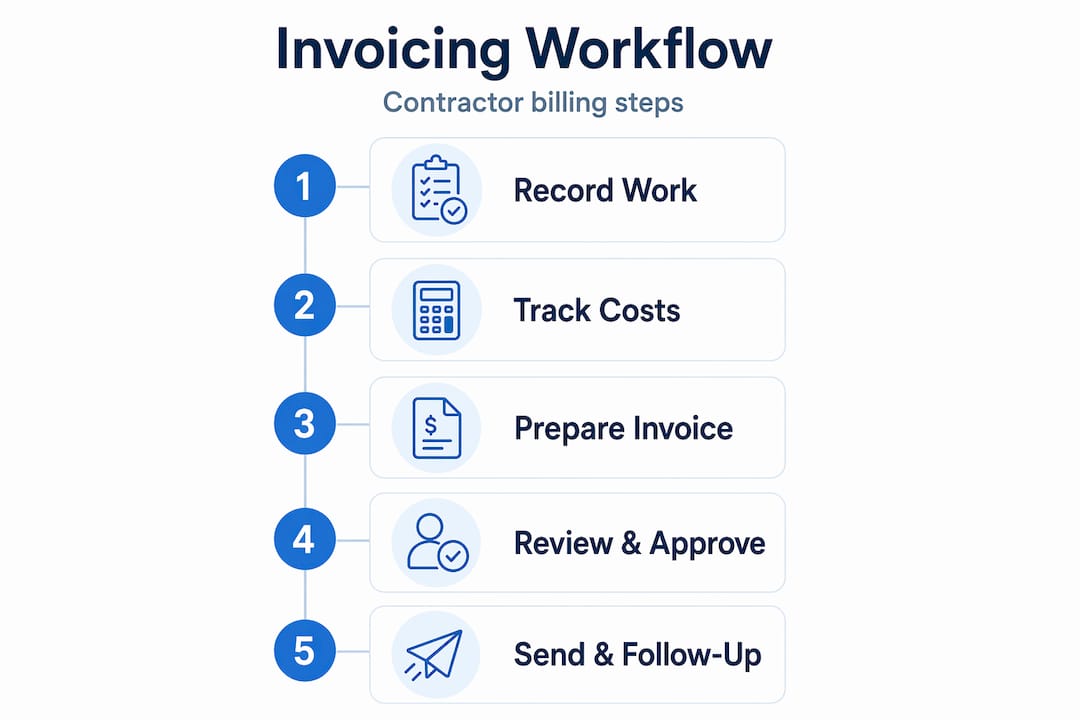
Step-by-step contractor invoicing process
With your setup in place, here’s how to run a clean invoice cycle from job completion to payment deposit.
- Receive and file the invoice. The moment an invoice arrives, save it to the correct job folder. Rename the file with the job number, vendor name, and date. This sounds basic, but skipping it is where most offices lose track.
- Field verification by foreman. The foreman confirms that quantities on the invoice match delivery slips and that the work or material was actually delivered. No delivery slip, no approval. Full stop.
- Project Manager review. The PM checks that the invoice aligns with the contract scope, uses the right cost codes, and accounts for any approved change orders. PM ownership of this step prevents cost coding errors and unauthorized payments that accounting alone can’t catch.
- Approval threshold check. Invoices under a set dollar amount (say, $5,000) get PM approval and move to accounting. Invoices above that threshold go to the owner or CFO for a final check. Having a deemed acceptance clause with a 2 to 5 business day approval window reduces payment delays significantly.
- Accounting entry and document trail. Once approved, the invoice is entered into your accounting system with the correct job number, cost code, and payment terms. Attach the original invoice, delivery slips, and any supporting change order documentation.
- Align billing milestones with the SOV. For progress billing, make sure the percentage complete claimed on each line item matches your actual job cost data. Discrepancies between your SOV and actual costs are one of the top reasons pay applications get rejected.
Pro Tip: On commercial jobs, review your G703 continuation sheet weekly rather than waiting until pay app time. Catching SOV drift early means you’re never scrambling to reconcile three weeks of work in one afternoon.
Common mistakes that stall payment
Most invoicing problems are predictable. Here’s where contractors consistently run into trouble:
- Approving without proof. Signing off on an invoice that has no delivery slip or site confirmation is how ghost charges sneak onto a job. Make delivery confirmation non-negotiable before any approval.
- Owner bottlenecking every invoice. If the owner has to approve a $300 supply charge, your invoices will always be late. Set dollar thresholds and trust your PMs to handle routine approvals.
- Filling G702 before G703. The single biggest cause of rejected pay apps is math errors between the continuation sheet and the summary form. Always complete G703 first.
- Submitting invoices for unapproved change orders. If a change hasn’t been signed off in writing, don’t bill for it. Submit the change order request first, get approval, then invoice.
- Late invoicing. Every day you wait to invoice is a day you delay your payment clock. Same-day invoicing after job completion dramatically shortens collection timelines.
Getting paid: follow-up that actually works
Sending the invoice is only half the job. Most contractors stop following up after one reminder, but over 25% of invoices need three or more reminders before they get paid. Here’s a follow-up sequence that works:
- Day 3, friendly email reminder. Keep it brief and professional. Reference the invoice number, amount, and due date. This catches clients who simply forgot.
- Day 7, SMS message. Text messages tend to be opened far more reliably than email. A short, direct text referencing the outstanding balance gets attention fast.
- Day 14, direct phone call. By now you need a real conversation. Ask if there’s a dispute or issue holding up payment and get a commitment on a date.
- Day 30, formal written demand. Send a written demand letter via email and certified mail. Reference contract terms, late fees, and any lien rights you may have.
Pro Tip: Personalize your reminders with the client’s name, the specific job, and the exact invoice number. Generic “you have an outstanding balance” messages get ignored. Specific ones get paid.
Automated multi-channel follow-up systems can reduce late payments substantially. If you’re managing more than five active jobs, manual follow-up is not sustainable. Build the escalation sequence into your invoicing tools for contractors so reminders go out automatically.
Tools that support your invoicing workflow
The right software doesn’t replace your business rules. It executes them faster and with fewer errors. When evaluating contractor billing solutions, focus on these capabilities:
- Mobile invoicing that lets your foreman generate an invoice on site the moment a job is complete
- Integration with scheduling and dispatch so billing triggers automatically on job closure
- Progress billing and partial billing support for commercial jobs with a schedule of values
- Automated payment reminders with multi-channel delivery (email and SMS)
- Direct sync with QuickBooks or your accounting platform for clean job cost reporting
An integrated field service platform that connects scheduling, dispatch, invoicing, and accounting generates invoices instantly on job completion, which is the single fastest way to shorten your payment cycle.
How OneCrew makes billing easier
If you’re running an asphalt or paving operation and your billing still lives in spreadsheets or disconnected apps, OneCrew was built specifically for your world.
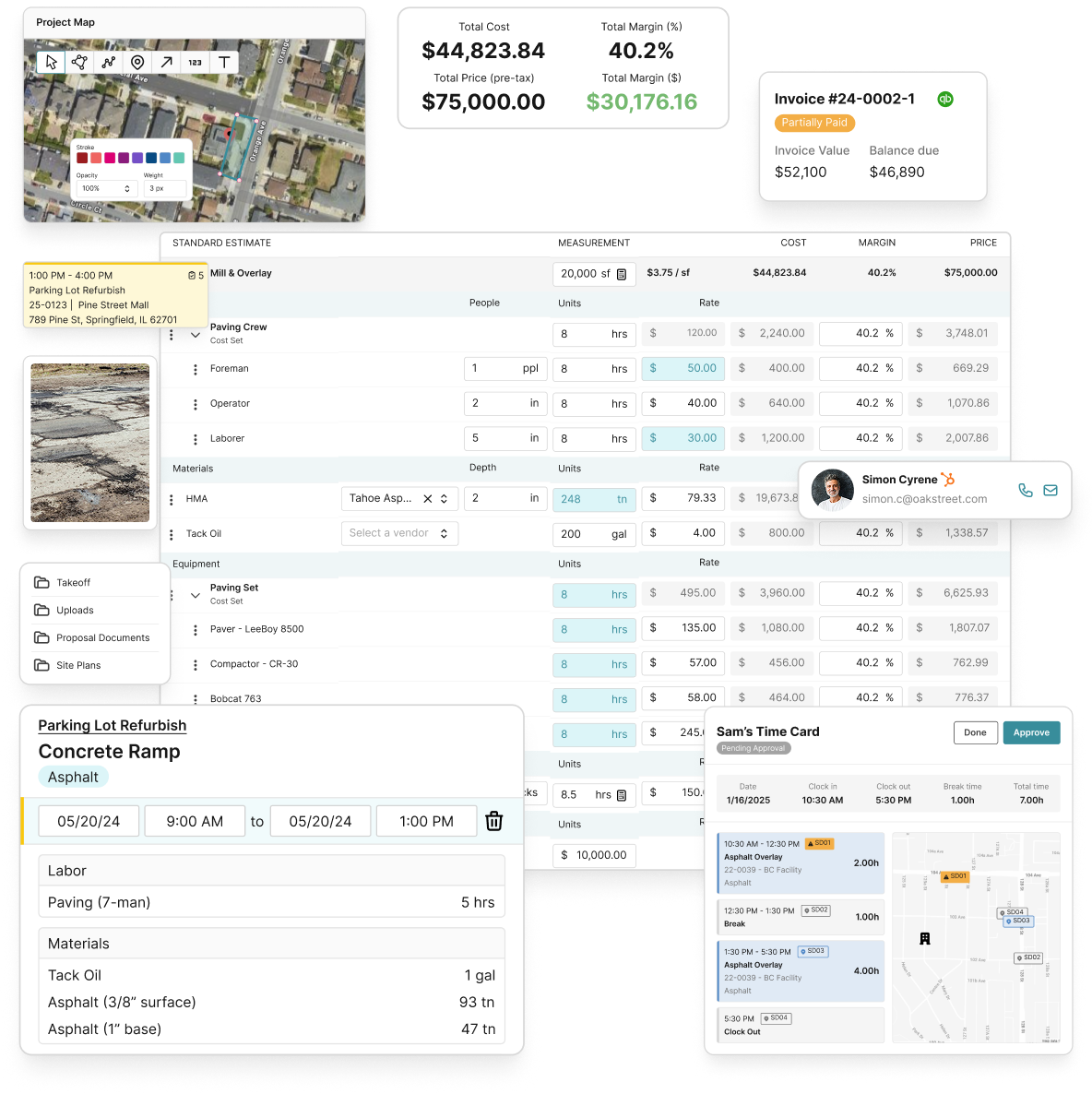
OneCrew connects your scheduling and dispatch directly to your invoicing workflow, so the moment a crew closes out a job, an invoice is ready to go. No double entry, no missed line items, and no waiting until Friday to batch your billing. The platform supports progress billing, automated payment reminders, and real-time accounts receivable dashboards so you always know what’s outstanding. Pair it with OneCrew’s estimating tools and your SOV is already built before the first shovel hits the ground. Fewer errors, faster payments, tighter margins. Book a demo to see it run on your jobs.
FAQ
What is an invoicing workflow for contractors?
An invoicing workflow for contractors is a defined, step-by-step process for receiving, verifying, approving, and submitting invoices from field completion to final payment. A structured workflow reduces errors, prevents payment delays, and improves financial visibility across active jobs.
What order should you fill out AIA billing forms?
Always complete the G703 continuation sheet before the G702 summary page. Filling the G702 first leads to math errors between the two forms, which is one of the most common reasons pay applications get rejected by general contractors.
How many follow-up reminders does it take to collect an invoice?
Most unpaid invoices require at least three reminders before collection. A four-step escalation sequence at day 3, 7, 14, and 30 using email, SMS, phone, and formal demand letters recovers the large majority of overdue accounts.
Who should approve contractor invoices?
A three-tier system works best. The foreman verifies field delivery and quantities, the project manager confirms cost codes and contract alignment, and the owner or CFO approves invoices above a defined dollar threshold. This structure prevents bottlenecks and reduces costly errors.
How can contractors speed up payment timelines?
Sending invoices on the same day a job is completed meaningfully reduces average payment timelines. Mobile invoicing tools that integrate with scheduling and accounting systems make same-day billing practical even for crews working multiple sites.

.png)